

 v2.0.0
animate_icons
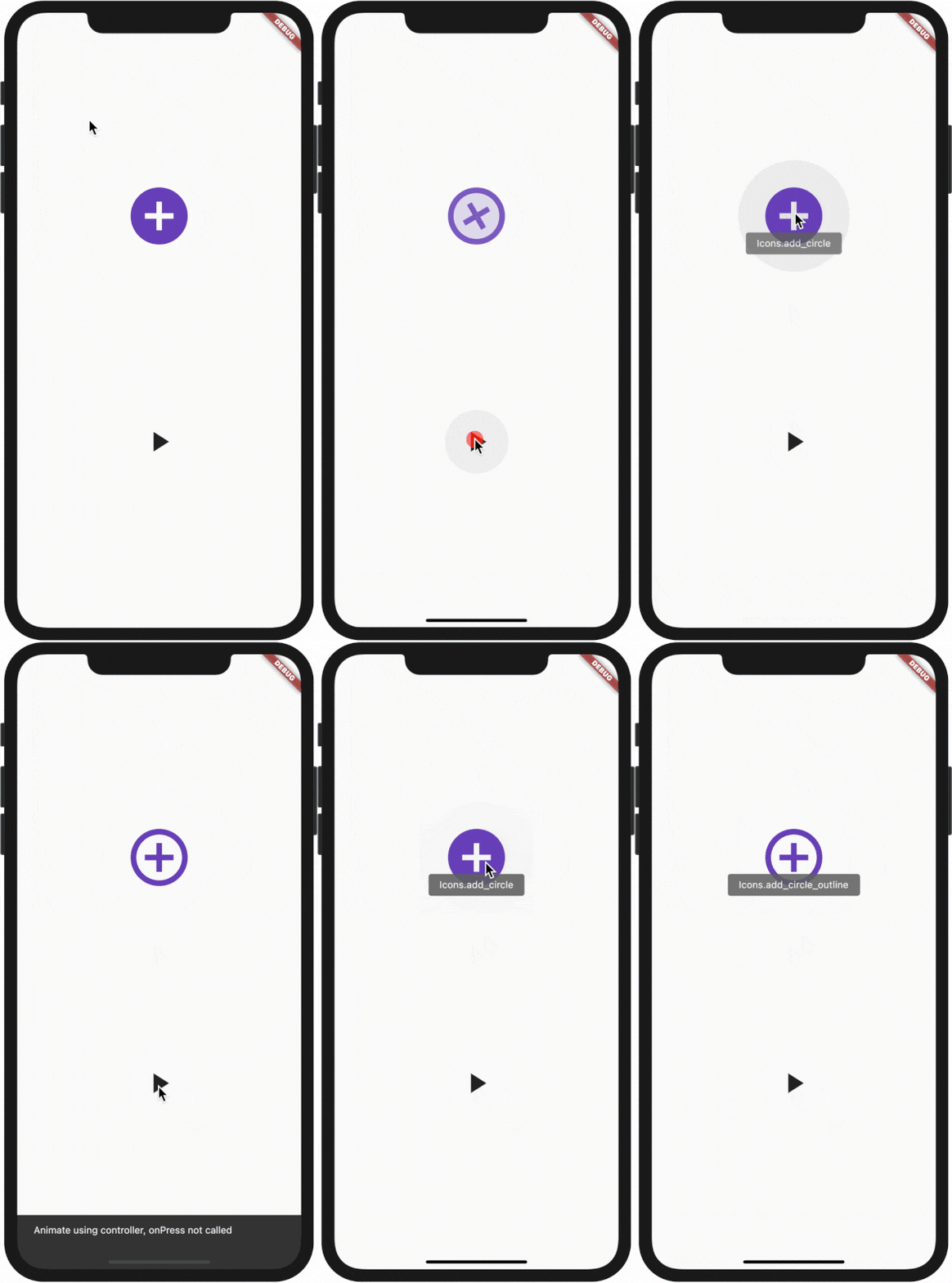
这是一个插件,借助它可以像默认提供的 AnimatedIcon 小部件一样,在任意两个图标之间进行动画切换。
210喜欢 2710近 30 天下载140Pub 分数
AndroidiOSWebmacOSWindowsLinux
使用此插件可像内置的 AnimatedIcons 一样动画化任意两个图标

以下为英文项目原文快照,最新内容请访问 GitHub。

All plugin in your pubspec.yaml
animate_icons:
Make the import:
import 'package:animate_icons/animate_icons.dart';
Use the following widget:
AnimateIcons(
    startIcon: Icons.add_circle,
    endIcon: Icons.add_circle_outline,
    size: 100.0,
    controller: controller,
    // add this tooltip for the start icon
    startTooltip: 'Icons.add_circle',
    // add this tooltip for the end icon
    endTooltip: 'Icons.add_circle_outline',
    size: 60.0,
    onStartIconPress: () {
        print("Clicked on Add Icon");
        return true;
    },
    onEndIconPress: () {
        print("Clicked on Close Icon");
        return true;
    },
    duration: Duration(milliseconds: 500),
    startIconColor: Colors.deepPurple,
    endIconColor: Colors.deepOrange,
    clockwise: false,
),
Define AnimateIconController to animate b/w start and end icons without onIco press, check which icon is there on top - start or end.
AnimateIconController controller;
controller = AnimateIconController();
AnimateIcons(
    startIcon: Icons.add,
    endIcon: Icons.close,
    controller: controller,
    size: 60.0,
    onStartIconPress: () {
        print("Clicked on Add Icon");
        return true;
    },
    onEndIconPress: () {
        print("Clicked on Close Icon");
        return true;
    },
    duration: Duration(milliseconds: 500),
    startIconColor: Colors.deepPurple,
    endIconColor: Colors.deepOrange,
    clockwise: false,
),
if (controller.isStart()) {
    controller.animateToEnd();
} else if (controller.isEnd()) {
    controller.animateToStart();
}
依赖清单 2 项
{"sdk":"flutter"}{"sdk":"flutter"}先按使用场景筛选,再比较项目活跃情况,最后到原始仓库核对使用要求。
“A repository is the most basic element of GitHub.”
GitHub Docs — About repositories ↗