
v0.1.4
keyboard_shortcuts
允许您在应用程序中使用快捷键的部件。您可以自行定义自定义快捷键,以及全局快捷键(如自动滚动到底部和顶部)。
47喜欢 54近 30 天下载40Pub 分数
平台暂无数据
在您的 Flutter 应用程序中添加快捷方式的 Widget
以下为英文项目原文快照,最新内容请访问 GitHub。
Keyboard shortcuts to add where you want
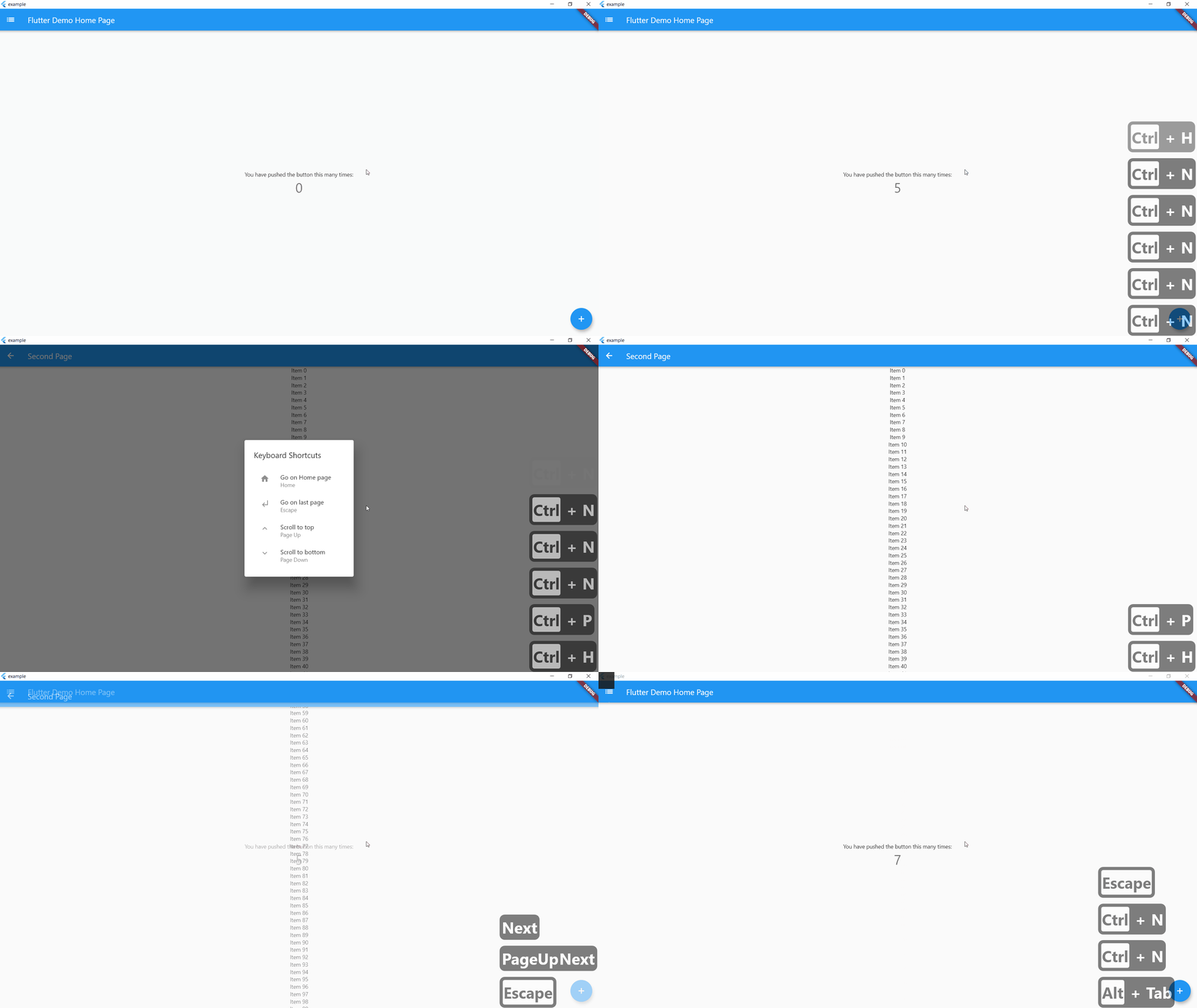
On controlLeft + key P are pressed, user navigate to SecondPage() helpLabel will be display on help menu
    KeyBoardShortcuts(
        keysToPress: {LogicalKeyboardKey.controlLeft, LogicalKeyboardKey.keyP},
        onKeysPressed: () => Navigator.push(
          context,
          MaterialPageRoute(builder: (context) => SecondPage()),
        ),
        helpLabel: "Go to Second Page",
        child: Center(
          child: Column(
            mainAxisAlignment: MainAxisAlignment.center,
            children: <Widget>[
              Text(
                'You have pushed the button this many times:',
              ),
              Text(
                '$_counter',
                style: Theme.of(context).textTheme.headline4,
              ),
            ],
          ),
        ),
      ),
If globalShortcuts is set to true, user can use Home Button to go on Homepage, up and down button to go on top or bottom of the page and escape to go on last page
    KeyBoardShortcuts(
        globalShortcuts: true,
        child: Center(
          child: Column(
            mainAxisAlignment: MainAxisAlignment.center,
            children: <Widget>[
              Text(
                'You have pushed the button this many times:',
              ),
              Text(
                '$_counter',
                style: Theme.of(context).textTheme.headline4,
              ),
            ],
          ),
        ),
      ),
initShortCuts() is used to customize shortcuts, you can set home page, title of help menu, icon on custom shortcuts and custom help menu
initShortCuts(HomePage(), helpTitle : "Help Menu", helpIcon : Icons.menu);
You can also use initShortCuts to create your own global shortcuts, they will be allow in all page were globalShortcuts is true without rewriting these shortcuts
  initShortCuts(
    HomePage(),
    keysToPress: {
      {LogicalKeyboardKey.controlLeft, LogicalKeyboardKey.keyP},
    },
    onKeysPressed: {() => print("Work")},
    helpLabel: {"Print Work"},
  );

依赖清单 4 项
{"sdk":"flutter"}^0.1.5^1.0.3{"sdk":"flutter"}先按使用场景筛选,再比较项目活跃情况,最后到原始仓库核对使用要求。
“A repository is the most basic element of GitHub.”
GitHub Docs — About repositories ↗