
FlatApp-Firebase-Flutter
GeekyAnts 使用 Flutter 的 Firebase 实现的 Flap 应用。

- 星标
- 218
- 复刻
- 78
- 最近推送(UTC)
- 2026年1月31日
- 项目状态
- 未归档
原始 README
以下为英文项目原文快照,最新内容请访问 GitHub。
FlatApp-Firebase-Flutter
A new open-source Flutter project from GeekyAnts that enables the developer to quickly get started with the Flutter application development. We have recreated a few screens of our famous React Native Starter Kit in Flutter!
This project is integrated with Firebase for user authentication and contains all the basic features that are required to build an amazing Flutter app.
Demo
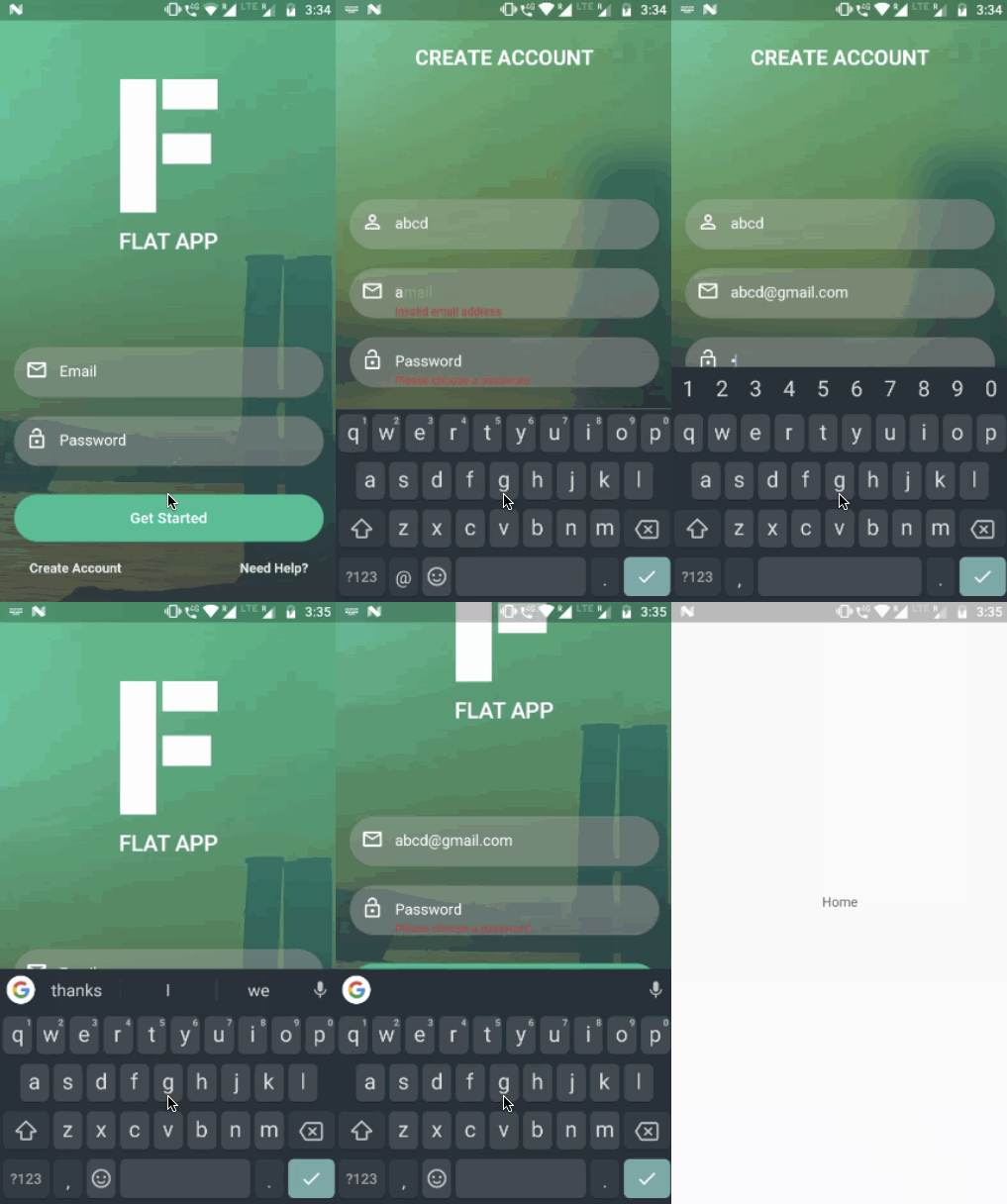
Features
- Form Validation
- Firebase Authentication
About
Flutter app with Firebase integration by GeekyAnts.
For Flutter development and mobile engineering, contact us.
Getting Started
Note: Make sure your Flutter environment is setup.
Installation
In the command terminal, run the following commands:
$ git clone git@github.com:GeekyAnts/FlatApp-Firebase-Flutter.git
$ cd FlatApp-Firebase-Flutter/
Setup Flutter Firebase integration
Check out the documentation to setup Flutter Firebase integration.
For Android
In android/app folder add your google-service.json.
For iOS
In ios/Runner folder add your GoogleService-Info.plist.
Start your Flutter project by running the command:
$ flutter run
Simulate for iOS
Method One
Open the project in Xcode from ios/Runner.xcodeproj.
Hit the play button.
Method Two
Run the following command in your terminal.
$ open -a Simulator
$ flutter run
Simulate for Android
Make sure you have an Android emulator installed and running.
Run the following command in your terminal.
$ flutter run
Check out Flutter’s online documentation for help getting start with your Flutter project.

GeekyAnts India Pvt Ltd ↗
分类
使用的依赖
依赖清单 8 项
- flutter
{"sdk":"flutter"} - flutter_test开发依赖
{"sdk":"flutter"} - image_picker开发依赖
0.1.1 - google_sign_in开发依赖
0.3.1 - firebase_analytics开发依赖
0.0.4 - firebase_auth开发依赖
0.1.1 - firebase_database开发依赖
0.0.12 - firebase_storage开发依赖
0.0.5
所在榜单
如何选择适合项目的代码仓?
先按使用场景筛选,再比较项目活跃情况,最后到原始仓库核对使用要求。
- 通过仓库名、作者或描述搜索,再按技术分类缩小范围。
- 结合星标、复刻与最近推送比较项目;星标反映社区关注,不代表质量保证。
- 使用前在 GitHub 核对 README、许可证与 Issues。
来源与维护
“A repository is the most basic element of GitHub.”
GitHub Docs — About repositories ↗