

 v0.5.0
pencil_field
在不同设备和平台上的铅笔/触控笔交互(书写与擦除)。支持输入内容的版本化持久化。
17喜欢 200近 30 天下载150Pub 分数
AndroidiOSmacOSWindowsLinux
ManfredM/pencil_field open-source repository details.

以下为英文项目原文快照,最新内容请访问 GitHub。
Widget for pencil / stylus input on different devices and platforms. This widget is intended for any freehand input like signatures or drawings.
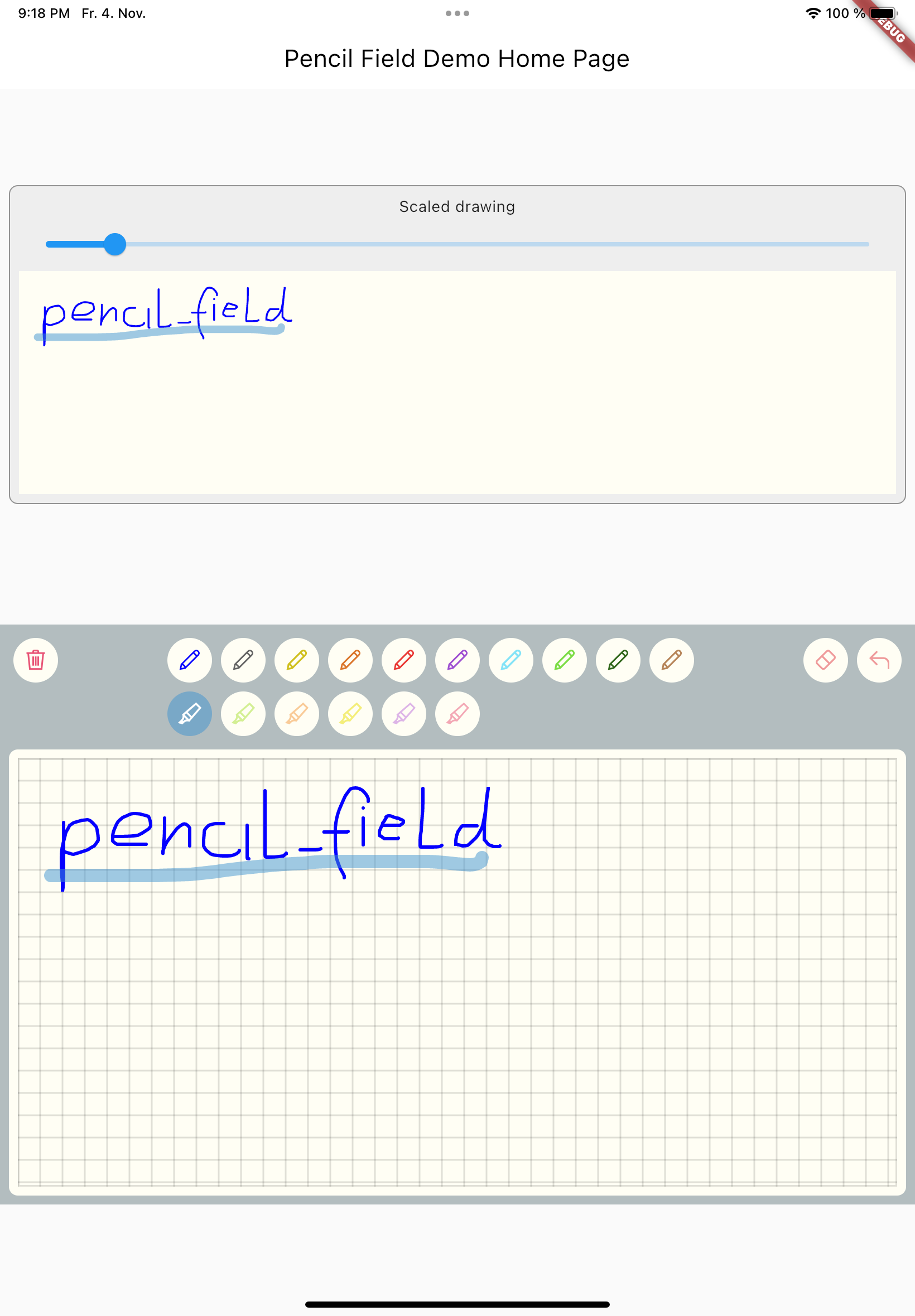
Just create PencilField widget and embedd it into your page:
PencilField(
  controller: widget.controller,
  pencilPaint: pencilPaint,
  onPencilDrawingChanged: widget.onPencilDrawingChanged,
  decoration: PencilDecoration(
    type: PencilDecorationType.chequered,
    backgroundColor: Colors.white,
    patternColor: Colors.grey[300]!,
    numberOfLines: 10,
    strokeWidth: 2,
    padding: const EdgeInsets.all(10),
  ),
  pencilOnly: true,
)
And resulting input can be displayed like so. As everything is stored in vector format scaling (e.g. for creating previews) is easy:
PencilDisplay(
  pencilDrawing: widget.controller.drawing.scale(
    scale: scale,
  ),
  decoration: PencilDecoration(backgroundColor: Colors.white),
)
The actual widget that provides the capability to capture and store freehand / pencil input. Each PencilField requires a controller that builds the bridge between the widget and PencilDrawing that stores the input.
PencilDrawing stores the actual content captured by PencilField. You can store and retrieve this data in a versioned format, so that future version of PencilField can load old data.
A full example is provided. This example shows how to use PencilField and its litte sibling PencilDisplay. It also shows how to define pens for input and interactions like erase, undo and clear.
依赖清单 3 项
{"sdk":"flutter"}{"sdk":"flutter"}^5.0.0先按使用场景筛选,再比较项目活跃情况,最后到原始仓库核对使用要求。
“A repository is the most basic element of GitHub.”
GitHub Docs — About repositories ↗