搜索插件、代码仓与 APP 分类

pencil_field 封面
插件详情v0.5.0

pencil_field

在不同设备和平台上的铅笔/触控笔交互(书写与擦除)。支持输入内容的版本化持久化。

AndroidiOSmacOSWindowsLinux
近 30 天下载
200
喜欢数
17
Pub 分数
150

安装插件

flutter pub add pencil_field

插件介绍

基于插件公开信息、社区数据与项目使用情况整理的选型参考。

Pencil_Field 是一个 Flutter 包,可在 Android、iOS、macOS、Windows 和 Linux 等多个平台上实现精确的触控笔和铅笔交互,适用于绘画、书写和擦除。它支持用户输入的版本化持久化,确保草图和注释能够可靠地保存和恢复。该包专为跨设备兼容性设计,无论硬件差异如何,都能提供一致的性能表现。非常适合需要数字墨水功能的应用程序,例如笔记记录、签名捕获或创意绘图工具。

适合场景

  • 数字笔记
  • 签名捕获
  • 创意素描
  • 标注工具
  • 跨平台绘图应用

主要特点

  • 笔和触控输入支持
  • 版本化输入持久化
  • 多平台兼容性
  • 平滑的笔压处理
  • 实时擦除功能

适合对象

  • 绘图和绘画应用
  • 教育软件
  • 电子签名解决方案
  • 记事本应用程序
  • 交互式白板

使用建议

  • 需要兼容的硬件才能使用完整的触控笔功能
  • 性能在低端设备上可能有所不同
  • 仅限于包中列出的平台
  • 高级用例可能需要额外的配置
  • 输入持久化需要适当的状态管理

原始 README

以下为关联源码仓库的 README 原文快照,最新内容请访问源码仓库。

FLUTTER PENCIL FIELD

pencil_field

Widget for pencil / stylus input on different devices and platforms. This widget is intended for any freehand input like signatures or drawings.

example


How to use

Just create PencilField widget and embedd it into your page:

PencilField(
  controller: widget.controller,
  pencilPaint: pencilPaint,
  onPencilDrawingChanged: widget.onPencilDrawingChanged,
  decoration: PencilDecoration(
    type: PencilDecorationType.chequered,
    backgroundColor: Colors.white,
    patternColor: Colors.grey[300]!,
    numberOfLines: 10,
    strokeWidth: 2,
    padding: const EdgeInsets.all(10),
  ),
  pencilOnly: true,
)

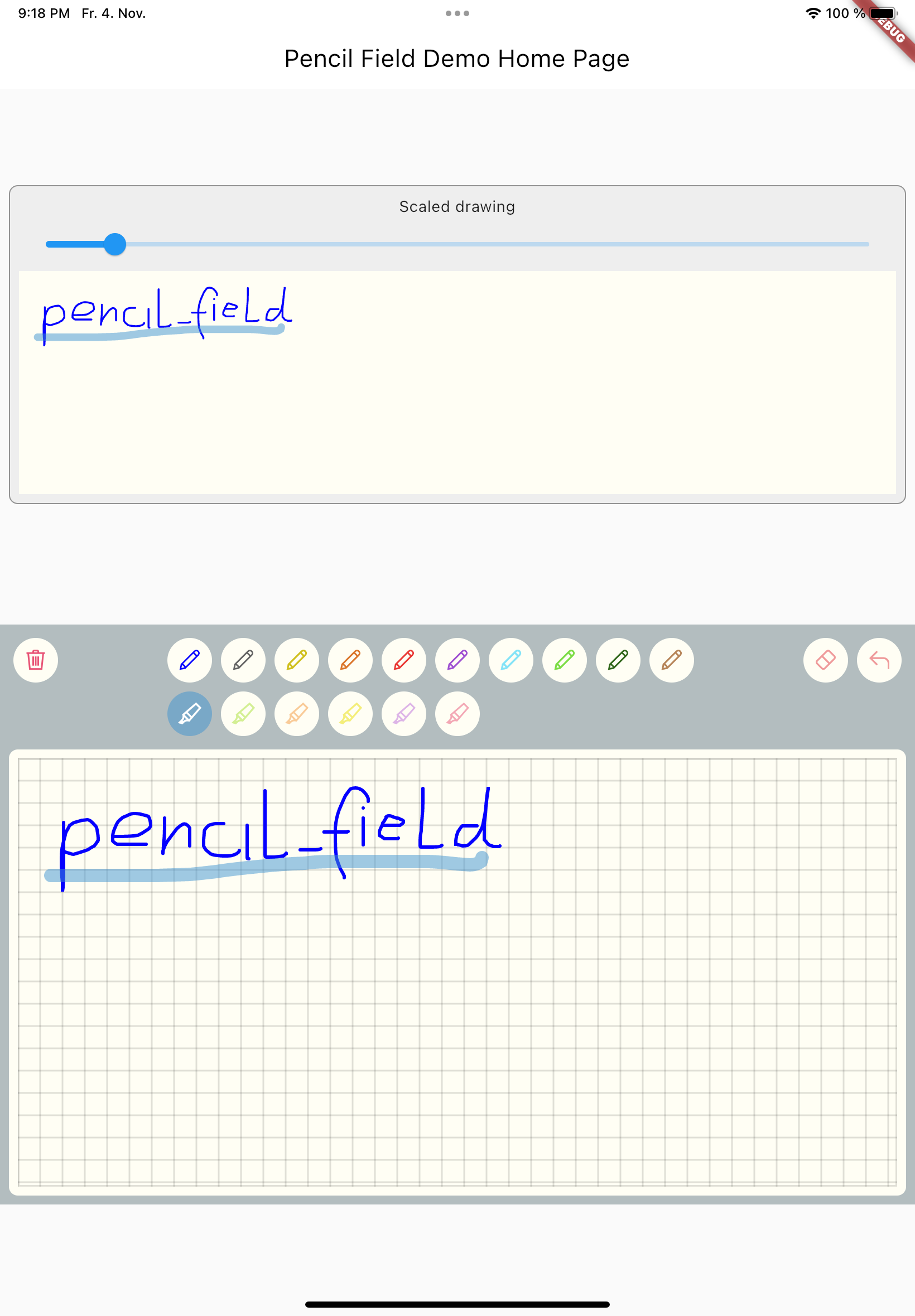
And resulting input can be displayed like so. As everything is stored in vector format scaling (e.g. for creating previews) is easy:

PencilDisplay(
  pencilDrawing: widget.controller.drawing.scale(
    scale: scale,
  ),
  decoration: PencilDecoration(backgroundColor: Colors.white),
)

Features


PencilField / PencilFieldController

The actual widget that provides the capability to capture and store freehand / pencil input. Each PencilField requires a controller that builds the bridge between the widget and PencilDrawing that stores the input.

PencilDrawing

PencilDrawing stores the actual content captured by PencilField. You can store and retrieve this data in a versioned format, so that future version of PencilField can load old data.

Example

A full example is provided. This example shows how to use PencilField and its litte sibling PencilDisplay. It also shows how to define pens for input and interactions like erase, undo and clear.

Upcoming features

  • Additional eraser that only erases strokes within a circle
  • Pan support for the input widget and the display widget
  • Pinch support for the display widget
  • Input widget decoration that supports images as background

所属分类

源码仓库

使用此插件的项目

暂无相关数据。