

v2.3.0
implicitly_animated_list
一个 Flutter 小部件,每当它使用新项目重建时,会隐式地动画化列表。
33喜欢 2.3万近 30 天下载150Pub 分数
AndroidiOSmacOSWindowsLinux
一个 Flutter 小部件,每当它使用新项目重建时,会隐式地动画化列表。

以下为英文项目原文快照,最新内容请访问 GitHub。
Often, your lists represent some kind of data.
You can just pass the original list data to the ImplicitlyAnimatedList as
well as an itemBuilder for building a widget from one data point, and it'll
animate whenever the data changes:
ImplicitlyAnimatedList(
  // When you change items of this list and hot reload, the list animates.
  itemData: [1, 2, 3, 4],
  itemBuilder: (_, number) => ListTile(title: Text('$number')),
),
It works with all classes and works well with StreamBuilder:
class User {
  const User({required this.firstName, required this.lastName});

  final String firstName;
  final String lastName;

  // The ImplicitlyAnimatedList uses the == operator to compare items.
  bool operator ==(Object other) => other is User
    && firstName == other.firstName
    && lastName == other.lastName;
}

...

StreamBuilder<List<User>>(
  stream: someSource.usersStream,
  builder: (context, snapshot) {
    if (!snapshot.hasData) {
      return ...;
    }
    return ImplicitlyAnimatedList(
      itemData: snapshot.data,
      itemBuilder: (context, user) {
        return ListTile(title: Text('${user.firstName} ${user.lastName}'));
      }
    );
  }
)
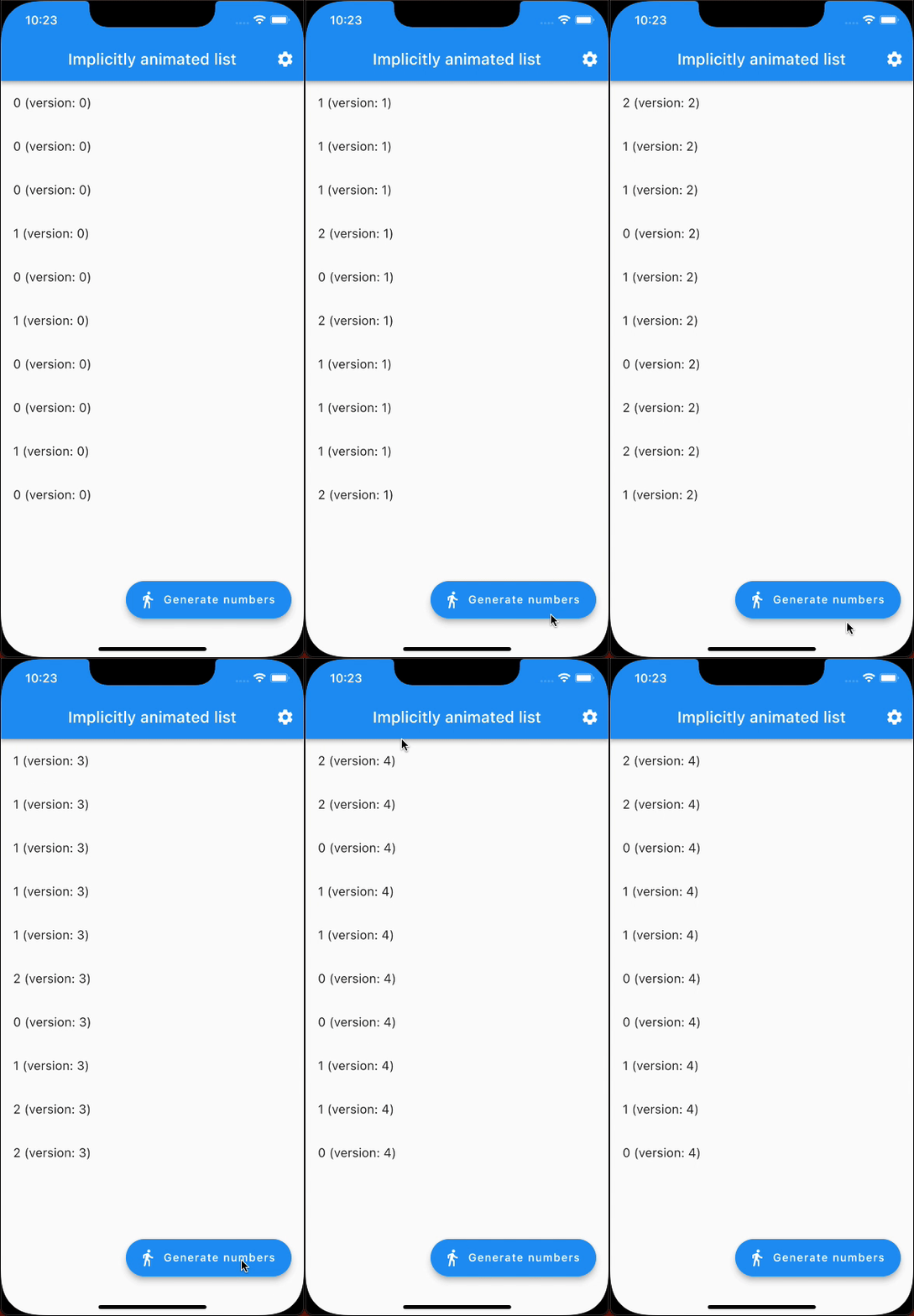
Here's an example that generates random numbers and animates from one state to the next (notice it's only 10 fps because of being a GIF):
In addition to ImplicitlyAnimatedList, there's also SliverImplicitlyAnimatedList for use in a CustomScrollView:
CustomScrollView(
  slivers: [
    SliverImplicitlyAnimatedList(
      itemData: myListOfItems,
      itemBuilder: (context, item) => ListTile(title: Text('$item')),
    ),
    // ...
  ],
),
依赖清单 3 项
{"sdk":"flutter"}^2.0.0{"sdk":"flutter"}先按使用场景筛选,再比较项目活跃情况,最后到原始仓库核对使用要求。
“A repository is the most basic element of GitHub.”
GitHub Docs — About repositories ↗