

 v1.0.0
ncscolor
一个全面的 Dart 包,用于将 NCS(自然色彩系统)颜色转换为 RGB、HSL 和 HEX 格式,并提供额外的 RGB 转换工具。
4喜欢 22近 30 天下载150Pub 分数
AndroidiOSWebmacOSWindowsLinux
一个简单的 Dart 包,用于将 NCS 颜色转换为其 RGB、HSL 和 HEX 值,并用于将 RGB 转换为 HSL 和 RGB 转换为 HEX。

以下为英文项目原文快照,最新内容请访问 GitHub。


A comprehensive Dart package for converting NCS (Natural Color System) colors to RGB, HSL, and HEX formats, with additional RGB conversion utilities. Perfect for Flutter apps and Dart projects that need to work with NCS color specifications.
🚀 Try the Interactive Web Demo
Experience NCSColor in action with our live Flutter web demo! Test color conversions, explore the NCS color system, and see real-time previews of your color transformations.
Add this to your package's pubspec.yaml file:
dependencies:
  ncscolor: ^1.0.0
Then run:
flutter pub get
import 'package:ncscolor/ncscolor.dart';
// Create an NCS color instance
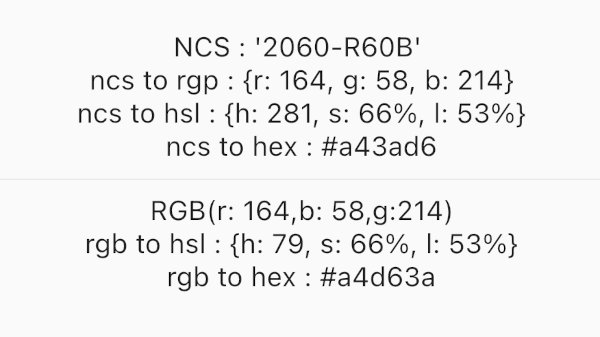
final ncsColor = NCSColor(ncsCode: '2060-R60B');

// Convert to RGB
final rgb = ncsColor.toRgb();
print(rgb); // {r: 164, g: 58, b: 214}

// Convert to HSL
final hsl = ncsColor.toHsl();
print(hsl); // {h: 281, s: 66%, l: 53%}

// Convert to HEX
final hex = ncsColor.toHex();
print(hex); // #a43ad6
// RGB to HSL
final hsl = ColorConvert.rgbToHsl(r: 164, g: 58, b: 214);
print(hsl); // {h: 281, s: 66%, l: 53%}

// RGB to HEX
final hex = ColorConvert.rgbToHex(r: 164, g: 58, b: 214);
print(hex); // #a43ad6
final ncsColor = NCSColor(ncsCode: '2060-R60B');
final rgb = ncsColor.toRgb();

// Create a Flutter Color
final flutterColor = Color.fromRGBO(
  rgb['r']!,
  rgb['g']!,
  rgb['b']!,
  1.0,
);

// Use in your widgets
Container(
  color: flutterColor,
  child: Text('Hello NCS!'),
)
The Natural Color System (NCS) uses a specific format for color codes:
####-[RGBY][##[RGBY]]2060-R60B (Red-Blue with 20% blackness, 60% chromaticness, 60% blue)1050-Y90R (Yellow-Red with 10% blackness, 50% chromaticness, 90% red)0505-B (Blue with 5% blackness, 5% chromaticness)Check out the /example folder for a complete Flutter app demonstrating all features:

NCSColor({required String ncsCode})
Map<String, int> toRgb() - Returns RGB valuesMap<String, String> toHsl() - Returns HSL valuesString toHex() - Returns hex color codeString toString() - String representationbool operator ==(Object other) - Equality comparisonint get hashCode - Hash codeMap<String, String> rgbToHsl({required int r, required int g, required int b})String rgbToHex({required int r, required int g, required int b})The package provides clear error messages for invalid NCS codes:
try {
  final ncsColor = NCSColor(ncsCode: 'invalid-code');
  final rgb = ncsColor.toRgb();
} catch (e) {
  print(e); // ArgumentError: Invalid NCS color format...
}
Run the test suite:
flutter test
Contributions are welcome! Please feel free to submit a Pull Request. For major changes, please open an issue first to discuss what you would like to change.
git checkout -b feature/amazing-feature)git commit -m 'Add some amazing feature')git push origin feature/amazing-feature)This project is licensed under the MIT License - see the LICENSE file for details.
Made with Flutter 💙
依赖清单 3 项
{"sdk":"flutter"}{"sdk":"flutter"}^3.0.0先按使用场景筛选,再比较项目活跃情况,最后到原始仓库核对使用要求。
“A repository is the most basic element of GitHub.”
GitHub Docs — About repositories ↗