
v4.5.2
go_router_builder
一个支持为 package:go_router 生成强类型路由助手的构建器
302喜欢 37.1万近 30 天下载160Pub 分数
AndroidiOSmacOSWindowsLinux
Nepanikař(别慌)移动应用的心理急救官方仓库。该应用由专家设计并咨询,旨在帮助应对心理健康问题。

一个支持为 package:go_router 生成强类型路由助手的构建器
适用于 Dart VM 和 Flutter 的 NoSQL 持久化嵌入式文件系统文档数据库,支持加密。
 v0.12.1
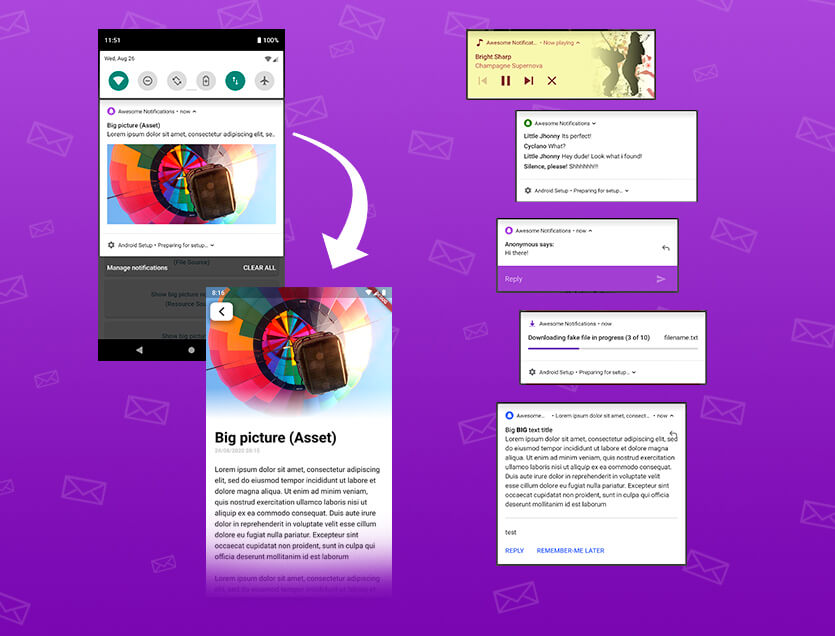
一个完整的解决方案,用于创建本地和推送通知,自定义按钮、图片、声音、表情符号,并为Flutter应用应用多种不同的布局。
 v4.1.3
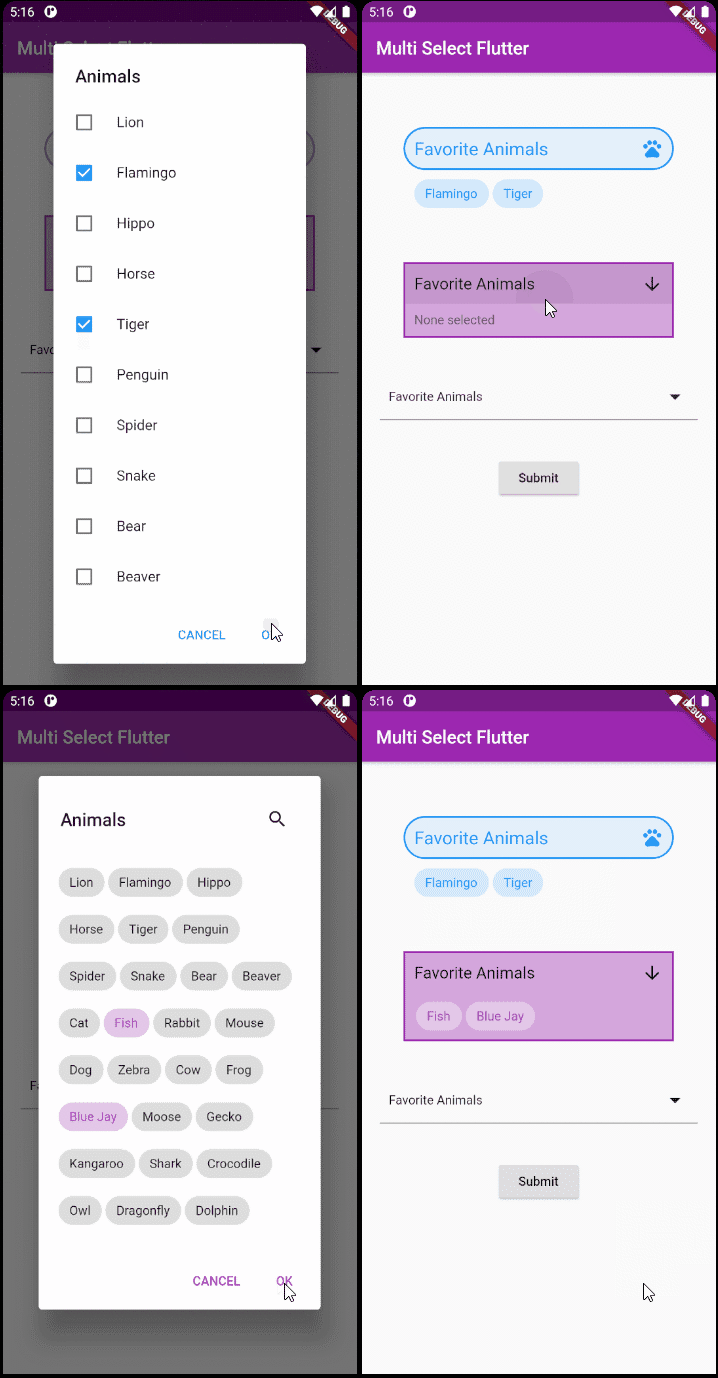
一个灵活的 Flutter 多选包。按您想要的方式创建多选控件。
一个简单(但正确)的 Dart 类,用于验证电子邮件地址
适用于 Flutter、Web 和服务器的日期和时间库,支持时区、日历、文化、格式化和解析。
Dart 中的低级别链接(文本、URL、电子邮件、电话号码、用户标签)解析库。
 v0.1.0
一种绘制多边形形状并裁剪它们的简单方法。
用于在使用 package:build 时确保包内生成的 Dart 代码是最新的测试工具。
用于在 Android 和 iOS 上选择和保存文件的对话框。
 v2.0.0
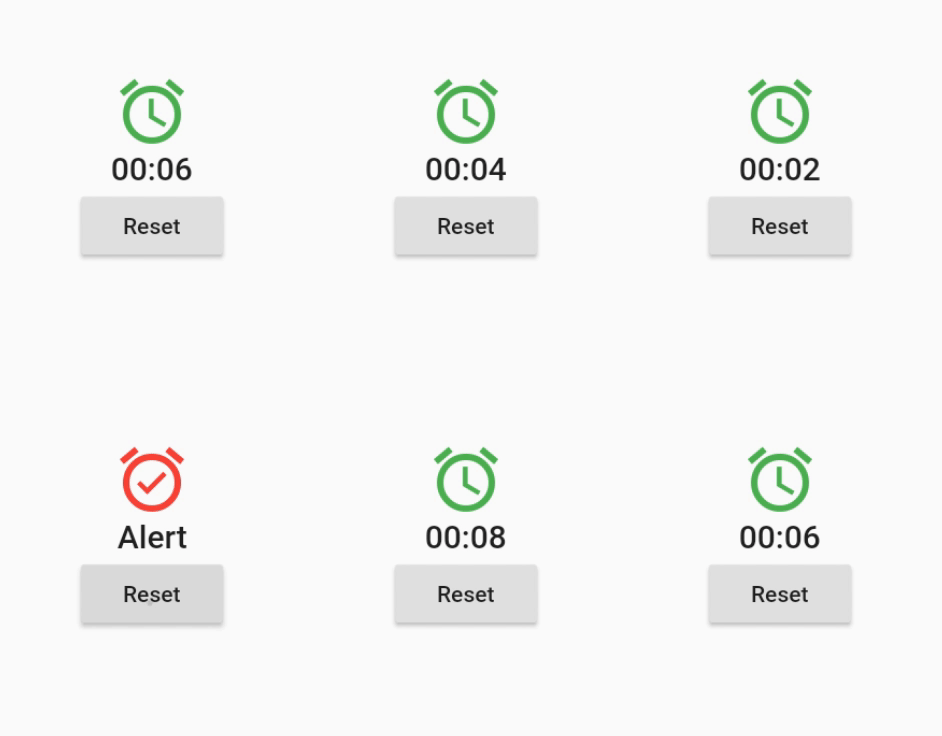
一个在预定的、周期性的或动态生成的时间事件触发时重新构建自身的控件。
此包是 shared_preferences 包的副本,但键名中没有前缀。用于从之前的原生应用迁移数据。
依赖清单 50 项
^3.0.0^0.12.0^1.19.0^1.0.5any^3.0.0^2.0.5^12.0.0^4.0.0^5.0.0^1.1.1{"sdk":"flutter"}^4.5.2^3.0.0{"sdk":"flutter"}^2.2.17^2.2.0^3.1.0^9.0.5^17.0.0any^0.20.2^4.9.0^0.10.5^5.0.0^3.3.0any^3.2.2{"path":"./packages/nepanikar_contacts_gen"}^10.1.0^1.8.2^2.0.12^0.1.0^6.0.5^0.28.0^3.4.0+6^2.0.6^0.9.17^2.0.0^2.0.1^6.3.2^1.4.0^2.16.0^3.1.1^5.1.0+1{"sdk":"flutter"}^4.0.0-dev.3^4.0.1^6.11.2^2.0.1以下为英文项目原文快照,最新内容请访问 GitHub。
First aid for psychological issues - Official mobile app for nepanikar.eu
Run command flutter run from root folder of application.
flutter_gen package lets us quickly generate paths for images/icons.
To add a new asset, add it to ./assets/ and then run flutter packages pub run build_runner build -d.
If you are creating a new assets folder, do not forget to reference it in pubspec.yaml.
We are using Localazy for managing app localizations.
The prerequisites for running the localization update script are:
stringcase: pip install stringcasenpm install -g @localazy/cli or see Installation
page for other options)After that, you can simply run the script located in ./bin/localazy/localazy_gen.sh.
When adding a new language:
Contacts & help data are generated from Dart objects for easier maintainability. These data are then converted and
shipped within the app as JSON which is located in the ./assets/contacts/ folder. The whole contacts & help UI in
the app is controlled by the content of this JSON file.
The prerequisites for updating and regenerating these data is:
The source of these data is managed by nepanikar_contacts_gen Dart package.
Source data are located in ./packages/nepanikar_contacts_gen/bin/translation_extra_files/{language_tag}.dart.
Make the necessary changes, then simply run the script located in ./bin/nepanikar_contacts_gen/
to regenerate the JSON file.
flutter run - run applicationflutter packages pub run build_runner build -d - regenerate go_route/freezed/assets filesflutter pub run build_runner watch -d - watch and generate automatically changes when files are changedflutter gen-l10n - recompile .arb language filesflutter pub run flutter_native_splash:create - regenerate splash screendart format --line-length 100 ./ - automatic formatting of the project