
v1.0.1
dynamic_theme
在运行时更改主题,同时在重启之间保留亮度设置
136喜欢 875近 30 天下载40Pub 分数
平台暂无数据
轻松动态更改您的主题
以下为英文项目原文快照,最新内容请访问 GitHub。
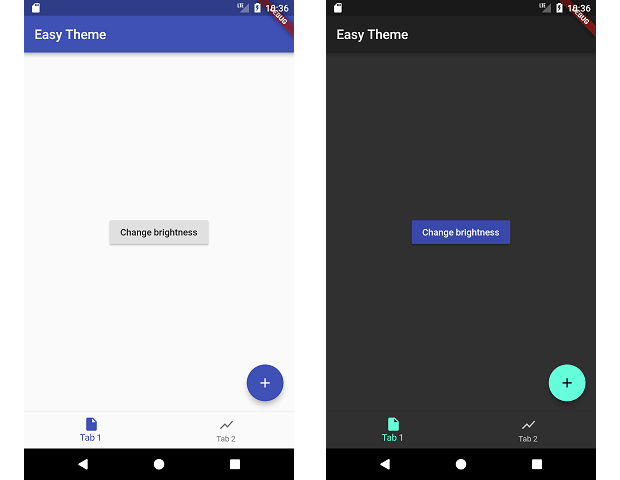
This packages manages changing your theme during runtime and persiting that theme.
dependencies:
  dynamic_theme: ^1.0.1
run packages get and import it
import 'package:dynamic_theme/dynamic_theme.dart';
if you want the dialog:
import 'package:dynamic_theme/theme_switcher_widgets.dart';
Wrap your material app like this:
class MyApp extends StatelessWidget {
  @override
  Widget build(BuildContext context) {
    return new DynamicTheme(
      defaultBrightness: Brightness.light,
      data: (brightness) => new ThemeData(
        primarySwatch: Colors.indigo,
        brightness: brightness,
      ),
      themedWidgetBuilder: (context, theme) {
        return new MaterialApp(
          title: 'Flutter Demo',
          theme: theme,
          home: new MyHomePage(title: 'Flutter Demo Home Page'),
        );
      }
    );
  }
}
Change the theme like this:
  void changeBrightness() {
    DynamicTheme.of(context).setBrightness(Theme.of(context).brightness == Brightness.dark? Brightness.light: Brightness.dark);
  }

  void changeColor() {
    DynamicTheme.of(context).setThemeData(new ThemeData(
        primaryColor: Theme.of(context).primaryColor == Colors.indigo? Colors.red: Colors.indigo
    ));
  }
When changing the brightness with setBrightness, it is additionally stored in the shared preferences.
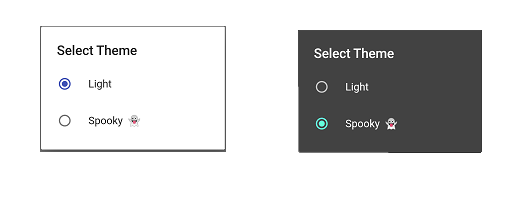
For help getting started with Flutter, view our online documentation.
For help on editing package code, view the documentation.

依赖清单 3 项
{"sdk":"flutter"}^2.0.5{"sdk":"flutter"}先按使用场景筛选,再比较项目活跃情况,最后到原始仓库核对使用要求。
“A repository is the most basic element of GitHub.”
GitHub Docs — About repositories ↗