

v0.0.7
easy_url_launcher
一个简单易用的 Flutter 包,用于在您的应用中启动 URL、邮件、电话和短信
40喜欢 203近 30 天下载140Pub 分数
AndroidiOSWebmacOSWindowsLinux
Qasim345/easy_url_launcher open-source repository details.

以下为英文项目原文快照,最新内容请访问 GitHub。
A flutter package based on url_launcher package for call,sms,email and launch url in browser or app with url parameters and launch mode as platform default or platform specific mode for web
Add package to your project by running the follwing command in your terminal
flutter pub add easy_url_launcher
Import pakage
import 'pakage:easy_url_launcher/easy_url_launcher.dart';
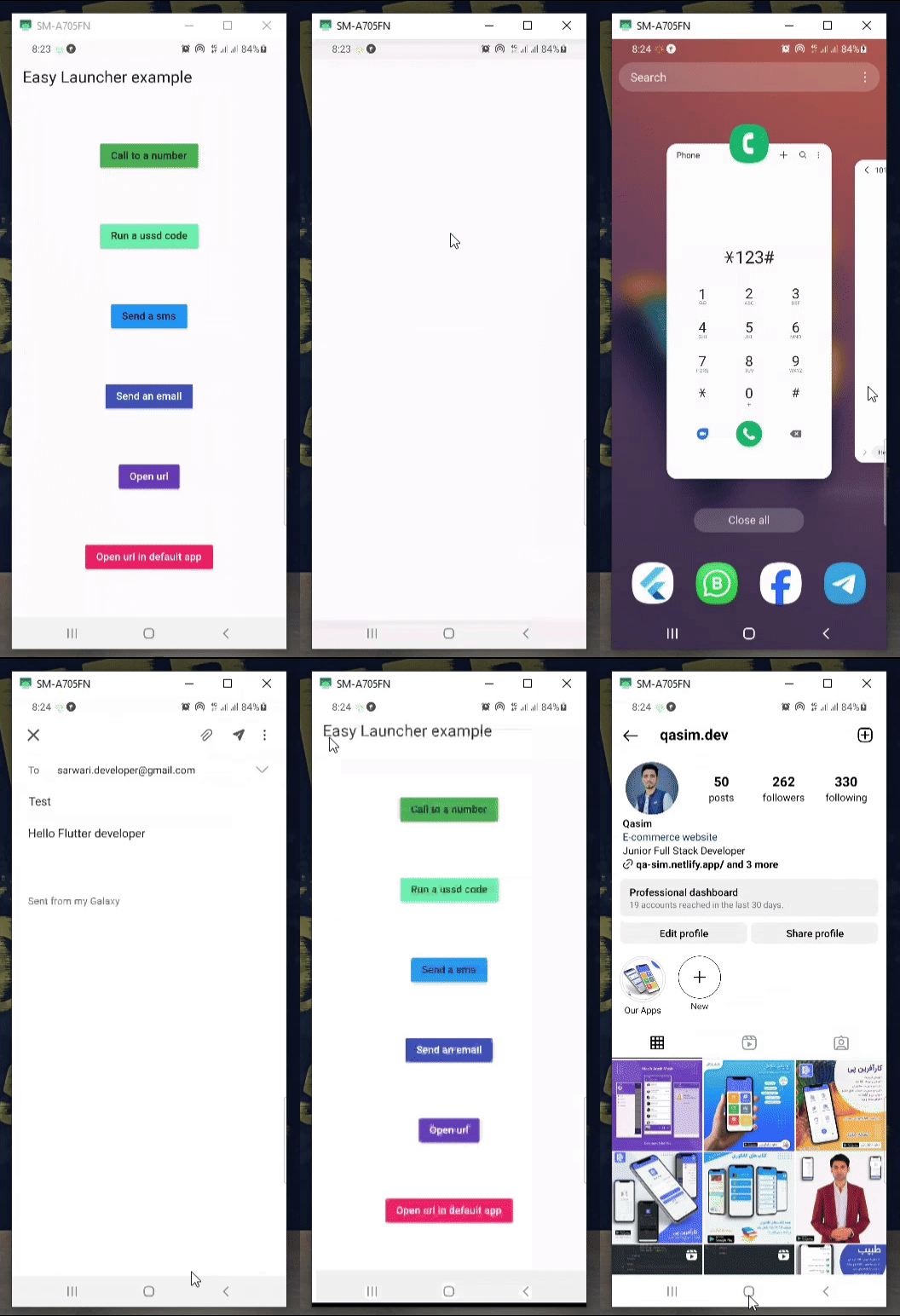
    Column(
            mainAxisAlignment: MainAxisAlignment.spaceAround,
            children: [
              MaterialButton(
                color: Colors.green,
                onPressed: () async {
                  await EasyLauncher.call(number: "767676776");
                },
                child: const Text("Call to a number"),
              ),
              MaterialButton(
                color: Colors.greenAccent,
                onPressed: () async {
                  await EasyLauncher.call(number: "*123#");
                },
                child: const Text("Run a ussd code"),
              ),
              MaterialButton(
                color: Colors.blue,
                onPressed: () async {
                  await EasyLauncher.sms(number: "1010", message: "Hello");
                },
                child: const Text("Send a sms"),
              ),
              MaterialButton(
                color: Colors.indigo,
                textColor: Colors.white,
                onPressed: () async {
                  await EasyLauncher.email(
                      email: "sarwari.developer@gmail.com",
                      subject: "Test",
                      body: "Hello Flutter developer");
                },
                child: const Text("Send an email"),
              ),
              MaterialButton(
                color: Colors.deepPurple,
                textColor: Colors.white,
                onPressed: () async {
                  await EasyLauncher.url(url: "https://pub.dev");
                },
                child: const Text("Open url"),
              ),
              MaterialButton(
                color: Colors.red,
                textColor: Colors.white,
                onPressed: () async {
                  await EasyLauncher.openMap(
                      lati: "36.7032925", long: "67.1891222");
                },
                child: const Text("Open Google map"),
              ),
              MaterialButton(
                color: Colors.pink,
                textColor: Colors.white,
                onPressed: () async {
                  await EasyLauncher.url(
                      url: "https://www.instagram.com/qasim.dev",
                      mode: Mode.platformDefault);
                },
                child: const Text("Open url in default app"),
              ),
               MaterialButton(
                color: Colors.green[700],
                textColor: Colors.white,
                onPressed: () async {
                  await EasyLauncher.sendToWhatsApp(
                      phone: "+93700000000", message: "hi");
                },
                child: const Text("Send to whatsapp"),
              ),
            ],
          ),
依赖清单 4 项
{"sdk":"flutter"}^6.2.4{"sdk":"flutter"}^2.0.0先按使用场景筛选,再比较项目活跃情况,最后到原始仓库核对使用要求。
“A repository is the most basic element of GitHub.”
GitHub Docs — About repositories ↗