A flutter package based on url_launcher package for call,sms,email and launch url in browser or app with url parameters and launch mode as platform default or platform specific mode for web
Features
Very easy to use
Support All plateforms
Getting started
Add package to your project by running the follwing command in your terminal
flutter pub add easy_url_launcher
Import pakage
import 'pakage:easy_url_launcher/easy_url_launcher.dart' ;
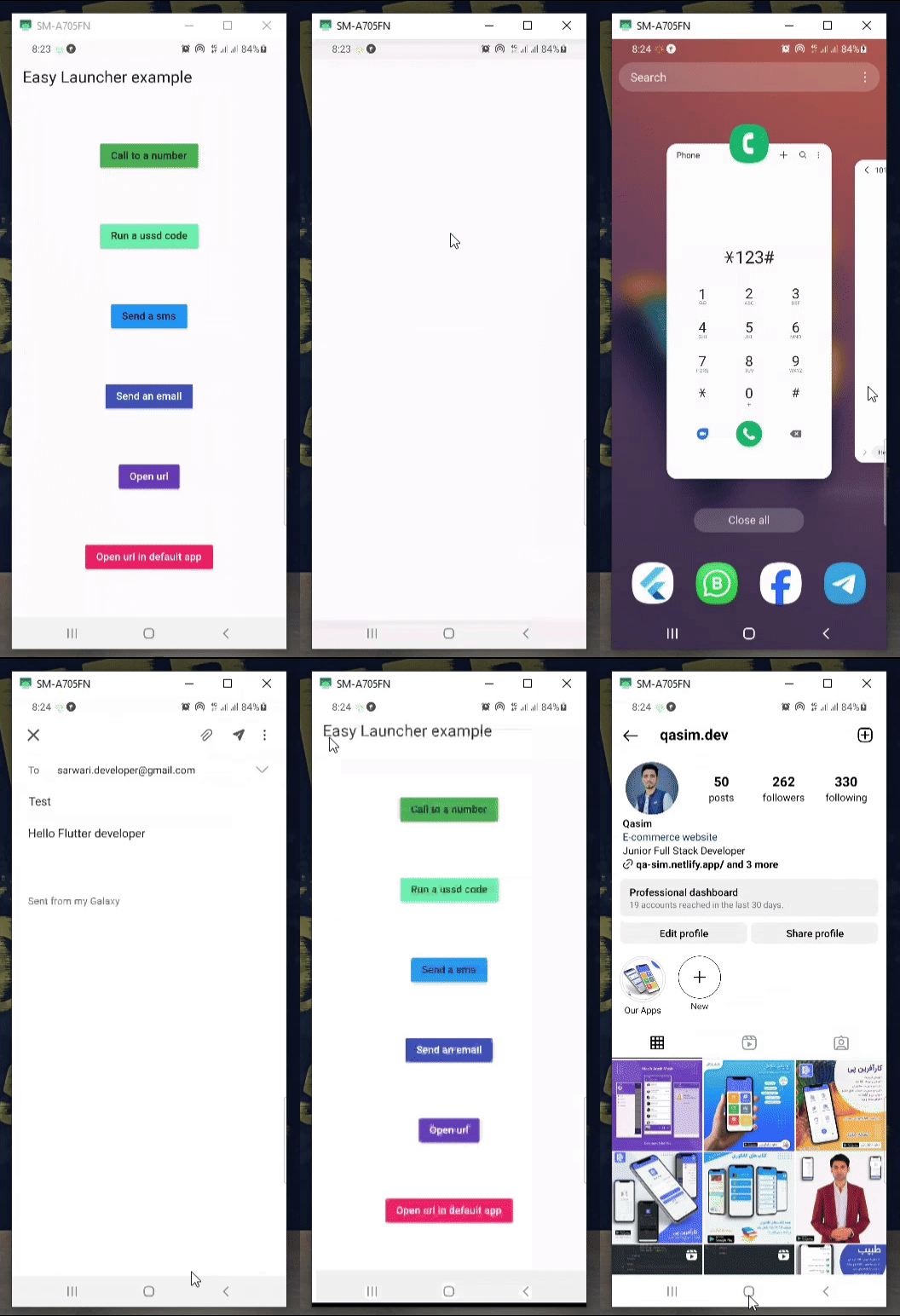
Demo
Usage
You are free to use async & await in your code.
Column (
mainAxisAlignment: MainAxisAlignment .spaceAround,
children: [
MaterialButton (
color: Colors .green,
onPressed: () async {
await EasyLauncher .call (number: "767676776" );
},
child: const Text ("Call to a number" ),
),
MaterialButton (
color: Colors .greenAccent,
onPressed: () async {
await EasyLauncher .call (number: "*123#" );
},
child: const Text ("Run a ussd code" ),
),
MaterialButton (
color: Colors .blue,
onPressed: () async {
await EasyLauncher .sms (number: "1010" , message: "Hello" );
},
child: const Text ("Send a sms" ),
),
MaterialButton (
color: Colors .indigo,
textColor: Colors .white,
onPressed: () async {
await EasyLauncher .email (
email: "sarwari.developer@gmail.com" ,
subject: "Test" ,
body: "Hello Flutter developer" );
},
child: const Text ("Send an email" ),
),
MaterialButton (
color: Colors .deepPurple,
textColor: Colors .white,
onPressed: () async {
await EasyLauncher .url (url: "https://pub.dev" );
},
child: const Text ("Open url" ),
),
MaterialButton (
color: Colors .red,
textColor: Colors .white,
onPressed: () async {
await EasyLauncher .openMap (
lati: "36.7032925" , long: "67.1891222" );
},
child: const Text ("Open Google map" ),
),
MaterialButton (
color: Colors .pink,
textColor: Colors .white,
onPressed: () async {
await EasyLauncher .url (
url: "https://www.instagram.com/qasim.dev" ,
mode: Mode .platformDefault);
},
child: const Text ("Open url in default app" ),
),
MaterialButton (
color: Colors .green[700 ],
textColor: Colors .white,
onPressed: () async {
await EasyLauncher .sendToWhatsApp (
phone: "+93700000000" , message: "hi" );
},
child: const Text ("Send to whatsapp" ),
),
],
),