
 v0.0.1
appearance
Flutter 包,用于实现亮色、暗色和系统主题模式,并在应用重启时保持设置。
5喜欢 59近 30 天下载150Pub 分数
AndroidiOSWeb
Flutter 包,用于实现亮色、暗色和系统主题模式,并在应用重启时保持设置。

{"sdk":"flutter"}>=2.1.1 <3.0.0{"sdk":"flutter"}^2.0.0以下为英文项目原文快照,最新内容请访问 GitHub。
appearance
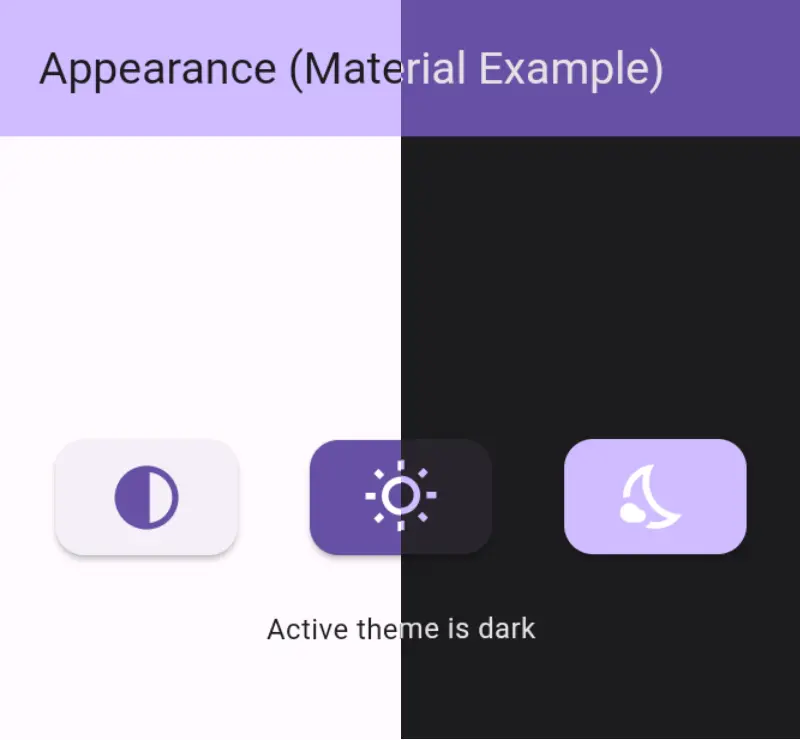
Flutter package that easily implement Light, Dark and System theme mode in your application and persists the theme mode on restart of the application.
🚀 Demo: Appearance
Appearance Demo 1 Appearance Demo 2
pubspec.yaml file:dependencies:
appearance: ^latest_version
import 'package:appearance/appearance.dart';
SharedPreferencesManager singleton for SharedPreference and add it before runApp() method.void main() async {
WidgetsFlutterBinding.ensureInitialized();
await SharedPreferencesManager.instance.init();
runApp(const MyApp());
}
AppearanceState using keyword with.class _MyAppState extends State<MyApp> with AppearanceState { }
MaterialApp or CupertinoApp with BuildWithAppearanceBuildWithAppearance(
initial: ThemeMode.light, // optional : default value is [ThemeMode.system]
builder: (context) => MaterialApp()
);
MaterialAppBuildWithAppearance(
initial: ThemeMode.light, // optional : default value is [ThemeMode.system]
builder: (context) => MaterialApp(
title: 'Appearance (Material Example)',
themeMode: Appearance.of(context)?.mode,
theme: ThemeData(
brightness: Brightness.light,
),
darkTheme: ThemeData(
brightness: Brightness.dark,
),
home: const HomeMaterialPage(),
),
);
CupertinoAppBuildWithAppearance(
initial: ThemeMode.light, // optional : default value is [ThemeMode.system]
builder: (context) {
return CupertinoApp(
title: 'Appearance (Cupertino Example)',
theme: CupertinoThemeData(
brightness: Appearance.of(context)?.cupertinoBrightness!,
),
localizationsDelegates: const [
DefaultMaterialLocalizations.delegate,
DefaultCupertinoLocalizations.delegate,
DefaultWidgetsLocalizations.delegate,
],
home: HomeCupertinoPage(),
);
},
);
Light, Dark and System mode options to change theme of app.
Theme persistance: Saved theme is persisted using SharedPreferences on restart.
Auto Listen Theme Mode changes, without adding extra listener.
Material and Cupertino, both apps are supported.
ThemeMode of the app, by default its value is ThemeMode.systemYou can use the setMode method to change the theme mode of the app.
 // sets theme mode to System
 Appearance.of(context)?.setMode(ThemeMode.system),

 // sets theme mode to Light
 Appearance.of(context)?.setMode(ThemeMode.light),

 // sets theme mode to Dark
 Appearance.of(context)?.setMode(ThemeMode.dark),
 // get active theme mode
 Appearance.of(context)?.mode
 // get active cupertino theme brightness
 Appearance.of(context)?.cupertinoBrightness!,
Check out the example app in the example directory for both Material and Cupertino.
Feel free to contribute to this project.
If you found a bug or have a feature request, open an issue.
If you want to contribute, submit a pull request.
This project is LICENSED under the MIT License. Use it freely, but let's play nice and give credit where it's due!
I will be happy to answer any questions that you may have on this approach,
If you liked this package, don't forget to show some ❤️ by smashing the ⭐.