
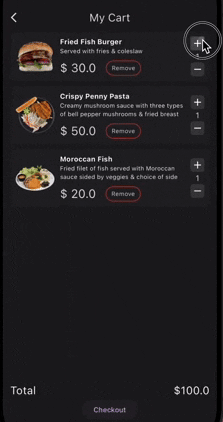
 v0.0.8
persistent_shopping_cart
使用此全面的包,轻松管理并持久化您的 Flutter 应用中的购物车数据。简化本地存储,提升用户的购物体验。
270喜欢 59近 30 天下载160Pub 分数
AndroidiOSmacOSWindowsLinux
axiftaj/persistent_shopping_cart open-source repository details.
以下为英文项目原文快照,最新内容请访问 GitHub。
Persistent Shopping Cart is a Flutter package that provides a simple and persistent shopping cart functionality for your mobile application. It uses Hive for local storage, making the cart data persist across app sessions.
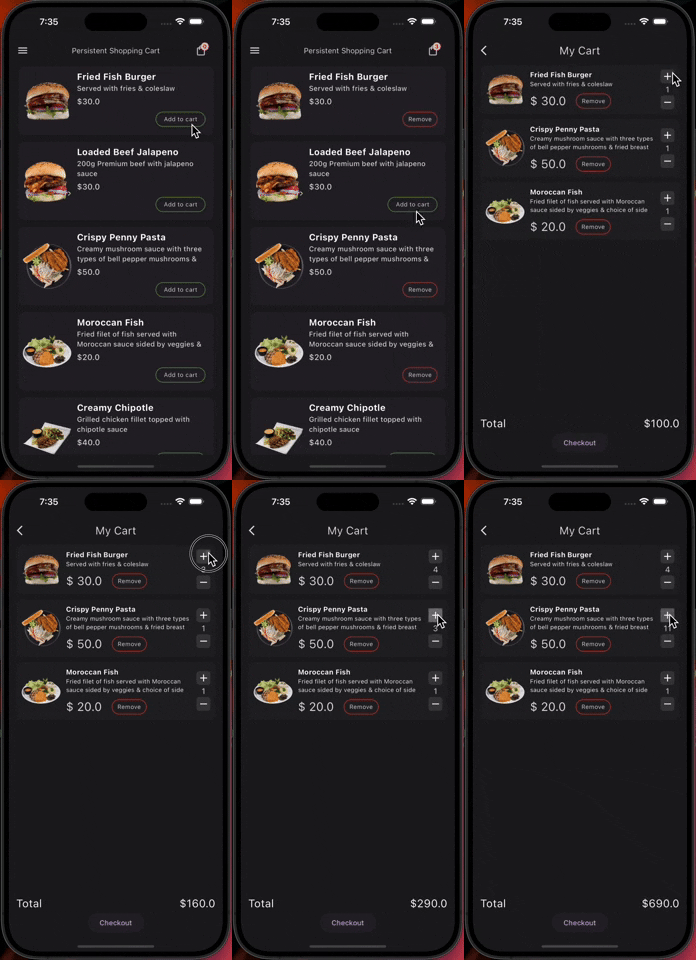
init() method.addToCart method.removeFromCart method.incrementCartItemQuantity and decrementCartItemQuantity methods.calculateTotalPrice method.getCartItemCount method.clearCart method.showCartItems method, providing flexible builders for customizing how the cart is displayed (e.g., ListView, GridView).showCartItemCountWidget method.showTotalAmountWidget method.showAndUpdateCartItemWidget method.getCartData method in the PersistentShoppingCart class to get a list of cart items and the total price.import 'package:persistent_shopping_cart/persistent_shopping_cart.dart';
init method:await PersistentShoppingCart().init();
// Add product to the cart
await PersistentShoppingCart().addToCart(PersistentShoppingCartItem());

// Remove product from the cart
await PersistentShoppingCart().removeFromCart(productId);

// Increment product quantity in the cart
await PersistentShoppingCart().incrementCartItemQuantity(productId);

// Decrement product quantity in the cart
await PersistentShoppingCart().decrementCartItemQuantity(productId);

// Get total price of items in the cart
double totalPrice = PersistentShoppingCart().calculateTotalPrice();

// Get total number of items in the cart
int itemCount = PersistentShoppingCart().getCartItemCount();

// Clear the cart
PersistentShoppingCart().clearCart();

// Retrieve cart data and total price
Map<String, dynamic> cartData = PersistentShoppingCart().getCartData();
List<PersistentShoppingCartItem> cartItems = cartData['cartItems'];
double totalPriceFromData = cartData['totalPrice'];
The showCartItems method now provides flexibility to define how cart items are displayed (e.g., ListView, GridView) using a builder function.
PersistentShoppingCart().showCartItems(
  cartItemsBuilder: (BuildContext context, List<PersistentShoppingCartItem> cartItems) {
    // no item added to cart
    if(cartItems.isEmpty){
    return EmptyCartMsgWidget();
    }
    // Define your custom widget for displaying cart items
    return ListView.builder(
      itemCount: cartItems.length,
      itemBuilder: (context, index) {
        final item = cartItems[index];
        return ListTile(
          title: Text(item.name), // Replace with your cart item widget
          subtitle: Text('Quantity: ${item.quantity}'),
        );
      },
    );
  },
);
PersistentShoppingCart().showCartItemCountWidget(
  cartItemCountWidgetBuilder: (int itemCount) {
    // Your custom widget displaying the cart item count
  },
);
PersistentShoppingCart().showTotalAmountWidget(
  cartTotalAmountWidgetBuilder: (double totalAmount) {
    // Your custom widget displaying the total amount
  },
);
PersistentShoppingCart().showAndUpdateCartItemWidget(
  inCartWidget: YourInCartWidget(),
  notInCartWidget: YourNotInCartWidget(),
  product: yourProduct,
);

依赖清单 8 项
{"sdk":"flutter"}^2.2.3^2.1.5^1.1.0^2.4.14^2.0.1{"sdk":"flutter"}^5.0.0先按使用场景筛选,再比较项目活跃情况,最后到原始仓库核对使用要求。
“A repository is the most basic element of GitHub.”
GitHub Docs — About repositories ↗