
v9.2.1
bloc
一个可预测的状态管理库,有助于实现 BLoC(业务逻辑组件)设计模式。
3210喜欢 206万近 30 天下载160Pub 分数
AndroidiOSWebmacOSWindowsLinux
Cake Wallet 的开源仓库,这是一个非托管的多币种钱包,以及 Monero.com,一个仅支持 Monero 的非托管钱包。需要帮助吗?请查看 https://docs.cakewallet.com

一个可预测的状态管理库,有助于实现 BLoC(业务逻辑组件)设计模式。
受 ember concurrency 启发的自定义事件转换器。专为与 bloc 状态管理包一起使用而设计。
Flutter 小部件,可轻松实现 BLoC(业务逻辑组件)设计模式。专为与 bloc 状态管理包一起使用而构建。
 v1.2.0
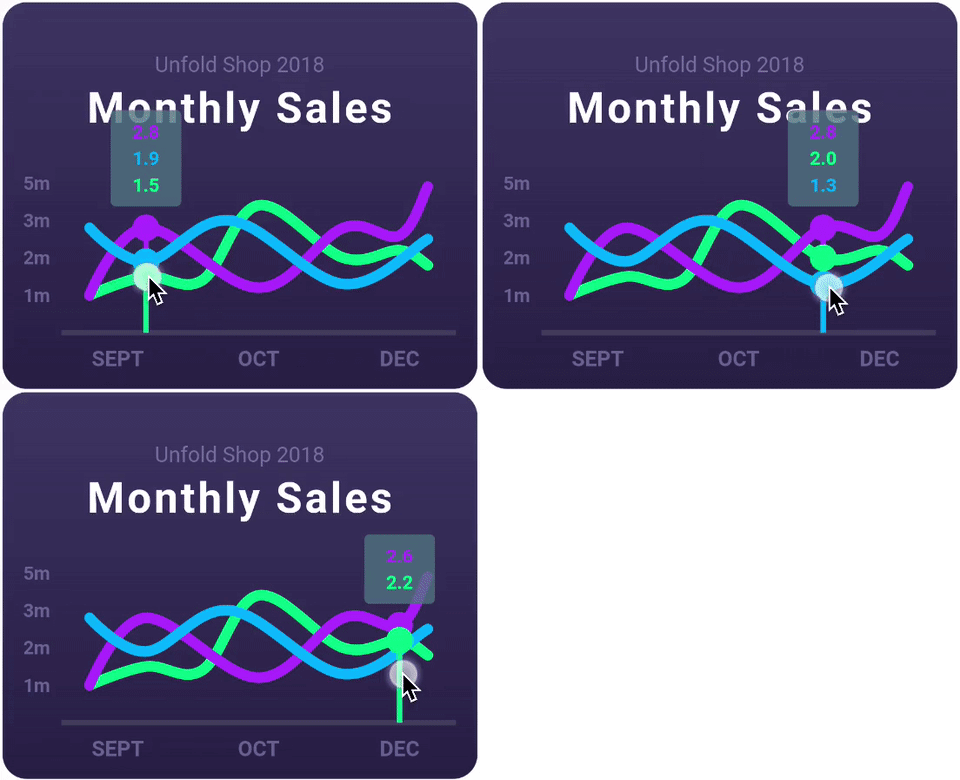
一个高度可定制的 Flutter 图表库,支持折线图、柱状图、饼图、散点图和雷达图。
用于在其他插件中访问 Android 生命周期的 Flutter 插件。
用于从 Android 和 iOS 图像库中选择图片以及使用相机拍摄新照片的 Flutter 插件。
 v1.1.1
用于在主屏幕上创建快捷方式的 Flutter 插件,也称为 iOS 上的快速操作和 Android 上的应用程序快捷方式。
用纯 Dart 编写的轻量级且速度极快的键值数据库。使用 AES-256 强加密。
Hive 的扩展。使在 Flutter 应用中使用 Hive 更加简单。
Hive 的扩展。自动为任何类生成 TypeAdapters 以存储数据。
一个 Flutter 插件,允许您添加内联 WebView,使用无头 WebView,并打开应用内浏览器窗口。
RxDart 是用于异步编程的流行 ReactiveX API 的实现,利用了原生 Dart Streams API。
以下为英文项目原文快照,最新内容请访问 GitHub。
logo
https://raw.githubusercontent.com/cake-tech/cake_wallet/HEAD/.github/assets/app-store-badge.svg https://raw.githubusercontent.com/cake-tech/cake_wallet/HEAD/.github/assets/google-play-badge.png https://raw.githubusercontent.com/cake-tech/cake_wallet/HEAD/.github/assets/f-droid-badge.png https://raw.githubusercontent.com/cake-tech/cake_wallet/HEAD/.github/assets/mac-store-badge.svg https://raw.githubusercontent.com/cake-tech/cake_wallet/HEAD/.github/assets/linux-badge.svg
Cake Wallet is an open-source, non-custodial, and private multi-currency crypto wallet for Android, iOS, macOS, and Linux.
Cake Wallet includes support for several cryptocurrencies, including:
Exchanging to/from other assets is also supported.
APK releases on GitHub, Accrescent, and F-Droid use the same key. They can easily be verified using apksigner or AppVerifier.
See below for Cake Wallet's SHA-256 signing certificate hash:
com.cakewallet.cake_wallet
C5:40:53:AB:0F:10:D9:54:17:62:A3:DA:76:65:AE:3D:BA:5E:7C:74:3A:B4:F1:08:A5:34:9D:62:AC:10:6E:F5
We have 24/7 free support. Please contact support@cakewallet.com
We have excellent user guides, which are also open-source and open for contributions: https://docs.cakewallet.com
Building Cake Wallet for each platform is covered in the platform-specific guides under docs/builds/:
Edit the applicable strings_XX.arb file in res/values/ and open a pull request with the changes.
Create a new strings_XX.arb file in res/values/, replacing XX with the language's ISO 639-1 code.
Edit the strings in this file, replacing XXX below with the translation for each string.
"welcome": "Welcome to", -> "welcome": "XXX",
"time" : "${minutes}m ${seconds}s"
The only parts to be translated, if needed, are the values m and s after the variables.
Add the language to lib/entities/language_service.dart under both supportedLocales and localeCountryCode. Use the name of the language in the local language and in English in parentheses after for supportedLocales. Use the ISO 3166-1 alpha-3 code for localeCountryCode. You must choose one country, so choose the country with the most native speakers of this language or is otherwise best associated with this language.
Add a relevant flag to assets/images/flags/XXXX.png, replacing XXXX with the 3 letters localeCountryCode. The image must be 42x26 pixels with 3 pixels of transparent margin on all 4 sides. You can resize the flag with paint.net to 36x20 pixels, expand the canvas to 42x26 pixels with the flag anchored in the middle, and then manually delete the 3 pixels on each side to make it transparent. Or you can use another program like Photoshop.
Add the new language code to tool/utils/translation/translation_constants.dart
Check with Cake Wallet support to see if the desired new fiat currency is available through our fiat API. Not all fiat currencies are.
If the currency is associated strongly with a specific issuing country, map the ISO 4217 currency code with the applicable ISO 3166-1 alpha-3 code in lib/entities/fiat_currency.dart. If the currency is used in a whole region or organization, then map with a reasonable interpretation of this (eg: eur countryCode for EUR symbol).
Add the raw mapping underneath in lib/entities/fiat_currency.dart following the same format as the others.
Add a flag of the issuing country or organization to assets/images/flags/XXXX.png, replacing XXXX with the ISO 3166-1 alpha-3 code used above (eg: usa.png, eur.png). Do not add this if the flag with the same name already exists. The image must be 42x26 pixels with a 3 pixels of transparent margin on all 4 sides.
Copyright (C) 2018-2025 Cake Labs LLC