

v1.1.0
flutter_chatgpt_api
围绕 ChatGPT 的 Flutter/Dart API,用于非官方 ChatGPT API。
100喜欢 93近 30 天下载130Pub 分数
AndroidiOSmacOSWindowsLinux
从 Flutter / Dart 使用 ChatGPT

以下为英文项目原文快照,最新内容请访问 GitHub。
This package is a Flutter/Dart API around ChatGPT by OpenAI.
This package requires a valid session token from ChatGPT to access its unofficial REST API.
This version have been updated to use Puppeteer to log in to ChatGPT and extract the Cloudflare cf_clearance cookie and OpenAI session token. 🔥 Thanks to Node.js ChatGPT API (unofficial)
:warning: Be Careful!
user-agent and IP address must match from the real browser window you're logged in with to the one you're using for ChatGPTAPI.
defaultHeaders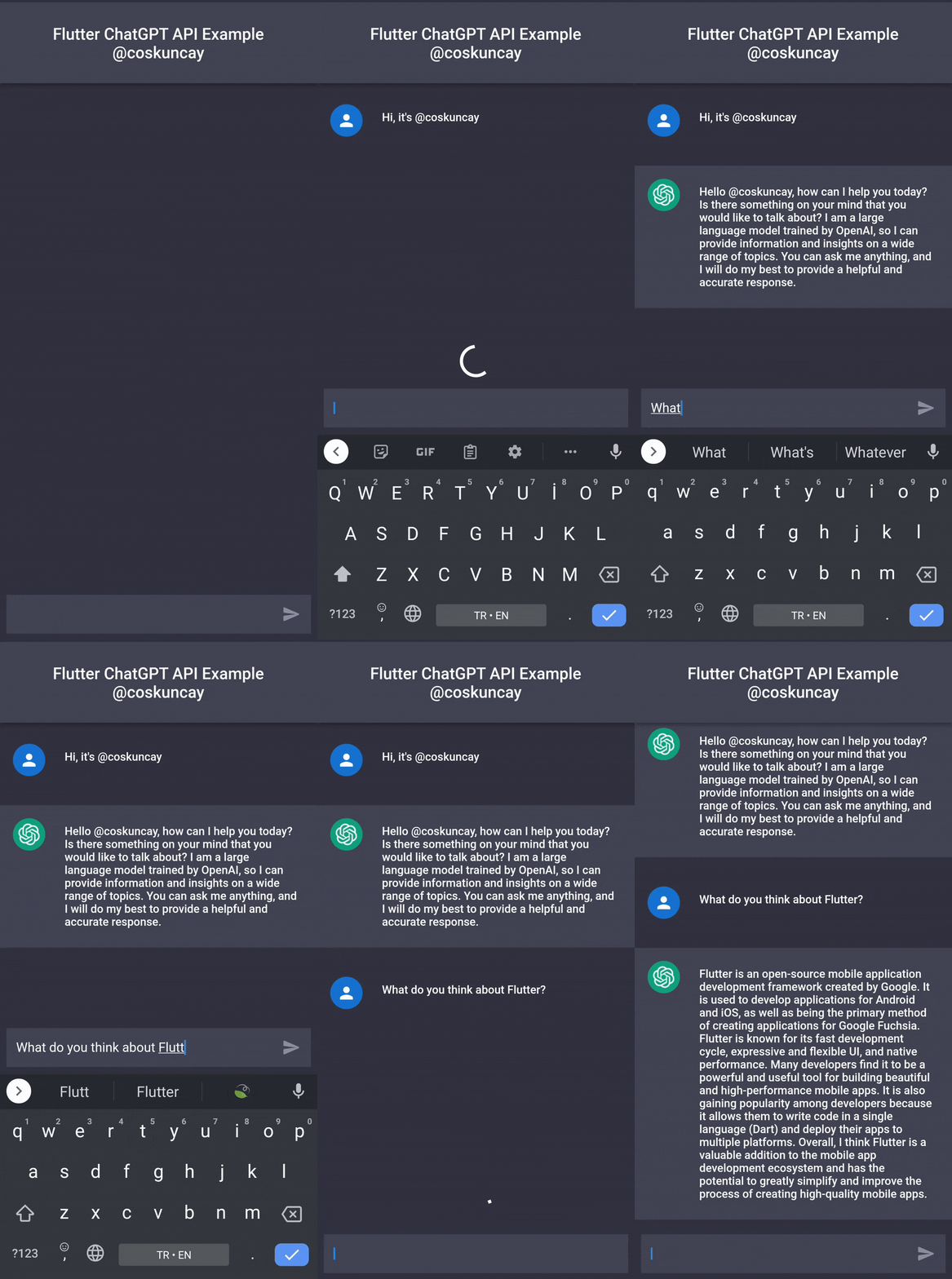
dependencies:
  flutter_chatgpt_api: ^1.0.0
import 'package:flutter_chatgpt_api/flutter_chatgpt_api.dart';

 _api = ChatGPTApi(
       sessionToken: SESSION_TOKEN,
       clearanceToken: CLEARANCE_TOKEN,
     );

setState(() {
  _messages.add(
    ChatMessage(
      text: _textController.text,
      chatMessageType: ChatMessageType.user,
    ),
  );
  isLoading = true;
});

var newMessage = await _api.sendMessage(
  input,
  conversationId: _conversationId,
  parentMessageId: _parentMessageId,
);

setState(() {
  _conversationId = newMessage.conversationId;
  _parentMessageId = newMessage.messageId;
  isLoading = false;
  _messages.add(
    ChatMessage(
      text: newMessage.message,
      chatMessageType: ChatMessageType.bot,
    ),
  );
});
To get a session token:
Application > Cookies (Storage > Cookies)
Copy the value for __Secure-next-auth.session-token and save it to your environment.example/lib/session_token.dart
Copy the value for cf_clearance and save it to your environment.
example/lib/clearance_token.dart
Should look something like this:
const SESSION_TOKEN = '__Secure-next-auth.session-token from https://chat.openai.com/chat';
const CLEARANCE_TOKEN = 'cf_clearance token from https://chat.openai.com/chat';
MIT Copyright (c) 2022, Emre Coşkunçay
If you found this project interesting, please consider supporting my open source work by sponsoring me or following me on twitter 
依赖清单 4 项
^0.13.5^3.0.7{"sdk":"flutter"}^2.0.0先按使用场景筛选,再比较项目活跃情况,最后到原始仓库核对使用要求。
“A repository is the most basic element of GitHub.”
GitHub Docs — About repositories ↗