
 v2.3.2
choice
smart_select 和 chips_choice 的继任者,具有更简洁、更灵活且可组合的 API,用于创建支持单选或多选的内联或提示选择控件。
143喜欢 1.4万近 30 天下载150Pub 分数
AndroidiOSWebmacOSWindowsLinux
smart_select 和 chips_choice 的继任者,具有更简洁、更灵活且可组合的 API,用于创建支持单选或多选的内联或提示选择控件。

{"sdk":"flutter"}{"sdk":"flutter"}^2.0.0以下为英文项目原文快照,最新内容请访问 GitHub。
Pub Version GitHub GitHub GitHub
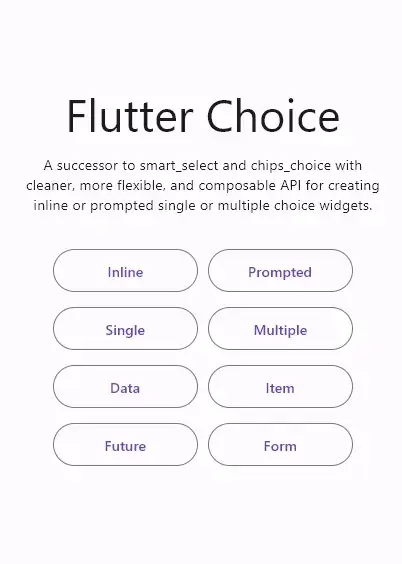
The successor to smart_select and chips_choice with cleaner, more flexible, and composable API for creating inline or prompted choice widgets with single or multiple selection.
For a complete usage, please see the example.
To read more about classes and other references used by choice, see the API Reference.
There are a few constructors to create a single selection choice widget:
By default, the choice controller maintains the selection state within a List. Any constructors other than those dedicated to single choice will have a List<T> for their value and onChanged prop. If we want to use a single value of T, we can use ChoiceSingle.value adapter to fill the value prop and ChoiceSingle.onChanged adapter to fill the onChanged prop.
Here is an example of how to use the ChoiceSingle.value and ChoiceSingle.onChanged adapters
import 'package:flutter/material.dart';
import 'package:choice/choice.dart';

class InlineScrollableX extends StatefulWidget {
  const InlineScrollableX({super.key});

  @override
  State<InlineScrollableX> createState() => _InlineScrollableXState();
}

class _InlineScrollableXState extends State<InlineScrollableX> {
  List<String> choices = [
    'News',
    'Entertainment',
    'Politics',
    'Automotive',
    'Sports',
    'Education',
    'Fashion',
    'Travel',
    'Food',
    'Tech',
    'Science',
    'Arts'
  ];

  String? selectedValue;

  void setSelectedValue(String? value) {
    setState(() => selectedValue = value);
  }

  @override
  Widget build(BuildContext context) {
    return Column(
      children: [
        Choice<String>.inline(
          clearable: true,
          value: ChoiceSingle.value(selectedValue),
          onChanged: ChoiceSingle.onChanged(setSelectedValue),
          itemCount: choices.length,
          itemBuilder: (state, i) {
            return ChoiceChip(
              selected: state.selected(choices[i]),
              onSelected: state.onSelected(choices[i]),
              label: Text(choices[i]),
            );
          },
          listBuilder: ChoiceList.createScrollable(
            spacing: 10,
            padding: const EdgeInsets.symmetric(
              horizontal: 20,
              vertical: 25,
            ),
          ),
        ),
        InlineChoice<String>.single(
          clearable: true,
          value: selectedValue,
          onChanged: setSelectedValue,
          itemCount: choices.length,
          itemBuilder: (state, i) {
            return ChoiceChip(
              selected: state.selected(choices[i]),
              onSelected: state.onSelected(choices[i]),
              label: Text(choices[i]),
            );
          },
          listBuilder: ChoiceList.createWrapped(
            spacing: 10,
            runSpacing: 10,
            padding: const EdgeInsets.symmetric(
              horizontal: 20,
              vertical: 25,
            ),
          ),
        ),
      ],
    );
  }
}
There are a few constructors to create an multiple selection choice widget:
There are a few constructors to create an inline choice widget:
There are a few constructors to create a prompted choice widget:
If this package or any other package I created is helping you, please consider to sponsor me so that I can take time to read the issues, fix bugs, merge pull requests and add features to these packages.