

 v3.0.0
keyboard_dismisser
一个简单的 Flutter 包,可在执行手势时隐藏键盘。
247喜欢 3.2万近 30 天下载160Pub 分数
AndroidiOSWebmacOSWindowsLinux
一个简单的 Flutter 包,可在执行手势时隐藏键盘。

以下为英文项目原文快照,最新内容请访问 GitHub。
A simple Flutter package to hide the keyboard when performing a gesture outside of it.

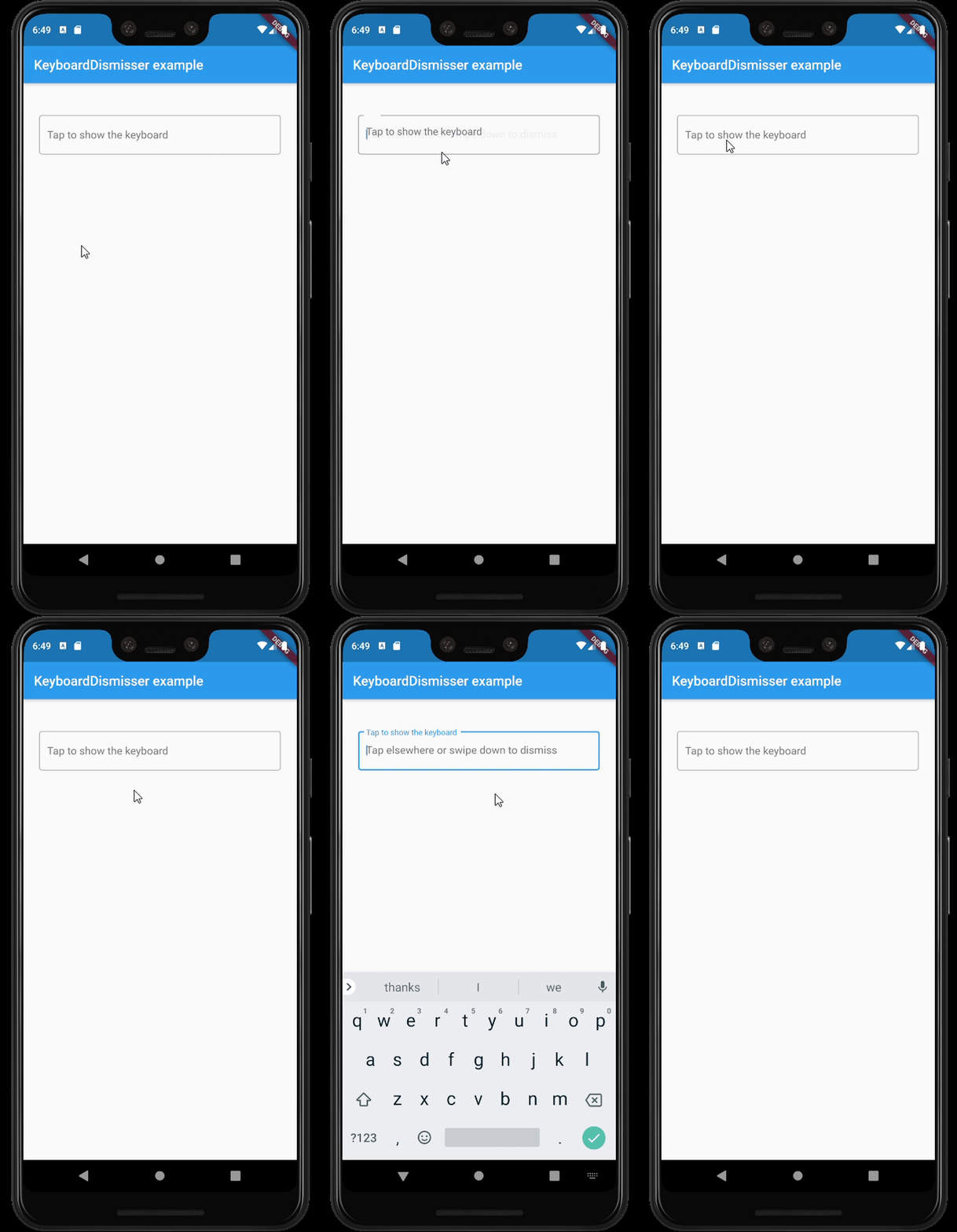
GestureDetector.This package exposes a KeyboardDismisser stateless widget. You can wrap your widget with it, and
your widget will be able to dismiss the keyboard when performing a gesture.
    Widget build(BuildContext context) => KeyboardDismisser(
        child: Scaffold(
            body: ...,
        ),
      );
KeyboardDismisser takes a gestures parameter, which is a list of GestureType enum cases. This
way, you can pass any gesture you like for the keyboard dismissal. By default, KeyboardDismisser
will dismiss the keyboard when tapping outside of it, but it handles several gestures at the
same time.
    Widget build(BuildContext context) => KeyboardDismisser(
        gestures: [GestureType.onTap, GestureType.onPanUpdateDownDirection],
        child: Scaffold(
            body: ...,
        ),
      );
In the pubspec.yaml of your flutter project, add the following dependency:
dependencies:
  keyboard_dismisser: "^[LATEST_VERSION]"
Then run $ flutter pub get. In your library, add the following import:
import 'package:keyboard_dismisser/keyboard_dismisser.dart';
Diego Rogel - GitHub
Check the Changelog page to see what's recently changed.
This project is licensed under the MIT License - see the LICENSE file for details.
依赖清单 2 项
{"sdk":"flutter"}{"sdk":"flutter"}先按使用场景筛选,再比较项目活跃情况,最后到原始仓库核对使用要求。
“A repository is the most basic element of GitHub.”
GitHub Docs — About repositories ↗