搜索插件、代码仓与 APP 分类

keyboard_dismisser 封面
插件详情v3.0.0

keyboard_dismisser

一个简单的 Flutter 包,可在执行手势时隐藏键盘。

AndroidiOSWebmacOSWindowsLinux
近 30 天下载
3.2万
喜欢数
247
Pub 分数
160

安装插件

flutter pub add keyboard_dismisser

插件介绍

基于插件公开信息、社区数据与项目使用情况整理的选型参考。

一个轻量级的 Flutter 包,当用户点击任意文本输入字段以外的区域时,会自动关闭键盘。它通过提供一种无缝关闭键盘的方式,提升了用户体验,无需专用按钮或手动操作。该包可在所有主要平台上运行,包括移动设备、网页和桌面端,非常适合表单和输入密集型界面。它可轻松集成到现有控件中,设置简单。

适合场景

  • 频繁切换键盘的表单输入
  • 需要直观键盘关闭的移动和网页应用
  • 带有文本字段的桌面应用程序
  • 改进聊天或消息界面的用户体验
  • 通过消除多余的关闭按钮来减少杂乱

主要特点

  • 点击外部区域自动关闭键盘
  • 跨平台兼容性
  • 最小代码集成
  • 支持所有输入类型
  • 无额外依赖

适合对象

  • 寻求简单键盘管理的开发者
  • 包含多个文本字段的应用程序
  • 以用户体验为中心的应用程序设计
  • 面向多个平台的项目

使用建议

  • 可能与其他手势检测器发生冲突
  • 不适合复杂的手势交互
  • 需要在 widget 树中谨慎放置
  • 有限的自定义选项
  • 不以编程方式处理键盘可见性

原始 README

以下为关联源码仓库的 README 原文快照,最新内容请访问源码仓库。

keyboard_dismisser

A simple Flutter package to hide the keyboard when performing a gesture outside of it.

Pub

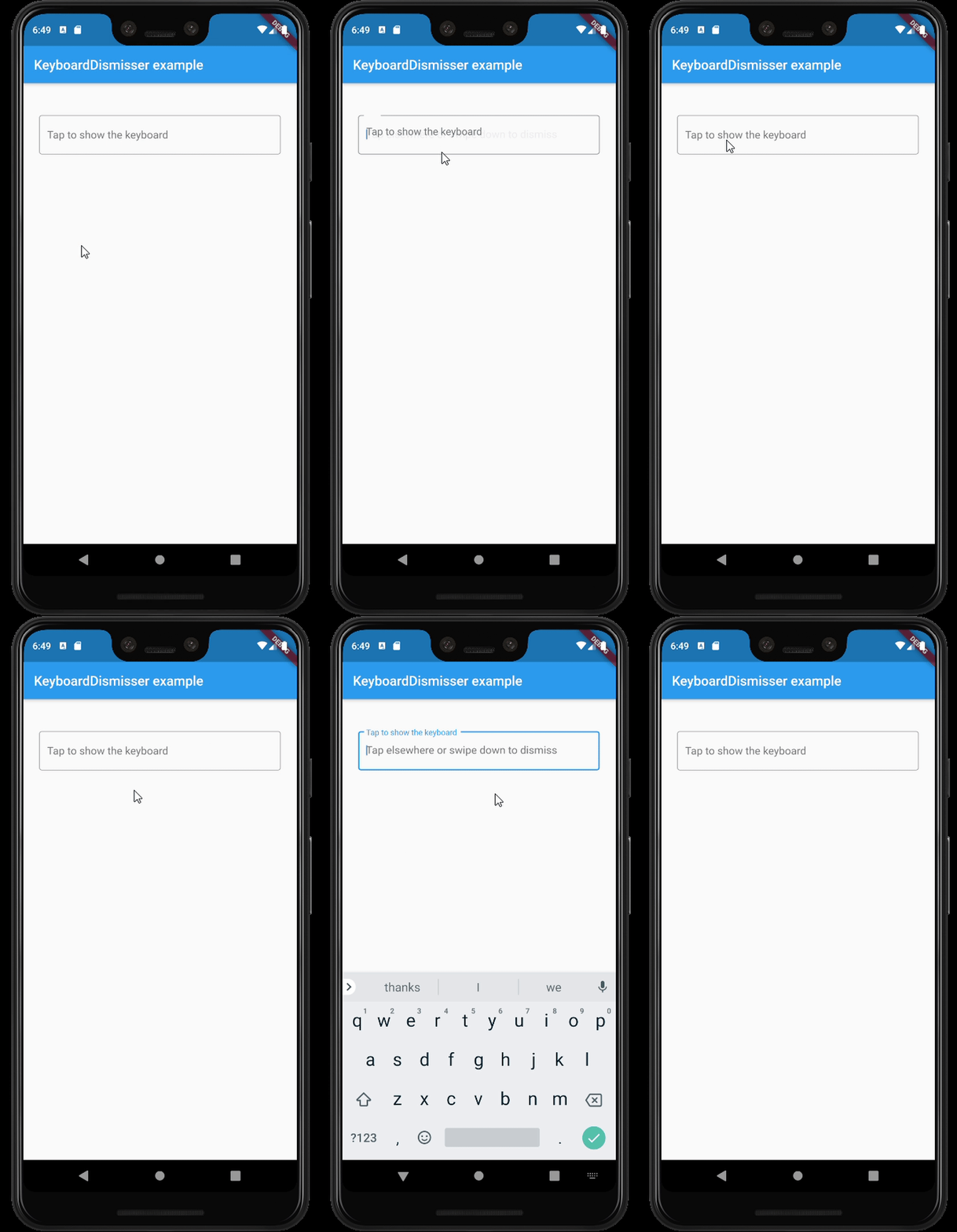
Example

Features

  • By default, dismisses the keyboard when tapping outside of it on an inactive widget.
  • Supports several gestures at the same time.
  • Supports all the gestures available in Flutter's GestureDetector.
  • Supports directional swipes to dismiss the keyboard.
  • Can be applied to a whole page by wrapping its Scaffold.
  • Can be applied to a whole app, by wrapping its MaterialApp, WidgetsApp, or CupertinoApp.
  • Customizable drag start behavior and gesture hit testing behavior.
  • Can be excluded from the semantics tree.

Usage

This package exposes a KeyboardDismisser stateless widget. You can wrap your widget with it, and your widget will be able to dismiss the keyboard when performing a gesture.

    Widget build(BuildContext context) => KeyboardDismisser(
        child: Scaffold(
            body: ...,
        ),
      );

KeyboardDismisser takes a gestures parameter, which is a list of GestureType enum cases. This way, you can pass any gesture you like for the keyboard dismissal. By default, KeyboardDismisser will dismiss the keyboard when tapping outside of it, but it handles several gestures at the same time.

    Widget build(BuildContext context) => KeyboardDismisser(
        gestures: [GestureType.onTap, GestureType.onPanUpdateDownDirection],
        child: Scaffold(
            body: ...,
        ),
      );

Getting started

In the pubspec.yaml of your flutter project, add the following dependency:

dependencies:
  keyboard_dismisser: "^[LATEST_VERSION]"

Then run $ flutter pub get. In your library, add the following import:

import 'package:keyboard_dismisser/keyboard_dismisser.dart';

Author

Diego Rogel - GitHub

Changelog

Check the Changelog page to see what's recently changed.

License

This project is licensed under the MIT License - see the LICENSE file for details.

所属分类

源码仓库

使用此插件的项目