

v1.0.1+1
adhara_socket_io
由 adhara 提供的适用于 Flutter 的 socket.io WebSocket,支持 iOS 和 Android
86喜欢 162近 30 天下载30Pub 分数
平台暂无数据
Flutter 的 Socket IO 支持。正在寻找 Swift 和 Java 贡献者。

以下为英文项目原文快照,最新内容请访问 GitHub。

socket.io for flutter by adhara
supports both Android and iOS
socket.io version supported: v2 development in progress for v3 and v4
If you are using v3/v4 socket on server side, you may face connection issues, please downgrade and try in such scenario.
Usage:
See
example/lib/main.dartfor more detailed example
	final SOCKET_SERVER = 'http://192.168.1.2:7070/';	//To be modified accordingly
        SocketIO socket;
	StreamSubscription connectSubscription;
	StreamSubscription echoSubscription;

	Future<void> demonstrateSocket() async {
    	// Create a socket instance
		socket = await SocketIOManager().createInstance(
        	SocketOptions(SOCKET_SERVER),
        );

	// Listen to socket connect event
	subscription = socket.onConnect.listen((data){
	  print('connected: $data');
	  socket.emit('message', ['Hello world!']);
	});

        // Listen to an custom ("news") event
	echoSubscription = socket.on('echo', (data){
  	    print("news event recieved with data: $data");
	});

	// There are 2 ways to connect to socket server
	//  - normal: doesn't wait for connectio success
	//  - sync: ensures connection or errors out on failure

        // normal:
        //  connect to socket server - will initialize connection,
        //  but not ensure the connection yet.
        //  If this method used to connect to server, then emit events should be sent
        //  only after ensuring connection to socket server is successful by listening
        //  to onConnect events
	// await socket.connect();

	// sync:
        //  This API will ensure connection to server is successful
        //  or will throw error on connect error
        await socket.connectSync();

        // publish data - will publish to server, won't ensure the delivery
	await socket.emit('echo', ['hello']);

        // emit with acknowledgement - will publish to server
        //  and ensure delivery with ack if ack is implemented in server
        dynamic ackData = await socket.emitWithAck('echo', ['hello']);
            print('acknowledgement recieved from server: $ackData');
    	}

	Future<void> dispose() async {
	    // cancel echo and onConnect subscriptions
	    await echoSubscription.cancel();
	    await connectSubscription.cancel();

            // clear socket instance from manager
            await SocketIOManager().clearInstance(socket);
        }

	// register liteners, connect to a socket, and publish data
	demonstrateSocket();

	// will dispose listeners and socket
	dispose();
cd socket.io.server
npm i
./node_modules/.bin/pm2/ index.js
cd ../
open example/lib/main.dart and edit the URI in #7 to point to your hosted/local socket server instances as mentioned step 2
For example:
const String URI = "http://192.168.1.2:7000/";
const String URI = "http://mysite.com/";
run example
cd example
flutter run
This project uses Swift for iOS support, please enable Swift support for your project for this plugin to work
Configure android:usesCleartextTraffic="true" as a property of <application ...> tag in android/app/src/main/AndroidManifest.xml
For example:
<application
        android:name="io.flutter.app.FlutterApplication"
        android:label="adhara_socket_io_example"
        android:usesCleartextTraffic="true"
        android:icon="@mipmap/ic_launcher">
        <activity
            android:name=".MainActivity"...>...</activity>
        ...
</application>
This plugin uses flutter driver to run integration tests tests. Use below command to run integration tests on Android/iOS
sh bin/run_tests.sh
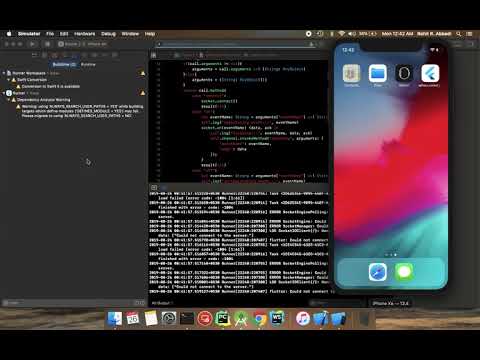
add use_frameworks! to your Podfile as in the example
https://github.com/infitio/flutter_socket_io/blob/master/example/ios/Podfile#L30
Read more about this: discussion
Feel free to checkout our Adhara package
依赖清单 2 项
{"sdk":"flutter"}^1.9.2先按使用场景筛选,再比较项目活跃情况,最后到原始仓库核对使用要求。
“A repository is the most basic element of GitHub.”
GitHub Docs — About repositories ↗