
 v0.0.2
rolling_switch
带有吸引人动画的自定义开关按钮,可让您自定义颜色、图标和其他外观内容。
59喜欢 179近 30 天下载150Pub 分数
AndroidiOSWebmacOSWindowsLinux
适用于 Flutter 应用的完全可自定义滚动开关小部件

{"sdk":"flutter"}^0.0.1{"sdk":"flutter"}^1.5.3以下为英文项目原文快照,最新内容请访问 GitHub。
Rolling Switch Package
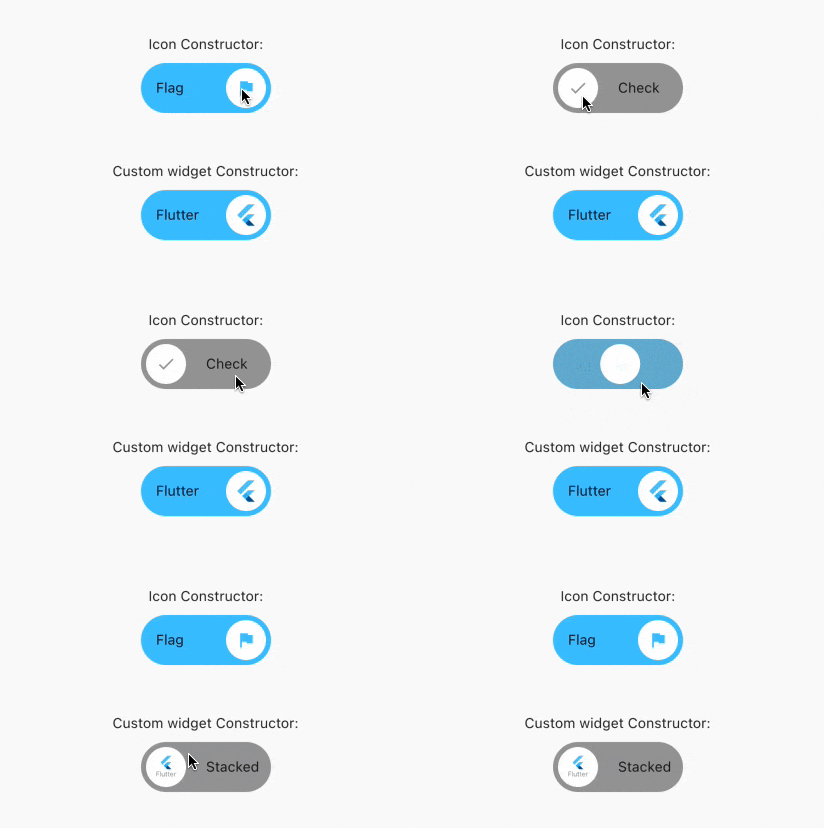
Full customizable rolling switch widget for flutter apps forked from this library
Custom Switch button with attractive animation,
made to allow you to customize colors, icons, custom widget and other cosmetic content.
Manage the widget states in the same way you do with the classical material's switch widget.
style: lint https://img.shields.io/github/license/jamescardona11/rolling_switch https://img.shields.io/pub/v/rolling_switch
Import this library into your project:
roling_switch: ^latest_version
RollingSwitch.icon(
  onChanged: (bool state) {
    print('turned ${(state) ? 'on' : 'off'}');
  },
  rollingInfoRight: const RollingIconInfo(
    icon: Icons.flag,
    text: Text('Flag'),
  ),
  rollingInfoLeft: const RollingIconInfo(
    icon: Icons.check,
    backgroundColor: Colors.grey,
    text: Text('Check'),
  ),
),
const RollingWidgetInfo(icon: FlutterLogo())
RollingSwitch.icon(
  rollingInfoRight: const RollingIconInfo(
    backgroundColor: Colors.green,
  ),
  rollingInfoLeft: const RollingIconInfo(
    backgroundColor: Colors.grey,
  ),
)
RollingSwitch.icon(
  ...
  circularColor: (icon: FlutterLogo())
)
RollingSwitch.icon(
  rollingInfoRight: const RollingIconInfo(
    text: Text('Flag'),
  ),
  rollingInfoLeft: const RollingIconInfo(
    text: Text('Stack'),
  ),
)
RollingSwitch.icon(
  ...
  enableDrag: true
)
https://github.com/jamescardona11/rolling_switch/blob/main/img/example.gif?raw=true