
v5.1.1
android_alarm_manager_plus
用于访问 Android AlarmManager 服务的 Flutter 插件,当闹钟触发时在后台运行 Dart 代码。
616喜欢 1.6万近 30 天下载160Pub 分数
Android
Break.Down.Timer

用于访问 Android AlarmManager 服务的 Flutter 插件,当闹钟触发时在后台运行 Dart 代码。
适用于您 Flutter 应用程序的类型安全、响应式且轻量级的 SQLite 抽象。此库是运行时依赖项。
 v4.0.1
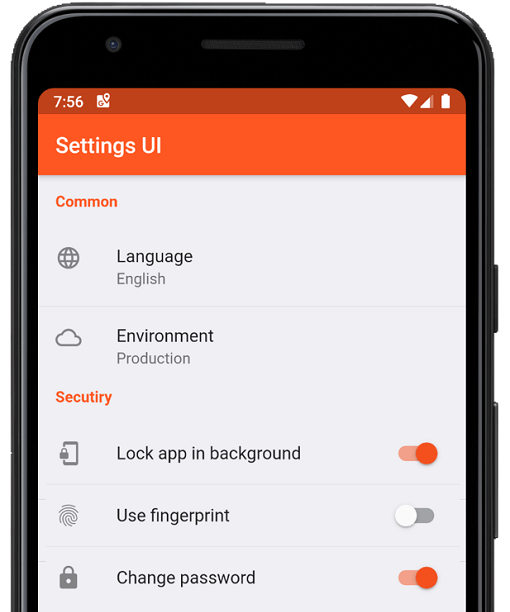
几分钟内为 Flutter 应用创建原生设置。使用单一接口进行构建
Jiffy 是一个用于解析、操作、查询和格式化日期时间的 Flutter(Android、IOS 和 Web)日期时间包
 v2.1.2
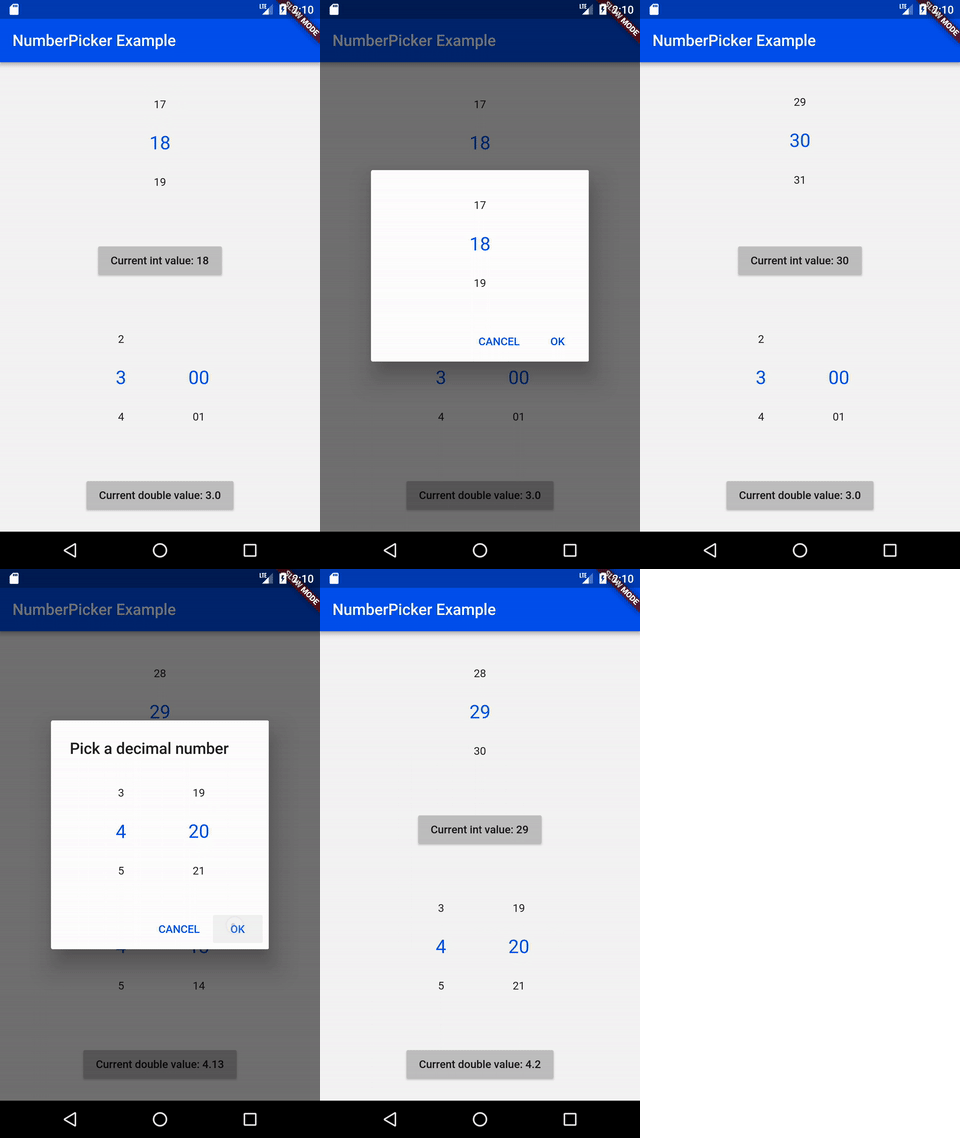
NumberPicker 是一个允许用户通过滚动旋钮选择数字的控件。
一个用于在 iOS、Android、Web 和 OpenHarmony 上处理振动 API 的插件。
 v3.1.0
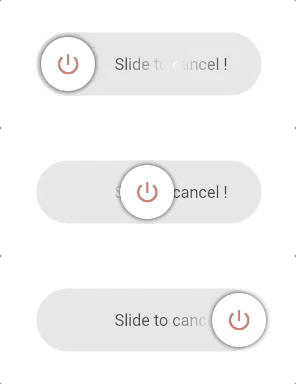
可自定义的滑块按钮小部件,用于激活/停用某个事件。
由社区为 Flutter 设计的 Material Design 图标
intl_utils 是一个 Dart 库,可从 ARB 文件生成 Dart 本地化代码。生成的代码依赖于 Intl 库。
Flutter 插件,用于检测应用(非 Flutter 容器)进入后台或前台的状态
一个用于获取设备本地时区的 Flutter 插件。
用于检查和禁用电池优化的 Flutter 插件。还显示在小米、红米、三星、OPPO、华为、一加等设备上禁用优化的自定义步骤
{"sdk":"flutter"}{"sdk":"flutter"}^18.0.1^5.0.1^1.1.0anyany^2.1.2^6.3.1^2.3.1^0.68.0^8.0.1^6.0.20^2.0.2^12.0.3^2.0.1^1.8.0^5.1.13.1.5^3.1.0+74472.0.0^4.0.0^2.0.0^2.0.10+1^0.7.0^1.1.3^12.4.0^1.8.1{"path":"./flutter_sound_bridge"}^1.0.2^1.2.10any{"sdk":"flutter"}^0.13.1以下为英文项目原文快照,最新内容请访问 GitHub。
Static Badge
A timer with intermediate notifications.
This is a handy timer where you can define notifications while the timer is running. Imagine this scenario: You have 45 minutes time to go for a walk, so you should go back after the half of the time. So, set the timer duration to 45 minutes, define a break after the half of the time and start the timer. Now you get a notification (audio signal, vibration, device notification) when the half time is reached, AND of course when the whole time is reached.
Other scenarios could be to get notified every quarter of a duration to keep a feeling of the passing and remaining time. Or to get notifications short before the end of the duration.
The notifications are encoded in patterns of audio beeps and/or vibrations to express the reached in-between break. The pattern is very simple: a short beep means "1", a long beeeeep means "5". So, e.g. "beeeeep beep" means "6". All signals are prefixed with a short "bepbep" sequence to attract attention.
To set a notification ("break"), just click on a slice of the wheel. To unset it, click again. Each placed "break" gets a number as identifier, used as notification pattern.
Set a timer duration by clicking on the center of the wheel. You can also set a destination time by switching the timer mode from "Timer" to "Clock".
Instead of placing breaks by your own, you can use the built-in presets of the app. You can also save your own presets. One favourite preset can be pinned to be present after app-start.
Fore more details, see bdt.jepfa.de.
https://raw.githubusercontent.com/jenspfahl/BDT/HEAD/metadata/en-US/images/phoneScreenshots/1.png https://raw.githubusercontent.com/jenspfahl/BDT/HEAD/metadata/en-US/images/phoneScreenshots/2.png https://raw.githubusercontent.com/jenspfahl/BDT/HEAD/metadata/en-US/images/phoneScreenshots/3.png https://raw.githubusercontent.com/jenspfahl/BDT/HEAD/metadata/en-US/images/phoneScreenshots/4.png https://raw.githubusercontent.com/jenspfahl/BDT/HEAD/metadata/en-US/images/phoneScreenshots/5.png https://raw.githubusercontent.com/jenspfahl/BDT/HEAD/metadata/en-US/images/phoneScreenshots/6.png https://raw.githubusercontent.com/jenspfahl/BDT/HEAD/metadata/en-US/images/phoneScreenshots/7.png
Important note: There is was an ad-containing fork on Google Play abusing my AppId (de.jepfa.bdt) by another developer called "Schnupfeld". To get my original ad-free version, use the badges below (AppId de.jepfa.bdt.adfree for Google Play).
Update: The add-containing fork was removed from the Play Store meanwhile but still the AppId de.jepfa.bdt is burned forever and cannot be reused by anybody else than the origin publisher.
Or download the latest apk from here.
You can contribute with ideas, feature requests and bug fixes or reports. You are also welcome to translate the app on Weblate.