
 v0.4.4
anchor_scroll_controller
该包实现了一个支持锚点的 ScrollController。也就是说,AnchorScrollController 支持滚动到指定索引,并在用户滚动时监听索引变化。
48喜欢 3070近 30 天下载160Pub 分数
AndroidiOSWebmacOSWindowsLinux
一个支持锚点的 ScrollController

{"sdk":"flutter"}{"sdk":"flutter"}以下为英文项目原文快照,最新内容请访问 GitHub。
This package implement a ScrollController which supports anchor. That is, AnchorScrollController supports to scroll to index and listen to index changed while scrolling by user.
Scroll to index
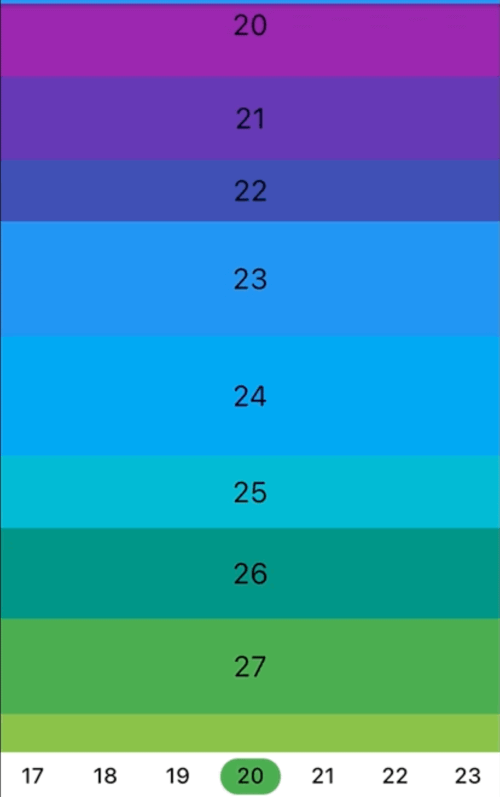
Screenshot
Listen to index changed
Screenshot
In the pubspec.yaml of your flutter project, add the following dependency:
dependencies:
  ...
  anchor_scroll_controller: <latest_version>
In your library add the following import:
import 'package:anchor_scroll_controller/anchor_scroll_controller.dart';
Initialize an AnchorScrollController object and use it as the ScrollController of ListView, and wrap the items in the ListView with AnchorItemWrapper
late final AnchorScrollController _scrollController;

@override
void initState() {
  super.initState();

  _scrollController = AnchorScrollController(
    onIndexChanged: (index) {
      _tabController?.animateTo(index);
    },
  );
}

@override
Widget build(BuildContext context) {
  return Scaffold(
    appBar: AppBar(
      title: Text("GeneralScrollViewWidget"),
    ),
    body: Column(
      children: [
        Expanded(
          child: ListView.builder(
            controller: _scrollController,
            itemCount: length,
            itemBuilder: (context, index) => AnchorItemWrapper(
              index: index,
              controller: _scrollController,
              child: Container(
                height: 50.0 + Random().nextInt(50),
                color: Colors.primaries[index % Colors.primaries.length],
                alignment: Alignment.center,
                child: Text(index.toString(),
                            style: const TextStyle(fontSize: 24, color: Colors.black)),
              ),
            )
          ),
        ),
        ... // omit more code
      ],
    )
  );

  ...
  // call AnchorScrollController.scrollToIndex() to scroll to the target index item
  _scrollController.scrollToIndex(index);
  ...
fixedItemSize param of AnchorScrollController to the size of items. For example, if the height of all items are 50, then set fixedItemSize param to 50.scrollViewWrapper param instead of controller param to AnchorItemWrapper. See cascaded_scroll_controller.dart for more detail.