搜索插件、代码仓与 APP 分类

anchor_scroll_controller 封面
插件详情v0.4.4

anchor_scroll_controller

该包实现了一个支持锚点的 ScrollController。也就是说,AnchorScrollController 支持滚动到指定索引,并在用户滚动时监听索引变化。

AndroidiOSWebmacOSWindowsLinux
近 30 天下载
5350
喜欢数
48
Pub 分数
160

安装插件

flutter pub add anchor_scroll_controller

插件介绍

基于插件公开信息、社区数据与项目使用情况整理的选型参考。

anchor_scroll_controller 包提供了一个支持锚定的 ScrollController,可实现精确滚动到特定索引,并在用户驱动的滚动过程中监听索引变化。它通过允许开发者跟踪并响应可滚动列表中当前可见项,增强了滚动交互体验,非常适合用于导航菜单、无限列表或同步 UI 元素等场景。该包具备跨平台支持,可在 Android、iOS、Web、macOS、Windows 和 Linux 上无缝运行。

适合场景

  • 滚动到特定列表项
  • 跟踪用户滚动时的可见索引
  • 同步滚动位置与UI元素
  • 使用滚动感知构建导航菜单
  • 实现带锚点跟踪的无限滚动

主要特点

  • 支持滚动到索引
  • 监听滚动过程中的索引变化
  • 跨平台兼容性
  • 与 ListView 或 Scrollable 小部件的轻松集成
  • 提供流畅的锚点滚动

适合对象

  • 开发滚动感知用户界面的开发者
  • 需要精确滚动定位的应用
  • 与滚动状态绑定的导航系统
  • 无限或动态列表实现

使用建议

  • 需要手动处理锚点逻辑
  • 可能需要额外的状态管理
  • 不适合简单的静态滚动
  • 大型列表带来的性能影响
  • 限于索引滚动内容

原始 README

以下为关联源码仓库的 README 原文快照,最新内容请访问源码仓库。

flutter anchor_scroll_controller

This package implement a ScrollController which supports anchor. That is, AnchorScrollController supports to scroll to index and listen to index changed while scrolling by user.

Pub

Features

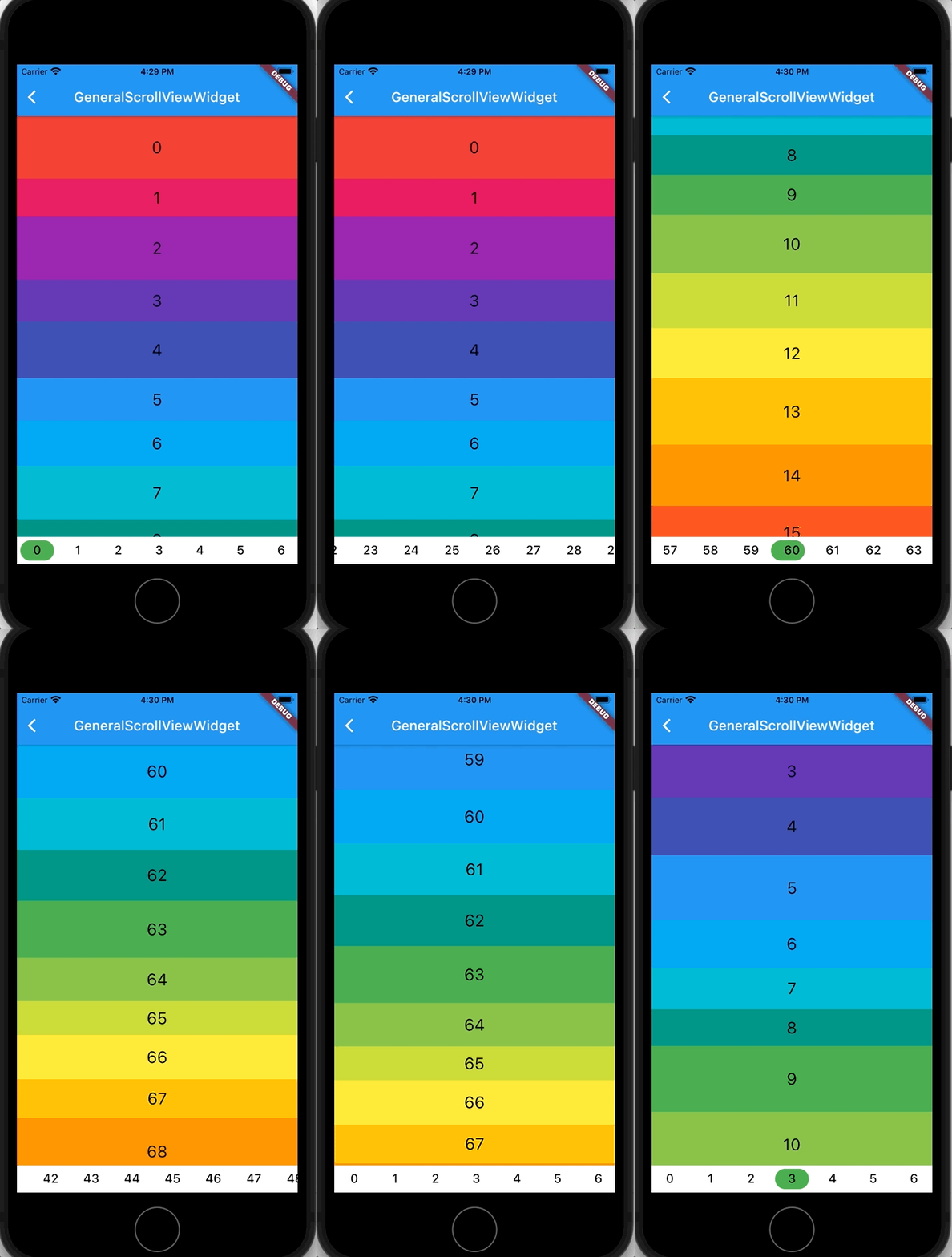
  • Scroll to index

    Screenshot

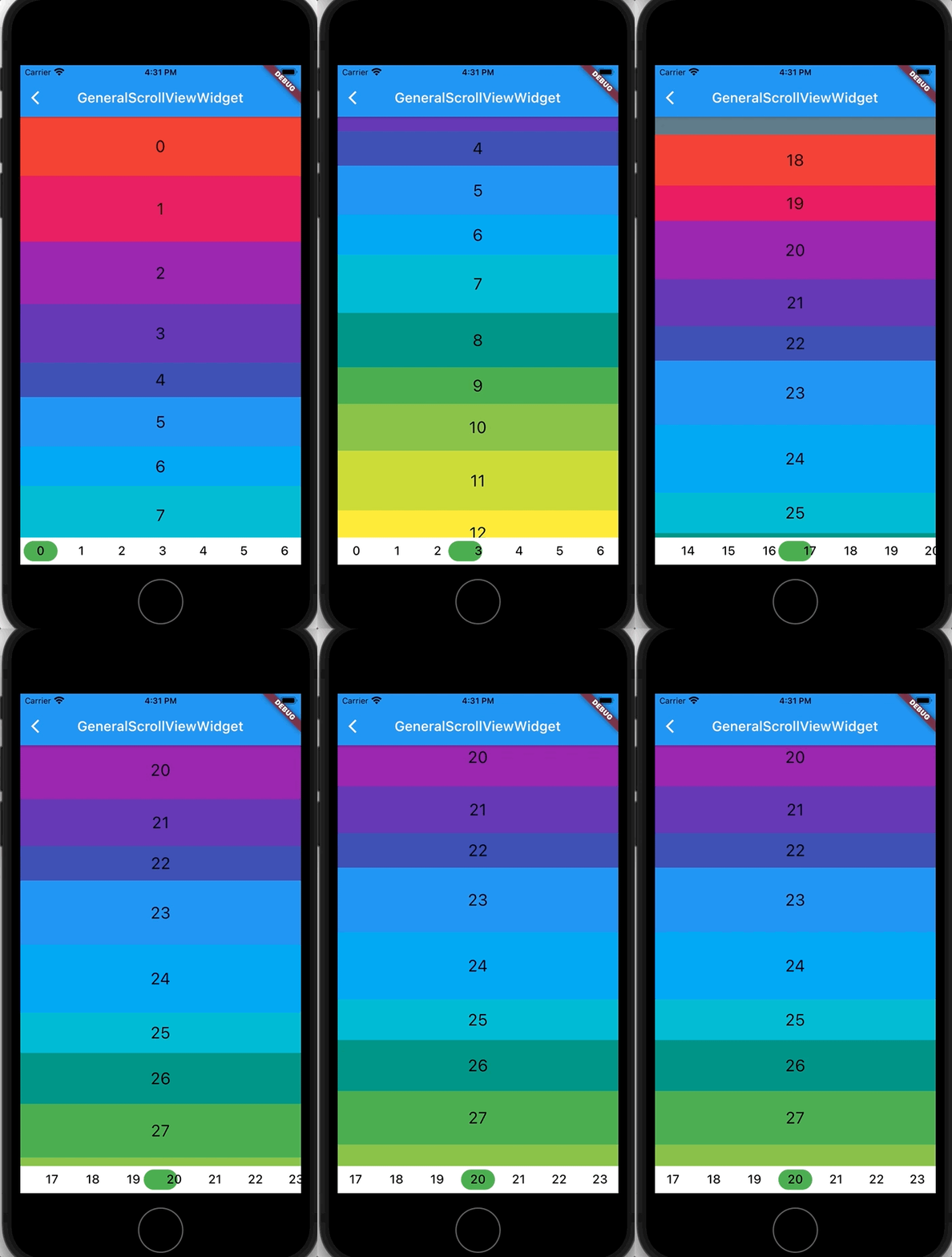
  • Listen to index changed

    Screenshot

Getting Started

In the pubspec.yaml of your flutter project, add the following dependency:

dependencies:
  ...
  anchor_scroll_controller: <latest_version>

In your library add the following import:

import 'package:anchor_scroll_controller/anchor_scroll_controller.dart';

Initialize an AnchorScrollController object and use it as the ScrollController of ListView, and wrap the items in the ListView with AnchorItemWrapper

late final AnchorScrollController _scrollController;

@override
void initState() {
  super.initState();

  _scrollController = AnchorScrollController(
    onIndexChanged: (index) {
      _tabController?.animateTo(index);
    },
  );
}

@override
Widget build(BuildContext context) {
  return Scaffold(
    appBar: AppBar(
      title: Text("GeneralScrollViewWidget"),
    ),
    body: Column(
      children: [
        Expanded(
          child: ListView.builder(
            controller: _scrollController,
            itemCount: length,
            itemBuilder: (context, index) => AnchorItemWrapper(
              index: index,
              controller: _scrollController,
              child: Container(
                height: 50.0 + Random().nextInt(50),
                color: Colors.primaries[index % Colors.primaries.length],
                alignment: Alignment.center,
                child: Text(index.toString(),
                            style: const TextStyle(fontSize: 24, color: Colors.black)),
              ),
            )
          ),
        ),
        ... // omit more code
      ],
    )
  );
  
  ...
  // call AnchorScrollController.scrollToIndex() to scroll to the target index item
  _scrollController.scrollToIndex(index);
  ...

Additional notes

  • If the size of items are fixed, there is no need to wrap item with AnchorItemWrapper. Just set the fixedItemSize param of AnchorScrollController to the size of items. For example, if the height of all items are 50, then set fixedItemSize param to 50.
  • For the ScrollView which needs to support pin, wrap pinned headers with AnchorItemWrapper. See pin_scroll_view.dart for more detail.
  • If you already have a ScrollController and want to use it, wrap the ListView with AnchorScrollViewWrapper and wrap its items with AnchorItemWrapper. Meanwhile, set the scrollViewWrapper param instead of controller param to AnchorItemWrapper. See cascaded_scroll_controller.dart for more detail.

所属分类

源码仓库

使用此插件的项目

暂无相关数据。