

 v1.1.1
slidable_bar
一个用于显示侧边栏并隐藏它以及自定义点击行为的Flutter包。
48喜欢 61近 30 天下载150Pub 分数
AndroidiOSWebmacOSWindowsLinux
一个用于带动画显示/隐藏侧边栏的 Flutter 包

以下为英文项目原文快照,最新内容请访问 GitHub。
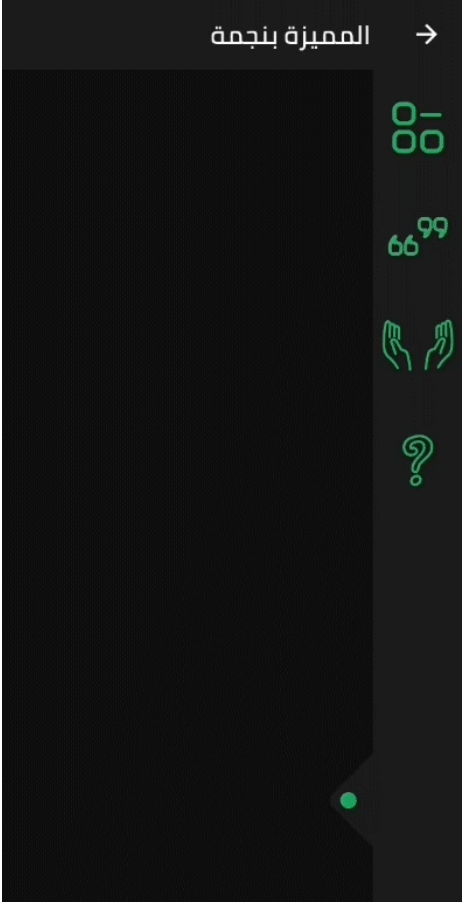
A Flutter side bar slider can be with any widget you want

SlidableBar can have four positions: top, bottom, right and left.clicker, you can change the clicker widget with what you want.Drawer, but with new way.SlidableBar should have specific width and height, it works fine with scaffold's body.SlidableBar doesn't create it's own context, so it will appear under floating action button if you add one. final SlidableBarController controller = SlidableBarController(initialStatus: true);
SlidableBar(
size: 50, // this will be bar's height in case Side is bottom or top and width in case Side is left or right
children: <Widget>[], // here is the widgets inside the bar
child: Container(), // here is your widget that will be under the bar
// optional
frontColor: Colors.green, // the color of the cycle inside the default clicker
slidableController: controller, // the contoller to change and listen to the bar status
barRadius: const BorderRadius.circular(10.0), // the contoller to change and listen to the bar status
side: Side.bottom, // Side.right is the default
clickerPosition: 1.0, // the position of the clicker, 0.0 is the default
clickerSize: 60, // the sizer of the default clicker, 55 is the default
onChange: (int index){
print(index); // this will print the index of the widget you clicked inside the bar
},
duration: Duration(milliseconds: 500), // the duration of the animation, (300 mil) is the default
isOpenFirst: true, // the initial state of the bar, false is default
backgroundColor: Colors.black, // primary color is default
curve: Curves.ease, // the animation curve, linear is defualt
clicker: Icon(Icons.arrow_forward_ios), // this will build instead of the default clicker
)
In the pubspec.yaml of your flutter project, add the following dependency:
dependencies:
  slidable_bar: "^1.1.0"
Then run $ flutter pub get. In your library, add the following import:
import 'package:slidable_bar/slidable_bar.dart';


Mahmoud Haj Ali - GitHub
依赖清单 2 项
{"sdk":"flutter"}{"sdk":"flutter"}先按使用场景筛选,再比较项目活跃情况,最后到原始仓库核对使用要求。
“A repository is the most basic element of GitHub.”
GitHub Docs — About repositories ↗