
 v1.2.0
touchable_opacity
此小部件允许您在用户与您的应用交互时提供更直观的反馈,类似于 React Native 中的 TouchableOpacity。
17喜欢 3540近 30 天下载140Pub 分数
AndroidiOSWebmacOSWindowsLinux
nkshah2/touchable_opacity open-source repository details.

依赖清单 2 项
{"sdk":"flutter"}{"sdk":"flutter"}以下为英文项目原文快照,最新内容请访问 GitHub。
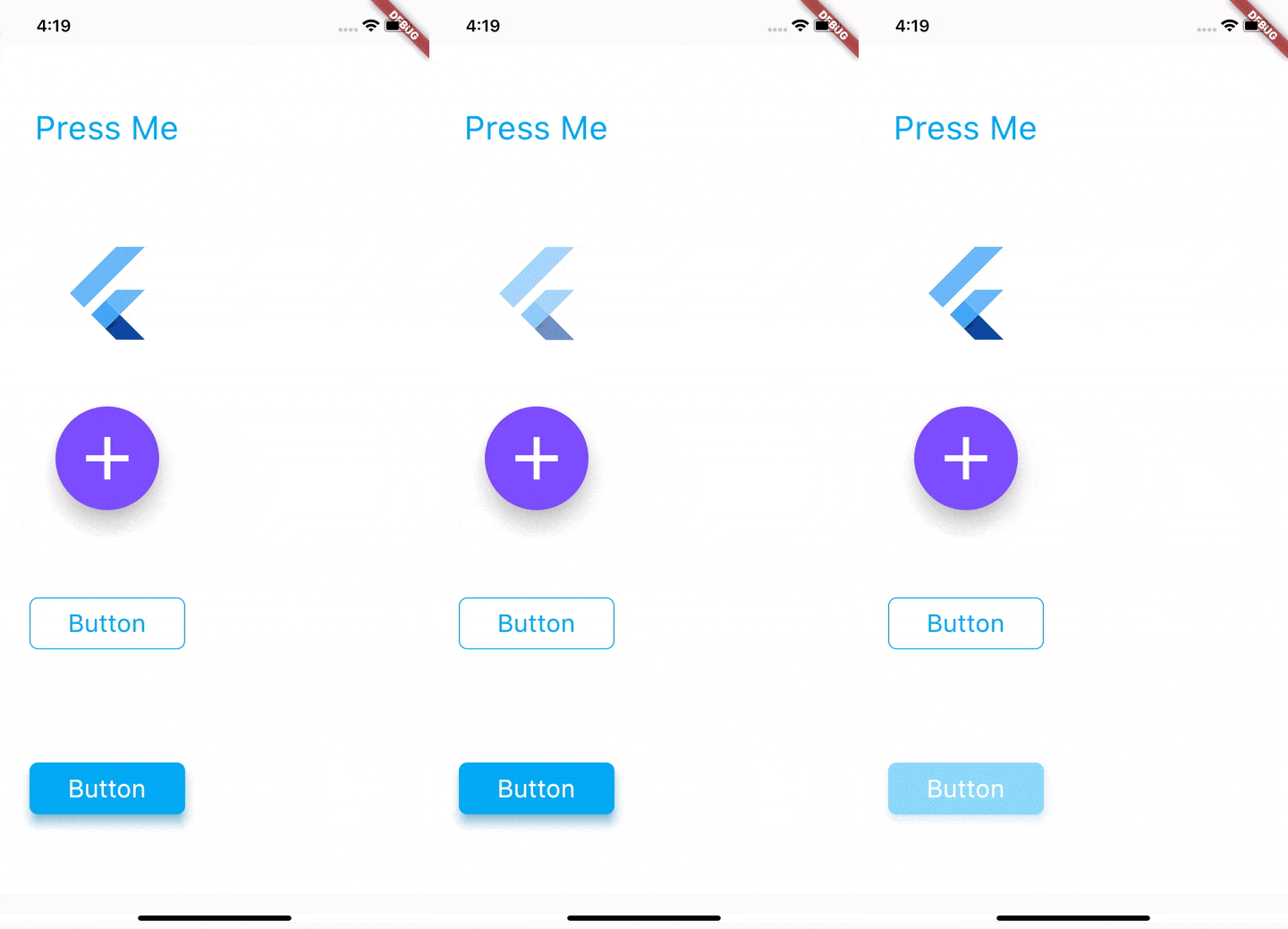
This package gives you access to the Touchableopacity widget. This widget uses the GestureDetector to allow interaction and animated to opacity of the widget on touch events.
https://raw.githubusercontent.com/nkshah2/touchable_opacity/HEAD/resources/sample.gifAdd the package to your pubspec.yaml file
dependencies:
	touchable_opacity: 1.2.0
Import the package using
import 'package:touchable_opacity/touchable_opacity.dart';
And simply use it as any other widget.
Container(
	child: TouchableOpacity(
		activeOpacity: 0.4,
		child: FlutterLogo(),
	),
),
TouchableOpacity uses gestureDetector internally and tries to maintain all the different behaviours and interactions that gesture detector enables. To understand the different touch events that you can configure please visit the GestureDetector API docs here.
activeOpacity: double value that TouchableOpacity uses to animate the opacity of the child when a touch down event is received. The value must be between 1.0 and 0.0, the default value is 0.2 .
The code found in the example folder of this repo shows how to use this package to render the content shown in the sample GIF. The folder contains a Flutter application that you can run yourself. Go here to jump into the code.
If you have any issues with using this package, or have any ideas you thnk are good additions please create an issue here
Because of the way GestureDetector renders, TouchableOpacity fills its parent. If you want to bound the size to that of its child simply place the TouchableOpacity widget in any one of the Layout widgets, you can see a list of layout widgets available in flutter here