
 v1.0.4
youtube_api
YouTubeAPI 是一个直接与 YouTube 服务器交互的插件。支持搜索视频和播放列表。
85喜欢 89近 30 天下载100Pub 分数
平台暂无数据
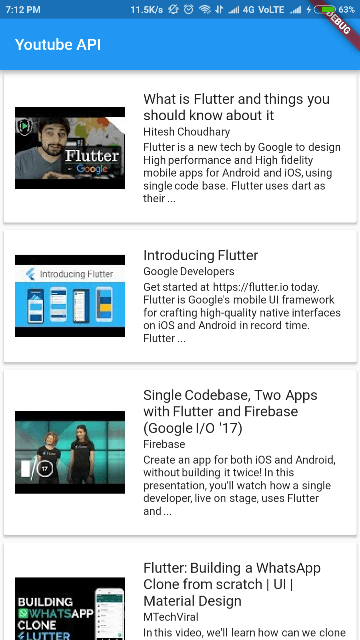
此插件将帮助您从 YouTube 获取数据。您只需要 YouTube API 密钥即可。

{"sdk":"flutter"}^1.2.1^1.15.0^2.0.1^0.0.4{"sdk":"flutter"}以下为英文项目原文快照,最新内容请访问 GitHub。
Forked (all restructured and improved) from youtube_api
A Flutter plugin for fetching interacting with YouTube Server to fetch data using API. Supports iOS and Android.
To use this plugin, add youtube_api_client as a dependency in your pubspec.yaml file.
static String key = "YOUR_API_KEY";
final youtube = YoutubeApi(_key);
List<ApiResult> result = [];
Search for videos, channels and playlists
String query = "Flutter";
result = await youtube.search(query);
// data which are available in result is typed as in the example shown below
By default the search options are like the following:
SearchOptions options = const SearchOptions(
      type: ResultType.values,
      order: Order.relevance,
      videoDuration: VideoDuration.any,
    )
But you can customize them changing the parameter options. For example, if you want to get only results for channels, you can specify like so:
SearchOptions(type: ResultType.channel)
To get Trending videos in your Country-
regionCode='YOUR_COUNTRY_REGION_CODE(apha-2)';
result = await youtube.getTrends(regionCode);
//make sure you assign alpha-2 region code
To get results by id use searchVideosById, searchChannelsById, and searchPlaylistsById.
result = await youtube.searchVideosById(idList);
You can find your Country Region Code here
By default, it retrieves only the "snippet" data, which has enough information for most of the cases.
For example the snippet for a video contains:
If you need more information from the API, you can add other parts in the query. For now it has only the part "snippet" and "content details" (containing: duration, dimension, definition, caption, licensed content, and projection). The original API has lots more of information, so you are welcome to help implementing those making pull requests.
The original package seems to be abandoned. I improved a lot its code, making it more typed, and added more features.