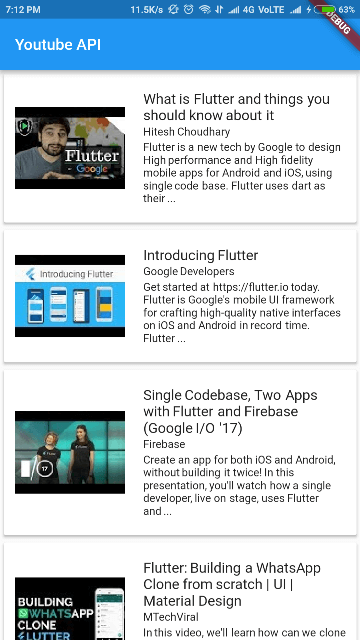
YouTube API Client (youtube_api_client)
Forked (all restructured and improved) from youtube_api
A Flutter plugin for fetching interacting with YouTube Server to fetch data using API. Supports iOS and Android.
Features:
- Search Video, Playlist, Channel on YouTube (query by keywords or by ID)
- Get Trending Videos based on region code.
Usage
To use this plugin, add youtube_api_client as a dependency in your pubspec.yaml file.
Complete Example Code
Example
static String key = "YOUR_API_KEY";
final youtube = YoutubeApi(_key);
List<ApiResult> result = [];
Search for videos, channels and playlists
String query = "Flutter";
result = await youtube.search(query);
By default the search options are like the following:
SearchOptions options = const SearchOptions(
      type: ResultType.values,
      order: Order.relevance,
      videoDuration: VideoDuration.any,
    )
But you can customize them changing the parameter options. For example, if you want to get only results for channels, you can specify like so:
SearchOptions(type: ResultType.channel)
To get Trending videos in your Country-
regionCode='YOUR_COUNTRY_REGION_CODE(apha-2)';
result = await youtube.getTrends(regionCode);
To get results by id use searchVideosById, searchChannelsById, and searchPlaylistsById.
result = await youtube.searchVideosById(idList);
You can find your Country Region Code here
By default, it retrieves only the "snippet" data, which has enough information for most of the cases.
For example the snippet for a video contains:
- title (String)
- description (String)
- publish date (DateTime)
- channel ID (String)
- channel title (String)
- thumbnails (Map<ThumbnailResolution, Thumbnail> - custom classes)
- video category (Category - enum)
- tags (List)
- default language (String)
- defaultAudioLanguage (String)
- live broadcast content (LiveBroadcastContent - enum)
If you need more information from the API, you can add other parts in the query. For now it has only the part "snippet" and "content details" (containing: duration, dimension, definition, caption, licensed content, and projection). The original API has lots more of information, so you are welcome to help implementing those making pull requests.
Motivation
The original package seems to be abandoned. I improved a lot its code, making it more typed, and added more features.