
v0.12.2
camera
一个用于控制相机的 Flutter 插件。支持预览相机画面、拍摄照片和视频,并将图像缓冲区流式传输到 Dart。
2600喜欢 102万近 30 天下载160Pub 分数
AndroidiOSWeb
Yivi 应用程序适用于 iOS 和 Android
以下为英文项目原文快照,最新内容请访问 GitHub。
Yivi, formerly known as IRMA, offers a privacy-friendly, flexible and secure solution to many authentication problems, putting the user in full control over his/her data.
The Yivi app manages the user's cards containing personal data. It can receive new cards, selectively disclose data contained in the user's cards to others, and attaching data to signed statements. These data can be relevant properties, such as: "I am over 18", "my name is ..." and "I am entitled to access ....". They are only stored on the user's device and nowhere else.
NOTE: During the transition period in which we change IRMA to Yivi, it can happen that both names are used interchangeably.



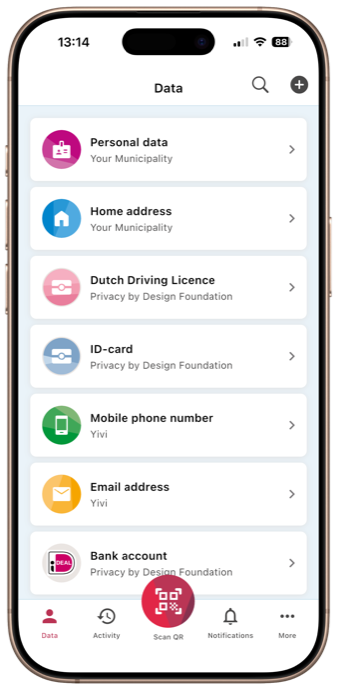
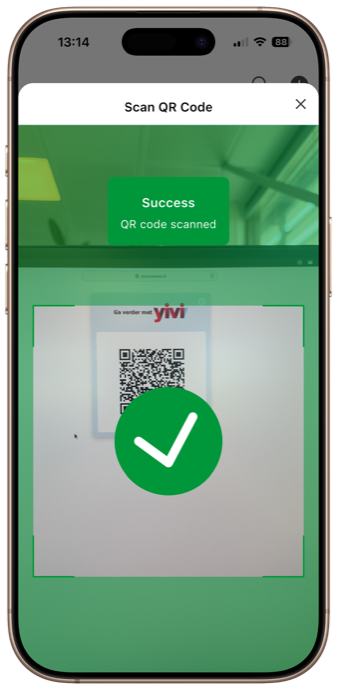
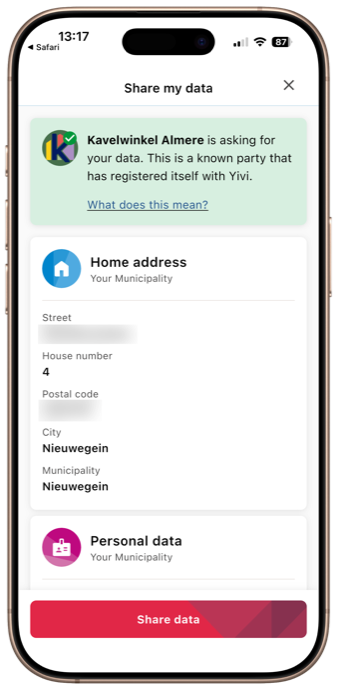
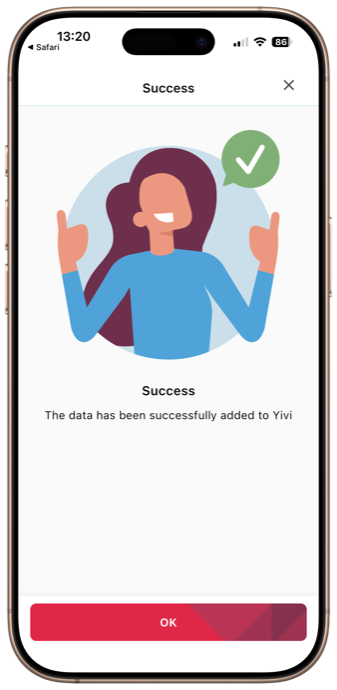
The repository is organized as three Flutter packages plus a Go bridge:
yivi_core — shared business logic, the Dart bindings for irmagobridge, and the Go bridge build outputs (android/irmagobridge/irmagobridge.aar and ios/Irmagobridge.xcframework).yivi_app — the main Play Store / App Store application. Integration tests live here under integration_test/.yivi_fdroid — the F-Droid build variant of the app.irmagobridge/ and the irma_configuration submodule sit at the repository root.Most commands below should be run from one of these subdirectories. The just recipes take care of cd-ing into the right place for you.
Clone the project
git clone --recursive git@github.com:privacybydesign/irmamobile.git
If you forgot to include --recursive in your git clone, make sure to init and update the submodules:
cd irmamobile
git submodule init
git submodule update
Install Java development kit. Java 21 is required (the Android Gradle Plugin needs it).
# On Debian / Ubuntu
apt install openjdk-21-jdk

# On MacOS
brew install openjdk@21
flutter config --jdk-dir /opt/homebrew/opt/openjdk@21/libexec/openjdk.jdk/Contents/Home
Install the Android SDK tools by going to the Android developer download page.
The app currently targets compileSdk 36 and minSdk 26, so make sure to install matching
build-tools and platforms. In addition to the SDK platform, the following SDK tools need to be installed:
If you're using the SDK Manager of Android Studio: you can find specific versions for Build-Tools
by enabling the option Show Package Details.
Update your environment. You installed the Android SDK in the previous step, but
you will still need to update your PATH to make sure you can access the utilities provided and to
make sure that flutter keeps working, you will need to export an ANDROID_HOME environment
variable:
echo 'export ANDROID_HOME="/YOUR/PATH/TO/android-sdk"' >> "$HOME/.bashrc"
echo 'export PATH="$ANDROID_HOME/tools:$ANDROID_HOME/platform-tools:$PATH"' >> "$HOME/.bashrc"
Download Flutter from the download page and follow their installation steps. Make sure to update your $PATH again.
Run flutter doctor to see what steps remain to get a fully operational development environment
for flutter (this may include accepting the android licenses). At this point you could also
download your development environment.
Install Go from the Go download page or by using your OS package manager.
Run go install golang.org/x/mobile/cmd/gomobile to install gomobile.
Run gomobile init to initialize gomobile.
(Alternatively, run ./ci_scripts/install_gomobile.sh which installs the version pinned in yivi_core/go.mod and runs gomobile init for you.)
Create the irmagobridge: ./bind_go.sh. The script accepts an optional argument to limit which
targets are built — useful during local development:
./bind_go.sh                 # build all platforms (Android + iOS)
./bind_go.sh android         # build all Android ABIs
./bind_go.sh ios             # build iOS only
./bind_go.sh android/arm64   # build a single Android ABI (fastest)
Start an emulator or connect a device via USB and run the flutter project from the yivi_app directory:
flutter run (iOS) or flutter run --flavor alpha (Android). You can also use just run from the
repository root, or run the project via Android Studio or Visual Studio Code.
The alpha flavor on Android does not open universal links. If you need to test these, you need to build
the beta flavor (flutter run --flavor beta). In order to install a beta flavor build, you need to uninstall
the Play Store version of the Yivi app. Therefore, it is practical to only do this in a simulator or a dedicated
test device. In case you run the flutter project via Android Studio, you can specify the build flavor in the
run configuration. On iOS, no custom flavor should be specified.
You can use flutter run -t to run different app configurations, for example run flutter run -t lib/main_prototypes.dart (from yivi_app) to start the app in the prototypes menu.
On Android emulators, App Links do not work by default, as they are verified against the signature in the assetlinks.json on https://open.yivi.app, which does not match on custom builds.
In order to make this work on emulators, you need to run the app using flutter run once, then close the app and go to System settings. In the Apps section, find the Yivi app and go to Open by default. In this screen, you will see 0 verified links. Click Add link and select all available links (for now, open.yivi.app and irma.app). Also, make sure In the app is selected to open these domains in the app, rather than a browser.
justMost important things inside of this project can be controlled using just.
To see an overview of all available commands and what they do, run:
just --list
You can then use them from anywhere in the project. For example to run the Flutter app you can type:
just run
This project uses json_serializer. To re-generate serialization code, run ./codegen.sh (or just gen).
The generator runs against yivi_core; the script additionally formats the Dart sources in each package.
The integration tests are in development, so not all use cases are covered yet.
As preliminary to run the integration tests, you need a fully configured irmamobile development setup.
The tests are located in the yivi_app directory, so cd into that before continuing.
The full set of integration tests can be started in the following way:
  # For an iOS testing device/simulator
  flutter test integration_test/test_all.dart
  # For an Android testing device/simulator
  flutter test integration_test/test_all.dart --flavor=alpha
You can also run the integration tests in a specific test file only. For example:
flutter test integration_test/issuance_test.dart
Note: flutter test also supports directory paths as argument. When doing this, all tests in that particular directory are run.
However, a new build is made for every test file. Running multiple tests in this way takes much more time for that reason.
To natively run the integration tests on Android, you can use the command below.
  flutter pub get
  (cd android && ./gradlew app:connectedAlphaDebugAndroidTest -Ptarget=`pwd`/../integration_test/test_all.dart)
You can also manually build APKs for testing using Fastlane.
bundle exec fastlane android_build_integration_test
The APKs can be found in ./fastlane/build. They can be uploaded to services like Google Firebase.
You can also run them locally using the following commands:
  adb install ./fastlane/build/app-alpha-debug.apk
  adb install ./fastlane/build/app-alpha-debug-androidTest.apk
  adb shell am instrument -w -r foundation.privacybydesign.irmamobile.alpha.test/androidx.test.runner.AndroidJUnitRunner
To natively run the integration tests as XCTests on iOS, you can do this using XCode.
At first, you need to choose which test you want to run. For example, to run the tests in issuance_test.dart you execute:
flutter build ios integration_test/issuance_test.dart --config-only
The tests can be started by opening the ios/Runner.xcworkspace in XCode and then start the tests via Product > Test.
You can use testing services like Google Firebase to easily run your tests on physical devices. The testing service of your choice needs to support XCTest (not to be confused with XCUITest). You can make a build for this purpose using Fastlane:
bundle exec fastlane ios_build_integration_test
The integration test build should be provisioned with at least a development provisioning profile. More information about how to set the provisioning profile can be found in the Fastlane documentation.
The generated ./fastlane/build/ios_tests.zip can be uploaded to Google Firebase.
For build automation we use Fastlane scripting. These scripts are used by our CI tooling (i.e. the GitHub Actions workflows in .github/workflows). Documentation about the Fastlane scripting can be found here.
find ./irma_configuration is empty, this is the case.irmagobridge or in irmago then rerunning ./bind_go.sh is required.ndk-bundle cannot be found, please set the ANDROID_NDK_HOME
environment variable to the right ndk version directory. These version directories can be found in $ANDROID_HOME/ndk.
For example, you have to specify export ANDROID_NDK_HOME=$ANDROID_HOME/ndk/<NDK_VERSION>.
You can also make a symlink in ANDROID_HOME by doing
ln -s $ANDROID_HOME/ndk/<NDK_VERSION> $ANDROID_HOME/ndk-bundle. In here <NDK_VERSION> should be replaced
with the NDK version you want to use.x_cgo_inittls while running ./bind_go.sh, you probably use an incorrect version of the Android NDK or your Go version is too old.flutter run --flavor alpha or flutter run --flavor beta.mklink /d .\android\app\src\main\assets\irma_configuration .\irma_configuration.flutter config --jdk-dir <jdk_dir>. Version 21 is required for this app (don't try to fiddle with gradle versions).Dart Error: Can't load Kernel binary: Invalid kernel binary format version., then likely your Flutter cache is corrupted. You can empty and reload the Flutter cache in the following way:pushd $(which flutter)/../
rm -rf ./cache
flutter doctor
flutter precache --ios
popd
cd yivi_app
flutter pub get
cd ./ios && pod install
Sometimes it can be useful to directly edit irmago while debugging (do this in the yivi_core directory).
go mod edit -replace github.com/privacybydesign/irmago=<irmago_path_on_your_pc>
go mod tidy
./bind_go.sh
After each change in the Go code, you need to rerun ./bind_go.sh to compile the changes.
Make sure to never commit the changes in go.mod or go.sum in this (irmamobile) repository.

一个用于控制相机的 Flutter 插件。支持预览相机画面、拍摄照片和视频,并将图像缓冲区流式传输到 Dart。
一个 Flutter 插件,包含用于在移动平台上实现 Google 的独立 ML Kit 的通用文件。
一个 Flutter 插件,用于使用 Google 的 ML Kit 文本识别功能来识别任何中文、天城文、日文、韩文和拉丁字符集中的文本。
Flutter 的 Sentry SDK。此包旨在通过依赖 Sentry 支持的众多平台的原生 SDK,来支持不同的 Flutter 目标平台。
 v7.0.0
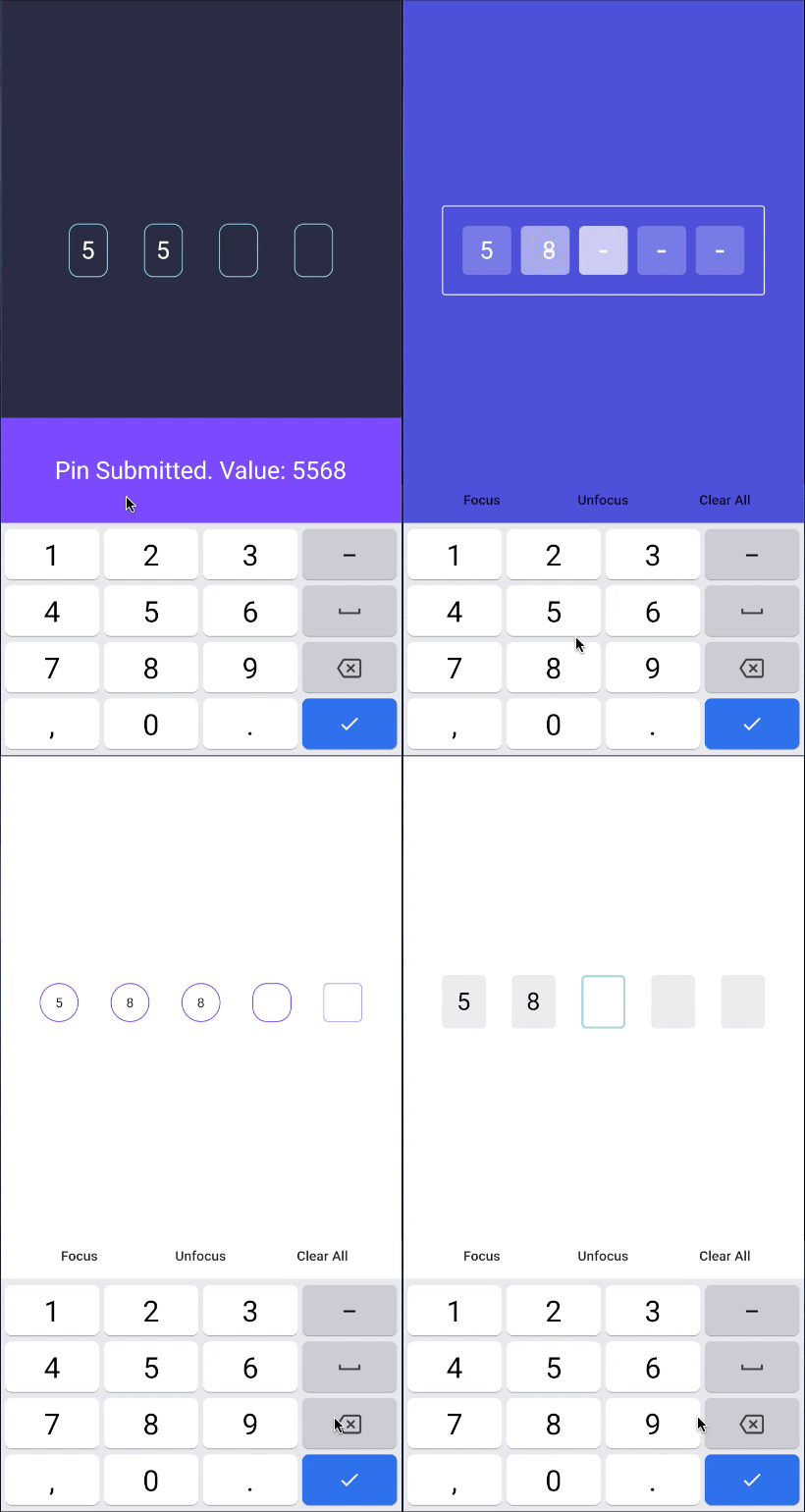
PIN码输入(OTP)文本字段,iOS短信自动填充,Android短信自动填充一次性验证码,密码,口令,验证码,安全,优惠券,Wowcher,2FA,两步验证
 v3.2.0
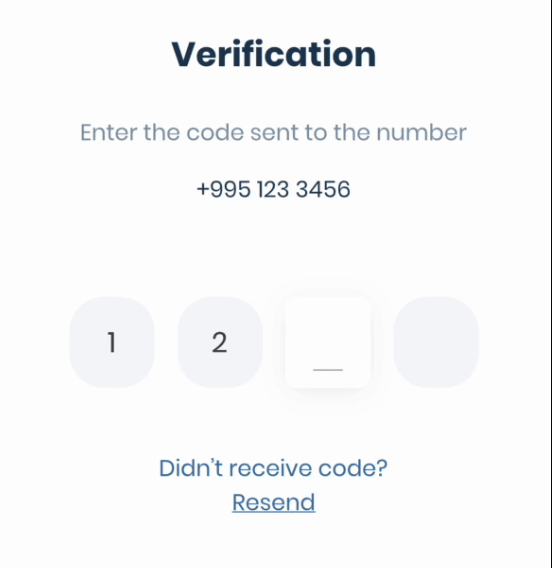
Android 短信用户同意 API、短信检索 API 的包装器,用于读取一次性短信验证码、获取用户手机号码、OTP、OTC、短信自动填充、Android 自动填充
先按使用场景筛选,再比较项目活跃情况,最后到原始仓库核对使用要求。
“A repository is the most basic element of GitHub.”
GitHub Docs — About repositories ↗