

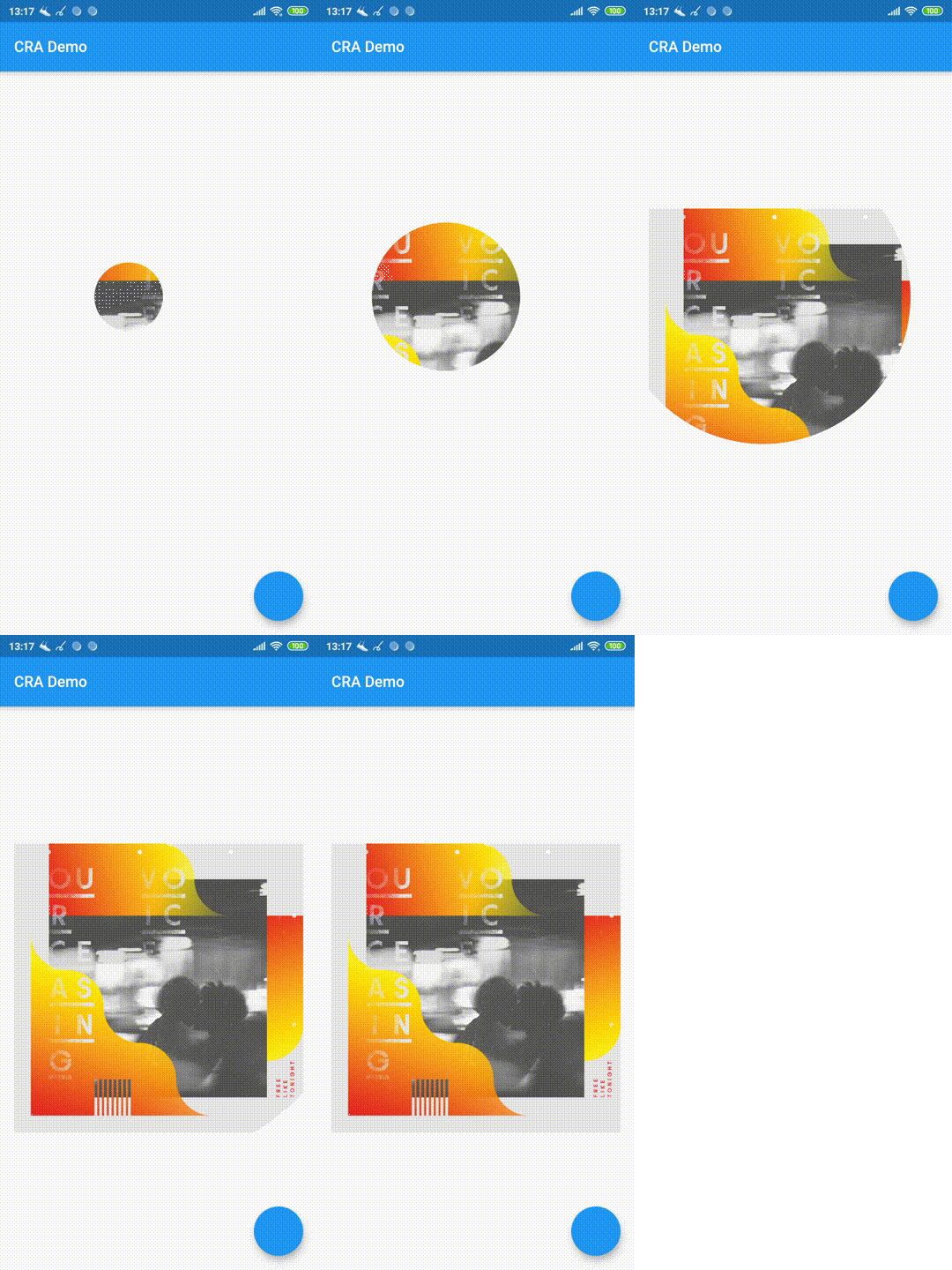
 v2.0.2
circular_reveal_animation
圆形揭示动画作为Flutter组件!灵感来自Android的ViewAnimationUtils.createCircularReveal(...)。
271喜欢 4300近 30 天下载160Pub 分数
AndroidiOSWebmacOSWindowsLinux
圆形揭示动画作为Flutter小部件!

以下为英文项目原文快照,最新内容请访问 GitHub。

Circular Reveal Animation as Flutter widget!
Inspired by Android's ViewAnimationUtils.createCircularReveal(...).
Статья с описанием (русский).
Article with description (english).

CircularRevealAnimation(
  // @required
  child: Container(color: Colors.red),
  // @required [Animation<double>]
  animation: animation,
  // child's center if not specified
  centerAlignment: Alignment.centerRight,
  // 0 if not specified
  minRadius: 12,
  // distance from center to further child's corner if not specified
  maxRadius: 200,
);
import 'package:circular_reveal_animation/circular_reveal_animation.dart';
import 'package:flutter/material.dart';

void main() => runApp(MyApp());

class MyApp extends StatelessWidget {
  @override
  Widget build(BuildContext context) {
    return MaterialApp(
      title: 'CRA Demo',
      theme: ThemeData(
        primarySwatch: Colors.blue,
      ),
      home: MyHomePage(),
    );
  }
}

class MyHomePage extends StatefulWidget {
  @override
  _MyHomePageState createState() => _MyHomePageState();
}

class _MyHomePageState extends State<MyHomePage>
    with SingleTickerProviderStateMixin {
  AnimationController animationController;
  Animation<double> animation;

  @override
  void initState() {
    super.initState();
    animationController = AnimationController(
      vsync: this,
      duration: Duration(milliseconds: 1000),
    );
    animation = CurvedAnimation(
      parent: animationController,
      curve: Curves.easeIn,
    );
  }

  @override
  Widget build(BuildContext context) {
    return Scaffold(
      appBar: AppBar(
        title: Text("CRA Demo"),
      ),
      body: Padding(
        padding: const EdgeInsets.all(16.0),
        child: Center(
          child: Column(
            mainAxisSize: MainAxisSize.min,
            children: <Widget>[
              MaterialButton(
                child: Text("show reveal dialog"),
                onPressed: () => showRevealDialog(context),
                color: Colors.amber,
              ),
              SizedBox(height: 16),
              CircularRevealAnimation(
                child: Image.asset('assets/ocv.jpg'),
                animation: animation,
//                centerAlignment: Alignment.centerRight,
                centerOffset: Offset(130, 100),
//                minRadius: 12,
//                maxRadius: 200,
              ),
            ],
          ),
        ),
      ),
      floatingActionButton: FloatingActionButton(onPressed: () {
        if (animationController.status == AnimationStatus.forward ||
            animationController.status == AnimationStatus.completed) {
          animationController.reverse();
        } else {
          animationController.forward();
        }
      }),
    );
  }

  Future<void> showRevealDialog(BuildContext context) async {
    showGeneralDialog(
      barrierLabel: "Label",
      barrierDismissible: true,
      barrierColor: Colors.black.withOpacity(0.5),
      transitionDuration: Duration(milliseconds: 700),
      context: context,
      pageBuilder: (context, anim1, anim2) {
        return Align(
          alignment: Alignment.bottomCenter,
          child: Container(
            child: Padding(
              padding: const EdgeInsets.all(12.0),
              child: Image.asset('assets/klimt.png'),
            ),
            margin: EdgeInsets.only(top: 50, left: 12, right: 12, bottom: 0),
            decoration: BoxDecoration(
              color: Colors.white,
              borderRadius: BorderRadius.circular(5),
            ),
          ),
        );
      },
      transitionBuilder: (context, anim1, anim2, child) {
        return CircularRevealAnimation(
          child: child,
          animation: anim1,
          centerAlignment: Alignment.bottomCenter,
        );
      },
    );
  }
}
依赖清单 2 项
{"sdk":"flutter"}{"sdk":"flutter"}先按使用场景筛选,再比较项目活跃情况,最后到原始仓库核对使用要求。
“A repository is the most basic element of GitHub.”
GitHub Docs — About repositories ↗