

v0.3.0
cloudpayments
一个用于在 Android 和 iOS 应用中集成 Cloudpaymanets 的 Flutter 插件。
27喜欢 58近 30 天下载140Pub 分数
AndroidiOS
shushper/cloudpayments open-source repository details.

以下为英文项目原文快照,最新内容请访问 GitHub。
A Flutter plugin for integrating Cloudpaymanets in Android and iOS applications.
Disclaimer: It is not an official plugin. It uses SDK-Android on Android and SDK-IOS on iOS. Also this plugin doesn't send any requests to Cloudpayments API. In order to make purchases you have to implment some logic on your server.
Steps to make purchase:
See the official documentation:
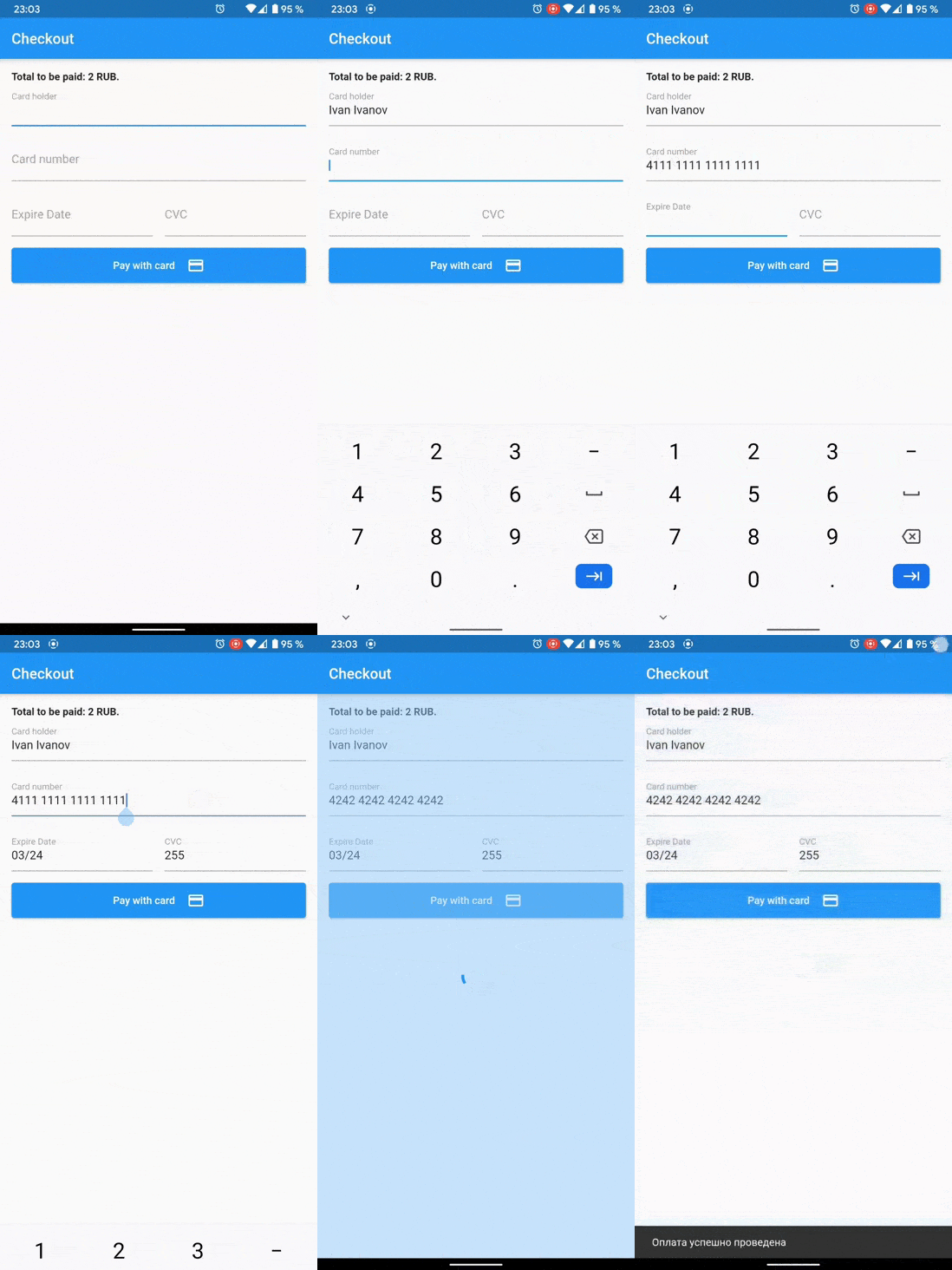
If you want to show 3ds dialog on Android, make MainActivity implements FlutterFragmentActivity instead of FlutterActivity
android/app/src/main/.../MainActivity.kt:
import io.flutter.embedding.android.FlutterFragmentActivity

class MainActivity: FlutterFragmentActivity() {}
bool isValid = await Cloudpayments.isValidNumber(cardNumber);
bool isValid = await Cloudpayments.isValidExpireDate(cardNumber); // MM/yy
final cryptogram = await Cloudpayments.cardCryptogram(cardNumber, expireDate, cvcCode, publicId);
final result = await Cloudpayments.show3ds(acsUrl, transactionId, paReq);
final applePay = CloudpaymentsApplePay();
final isApplePayAvailable = await applePay.isApplePayAvailable();
final paymentToken = await applePay.requestApplePayPayment(
    merchantId: 'merchant.com.YOURDOMAIN',
    currencyCode: 'RUB',
    countryCode: 'RU',
    products: [
        {"name": "Red apple", "price": "170"},
        {"name": "Mango", "price": "250.50"},
        {"name": "Delivery", "price": "100"},
        {"name": "Discount", "price": "-89.90"},
        {"name": "Total", "price": "430.60"},
    ],
);
Now you can use paymentToken for payment by a cryptogram.
final googlePay = CloudpaymentsGooglePay(GooglePayEnvironment.production);
final isGooglePayAvailable = await googlePay.isGooglePayAvailable();
 final result = await googlePay.requestGooglePayPayment(
    price: '430.6',
    currencyCode: 'RUB',
    countryCode: 'RU',
    merchantName: 'Example Merchant',
    publicId: 'test_api_00000000000000000000002',
);

if (result != null) {
    if (result.isSuccess) {
      final paymentToken = result.token;
    }
}
Now you can use paymentToken for payment by a cryptogram.
依赖清单 2 项
{"sdk":"flutter"}{"sdk":"flutter"}先按使用场景筛选,再比较项目活跃情况,最后到原始仓库核对使用要求。
“A repository is the most basic element of GitHub.”
GitHub Docs — About repositories ↗