
 v1.3.3
flutter_numeric_text
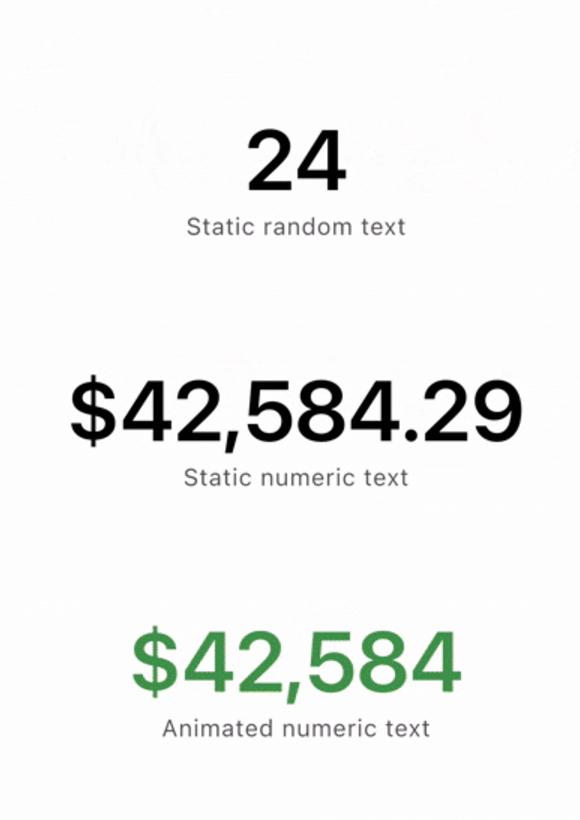
此控件可让您对任何文本进行动画处理。该控件易于使用,可无缝将 Text(data) 替换为 NumericText(data)。
28喜欢 995近 30 天下载160Pub 分数
AndroidiOSWebmacOSWindowsLinux
一个用于动画化任何文本的 Flutter 小部件。

{"sdk":"flutter"}{"sdk":"flutter"}^5.0.0以下为英文项目原文快照,最新内容请访问 GitHub。
Text(data) → NumericText(data)This widget allows you to animate any text. The animation is reminiscent of the text animation in SwiftUI's .numericText(value:). The widget is easy to use and allows you to seamlessly replace Text(data) with NumericText(data).
Text() widgetimport 'package:flutter_numeric_text/flutter_numeric_text.dart';
class MyWidget extends StatelessWidget {
const MyWidget({super.key});
@override
Widget build(BuildContext context) {
// Simply add the widget, and when its value changes,
// it will automatically trigger the animation.
// To use the widget, you only need to provide
// a data value, other fields are optional.
NumericText(
"12345 or text",
duration: const Duration(milliseconds: 300),
style: const TextStyle(fontSize: 24, color: Colors.black),
textAlign: TextAlign.center,
textDirection: TextDirection.ltr,
locale: const Locale("en", "US"),
softWrap: true,
overflow: TextOverflow.ellipsis,
maxLines: 1,
semanticsLabel: "Numeric value",
);
}
}
GoogleFonts...
NumericText(
"12345 or text",
duration: const Duration(milliseconds: 300),
style: GoogleFonts.<your_font>(
fontSize: 24,
color: Colors.black,
// Just a friendly reminder to add the [textStyle] field.
// It'll make sure everything calculates correctly.
textStyle: Theme.of(context).textTheme.bodyMedium,
),
);
...
To use this package, add it to your pubspec.yaml file:
dependencies:
  flutter_numeric_text: ^1.0.0 # Replace with the latest version
Contributions are welcome! If you have suggestions for improvements or find bugs, please open an issue or submit a pull request.
This project is licensed under the MIT License. See the LICENSE file for details.