
 v1.1.3
sticky_and_expandable_list
构建一个分组列表,支持展开/折叠部分和粘性标题,并支持与滑动条小部件一起使用。
175喜欢 7620近 30 天下载140Pub 分数
AndroidiOSWebmacOSWindowsLinux
粘性头部与分组列表Sliver实现 构建一个分组列表,支持展开/折叠部分,并支持使用粘性标题,可与Sliver小部件一起使用。

{"sdk":"flutter"}{"sdk":"flutter"}以下为英文项目原文快照,最新内容请访问 GitHub。
Flutter implementation of sticky headers and expandable list.Support use it in a CustomScrollView.
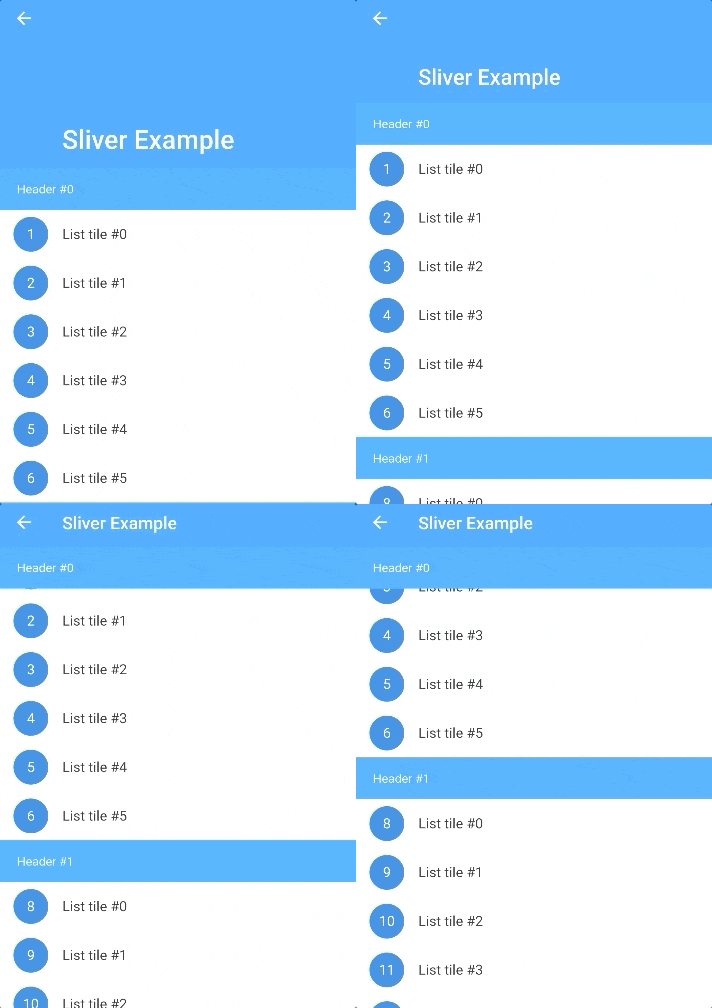
Screenshot
In the pubspec.yaml of your flutter project, add the following dependency:
dependencies:
  sticky_and_expandable_list: ^1.1.3
sectionList is a custom data source for ExpandableListView.
We should create a model list to store the information of each section, the model must implement ExpandableListSection.
    //In this example, we create a custom model class(ExampleSection).
    //class ExampleSection implements ExpandableListSection<String> {}
    //so: SliverExpandableChildDelegate<String, ExampleSection>()
    List<ExampleSection> sectionList = List<ExampleSection>();
    return ExpandableListView(
      builder: SliverExpandableChildDelegate<String, ExampleSection>(
          sectionList: sectionList,
          headerBuilder: (context, sectionIndex, index) =>
              Text("Header #$sectionIndex"),
          itemBuilder: (context, sectionIndex, itemIndex, index) {
            String item = sectionList[sectionIndex].items[itemIndex];
            return ListTile(
              leading: CircleAvatar(
                child: Text("$index"),
              ),
              title: Text(item),
            );
          }),
    );
If you want to use it with sliver widget, use SliverExpandableList instead of ExpandableListView.
setState(() {
  sectionList[i].setSectionExpanded(true);
});
  @override
  Widget build(BuildContext context) {
    ExpandableListView(
      builder: SliverExpandableChildDelegate<String, ExampleSection>(
        headerController: _getHeaderController(),
      ),
    )
  }

  _getHeaderController() {
    var controller = ExpandableListController();
    controller.addListener(() {
      print("switchingSectionIndex:${controller.switchingSectionIndex}, stickySectionIndex:" +
          "${controller.stickySectionIndex},scrollPercent:${controller.percent}");
    });
    return controller;
  }
Use sectionBuilder