

 v2.0.0
bubble_bottom_bar
BubbleBottomBar 是由 cubertodesign 设计、westdabestdb 开发的 Flutter 小部件。
224喜欢 1130近 30 天下载50Pub 分数
平台暂无数据
westdabestdb/bubble_bottom_bar open-source repository details.

以下为英文项目原文快照,最新内容请访问 GitHub。
BubbleBottomBar is a Flutter widget designed by cubertodesign and developed by westdabestdb.
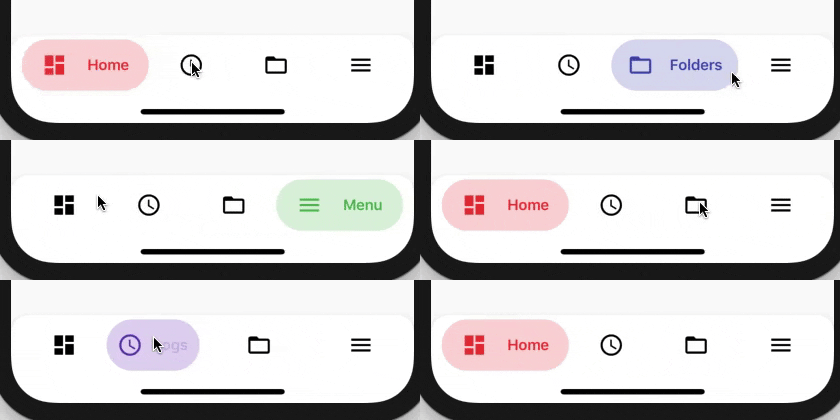
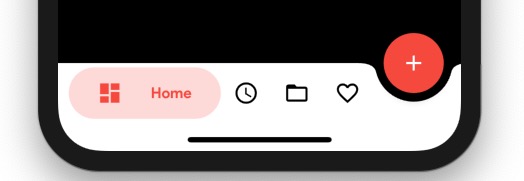


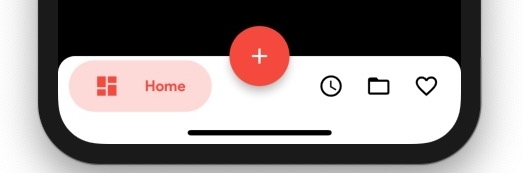
Add this to your package's pubspec.yaml file:
...
dependencies:
  bubble_bottom_bar: ^1.2.0
Now in your Dart code, you can use:
import 'package:bubble_bottom_bar/bubble_bottom_bar.dart';
floatingActionButton: FloatingActionButton(
        onPressed: (){},
        child: Icon(Icons.add),
        backgroundColor: Colors.red,
),
floatingActionButtonLocation: FloatingActionButtonLocation.endDocked,
bottomNavigationBar: BubbleBottomBar(
        opacity: .2,
        currentIndex: currentIndex,
        onTap: changePage,
        borderRadius: BorderRadius.vertical(top: Radius.circular(16)),
        elevation: 8,
        fabLocation: BubbleBottomBarFabLocation.end, //new
        hasNotch: true, //new
        hasInk: true, //new, gives a cute ink effect
        inkColor: Colors.black12, //optional, uses theme color if not specified
        items: <BubbleBottomBarItem>[
            BubbleBottomBarItem(backgroundColor: Colors.red, icon: Icon(Icons.dashboard, color: Colors.black,), activeIcon: Icon(Icons.dashboard, color: Colors.red,), title: Text("Home")),
            BubbleBottomBarItem(backgroundColor: Colors.deepPurple, icon: Icon(Icons.access_time, color: Colors.black,), activeIcon: Icon(Icons.access_time, color: Colors.deepPurple,), title: Text("Logs")),
            BubbleBottomBarItem(backgroundColor: Colors.indigo, icon: Icon(Icons.folder_open, color: Colors.black,), activeIcon: Icon(Icons.folder_open, color: Colors.indigo,), title: Text("Folders")),
            BubbleBottomBarItem(backgroundColor: Colors.green, icon: Icon(Icons.menu, color: Colors.black,), activeIcon: Icon(Icons.menu, color: Colors.green,), title: Text("Menu"))
        ],
      ),
BubbleBottomBarItem(
  showBadge: true,
  badge: Text("5"),
  badgeColor: Colors.deepPurpleAccent,
  backgroundColor: Colors.red,
  icon: Icon(
    Icons.dashboard,
    color: Colors.black,
  ),
  activeIcon: Icon(
    Icons.dashboard,
    color: Colors.red,
  ),
  title: Text("Home"),
)
依赖清单 3 项
{"sdk":"flutter"}^2.0.0-nullsafety.1{"sdk":"flutter"}先按使用场景筛选,再比较项目活跃情况,最后到原始仓库核对使用要求。
“A repository is the most basic element of GitHub.”
GitHub Docs — About repositories ↗