


v1.0.1
floating_ribbon
छवियों पर तैरते रिबन बनाने के लिए एक नया Flutter पैकेज।
22लाइक 4330-दिन डाउनलोड30Pub अंक
प्लेटफ़ॉर्म डेटा नहीं
एक फ्लटर पैकेज जो छवियों के लिए तैरता हुआ रिबन जोड़ने का आसान तरीका प्रदान करता है।

यह अंग्रेज़ी मूल स्नैपशॉट है। नवीनतम सामग्री GitHub पर देखें।


A new Flutter package for creating floating ribbons on images.
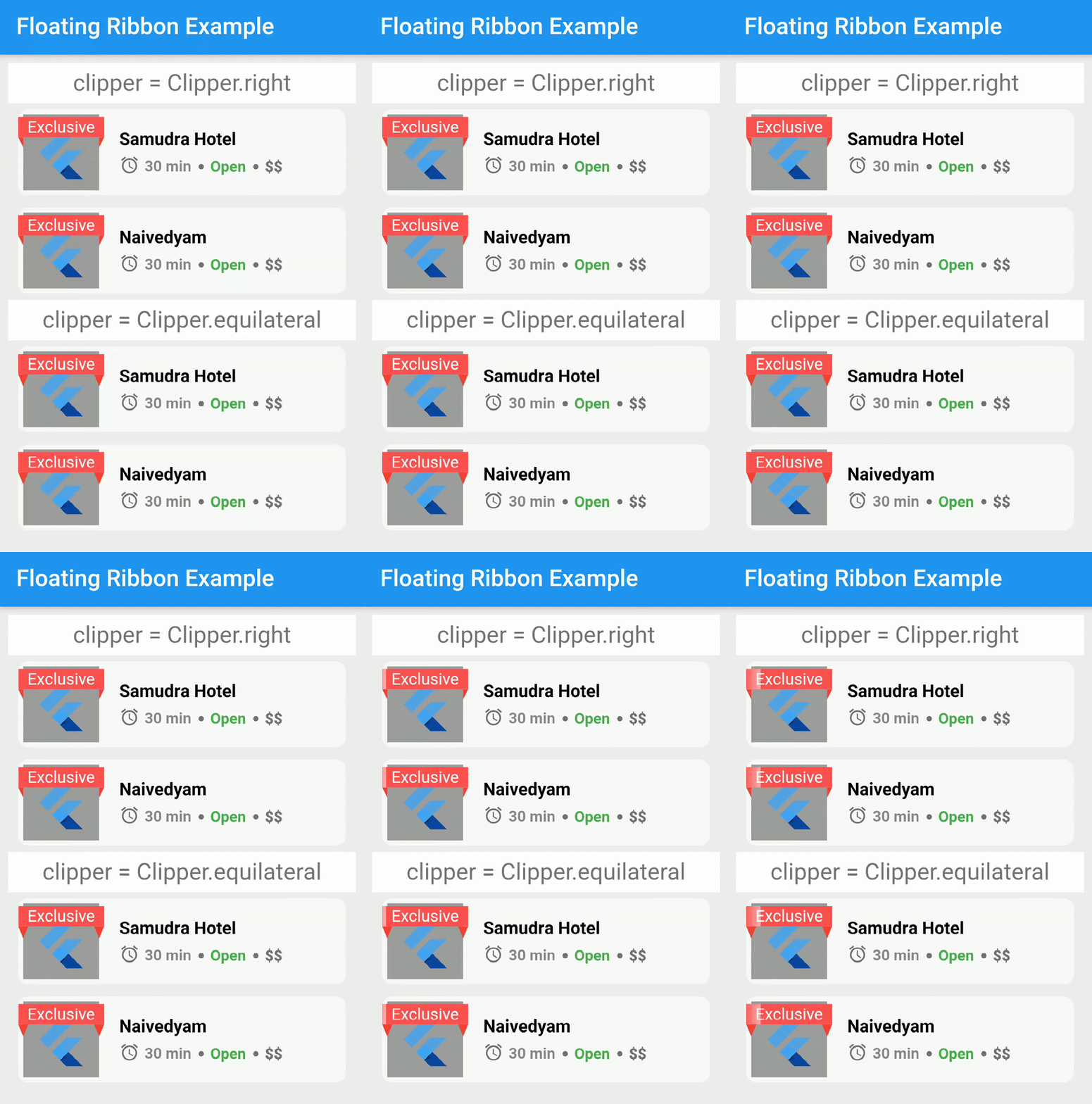
dependencies:
  floating_ribbon: any
In order to achieve the shimmering effect, you need to add a package in pubspec.yaml.
dependencies:
  skeleton_text: any
The code to reproduce it,
import 'package:skeleton_text/skeleton_text.dart';
import 'package:floating_ribbon/floating_ribbon.dart';
FloatingRibbon(
  height: 85,
  width: 85,
  childHeight: 75,
  childWidth: 75,
  child: Padding(
    padding: const EdgeInsets.all(8.0),
    child: FlutterLogo(),
  ),
  childDecoration: BoxDecoration(color: Colors.grey),
  ribbon: SkeletonAnimation(
    child: Center(
      child: Text(
        'Exclusive',
        style: TextStyle(
          color: Colors.white,
        ),
        textAlign: TextAlign.center,
      ),
    ),
  ),
  shadowHeight: 5,
);
This project is a starting point for a Dart package, a library module containing code that can be shared easily across multiple Flutter or Dart projects.
For help getting started with Flutter, view our online documentation, which offers tutorials, samples, guidance on mobile development, and a full API reference.
निर्भरता सूची 2 आइटम
{"sdk":"flutter"}{"sdk":"flutter"}उपयोग के अनुसार छाँटें, गतिविधि की तुलना करें और अपनाने से पहले मूल प्रोजेक्ट की आवश्यकताएँ जाँचें।
“A repository is the most basic element of GitHub.”
GitHub Docs — About repositories ↗