

 v1.0.0+3
linear_step_indicator
अपने ऐप में सुंदर स्टेप इंडिकेटर जोड़ने के लिए एक Flutter पैकेज।
53लाइक 230-दिन डाउनलोड140Pub अंक
AndroidiOSWebmacOSWindowsLinux
अपने ऐप में सुंदर स्टेप इंडिकेटर जोड़ने के लिए एक Flutter पैकेज।

यह अंग्रेज़ी मूल स्नैपशॉट है। नवीनतम सामग्री GitHub पर देखें।
A Flutter package for adding beautiful step indicators in your apps.
In the pubspec.yaml of your flutter project, add the following dependency:
dependencies:
  linear_step_indicator: ^1.0.0+3
Import the package in your project:
import 'package:linear_step_indicator/linear_step_indicator.dart';
Examples:
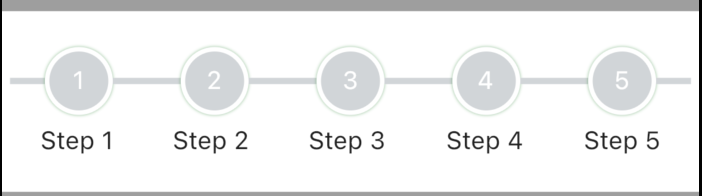
FullLinearStepIndicator(
          steps: 5,
          lineHeight: 3.5,
          activeNodeColor: Colors.brown,
          inActiveNodeColor: const Color(0xffd1d5d8),
          activeLineColor: Colors.brown,
          inActiveLineColor: const Color(0xffd1d5d8),
          controller: pageController,
          labels: List<String>.generate(STEPS, (index) => "Step ${index + 1}"),
          complete: () {
            //typically, you'd want to put logic that returns true when all the steps
            //are completed here
            return Future.value(true);
          },
        )
LinearStepIndicator(
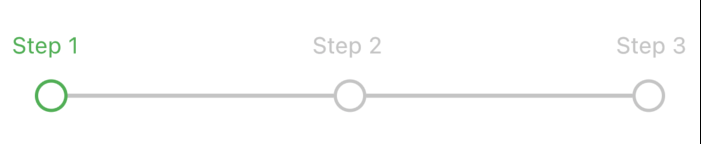
          steps: 3,
          controller: _pageController,
          labels: List<String>.generate(3, (index) => "Step ${index + 1}"),
          complete: () {
            //typically, you'd want to put logic that returns true when all the steps
            //are completed here
            return Future.value(true);
          },
        )
StepIndicatorPageView(
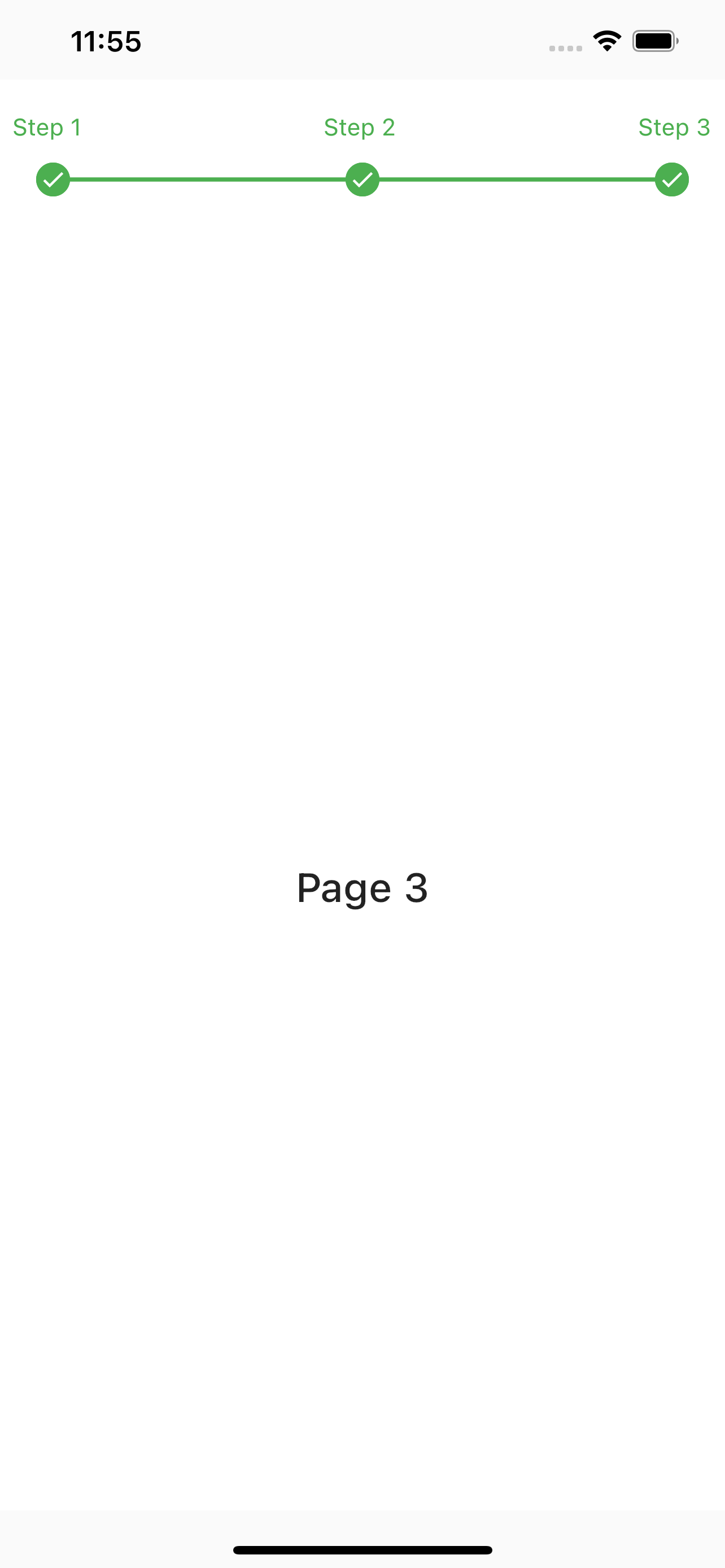
        steps: 3,
        indicatorPosition: IndicatorPosition.top,
        labels: List<String>.generate(3, (index) => "Step ${index + 1}"),
        controller: _pageController,
        complete: () {
          //typically, you'd want to put logic that returns true when all the steps
          //are completed here
          return Future.value(true);
        },
        children: List<Widget>.generate(
          3,
          (index) => Container(
            color: Color(0xffffffff),
            child: Center(
              child: Text(
                "Page ${index + 1}",
                style: TextStyle(
                  fontSize: 24,
                  fontWeight: FontWeight.w500,
                ),
              ),
            ),
          ),
        ),
      )
Feel free to contribute to this project.
If you find a bug or want a feature, but don't know how to fix/implement it, please fill an issue.
If you fixed a bug or implemented a feature, please send a pull request.
निर्भरता सूची 2 आइटम
{"sdk":"flutter"}{"sdk":"flutter"}उपयोग के अनुसार छाँटें, गतिविधि की तुलना करें और अपनाने से पहले मूल प्रोजेक्ट की आवश्यकताएँ जाँचें।
“A repository is the most basic element of GitHub.”
GitHub Docs — About repositories ↗