
 v0.0.3
flicked_cards
एक गतिशील नियंत्रण वाला कस्टमाइज़ेबल और एक्सटेंडेबल कार्ड विजेट
82लाइक 3330-दिन डाउनलोड145Pub अंक
AndroidiOSWebmacOSWindowsLinux
कस्टम एनीमेशन का समर्थन करने वाला कार्ड स्वाइपिंग विजेट।

यह अंग्रेज़ी मूल स्नैपशॉट है। नवीनतम सामग्री GitHub पर देखें।
Build Status Codecov Pub Package MIT License
A gesture driven card swipping widget supporting custom animations.
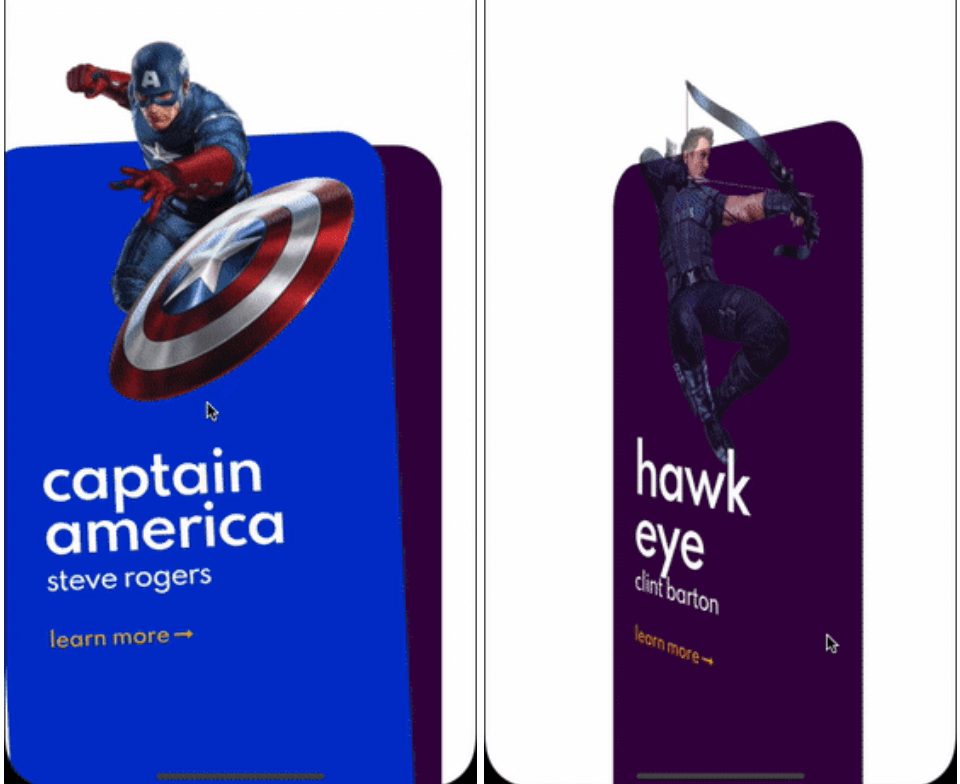
Here are some of the animation provided out of the box, take a look at the example to see all.
Cards used in these examples where taken from Brocodev
Example usage
FlickedCards(
  count: Superhero.marvelHeroes.length,
  animationStyle: FlipAnimation(),
  onSwiped: (idx, dir) => print('>>> $dir $idx'),
  builder: (index, progress, context) {
    final superHeroe = Superhero.marvelHeroes[index];
    return Container(
      child: Center(
        child: SuperheroCard(
            superhero: superHeroe,
            factorChange: 1 - progress),
      ),
    );
  },
)
flicked_cards provides an easy way to create custom animations but it is required to have a basic understanding
of how cards can be layed out and how to position them depending on the drag progress and some of the properties in AnimationConfig.
Animations will be provided a progress value in the range (-1, 1) you should try to make you animation symmetric around 0
when posible. Like this:
https://github.com/DanielCardonaRojas/flicked_cards/raw/main/current_card_animation.png
You will have to reason about relative card indices:
https://github.com/DanielCardonaRojas/flicked_cards/raw/main/card_indices.png
All animations will need to implement CardAnimation which basically
defines:
requiredoptionaltypedef SwipeAnimation = Matrix4 Function(double progress);
typedef OpacityAnimation = double Function(double progress);
abstract class CardAnimation {
AnimationConfig get config;
LayoutConfig get layoutConfig;
SwipeAnimation animationForCard({required int relativeIndex});
OpacityAnimation opacityForCard({required int relativeIndex}) {
return (_) => 1;
}
FractionalOffset fractionalOffsetForCard({required int relativeIndex});
}
Additionally to make this process a bit easier, 2 extra abstract classes that implement
CardAnimation which are:
SymmetricCardAnimationAsymmetricCardAnimationCarousel animation is an example of a SymmetricCardAnimation take a look here
If struggling to make the animationlook at how the animations provided out of the box where implemented: here
Internally cards are placed in Stack widget so an animation can choose to work with a single or both of the following
layouts:
https://github.com/DanielCardonaRojas/flicked_cards/raw/main/card_layouts.png
Note that depending on the index some of cards will not be displayed:
https://github.com/DanielCardonaRojas/flicked_cards/raw/main/cards_initial_layout.png https://github.com/DanielCardonaRojas/flicked_cards/raw/main/cards_final_layout.png