

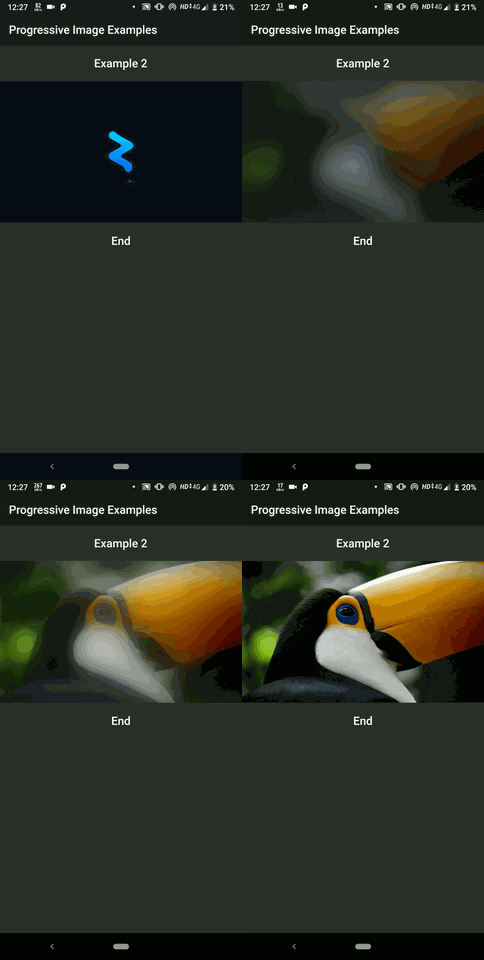
 v2.0.1
progressive_image
एक फ्लटर विजेट जो कम गुणवत्ता वाले छवि स्थान भरने के उपयोग करके बड़ी छवियों को धीरे-धीरे लोड करता है।
390लाइक 1 हज़ार30-दिन डाउनलोड150Pub अंक
AndroidiOSWebmacOSWindowsLinux
एक फ्लटर विजेट जो कम गुणवत्ता वाले छवि स्थान भरने के उपयोग करके बड़ी छवियों को धीरे-धीरे लोड करता है।

यह अंग्रेज़ी मूल स्नैपशॉट है। नवीनतम सामग्री GitHub पर देखें।
A flutter widget which progressively loads large images using Low Quality Image Placeholders.


v2.0.0Following steps will help you add this library as a dependency in your flutter project.
pubspec.yaml file in the root of your projectdependencies:
progressive_image: ^2.0.0
$ flutter packages get
import 'package:progressive_image/progressive_image.dart';
For a more detailed look at how to use this library, there is a sweet project in the example directory and various examples can be found here
A simple example usage of the ProgressiveImage widget is shown below:
import 'package:flutter/material.dart';
import 'package:progressive_image/progressive_image.dart';

void main() => runApp(MyApp());

class MyApp extends StatelessWidget {
  // This widget is the root of your application.
  @override
  Widget build(BuildContext context) {
    return MaterialApp(
      home: Scaffold(
        appBar: AppBar(title: Text('Progressive Image Example')),
        body: ProgressiveImageExample(),
      ),
    );
  }
}

class ProgressiveImageExample extends StatelessWidget {
    @override
    Widget build(BuildContext context) {
        return Container(
            child: ProgressiveImage(
                placeholder: AssetImage('assets/placeholder.jpg'),
                // size: 1.87KB
                thumbnail: NetworkImage('https://i.imgur.com/7XL923M.jpg'),
                // size: 1.29MB
                image: NetworkImage('https://i.imgur.com/xVS07vQ.jpg'),
                height: 300,
                width: 500,
            ),
        );
    }
}
निर्भरता सूची 2 आइटम
{"sdk":"flutter"}{"sdk":"flutter"}उपयोग के अनुसार छाँटें, गतिविधि की तुलना करें और अपनाने से पहले मूल प्रोजेक्ट की आवश्यकताएँ जाँचें।
“A repository is the most basic element of GitHub.”
GitHub Docs — About repositories ↗