

 v3.5.0
top_snackbar_flutter
टॉप स्नैक बार पैकेज को उपयोगकर्ताओं को घटनाओं के बारे में सूचित करने के लिए अच्छे और सुविधाजनक तरीके के लिए बनाया गया था।
531लाइक 56.1 हज़ार30-दिन डाउनलोड160Pub अंक
AndroidiOSWebmacOSWindowsLinux
आधुनिक यूआई स्नैकबार विजेट

यह अंग्रेज़ी मूल स्नैपशॉट है। नवीनतम सामग्री GitHub पर देखें।

Made in lanars.com.

If you need to show the user some information in a nice way, you can use this package. The API is as simple
as API for regular Material method showDialog. If you need to use your own widget to display, you
can pass it into showTopSnackBar function.
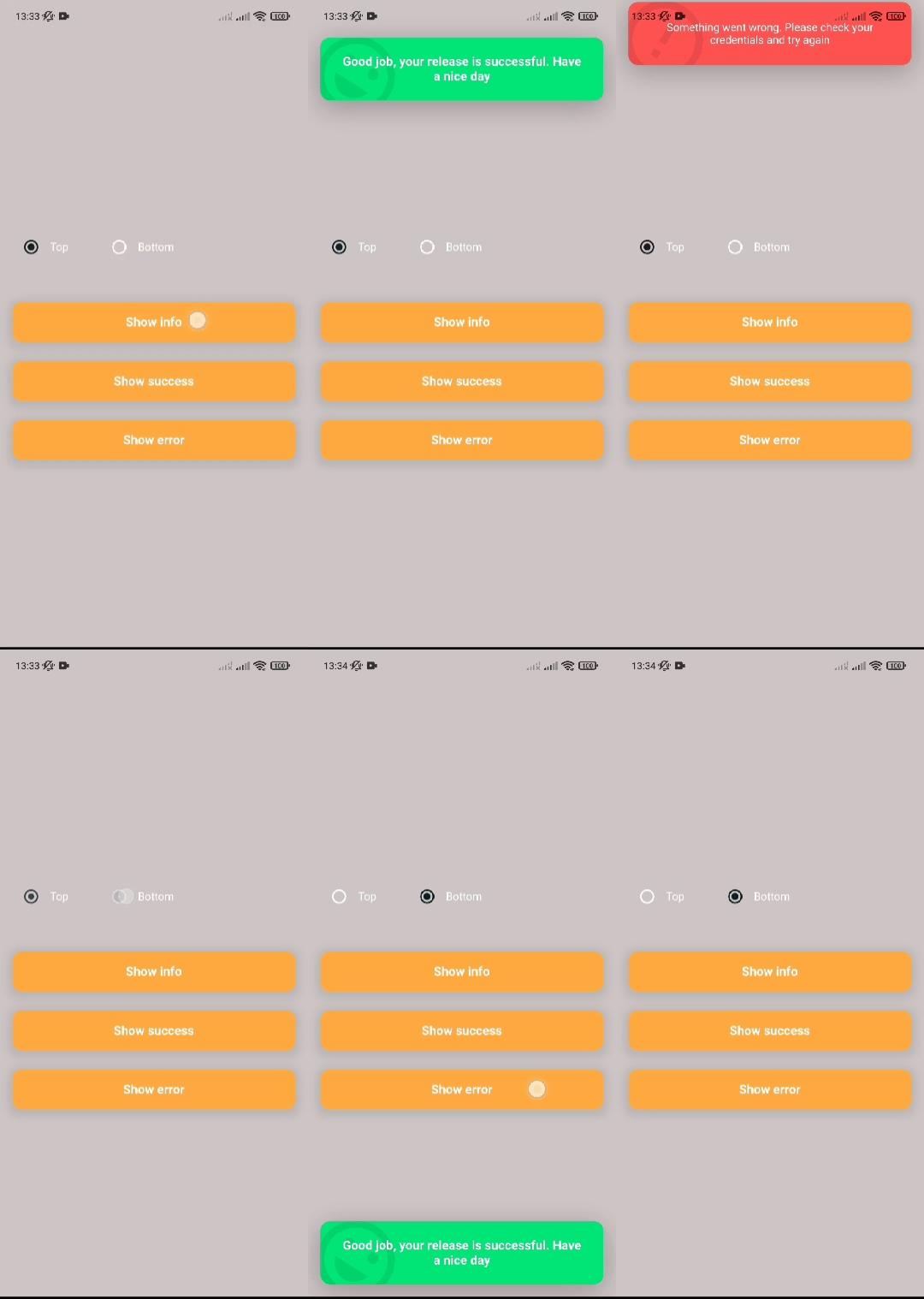
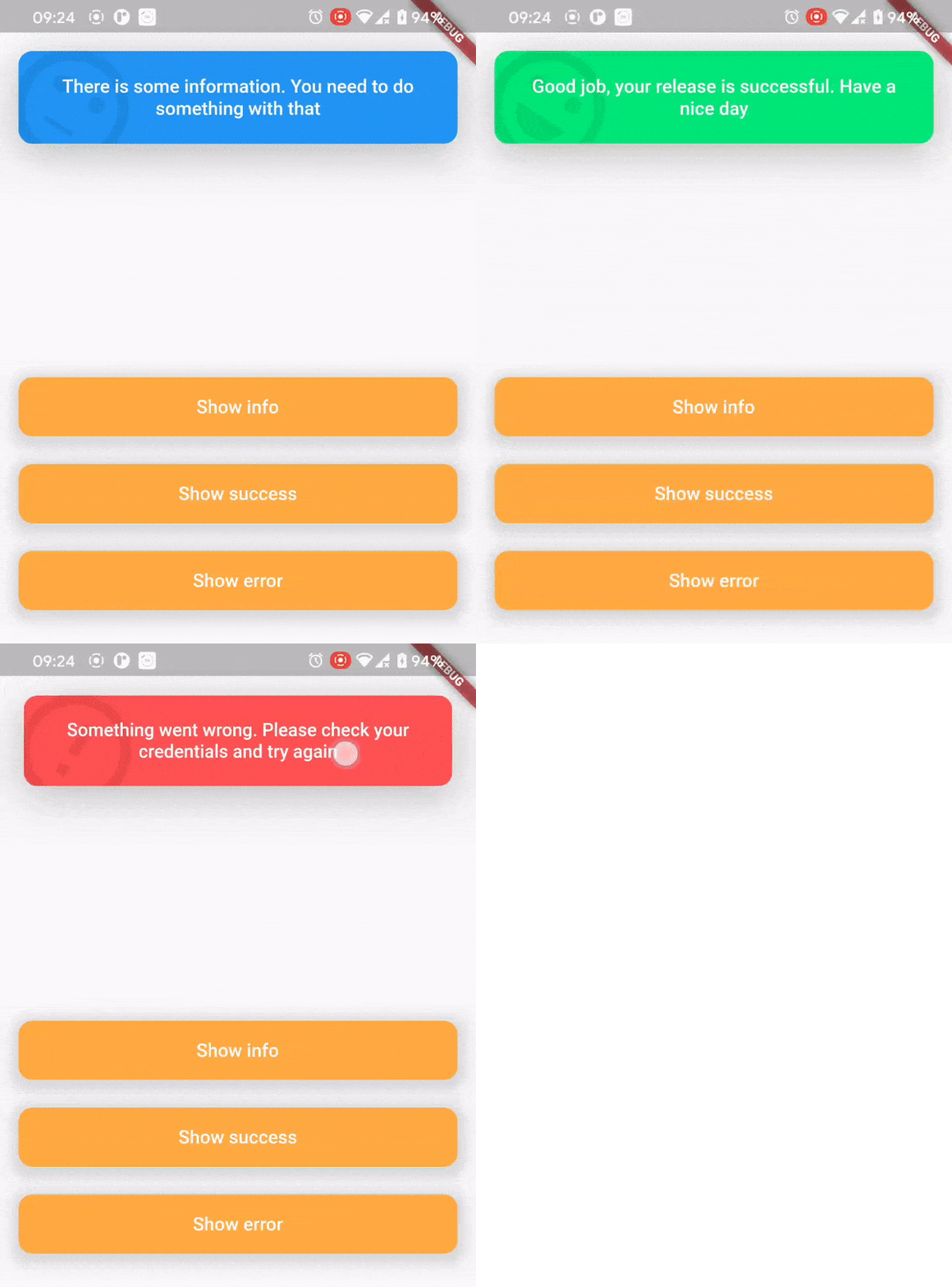
In order to show a CustomSnackBar you need to call a showTopSnackBar function. You can pass there any widget you want but we have a CustomSnackBar for example.
showTopSnackBar(
    Overlay.of(context),
    CustomSnackBar.success(
      message:
          "Good job, your release is successful. Have a nice day",
    ),
);
showTopSnackBar(
    Overlay.of(context),
    CustomSnackBar.info(
      message:
          "There is some information. You need to do something with that",
    ),
);
showTopSnackBar(
    Overlay.of(context),
    CustomSnackBar.error(
      message:
          "Something went wrong. Please check your credentials and try again",
    ),
);
There is a usage example demo example/main.dart
AnimationController localAnimationController;
TapBounceContainer(
    onTap: () {
        showTopSnackBar(
            Overlay.of(context),
            CustomSnackBar.info(
              message: "Persistent SnackBar",
            ),
            persistent: true,
            onAnimationControllerInit: (controller) =>
              localAnimationController = controller,
        );
    },
    child: buildButton(context, "Show persistent SnackBar"),
),
TapBounceContainer(
    onTap: () => localAnimationController.reverse(),
    child: buildButton(context, "Dismiss"),
),
निर्भरता सूची 2 आइटम
{"sdk":"flutter"}{"sdk":"flutter"}उपयोग के अनुसार छाँटें, गतिविधि की तुलना करें और अपनाने से पहले मूल प्रोजेक्ट की आवश्यकताएँ जाँचें।
“A repository is the most basic element of GitHub.”
GitHub Docs — About repositories ↗