

 v0.5.0
pencil_field
विभिन्न उपकरणों और प्लेटफॉर्म पर पेंसिल/स्टाइलस इंटरैक्शन (लेखन और मिटाना)। इनपुट के संस्करण-आधारित स्थायित्व के साथ आता है।
17लाइक 20030-दिन डाउनलोड150Pub अंक
AndroidiOSmacOSWindowsLinux
ManfredM/pencil_field open-source repository details.

यह अंग्रेज़ी मूल स्नैपशॉट है। नवीनतम सामग्री GitHub पर देखें।
Widget for pencil / stylus input on different devices and platforms. This widget is intended for any freehand input like signatures or drawings.
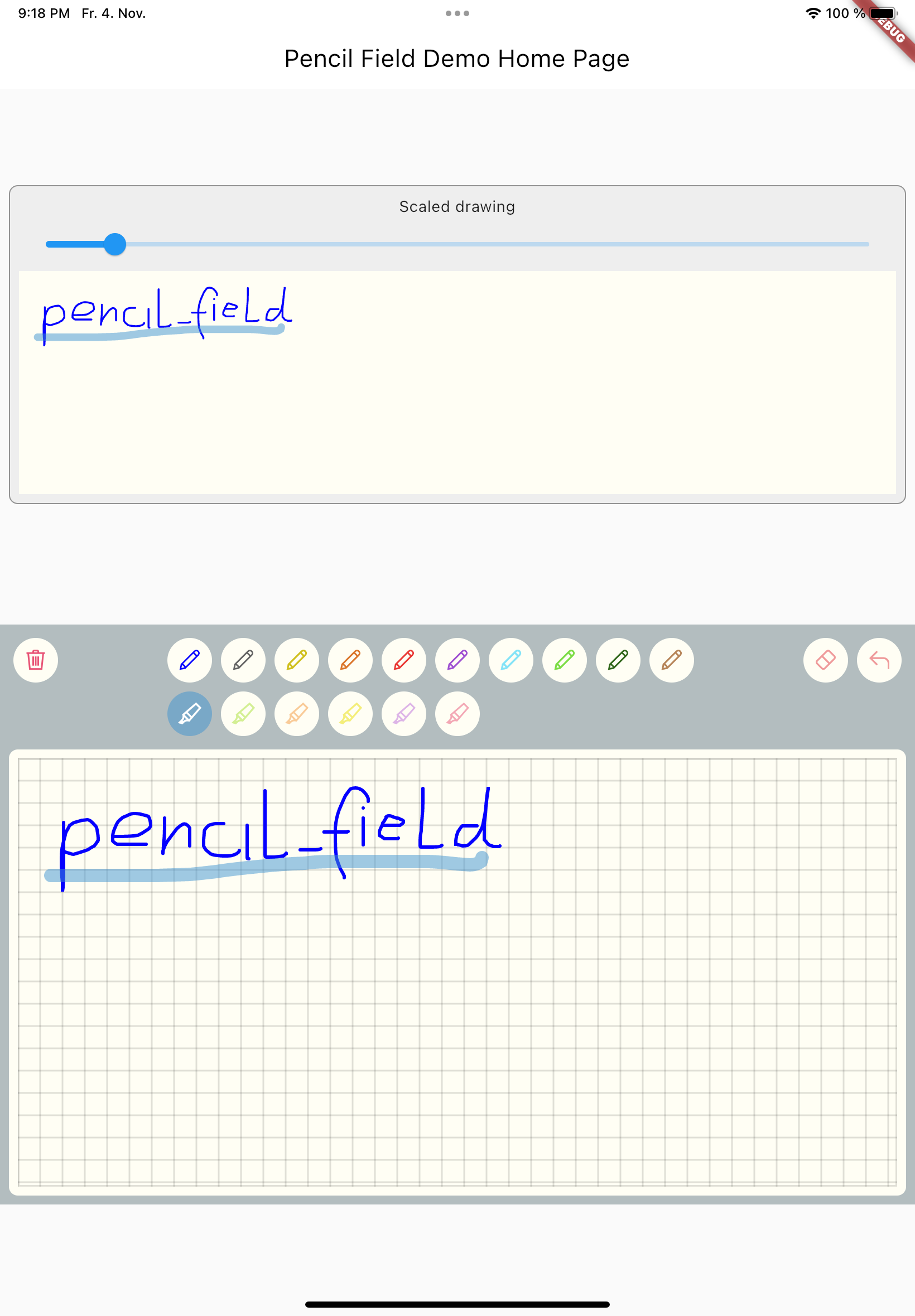
Just create PencilField widget and embedd it into your page:
PencilField(
  controller: widget.controller,
  pencilPaint: pencilPaint,
  onPencilDrawingChanged: widget.onPencilDrawingChanged,
  decoration: PencilDecoration(
    type: PencilDecorationType.chequered,
    backgroundColor: Colors.white,
    patternColor: Colors.grey[300]!,
    numberOfLines: 10,
    strokeWidth: 2,
    padding: const EdgeInsets.all(10),
  ),
  pencilOnly: true,
)
And resulting input can be displayed like so. As everything is stored in vector format scaling (e.g. for creating previews) is easy:
PencilDisplay(
  pencilDrawing: widget.controller.drawing.scale(
    scale: scale,
  ),
  decoration: PencilDecoration(backgroundColor: Colors.white),
)
The actual widget that provides the capability to capture and store freehand / pencil input. Each PencilField requires a controller that builds the bridge between the widget and PencilDrawing that stores the input.
PencilDrawing stores the actual content captured by PencilField. You can store and retrieve this data in a versioned format, so that future version of PencilField can load old data.
A full example is provided. This example shows how to use PencilField and its litte sibling PencilDisplay. It also shows how to define pens for input and interactions like erase, undo and clear.
निर्भरता सूची 3 आइटम
{"sdk":"flutter"}{"sdk":"flutter"}^5.0.0उपयोग के अनुसार छाँटें, गतिविधि की तुलना करें और अपनाने से पहले मूल प्रोजेक्ट की आवश्यकताएँ जाँचें।
“A repository is the most basic element of GitHub.”
GitHub Docs — About repositories ↗