binary_tree
डार्ट के लिए सेल्फ-बैलेंसिंग बाइनरी सर्च ट्री। BST को आइटरेबल के रूप में लागू किया गया है। अधिक ऑपरेशन जैसे greaterThen, lessThenOrEqual (उपसूची बनाएं), max, min आदि हैं।
यह अंग्रेज़ी मूल स्नैपशॉट है। नवीनतम सामग्री GitHub पर देखें।
Self-Balancing Binary Search Tree for Dart. BST is implemented as Iterable. There are many operations such as greaterThan, lessThanOrEqual (create sublist), max , min etc.
void main() {
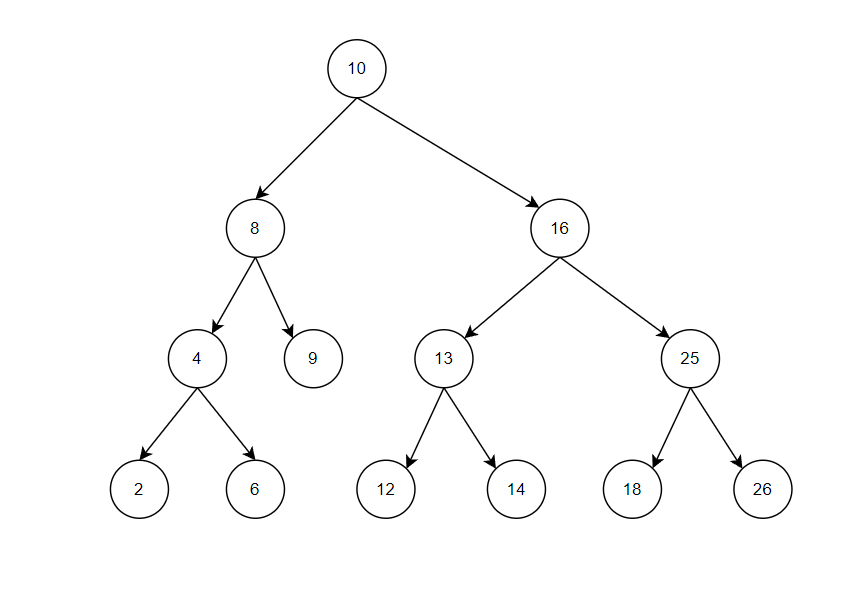
final myNumbers = BinaryTree([10, 8, 16, 4, 9, 13, 25, 2, 6, 12, 26, 14, 18]);
}
Binary tree stores values as a binary search tree.
For more information : Binary Search Tree.
A Self-Balancing AVL type tree is used, which balances the depth of the nodes.
For more
information : Self Balancing Binary Search Tree
, AVL Tree.
img.png
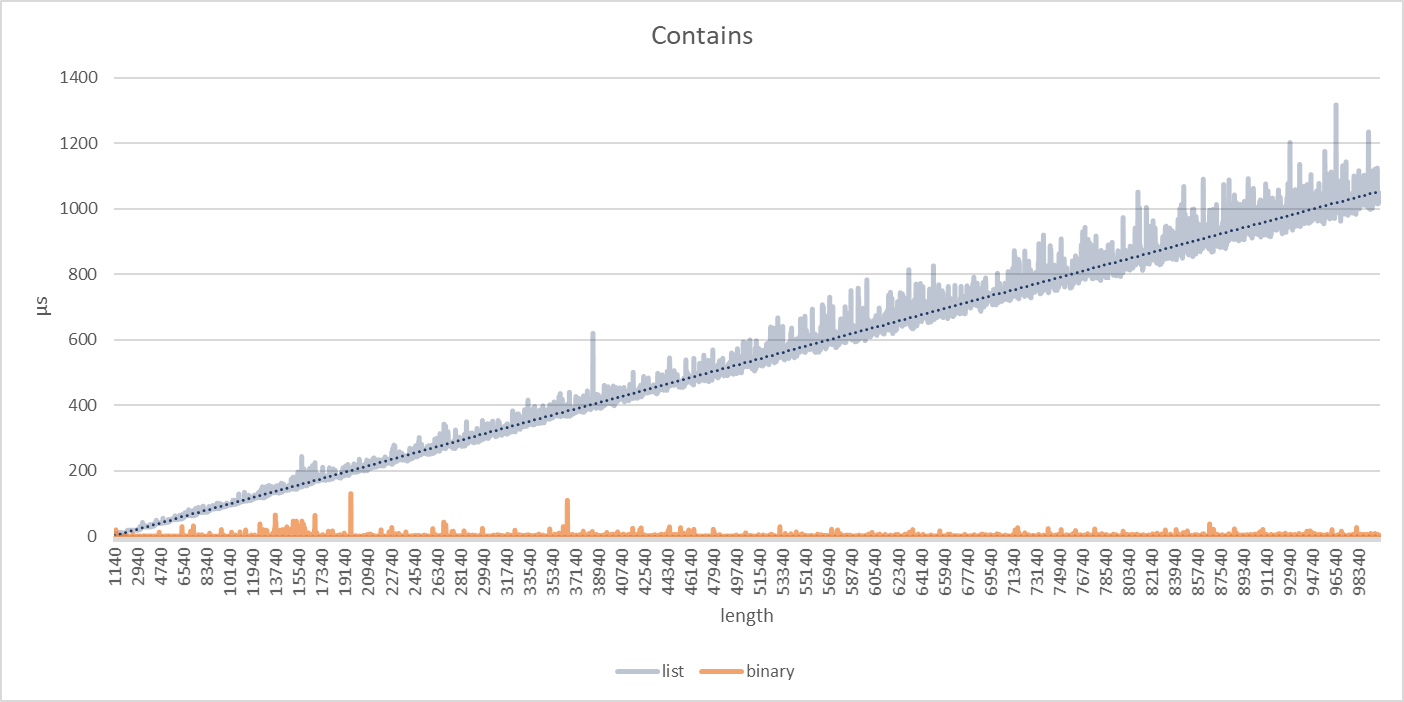
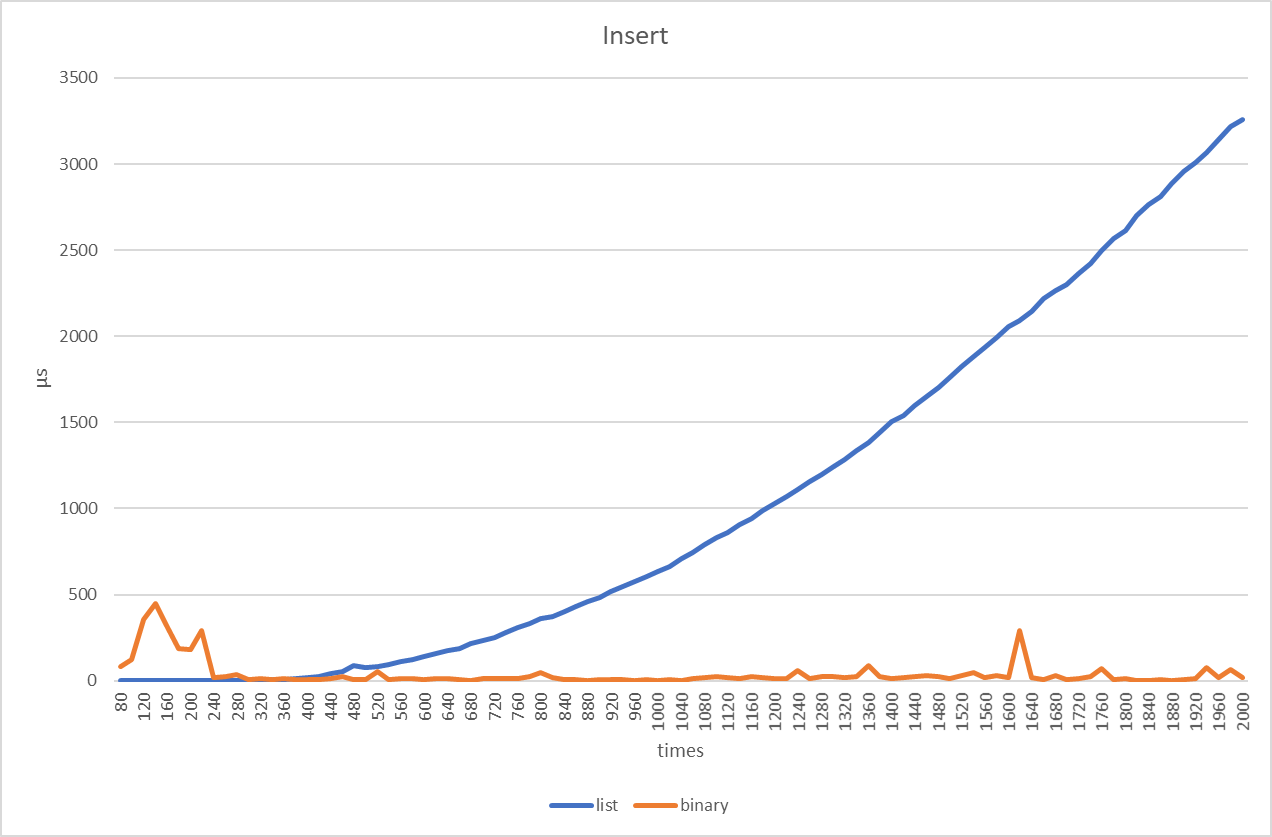
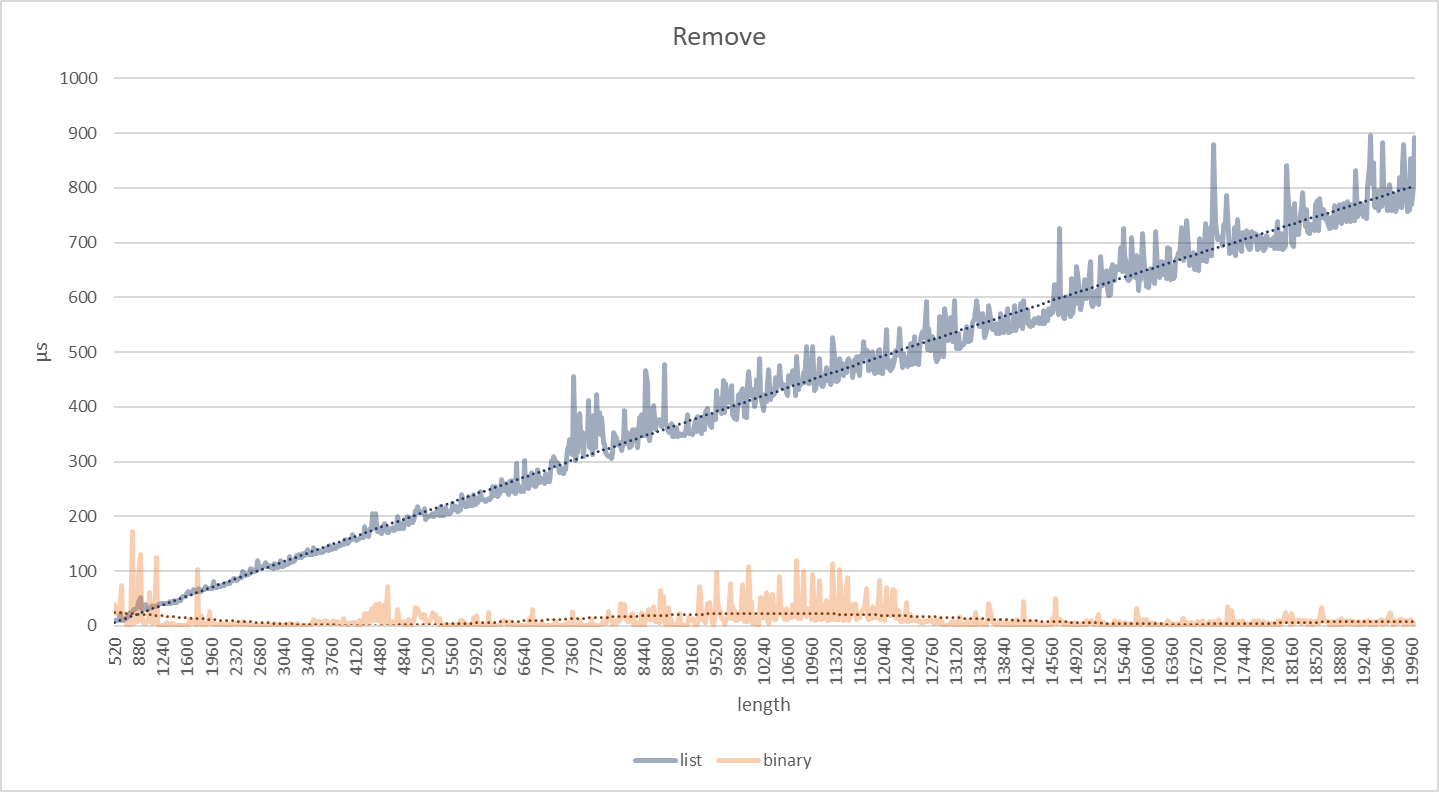
You can see if you need it by looking at the benchmarks given below. It is generally advantageous in keeping long and sorted datasets. Its advantage is not noticeable on short datasets.
Benchmark scenarios
img_3.png img_1.png img_2.png
Binary Tree objects must be Comparable
All of num , String , Duration etc. are Comparable.
You can define your objects as Comparable.
void main() {
final myLetters = BinaryTree<String>(["a", "c", "b"]);
final myDates = BinaryTree<DateTime>([DateTime.now()]);
}
void main() {
final myNumbers = BinaryTree([
/*initial*/
]);
myNumbers.insert(value);
myNumbers.remove(value);
myNumbers.contains(value);
}
You can create an Iterator by "startsWith" or "endsWith" given element.
f() {
final myNumbers = BinaryTree([10, 8, 16, 4, 9, 13, 25, 2, 6, 12, 26, 14, 18]);
final iterator = myNumbers.iteratorFrom(8, greaterThan: true, equal: false); // defaults
while (iterator.moveNext()) {
print(iterator.current); // 9 , 10 ... 26
}
}
You can also define bounds
f() {
final myNumbers = BinaryTree([10, 8, 16, 4, 9, 13, 25, 2, 6, 12, 26, 14, 18]);
final iterator = myNumbers.iteratorFrom(8, bound: Bound(13, equal: true));
while (iterator.moveNext()) {
print(iterator.current); // 9 , 10 ... 13
}
}
You can create new lists using range iterators.
f() {
final myNumbers = BinaryTree([10, 8, 16, 4, 9, 13, 25, 2, 6, 12, 26, 14, 18]);
myNumbers.lessThan(16);
/// 14 , 13 , ... 2
myNumbers.lessThanOrEqual(16);
/// 16 , 14 , 13 , ... 2
myNumbers.greaterThan(16);
/// 25 , 26
myNumbers.greaterThanOrEqual(16);
/// 16 , 25 , 26
/// custom bound
myNumbers.listFrom(16, bound: Bound(13, equal: true));
/// 16 , 14 , 13
}