

 v3.0.0
smooth_page_indicator
एक सेट बिल्ट-इन प्रभाव के साथ कस्टमाइज़ेबल एनीमेटेड पेज इंडिकेटर।
4.1 हज़ारलाइक 6.2 लाख30-दिन डाउनलोड160Pub अंक
AndroidiOSWebmacOSWindowsLinux
Flutter Smooth PageView सूचकांक

यह अंग्रेज़ी मूल स्नैपशॉट है। नवीनतम सामग्री GitHub पर देखें।



Page indicators are a crucial part of any app that involves multiple pages. They help users to
understand the number of pages and their current position. SmoothPageIndicator is a Flutter
package that provides a set of animated page indicators with a variety of effects.
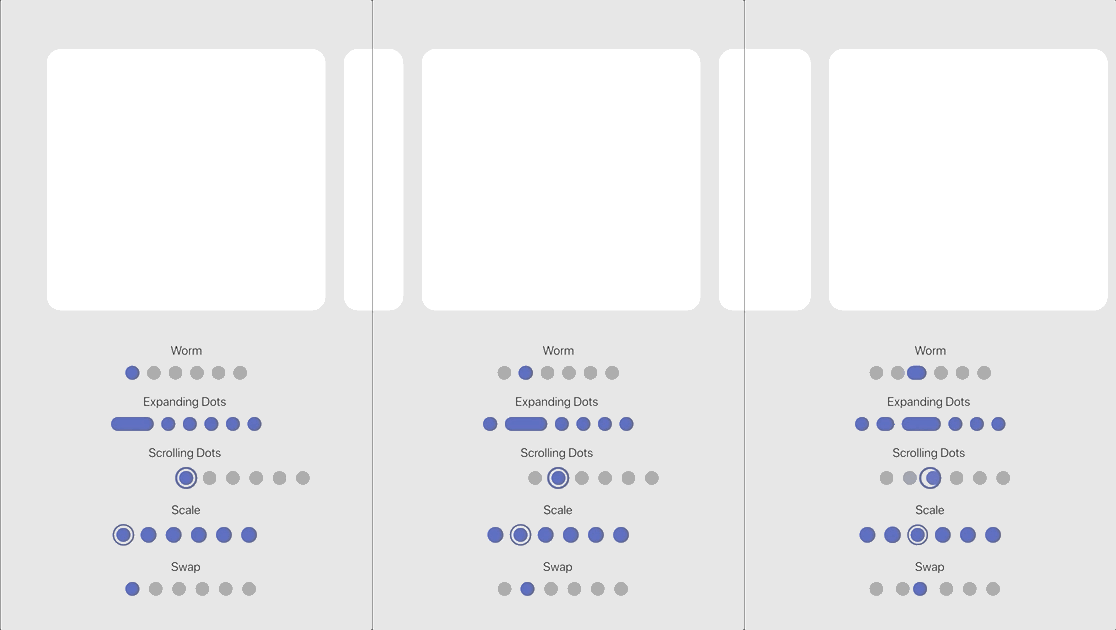
SmoothPageIndicator comes with a set of built-in effects that you can use to animate the active dot,
you can also customize each effect to your liking.
for more specific customization, try the CustomizableEffect which allows for more customization.
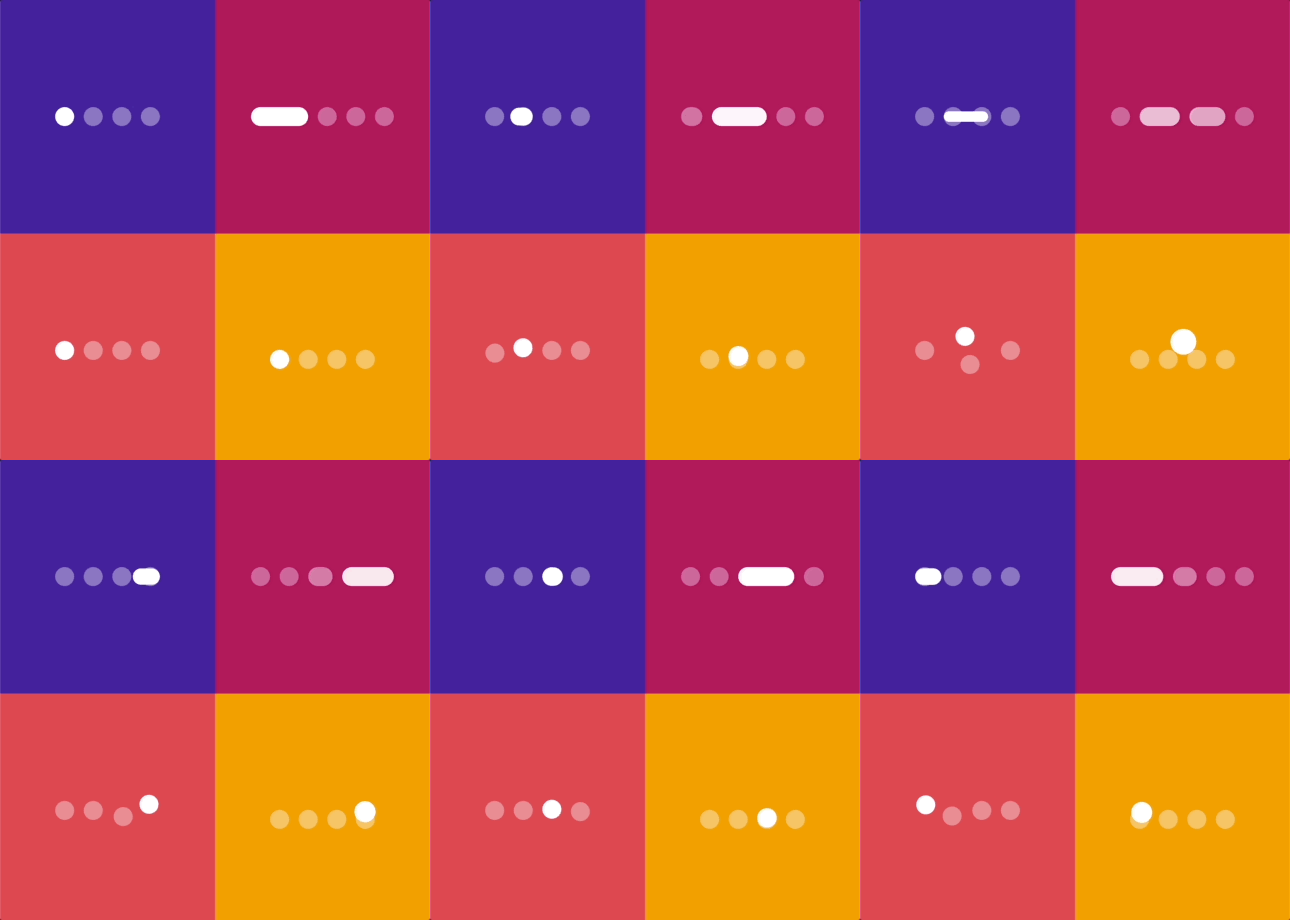
| Effect | Preview |
|---|---|
| Worm |  |
| Worm style = WormStyle.thin [v1.0.0] |  |
| Expanding Dots |  |
| Jumping dot |  |
| Jumping dot with vertical offset [v1.0.0] |  |
| Scrolling Dots |  |
| Slide |  |
| Scale |  |
| Swap |  |
| Swap type = SwapType.yRotation [v1.0.0] |  |
| Color Transition [0.1.2] |  |
| Customizable demo-1 [v1.0.0] |  |
| Customizable demo-2 [v1.0.0] |  |
| Customizable demo-3 [v1.0.0] |  |
| Customizable demo-4 [v1.0.0] |  |
SmoothPageIndicator uses the PageController's scroll offset to animate the active dot.
SmoothPageIndicator(
   controller: controller,  // PageController
   count:  6,
   effect:  WormEffect(),  // your preferred effect
   onDotClicked: (index){
  }
)
Unlike SmoothPageIndicator, AnimatedSmoothIndicator is self animated and all it needs is the
active index.
AnimatedSmoothIndicator(
   activeIndex: yourActiveIndex,
   count: 6,
   effect: WormEffect(),
)
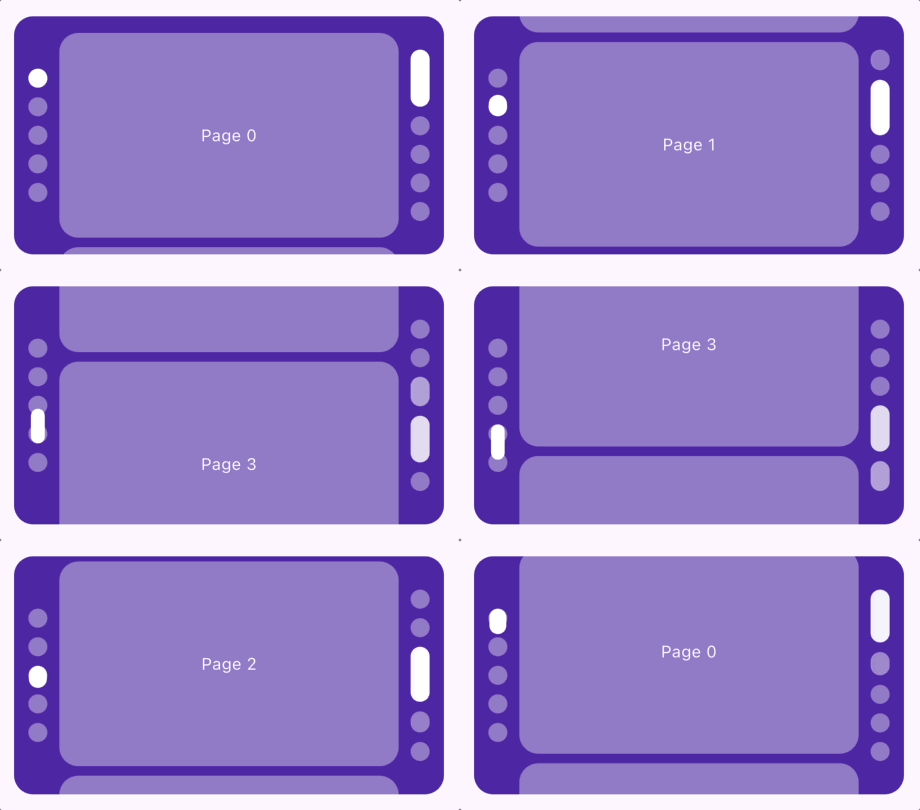
Smooth page indicator supports both horizontal and vertical layouts.
SmoothPageIndicator(
   controller: controller,  // PageController
   count:  6,
   axisDirection: Axis.vertical,
   effect:  WormEffect(),
)
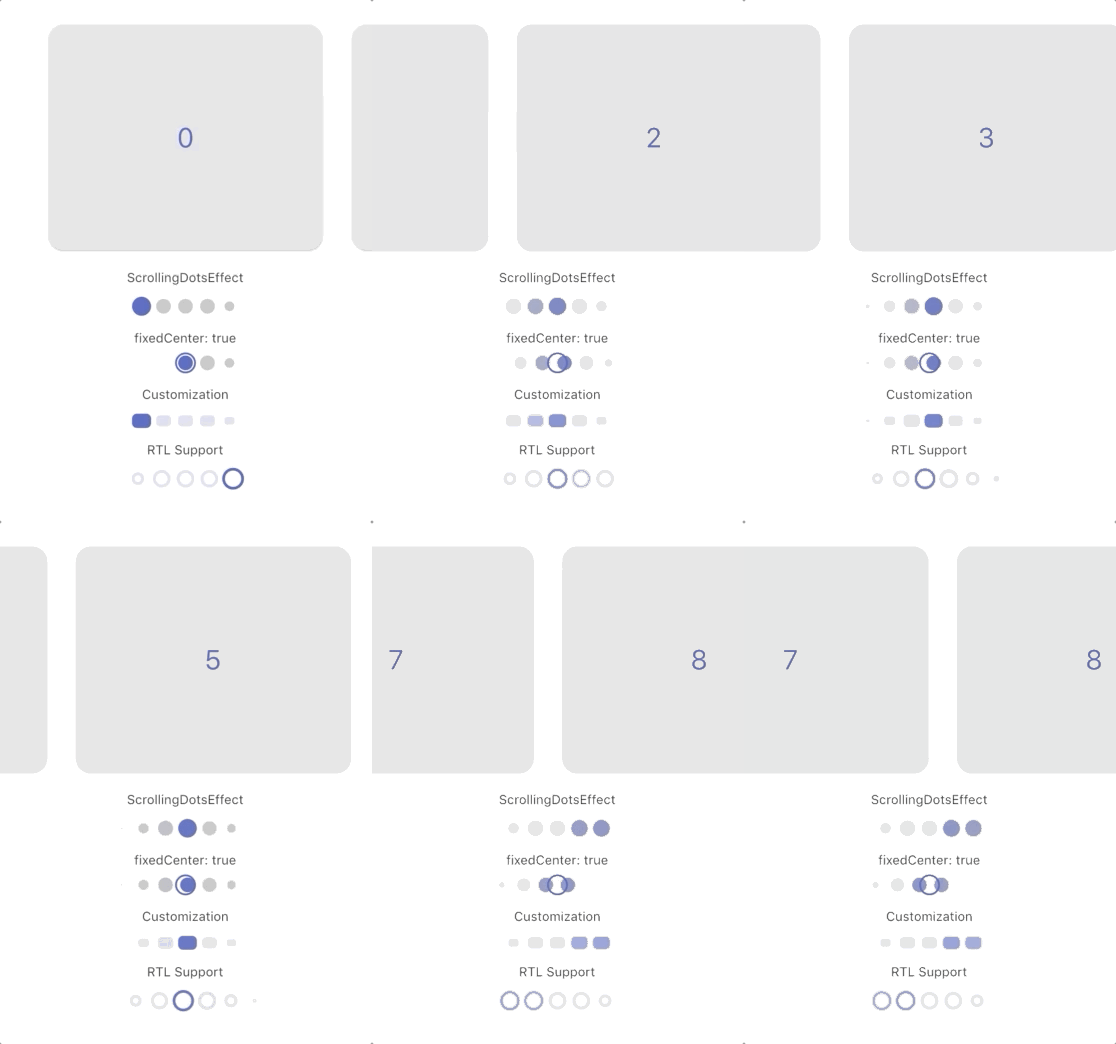
Smooth page indicator comes with a shipped it scrolling dots effect, (similar to the one used in instagram), it's useful when you have a large number of pages.
Each effect comes with its own set of properties that you can customize to your liking.
for example, you can customize direction, width, height, radius, spacing, paint style, color and more... of SlideEffect like follows:
  SmoothPageIndicator(
   controller: controller,
   count:  6,
   axisDirection: Axis.vertical,
   effect:  SlideEffect(
      spacing:  8.0,
      radius:  4.0,
      dotWidth:  24.0,
      dotHeight:  16.0,
      paintStyle:  PaintingStyle.stroke,
      strokeWidth:  1.5,
      dotColor:  Colors.grey,
      activeDotColor:  Colors.indigo
  ),
)
By default, indicators use these fallback colors:
activeDotColor: Color(0xFF3F51B5)dotColor: Color(0xFF9E9E9E)These colors do not come from the app's ThemeData. Override them for a subtree with SmoothPageIndicatorTheme, or set dotColor and activeDotColor directly on an effect.
SmoothPageIndicatorTheme is an InheritedTheme that configures default settings for descendant SmoothPageIndicator and AnimatedSmoothIndicator widgets. Wrap the subtree that should share the configuration:
MaterialApp(
  home: SmoothPageIndicatorTheme(
    effect: ExpandingDotsEffect(), // default effect when none is specified
    defaultColors: DefaultIndicatorColors(
      active: Colors.blue,
      inactive: Colors.grey,
    ),
    child: MyHomePage(),
  ),
)
defaultColors: Applies to all descendant indicator effects unless dotColor or activeDotColor is set on the effect.effect: The default effect when an indicator does not specify one. If omitted, WormEffect is used.This provides consistent indicator styling without relying on or modifying the app theme.
You can support the library by liking it on pub, staring in on Github and reporting any bugs you
encounter.
निर्भरता सूची 5 आइटम
{"sdk":"flutter"}{"sdk":"flutter"}^6.0.0^0.14.0^1.0.0उपयोग के अनुसार छाँटें, गतिविधि की तुलना करें और अपनाने से पहले मूल प्रोजेक्ट की आवश्यकताएँ जाँचें।
“A repository is the most basic element of GitHub.”
GitHub Docs — About repositories ↗