
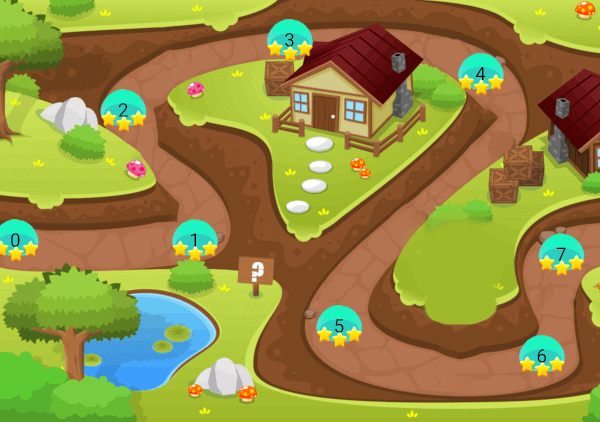
 v0.0.7
game_levels_scrolling_map
फ्लटर के साथ कैंडी क्रश या समान खेलों के लिए गेम लेवल मैप बनाने के लिए एक पैकेज, जिसमें क्षैतिज या ऊर्ध्वाधर होने की क्षमता है।
83लाइक 9530-दिन डाउनलोड120Pub अंक
AndroidiOSmacOSWindowsLinux
फ्लटर के साथ फ्लैटर में कैंडी क्रश या समान खेलों के तरीके से गेम लेवल मैप बनाने के लिए एक फ्लैटर पैकेज, जिसमें क्षैतिज या लंबवत रखने की क्षमता है

{"sdk":"flutter"}^5.1.2^2.0.0{"sdk":"flutter"}^1.0.0यह अंग्रेज़ी मूल स्नैपशॉट है। नवीनतम सामग्री GitHub पर देखें।
A package for making game levels map like candy crush or similar games using flutter with ability to be horizontal or vertical
| Android ✔️ | IOS ✔️ | MacOS ✔️ ️| Web ✔️ | Linux ✔️ | Windows ✔ ️|
Step 1 Import package:game_levels_scrolling_map/game_levels_scrolling_map.dart which contain the main widget of the map GameLevelsScrollingMap
then Import package:game_levels_scrolling_map/model/point_model.dart which contain the model of points
Step 2 Start adding your points widgets by creating a new List of points and adding widgets to it using the PointModel class
List<PointModel> points = [];

for(int i = 0; i<50 ; i++){
  PointModel point = PointModel(100,Container(width: 40, height: 40, color: Colors.red, child: Text("$i")));

  /* To make the map scroll to a specific point just make its parameter 'isCurrent' = true like the following which will make the map scroll to it once created*/
  if(i == 20) point.isCurrent = true;

  points.add(point);
}
Step 3 Use GameLevelScrollingMap.scrollable widget to build the map
- To make vertical map:
Vertical Map Example
Widget build(BuildContext context) {
  return Scaffold(
    body: Container(
      child: GameLevelsScrollingMap.scrollable(
              imageUrl: "assets/drawable/map_vertical.png",
              direction: Axis.vertical,
              reverseScrolling: true,
              svgUrl: 'assets/svg/map_vertical.svg',
              points: points,)
          ),
        );
}
- To make horizontal map:
Horizontal Map Example
Widget build(BuildContext context) {
  return Scaffold(
    body: Container(
      child: GameLevelsScrollingMap.scrollable(
            imageUrl: "assets/drawable/map_horizontal.png",
            direction: Axis.horizontal,
            svgUrl: 'assets/svg/map_horizontal.svg',
            points: points,)
          ),
        );
}