
v4.5.2
go_router_builder
पैकेज: go_router के लिए स्ट्रांगली-टाइप्ड रूट हेल्पर्स के लिए समर्थन करने वाला बिल्डर
302लाइक 3.7 लाख30-दिन डाउनलोड160Pub अंक
AndroidiOSmacOSWindowsLinux
मानसिक स्वास्थ्य की समस्याओं से मदद करने के लिए विशेषज्ञों के साथ डिज़ाइन और परामर्श किया गया नेपानिकार (डॉन्ट पैनिक) मोबाइल ऐप का आधिकारिक भंडार।

पैकेज: go_router के लिए स्ट्रांगली-टाइप्ड रूट हेल्पर्स के लिए समर्थन करने वाला बिल्डर
डार्ट VM और फ्लटर के लिए नॉन-एसक्यूएल स्थायी एम्बेडेड फ़ाइल सिस्टम दस्तावेज़-आधारित डेटाबेस, एन्क्रिप्शन सपोर्ट के साथ।
 v0.12.1
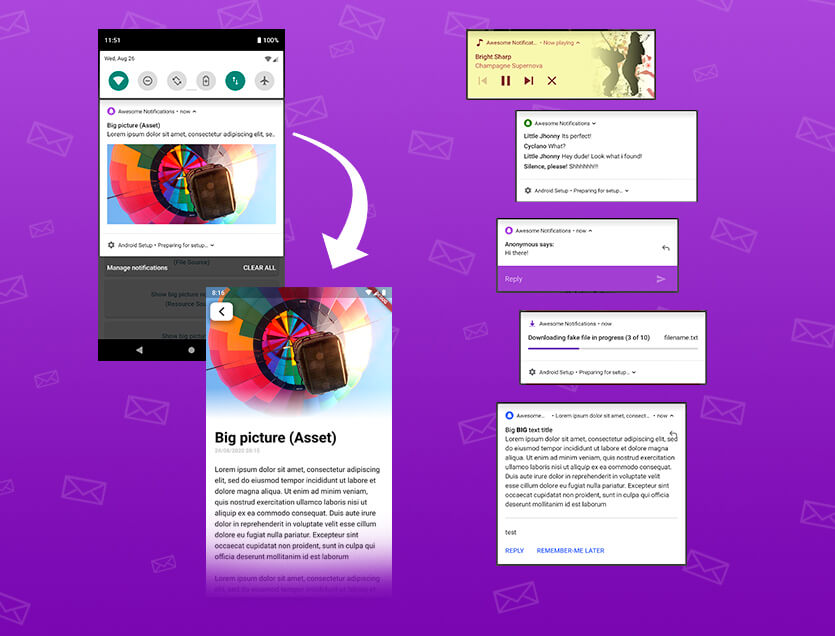
एक पूर्ण समाधान लोकल और पुश नोटिफिकेशन बनाने के लिए, बटन, छवियाँ, आवाज़, इमोजी को कस्टमाइज़ करने और Flutter ऐप्स के लिए कई अलग-अलग लेआउट लागू करने के लिए।
 v4.1.3
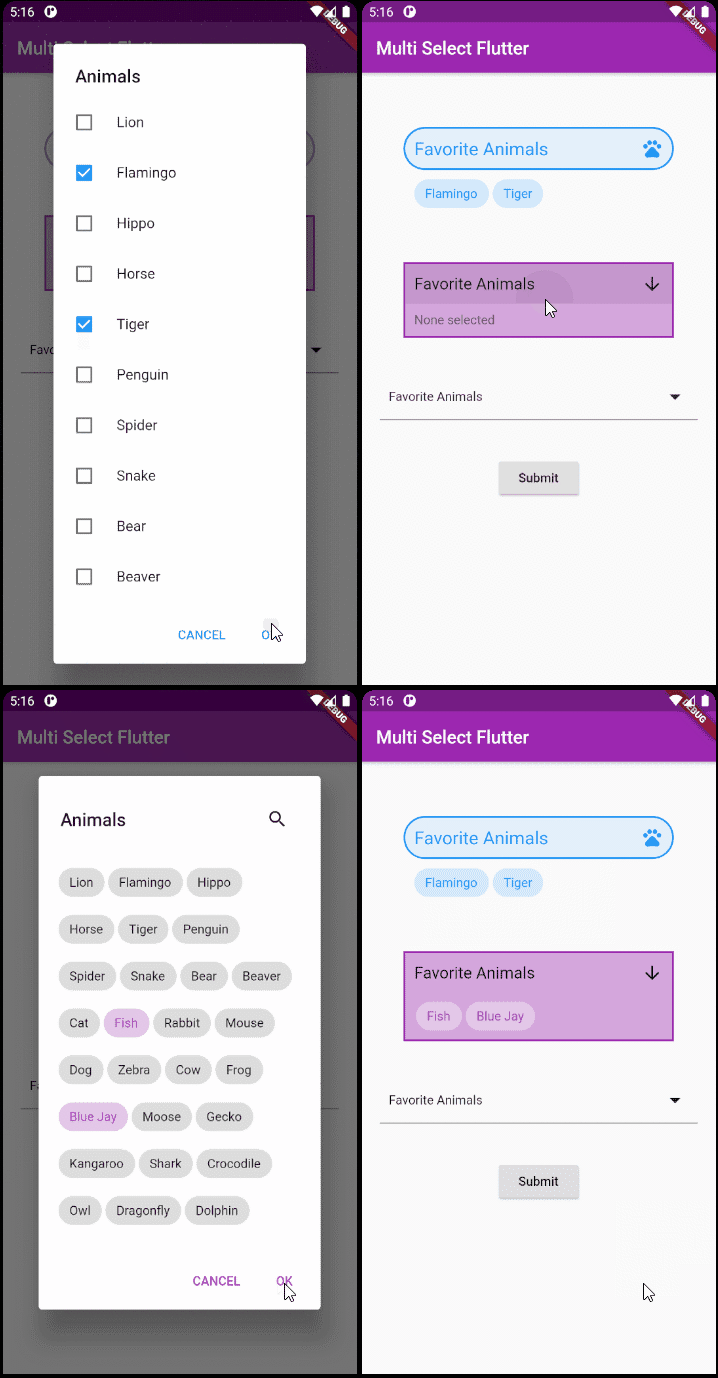
Flutter के लिए एक लचीला बहु-चयन पैकेज। आप जैसे चाहें वैसे बहु-चयन विजेट बनाएं।
ईमेल पतों के लिए सरल (लेकिन सही) डार्ट क्लास
Flutter, Web और सर्वर के लिए तारीख और समय पुस्तकालय जिसमें समय क्षेत्रों, कैलेंडर, संस्कृतियों, प्रारूपण और विश्लेषण का समर्थन है।
डार्ट में निम्न स्तर के लिंक (पाठ, URL, ईमेल, फ़ोन नंबर, उपयोगकर्ता टैग) पार्सिंग पुस्तकालय।
 v0.1.0
बहुभुज आकृतियों को बनाने और उन्हें काटने का एक सरल तरीका।
पैकेज: बिल्ड का उपयोग करते समय पैकेज के भीतर उत्पन्न डार्ट कोड के अद्यतन होने की जांच करने के लिए परीक्षण उपकरण।
एंड्रॉइड और आईओएस में फ़ाइलों को चुनने और सहेजने के लिए डायलॉग।
 v2.0.0
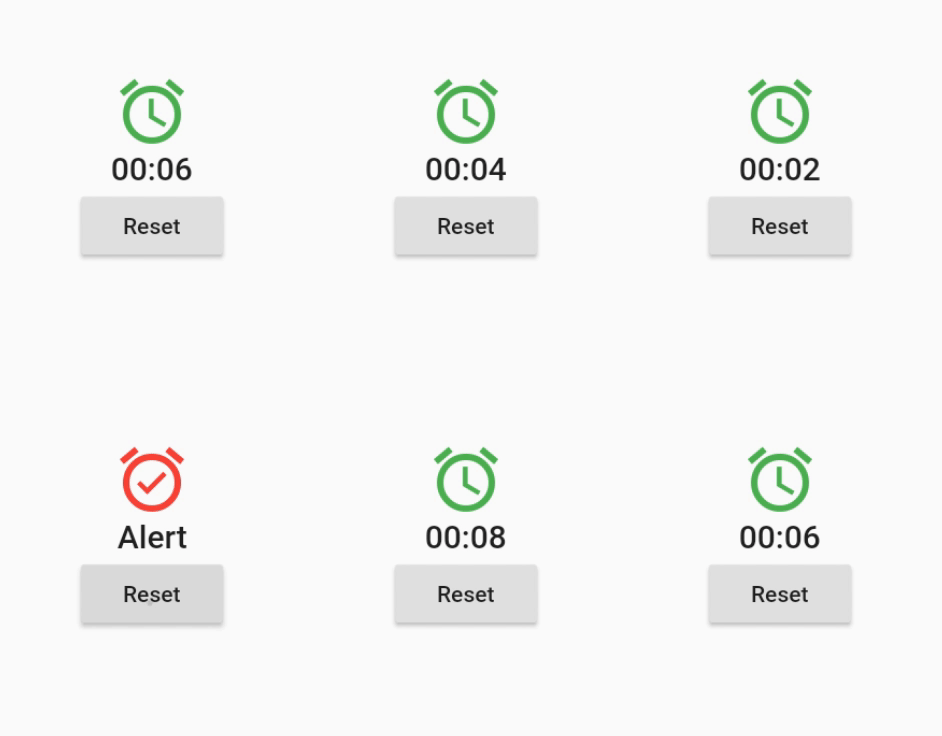
एक विजेट जो योजनाबद्ध, आवधिक या गतिशील रूप से उत्पन्न समय इवेंट पर अपने आप को पुनः निर्माण करता है।
यह पैकेज shared_preferences पैकेज की नकल है, लेकिन कुंजियों में प्रारंभिक अंश नहीं है। पिछले नेटिव ऐप से डेटा को माइग्रेट करने के लिए उपयोग किया जाता है।
निर्भरता सूची 50 आइटम
^3.0.0^0.12.0^1.19.0^1.0.5any^3.0.0^2.0.5^12.0.0^4.0.0^5.0.0^1.1.1{"sdk":"flutter"}^4.5.2^3.0.0{"sdk":"flutter"}^2.2.17^2.2.0^3.1.0^9.0.5^17.0.0any^0.20.2^4.9.0^0.10.5^5.0.0^3.3.0any^3.2.2{"path":"./packages/nepanikar_contacts_gen"}^10.1.0^1.8.2^2.0.12^0.1.0^6.0.5^0.28.0^3.4.0+6^2.0.6^0.9.17^2.0.0^2.0.1^6.3.2^1.4.0^2.16.0^3.1.1^5.1.0+1{"sdk":"flutter"}^4.0.0-dev.3^4.0.1^6.11.2^2.0.1यह अंग्रेज़ी मूल स्नैपशॉट है। नवीनतम सामग्री GitHub पर देखें।
First aid for psychological issues - Official mobile app for nepanikar.eu
Run command flutter run from root folder of application.
flutter_gen package lets us quickly generate paths for images/icons.
To add a new asset, add it to ./assets/ and then run flutter packages pub run build_runner build -d.
If you are creating a new assets folder, do not forget to reference it in pubspec.yaml.
We are using Localazy for managing app localizations.
The prerequisites for running the localization update script are:
stringcase: pip install stringcasenpm install -g @localazy/cli or see Installation
page for other options)After that, you can simply run the script located in ./bin/localazy/localazy_gen.sh.
When adding a new language:
Contacts & help data are generated from Dart objects for easier maintainability. These data are then converted and
shipped within the app as JSON which is located in the ./assets/contacts/ folder. The whole contacts & help UI in
the app is controlled by the content of this JSON file.
The prerequisites for updating and regenerating these data is:
The source of these data is managed by nepanikar_contacts_gen Dart package.
Source data are located in ./packages/nepanikar_contacts_gen/bin/translation_extra_files/{language_tag}.dart.
Make the necessary changes, then simply run the script located in ./bin/nepanikar_contacts_gen/
to regenerate the JSON file.
flutter run - run applicationflutter packages pub run build_runner build -d - regenerate go_route/freezed/assets filesflutter pub run build_runner watch -d - watch and generate automatically changes when files are changedflutter gen-l10n - recompile .arb language filesflutter pub run flutter_native_splash:create - regenerate splash screendart format --line-length 100 ./ - automatic formatting of the project