
 v2.2.3
positioned_scroll_observer
एक शानदार स्क्रॉल ऑब्जर्वर जो अधिकांश स्क्रॉल व्यू का समर्थन करता है, बिना वर्तमान विजेट्स को ब्रेक किए इंडेक्स पर जम्प/एनिमेट कर सकता है।
28लाइक 2 हज़ार30-दिन डाउनलोड160Pub अंक
AndroidiOSWebmacOSWindowsLinux
Flutter एप्लिकेशन में स्क्रॉल करने योग्य विजेट्स को निरीक्षण करने के लिए एक शानदार स्क्रॉल ऑब्जर्वर।

{"sdk":"flutter"}{"sdk":"flutter"}^2.0.0^2.1.1यह अंग्रेज़ी मूल स्नैपशॉट है। नवीनतम सामग्री GitHub पर देखें।
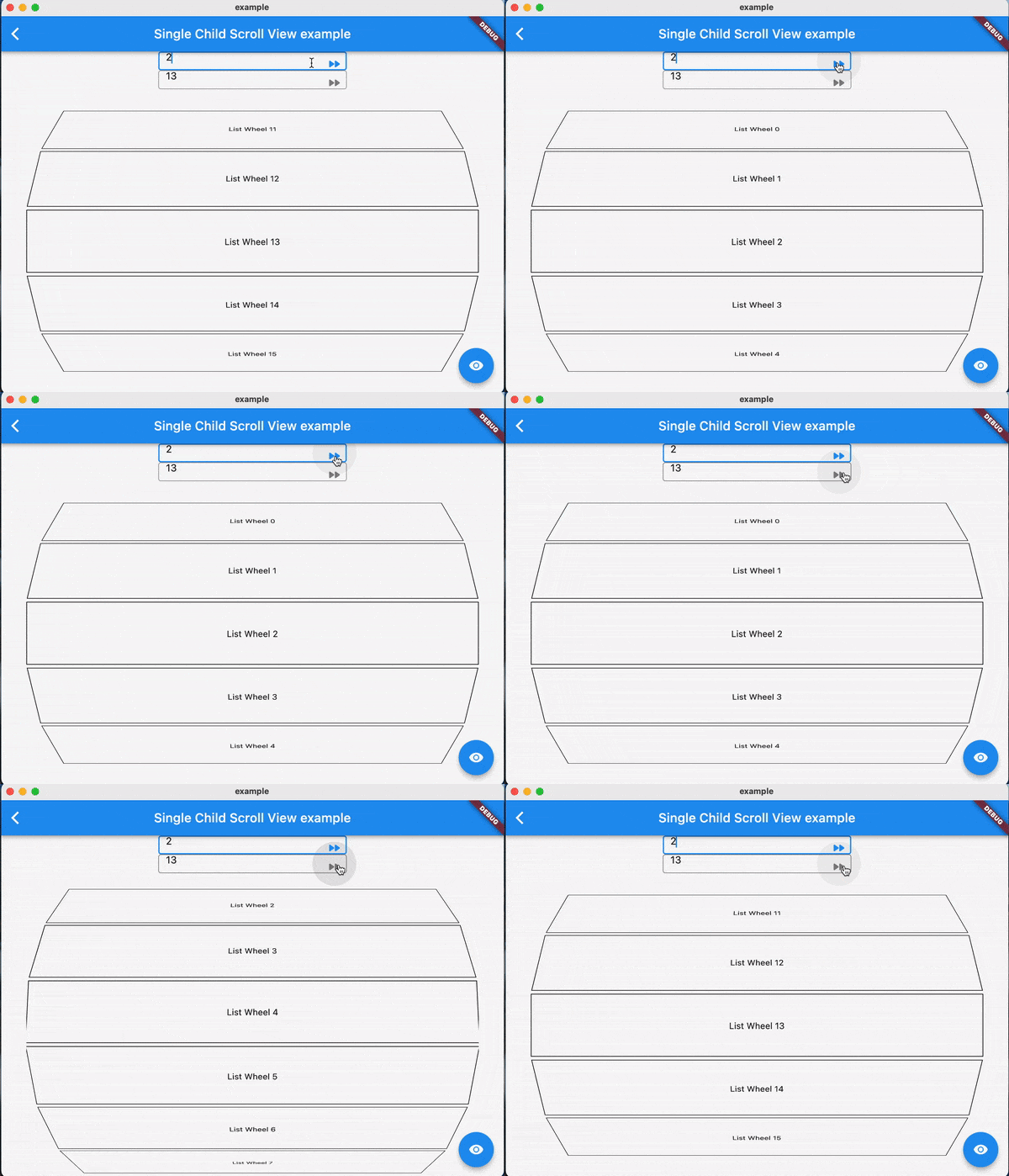
Using jumpToIndex and animateToIndex to scroll to the specific index
Jumping/animating to the position by specifying a ratio in a scroll view. See how to align the render object. That would be very useful if you want to quickly jump to the top, middle or end of a list/grid.
Using PositionRetainedScrollPhysics to retain the old offset to avoid scrolling when adding new items into the top of ListView. See retain old scroll offset.
Check if the specific index is visible on the screen. See check visibility.
Check which items are visible in the viewport. See get visible items
Check the visible ratio of the observed RenderObject in a viewport. See how to use it in a GroupList
No breaking for your current sliver widgets, e.g., ListView/GridView, SliverList/SliverGrid/SliverAppBar, just wrapping your item widgets using ObserverProxy. Supported:
First, creating and binding the observer to all items. (See box scroll observer and sliver scroll observer)
then, using the observer like:
_observer.jumpToIndex(
    index,
    position: _controller.position,
);

_observer.animateToIndex(
    index,
    position: _controller.position,
    duration: const Duration(milliseconds: 200),
    curve: Curves.fastLinearToSlowEaseIn,
);
RenderSliver, e.g., SingleChildScrollView and ListWheelScrollViewcreate a BoxScrollObserver for observing the box with multi children.
  final ScrollController _controller = ScrollController();
  late final _observer = ScrollObserver.boxMulti(
    axis: _axis,
    itemCount: 30,
  );
bind the observer to the box's children. (Using ObserverProxy to wrap each item).
SingleChildScrollView(
  controller: _controller,
  scrollDirection: _axis,
  child: Column(
    children: [
      for (int i = 0; i < 30; i++)
        ObserverProxy(
          observer: _observer,
          child: DecoratedBox(
            decoration: BoxDecoration(border: Border.all()),
            child: SizedBox(
              height: 100,
              width: 100,
              child: Center(
                child: Text("Column item $i"),
              ),
            ),
          ),
        ),
      ],
    ),
  );
create a SliverScrollObserver for observing the sliver with multi children.
  final ScrollController _controller = ScrollController();
  late final _observer = ScrollObserver.sliverMulti(itemCount: 30);
bind the observer to each item for the sliver.
    ListView.builder(
      controller: _controller,
      itemBuilder: (context, index) => ObserverProxy(
        observer: _observer,
        child: ListTile(
          key: ValueKey<int>(index),
          leading: const CircleAvatar(
            child: Text("L"),
          ),
          title: Text("Positioned List Example $index"),
        ),
      ),
      itemCount: _itemCount,
    );
For
ListView.customandGridView.custom, you could also usePositionedChildListDelegateandPositionedChildBuilderDelegatefor wrapping items inObserverProxyconveniently
ScrollObserver.sliverSingle to create.ScrollObserver.sliverMulti to create.ScrollObserver.boxSingle to create. (rare cases and need more testing)ScrollObserver.boxMulti to create.index is visible on the screenMore details, see API reference.
PositionRetainedScrollPhysics for retaining the old scroll offsetListView.builder(
controller: _controller,
reverse: true,
physics: const PositionRetainedScrollPhysics(),
itemBuilder: (context, index) => _items[index],
itemCount: _itemCount,
);
_observer.showInViewport(
  _controller.position,
  alignment: 0.5,
);
By setting different alignment, you could jump/animate to the position according to the ratio: alignment.
alignment = 0.0, it would align the render object' leading to the leading of the viewport's main axis extent.alignment = 0.5, it would align the render object's center to the center of the viewport;s main axis extent.alignment = 1.0, it would align the render object's trailing to the trailing of the viewport's main axis extent.you could also specify
alignmentas the number between[0, 1]
ObserverProxynormalizeIndex to ensure the index is in a valid range determined by itemCount of observers, so developers should also update observers' itemCount when the scroll views' item count changes.RenderObject observed by an observer should share the same observer instance, instead of creating different observers for each item.ScrollObserver.boxMulti, axis is required so that the observer could estimate the scroll offset along the correct main axis.TODO
Feel free to contribute to this project.
If you find a bug or want a feature, but don't know how to fix/implement it, please fill an issue.
If you fixed a bug or implemented a feature, please send a pull request