सार्वजनिक जानकारी से बना चयन मार्गदर्शन। केवल संदर्भ हेतु।
PositionedScrollObserver एक Flutter पैकेज है जिसका उद्देश्य विभिन्न स्क्रॉल करने योग्य विजेट्स में स्क्रॉल स्थिति को बेहतर ढंग से देखना और प्रबंधित करना है। यह मौजूदा विजेट राज्य को बिगड़े बिना स्क्रॉल व्यू में विशिष्ट इंडेक्स पर स्मूथ जम्प या एनीमेशन की अनुमति देता है। सूचियों, ग्रिड्स और कस्टम स्क्रॉलेबल्स के लिए आदर्श, यह नेविगेशन के दौरान UI सुसंगतता बनाए रखता है। पैकेज सभी प्रमुख प्लेटफॉर्म का समर्थन करता है और Flutter के स्क्रॉल सिस्टम के साथ बिना किसी दिक्कत के एकीकृत होता है।
उपयोग
प्रोग्रामैतिक रूप से विशिष्ट सूची आइटम तक स्क्रॉल करना
गतिशील सामग्री अद्यतन के दौरान स्क्रॉल स्थिति बनाए रखना
लंबी सूचियों में इंडेक्स-आधारित नेविगेशन बनाना
स्क्रॉल व्यू में स्मूथ एनिमेटेड जंप का कार्यान्वयन
बहुत स्क्रॉल करने योग्य घटकों को समन्वयित करना
मुख्य विशेषताएँ
सभी मानक स्क्रॉल व्यू का समर्थन करता है
स्क्रॉल जंप के दौरान विजेट राज्य बनाए रखता है
स्मूथ एनिमेटेड इंडेक्स ट्रांज़िशन
क्रॉस-प्लेटफ़ॉर्म संगतता
न्यूनतम बॉलरप्लेट एंटीग्रेशन
कस्टम स्क्रॉल कंट्रोलर्स के साथ काम करता है
इनके लिए उपयुक्त
जटिल स्क्रॉल करने योग्य इंटरफेस बनाने वाले डेवलपर्स
सूचकांक-आधारित नेविगेशन की आवश्यकता वाले ऐप
गतिशील या निरंतर अपडेट होने वाली सूचियों वाले प्रोजेक्ट
चिकनी उपयोगकर्ता अनुभव प्राथमिकता वाली टीमें
बहु-प्लेटफॉर्म के लिए फ्लटर ऐप्स
विचार योग्य बातें
संगत स्क्रॉल व्यू सेटअप की आवश्यकता है
नेस्टेड स्क्रॉल व्यू के लिए अतिरिक्त तर्क की आवश्यकता हो सकती है
स्थिर स्क्रॉल कंट्रोलर रेफरेंस के साथ सबसे अच्छा उपयोग किया जाता है
अन-स्क्रॉल करने योग्य विजेट्स के लिए नहीं बनाया गया है
प्रदर्शन प्रभाव स्क्रॉल दृश्य की जटिलता पर निर्भर करता है
मूल README
संबंधित सोर्स रिपॉज़िटरी के मूल README का स्नैपशॉट। नवीनतम सामग्री के लिए रिपॉज़िटरी देखें।
Features
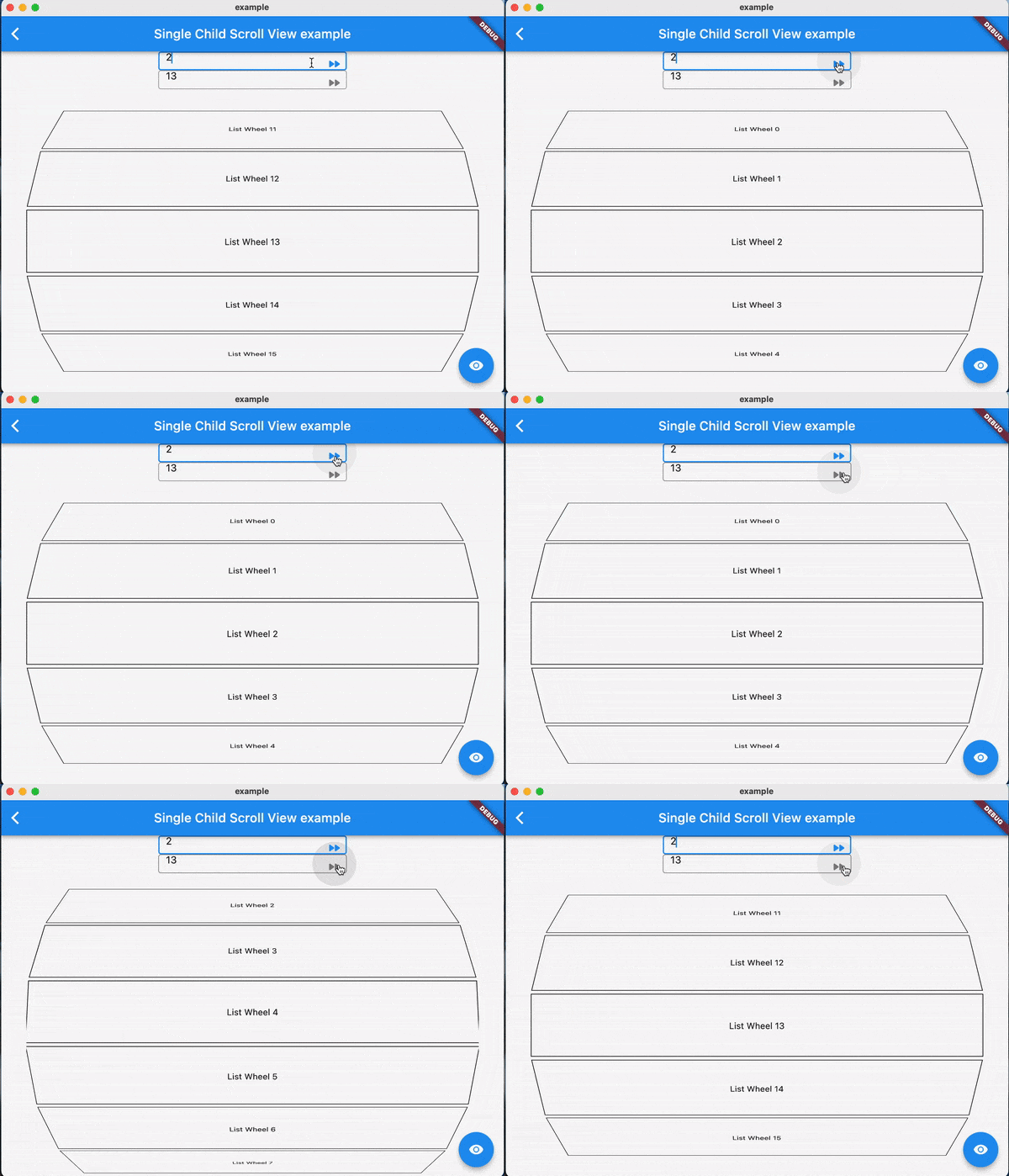
Using jumpToIndex and animateToIndex to scroll to the specific index
Jumping/animating to the position by specifying a ratio in a scroll view. See how to align the render object. That would be very useful if you want to quickly jump to the top, middle or end of a list/grid.
Using PositionRetainedScrollPhysics to retain the old offset to avoid scrolling when adding new items into the top of ListView. See retain old scroll offset.
Check if the specific index is visible on the screen. See check visibility.
Check which items are visible in the viewport. See get visible items
No breaking for your current sliver widgets, e.g., ListView/GridView, SliverList/SliverGrid/SliverAppBar, just wrapping your item widgets using ObserverProxy. Supported:
For ListView.custom and GridView.custom, you could also use PositionedChildListDelegate and PositionedChildBuilderDelegate for wrapping items in ObserverProxy conveniently
Usage
For observing slivers:
observing a sliver with single child, using ScrollObserver.sliverSingle to create.
observing a sliver with multi children, using ScrollObserver.sliverMulti to create.
For observing other scroll views that have no sliver descendants.
observing a box with single child, using ScrollObserver.boxSingle to create. (rare cases and need more testing)
observing a box with multi children, using ScrollObserver.boxMulti to create.
By setting different alignment, you could jump/animate to the position according to the ratio: alignment.
for alignment = 0.0, it would align the render object' leading to the leading of the viewport's main axis extent.
for alignment = 0.5, it would align the render object's center to the center of the viewport;s main axis extent.
for alignment = 1.0, it would align the render object's trailing to the trailing of the viewport's main axis extent.
you could also specify alignment as the number between [0, 1]
Pay attention
The item widget/builder must be wrapped using ObserverProxy
All observers would normalizeIndex to ensure the index is in a valid range determined by itemCount of observers, so developers should also update observers' itemCount when the scroll views' item count changes.
Items that have the same RenderObject observed by an observer should share the same observer instance, instead of creating different observers for each item.
When using ScrollObserver.boxMulti, axis is required so that the observer could estimate the scroll offset along the correct main axis.