
 v2.6.11
document_camera_frame
एक कस्टमाइज़ेबल कैमरा इंटरफेस के साथ दस्तावेज़ छवियों को कैप्चर और क्रॉप करने के लिए Flutter पैकेज।
55लाइक 85530-दिन डाउनलोड150Pub अंक
AndroidiOS
ahmedzein-dev/document_camera_frame open-source repository details.

{"sdk":"flutter"}^1.0.9^4.8.0^0.12.0+1^2.1.5^4.5.2^0.15.1^0.15.1^0.4.1^3.12.0{"sdk":"flutter"}^6.0.0यह अंग्रेज़ी मूल स्नैपशॉट है। नवीनतम सामग्री GitHub पर देखें।
DocumentCameraFrame — Scan, crop, and extract text from physical documents with a single Flutter widget. Edge detection, perspective correction, OCR, five distinct UI modes, and PDF/image export included.
Here's a quick preview of DocumentCameraFrame in action:
| Default Mode | Export Example |
|---|---|
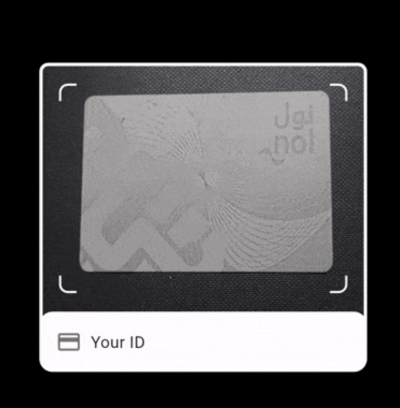
| Default Mode Default UI mode — live camera preview with frame, progress bar, side indicators, and auto-capture |
Export Example Export in action — capturing and exporting documents as JPG, PNG, PDF, or TIFF |
| UI Modes | CamScanner Mode |
| UI Modes All built-in UI modes — default, minimal, overlay, kiosk, and textExtract |
CamScanner Mode Native CamScanner mode — delegates to the platform's built-in document scanner |
enableExtractText: true to get extracted text in the save callback. OCR is Latin-only (no Arabic).default, minimal, overlay, kiosk, textExtract, or camScanner for instant styling.onDocumentSaved, onFrontCaptured, onBackCaptured, onRetakeThe DocumentCameraUIMode enum controls the visibility of various elements and default behaviors:
| Feature | default | minimal | overlay | kiosk | textExtract | camScanner |
|---|---|---|---|---|---|---|
| Dark cutout overlay | ✅ | ❌ | ❌ | ✅ | ✅ | ❌ (Native) |
| Frame border + corners | ✅ | ✅* | ✅ | ✅ | ✅ | ❌ (Native) |
| Bottom frame container | ✅ | ❌ | ✅ | ✅ | ✅ | ❌ (Native) |
| Progress bar & dots | ✅ | ❌ | ❌ | ✅ | ✅ | ❌ (Native) |
| Static instructions (Top) | ✅ | ❌ | ❌ | ✅ | ✅ | ❌ (Native) |
| Dynamic Alignment Hints** | ✅ | ❌ | ✅ | ✅ | ✅ | ❌ (Native) |
| Screen title / Close btn | ✅ | ❌ | ✅ | ✅ | ✅ | ❌ (Native) |
| Camera Switcher | ✅ | ✅ | ✅ | ❌ | ✅ | ❌ (Native) |
| Capture button (circle) | ✅ | ✅ | ✅ | ❌ | ✅ | ❌ (Native) |
| Action buttons (Save/Retake) | ✅ | ✅ | ✅ | ✅ | ✅ | ❌ (Native) |
| Auto-capture trigger | ✅ | ❌ | ✅ | ✅ | ✅ | ❌ (Native) |
| On-device OCR (default) | ❌ | ❌ | ❌ | ❌ | ✅ | ❌ |
| Native Scanning UI | ❌ | ❌ | ❌ | ❌ | ❌ | ✅ |
* Minimal uses CornerBox indicators instead of a full-screen frame border.
** Dynamic feedback based on document alignment (e.g., "Move closer", "Move right").
Add the package to your Flutter project using:
flutter pub add document_camera_frame
The package follows the Flutter-standard await Navigator.push(...) pattern — identical to
showDatePicker, ImagePicker, and other Flutter APIs. Push the camera, await the result,
then navigate forward. onDocumentSaved is optional — the package always pops with the
result automatically.
import 'package:document_camera_frame/document_camera_frame.dart';
import 'package:flutter/material.dart';

Future<void> launchCamera(BuildContext context) async {
  final DocumentCaptureData? result = await Navigator.push<DocumentCaptureData>(
    context,
    MaterialPageRoute(
      builder: (_) => DocumentCameraFrame(
        frameWidth: 320,
        frameHeight: 200,
        requireBothSides: true,
        // onDocumentSaved is optional — use it for side effects like
        // analytics or intermediate processing. Navigation is already
        // handled: the package pops with the result automatically.
      ),
    ),
  );

  if (result != null && context.mounted) {
    // Navigate to your result screen — or do anything else with the data.
    print('Front image: ${result.frontImagePath}');
    print('Back image:  ${result.backImagePath}');
  }
}
DocumentCameraFrame(
  frameWidth: 320,
  frameHeight: 200,
  titleStyle: DocumentCameraTitleStyle(
    frontSideTitle: Text('Scan Front of License',
      style: TextStyle(color: Colors.white)),
    backSideTitle: Text('Scan Back of License',
      style: TextStyle(color: Colors.white)),
  ),
  requireBothSides: true,
  enableAutoCapture: true,
  onFrontCaptured: (imagePath) => print('Front: $imagePath'),
  onBackCaptured: (imagePath) => print('Back: $imagePath'),
  // onDocumentSaved is optional — use it for side effects like
  // analytics or intermediate processing. Navigation is already
  // handled: the package pops with the result automatically.
)
DocumentCameraFrame(
  frameWidth: 300,
  frameHeight: 450,
  titleStyle: DocumentCameraTitleStyle(
    title: Text('Scan Passport', style: TextStyle(color: Colors.white)),
  ),
  requireBothSides: false,
  sideIndicatorStyle: DocumentCameraSideIndicatorStyle(
    showSideIndicator: false,
  ),
  enableAutoCapture: false, // Manual capture only
  instructionStyle: DocumentCameraInstructionStyle(
    showInstructionText: true,
    frontSideInstruction: "Position passport within the frame",
  ),
  // onDocumentSaved is optional — use it for side effects like
  // analytics or intermediate processing. Navigation is already
  // handled: the package pops with the result automatically.
)
DocumentCameraFrame(
  frameWidth: 320,
  frameHeight: 200,
  requireBothSides: true,
  enableAutoCapture: true,
  buttonStyle: DocumentCameraButtonStyle(
    captureButtonText: "Take Photo",
    saveButtonText: "Done",
    retakeButtonText: "Try Again",
  ),
  progressStyle: DocumentCameraProgressStyle(
    progressIndicatorColor: Colors.blue,
  ),
  frameStyle: DocumentCameraFrameStyle(
    outerFrameBorderRadius: 16.0,
  ),
  // onDocumentSaved is optional — use it for side effects like
  // analytics or intermediate processing. Navigation is already
  // handled: the package pops with the result automatically.
)
Easily switch between different UI layouts using the uiMode parameter:
// Kiosk Mode (Auto-capture only, no capture button)
DocumentCameraFrame(
  uiMode: DocumentCameraUIMode.kiosk,
  enableAutoCapture: true,
  // onDocumentSaved is optional — use it for side effects like
  // analytics or intermediate processing. Navigation is already
  // handled: the package pops with the result automatically.
)

// Minimal Mode (Clean view, only corners and buttons)
DocumentCameraFrame(
  uiMode: DocumentCameraUIMode.minimal,
)

// Native CamScanner Mode (Delegates to the OS's native document scanner)
DocumentCameraFrame(
  uiMode: DocumentCameraUIMode.camScanner,
  requireBothSides: true, // Guides user to scan front then back separately
)
Note: In
camScannermode, all custom frame and styling properties (borders, colors, buttons) are ignored as the platform's native scanner UI takes over.
Choose the output format for your captured documents. The package supports 4 formats: JPG (default), PNG, PDF, and TIFF.
| Format | Description | Best For |
|---|---|---|
| JPG | Default format, adjustable quality | General purpose, backward compatible |
| PNG | Lossless compression | High-quality images, transparency support |
| Multi-page document | Professional documents, archival | |
| TIFF | High-quality archival format | Professional archival, maximum quality |
// JPG (default - backward compatible)
DocumentCameraFrame(
  frameWidth: 320,
  frameHeight: 200,
)

// PNG format
DocumentCameraFrame(
  frameWidth: 320,
  frameHeight: 200,
  outputFormat: DocumentOutputFormat.png,
)
Generate multi-page PDFs from captured documents with configurable page sizes.
DocumentCameraFrame(
  frameWidth: 320,
  frameHeight: 200,
  outputFormat: DocumentOutputFormat.pdf,
  pdfPageSize: PdfPageSize.a4, // or PdfPageSize.letter
  requireBothSides: true, // Creates 2-page PDF
)
PDF Features:
requireBothSides: false for passports, etc.| Parameter | Type | Description | Default |
|---|---|---|---|
outputFormat |
DocumentOutputFormat |
Output format (jpg, png, pdf, tiff) | DocumentOutputFormat.jpg |
pdfPageSize |
PdfPageSize |
PDF page size (a4 or letter) | PdfPageSize.a4 |
imageQuality |
int |
Compression quality for JPG (1-100) | 90 |
initialFlashMode |
FlashMode |
Initial camera flash mode | FlashMode.auto |
When using different formats, the DocumentCaptureData object contains:
class DocumentCaptureData {
  final String? frontImagePath;    // Path to front image (.jpg, .png, etc.)
  final String? backImagePath;     // Path to back image (if captured)
  final String? frontPreviewPath;  // Path to displayable JPG (especially for TIFF)
  final String? backPreviewPath;   // Path to displayable JPG (especially for TIFF)
  final String? pdfPath;           // Path to PDF (only when outputFormat is PDF)
  final String? frontOcrText;      // OCR text (if enableExtractText is true)
  final String? backOcrText;       // OCR text (if enableExtractText is true)

  bool get hasPdf => pdfPath != null && pdfPath!.isNotEmpty;
  bool get hasFrontText => frontOcrText != null && frontOcrText!.isNotEmpty;
  bool get hasBackText => backOcrText != null && backOcrText!.isNotEmpty;
}
DocumentCameraFrame(
  frameWidth: 320,
  frameHeight: 200,
  outputFormat: DocumentOutputFormat.pdf,
  pdfPageSize: PdfPageSize.a4,
  imageQuality: 90,
  initialFlashMode: FlashMode.auto,
  requireBothSides: true,
  enableAutoCapture: true,
  enableExtractText: true,
  titleStyle: DocumentCameraTitleStyle(
    frontSideTitle: Text('Scan Front', style: TextStyle(color: Colors.white)),
    backSideTitle: Text('Scan Back', style: TextStyle(color: Colors.white)),
  ),
  // onDocumentSaved is optional — use it for side effects like
  // analytics or intermediate processing. Navigation is already
  // handled: the package pops with the result automatically.
)
Note: All format parameters are optional. Existing code continues to work without changes (JPG is the default format).
Note: OCR is Latin-only (no Arabic). The on-device ML Kit model supports English and other Latin-script languages only.
Extract text from captured documents using on-device OCR. No API key or internet required.
Set enableExtractText: true to run on-device text recognition after capture:
final result = await Navigator.push<DocumentCaptureData>(
  context,
  MaterialPageRoute(
    builder: (_) => DocumentCameraFrame(
      frameWidth: 320,
      frameHeight: 200,
      enableExtractText: true,
      // onDocumentSaved is optional — use it for side effects like
      // analytics or intermediate processing. Navigation is already
      // handled: the package pops with the result automatically.
    ),
  ),
);

if (result != null) {
  print('Front text: ${result.frontOcrText}');
  print('Back text:  ${result.backOcrText}');
}
For custom OCR (e.g., from file paths elsewhere), use the exported OcrService class:
import 'package:document_camera_frame/document_camera_frame.dart';

final ocrService = OcrService();
final text = await ocrService.extractText('/path/to/image.jpg');
print('Extracted text: $text');
If you want to launch the native scanner directly without the DocumentCameraFrame widget, you can use the CamScannerService:
import 'package:document_camera_frame/document_camera_frame.dart';

final service = CamScannerService();
final List<String> paths = await service.scan(maxPages: 2);

if (paths.isNotEmpty) {
  print('Scanned files: $paths');
}
ios/Podfile:platform :ios, '15.5' # or newer version
ios/Runner/Info.plist file to request camera and microphone
permissions:
<plist version="1.0">
    <dict>
        <!-- Add the following keys inside the <dict> section -->
        <key>NSCameraUsageDescription</key>
        <string>We need camera access to capture documents.</string>
        <key>NSMicrophoneUsageDescription</key>
        <string>We need microphone access for audio-related features.</string>
    </dict>
</plist>
android/app/build.gradle to set compileSdk to 35 and minSdk to 21:android {
compileSdk 35
defaultConfig {
minSdk 21
targetSdk 35
}
}
Important: This package depends on Google ML Kit and CameraX libraries that require
compileSdk 35or higher. If you only setminSdk 21without updatingcompileSdk, your build will fail with:Dependency requires libraries and applications that depend on it to compile against version 35 or later of the Android APIs.Also make sure Android 15 (API 35) is installed via Android Studio → SDK Manager.
AndroidManifest.xml file:
<manifest xmlns:android="http://schemas.android.com/apk/res/android">

    <uses-permission android:name="android.permission.WRITE_EXTERNAL_STORAGE" />
    <uses-permission android:name="android.permission.READ_EXTERNAL_STORAGE" />
    <uses-permission android:name="android.permission.CAMERA" />
    <uses-feature android:name="android.hardware.camera" />
    <uses-feature android:name="android.hardware.camera.autofocus" />

    <application android:label="MyApp" android:name="${applicationName}"
        android:icon="@mipmap/ic_launcher">
        <!-- Activities and other components -->
    </application>

</manifest>
Permission errors may occur when initializing the camera. You must handle them appropriately. Below are the possible error codes:
| Error Code | Description |
|---|---|
CameraAccessDenied |
User denied camera access permission. |
CameraAccessDeniedWithoutPrompt |
iOS only. User previously denied access and needs to enable it manually via Settings. |
CameraAccessRestricted |
iOS only. Camera access is restricted (e.g., parental controls). |
AudioAccessDenied |
User denied microphone access permission. |
AudioAccessDeniedWithoutPrompt |
iOS only. User previously denied microphone access and needs to enable it manually via Settings. |
AudioAccessRestricted |
iOS only. Microphone access is restricted (e.g., parental controls). |
| Parameter | Type | Description | Required | Default Value |
|---|---|---|---|---|
frameWidth |
double |
Width of the document capture frame. | ✅ | — |
frameHeight |
double |
Height of the document capture frame. | ✅ | — |
outputFormat |
DocumentOutputFormat |
Output format: jpg, png, pdf, or tiff. | ❌ | DocumentOutputFormat.jpg |
pdfPageSize |
PdfPageSize |
PDF page size (a4 or letter) when outputFormat is PDF. | ❌ | PdfPageSize.a4 |
imageQuality |
int |
Compression quality for JPG formats (1-100). | ❌ | 90 |
enableAutoCapture |
bool |
Enables automatic capture when a document is properly aligned in the frame. | ❌ | false |
requireBothSides |
bool |
Whether to require both sides (if false, can save with just front side). | ❌ | true |
showCloseButton |
bool |
Flag to control the visibility of the CloseButton (optional). | ❌ | false |
cameraIndex |
int? |
Index to specify which camera to use (e.g., 0 for back, 1 for front) (optional). | ❌ | 0 (back) |
bottomFrameContainerChild |
Widget? |
Custom content for the bottom container (optional). | ❌ | null |
bottomHintText |
String? |
Optional bottom hint text shown in the bottom container. | ❌ | null |
sideInfoOverlay |
Widget? |
Optional widget shown on the right (e.g. a check icon). | ❌ | null |
showDetectionStatusText |
bool |
Show the (dynamic) live detection status text (e.g. "Move closer"). | ❌ | true |
initialFlashMode |
FlashMode |
Initial camera flash mode: auto, off, on, torch. | ❌ | FlashMode.auto |
uiMode |
DocumentCameraUIMode |
Controls which UI elements are rendered (see UI Mode Visibility Matrix). | ❌ | defaultMode |
| Parameter | Type | Description | Required | Default Value |
|---|---|---|---|---|
animationStyle |
DocumentCameraAnimationStyle |
Animation styling configuration for the camera widget. | ❌ | DocumentCameraAnimationStyle() |
frameStyle |
DocumentCameraFrameStyle |
Frame styling configuration for borders and appearance. | ❌ | DocumentCameraFrameStyle() |
buttonStyle |
DocumentCameraButtonStyle |
Button styling configuration for all buttons. | ❌ | DocumentCameraButtonStyle() |
titleStyle |
DocumentCameraTitleStyle |
Title styling configuration for screen titles. | ❌ | DocumentCameraTitleStyle() |
sideIndicatorStyle |
DocumentCameraSideIndicatorStyle |
Side indicator styling configuration. | ❌ | DocumentCameraSideIndicatorStyle() |
progressStyle |
DocumentCameraProgressStyle |
Progress indicator styling configuration. | ❌ | DocumentCameraProgressStyle() |
instructionStyle |
DocumentCameraInstructionStyle |
Instruction text styling configuration. | ❌ | DocumentCameraInstructionStyle() |
| Parameter | Type | Description | Required | Default Value |
|---|---|---|---|---|
onFrontCaptured |
Function(String)? |
Callback triggered when front side is captured. | ❌ | null |
onBackCaptured |
Function(String)? |
Callback triggered when back side is captured. | ❌ | null |
onDocumentSaved |
Function(DocumentCaptureData)? |
Callback when document is saved (one-sided e.g. passport, or both sides). Optional — use await Navigator.push to receive the result instead. |
❌ | null |
onBothSidesSaved |
Function(DocumentCaptureData)? |
Deprecated. Use onDocumentSaved instead. Still supported for backward compatibility. |
❌ | null |
enableExtractText |
bool |
When true, runs on-device OCR and sets documentData.frontOcrText / backOcrText before the callback. |
❌ | false |
onRetake |
VoidCallback? |
Callback triggered when the "Retake" button is pressed. | ❌ | null |
onCameraError |
void Function(Object error)? |
Callback triggered when a camera-related error occurs (e.g., initialization, streaming, or capture failure). | ❌ | null |
Navigation note:
onDocumentSavedis an optional side-channel for analytics or intermediate processing. The package pops itself with the result automatically — useawait Navigator.push<DocumentCaptureData>(...)to receive the data, identical toshowDatePickerorImagePicker.
| Property | Type | Description | Default Value |
|---|---|---|---|
capturingAnimationDuration |
Duration? |
Duration for the capturing animation (optional). | null |
capturingAnimationColor |
Color? |
Color for the capturing animation (optional). | null |
capturingAnimationCurve |
Curve? |
Curve for the capturing animation (optional). | null |
frameFlipDuration |
Duration |
Duration for the flip animation between sides. | Duration(milliseconds: 1200) |
frameFlipCurve |
Curve |
Curve for the flip animation between sides. | Curves.easeInOut |
| Property | Type | Description | Default Value |
|---|---|---|---|
outerFrameBorderRadius |
double |
Radius of the outer border of the frame. | 12.0 |
innerCornerBorderRadius |
double |
Radius of the inner corners of the frame. | 8.0 |
frameBorder |
BoxBorder? |
Border for the displayed frame (optional). | null |
⚠️ Breaking change (v2.5.7):
innerCornerBorderRadiuswas previously misnamedinnerCornerBroderRadius. Update any references in your code if upgrading from v2.5.6 or earlier.
| Property | Type | Description | Default Value |
|---|---|---|---|
captureOuterCircleRadius |
double? |
Radius of the outer circle of the capture button. | null |
captureInnerCircleRadius |
double? |
Radius of the inner circle of the capture button. | null |
captureButtonText |
String? |
Text for the "Capture" button. | null |
captureFrontButtonText |
String? |
Text for capture button when capturing front side. | null |
captureBackButtonText |
String? |
Text for capture button when capturing back side. | null |
saveButtonText |
String? |
Text for the "Save" button. | null |
nextButtonText |
String? |
Text for "Next" button (when moving from front to back). | null |
previousButtonText |
String? |
Text for "Previous" button (when going back to front). | null |
retakeButtonText |
String? |
Text for the "Retake" button. | null |
captureButtonStyle |
ButtonStyle? |
Style for the "Capture" button (optional). | null |
actionButtonStyle |
ButtonStyle? |
Style for action buttons (optional). | null |
retakeButtonStyle |
ButtonStyle? |
Style for the "Retake" button (optional). | null |
captureButtonAlignment |
Alignment? |
Alignment of the "Capture" button (optional). | null |
captureButtonPadding |
EdgeInsets? |
Padding for the "Capture" button (optional). | null |
captureButtonWidth |
double? |
Width for the "Capture" button (optional). | null |
captureButtonHeight |
double? |
Height for the "Capture" button (optional). | null |
actionButtonAlignment |
Alignment? |
Alignment of action buttons (optional). | null |
actionButtonPadding |
EdgeInsets? |
Padding for action buttons (optional). | null |
actionButtonWidth |
double? |
Width for action buttons (optional). | null |
actionButtonHeight |
double? |
Height for action buttons (optional). | null |
captureButtonTextStyle |
TextStyle? |
Text style for the "Capture" button text (optional). | null |
actionButtonTextStyle |
TextStyle? |
Text style for action buttons (optional). | null |
retakeButtonTextStyle |
TextStyle? |
Text style for the "Retake" button text (optional). | null |
| Property | Type | Description | Default Value |
|---|---|---|---|
showScreenTitle |
bool |
Show or hide the screen title area at the top of the frame. | true |
title |
Widget? |
Widget to display as the screen's title (optional). | null |
frontSideTitle |
Widget? |
Title for the front side. Defaults to white "Front Side" text. |
White "Front Side" |
backSideTitle |
Widget? |
Title for the back side. Defaults to white "Back Side" text. |
White "Back Side" |
screenTitleAlignment |
Alignment? |
Alignment of the screen title (optional). | null |
screenTitlePadding |
EdgeInsets? |
Padding for the screen title (optional). | null |
| Property | Type | Description | Default Value |
|---|---|---|---|
showSideIndicator |
bool |
Show the side indicator. Set true to enable. |
false |
topPosition |
double? |
Side indicator position from the top (optional). | null |
rightPosition |
double? |
Side indicator position from the right (optional). | null |
sideIndicatorBackgroundColor |
Color? |
Background color for side indicator. | null |
sideIndicatorBorderColor |
Color? |
Border color for side indicator. | null |
sideIndicatorActiveColor |
Color? |
Active color for side indicator. | null |
sideIndicatorInactiveColor |
Color? |
Inactive color for side indicator. | null |
sideIndicatorCompletedColor |
Color? |
Completed color for side indicator. | null |
sideIndicatorTextStyle |
TextStyle? |
Text style for side indicator text. | null |
| Property | Type | Description | Default Value |
|---|---|---|---|
progressIndicatorColor |
Color? |
Color for the progress indicator (optional). | null |
progressIndicatorHeight |
double |
Height of the progress indicator. | 4.0 |
| Property | Type | Description | Default Value |
|---|---|---|---|
showInstructionText |
bool |
Show the (static) top instruction banner. Hidden by default. | false |
frontSideInstruction |
String? |
Instruction text for front side capture. | null |
backSideInstruction |
String? |
Instruction text for back side capture. | null |
instructionTextStyle |
TextStyle? |
Text style for instruction text (optional). | null |
Camera not initializing:
minSdk is at least 21 and compileSdk is at least 35 (Android)Android build fails with "compile against version 35" error:
compileSdk 35 and targetSdk 35 in android/app/build.gradleflutter clean && flutter pub get after updatingBuild errors:
flutter clean && flutter pub getPermission denied errors:
For a comprehensive example with multiple document types, see
example/main.dart.
Contributions are welcome! If you find a bug or have a feature request, please open an issue or submit a pull request.
This project is licensed under the MIT License. See the LICENSE file for details.