
ClipNote
ClipNote एक स्मार्ट, Flutter-आधारित नोट लेने की ऐप है जो Firebase और Gemini API द्वारा संचालित है, जिसमें Google लॉगिन, Keep-शैली का UI, स्टेगर्ड/सूची दृश्य, कस्टम बैकग्राउंड, Firestore सिंक, AI सारांश और प्रभावशाली AI डैशबोर्ड शामिल है जिसमें प्रेरणा, मौसम, कार्य विश्लेषक और स्मार्ट दैनिक योजना है।

- स्टार
- 2
- फ़ोर्क
- 0
- अंतिम पुश (UTC)
- 5 जुल॰ 2025
- प्रोजेक्ट स्थिति
- सक्रिय
मूल README
यह अंग्रेज़ी मूल स्नैपशॉट है। नवीनतम सामग्री GitHub पर देखें।

ClipNote
Your AI-Powered Note-Taking App Built with Flutter + Firebase + Gemini
Inspired by Google Keep • Designed for Smart Productivity
📌 Overview
ClipNote is a smart, AI-powered note-taking app built with Flutter, Firebase, Gemini API, and OpenWeatherMap API. It blends a sleek, modern UI with intelligent features like AI-generated summaries, a dynamic AI Dashboard for personalized planning and task extraction, and real-time weather — making it a complete productivity companion.
📲 Download APK
🎉 ClipNote v1.0 – First Public Release
📱 Download APK (20MB)
✅ Optimized for modern Android (64-bit ARM) – no setup required
🚀 Just download, install, and start using ClipNote instantly.
🚀 Key Features
| Feature | Description |
|---|---|
| 🔐 Google Sign-In | Firebase Auth for secure login |
| 🏡 Home UI | Staggered & Linear views like Google Keep |
| ✍️ Create/Edit Notes | Real-time Firestore sync |
| 🎨 Custom Backgrounds | Themed note cards |
| 🧠 AI Summary | One-tap summaries using Gemini API |
| 🌦️ Weather Access | Live weather via OpenWeatherMap API |
| 📅 AI Planner | Suggests daily plans from your notes |
| 📋 Smart Daily Note | Bundles tasks + weather + plan into one note |
| 🧭 Sidebar + Gestures | Navigation drawer and AI dashboard shortcuts |
📸 App Walkthrough
🔐 Login Screen
Google Sign-In with Firebase Auth and elegant background.

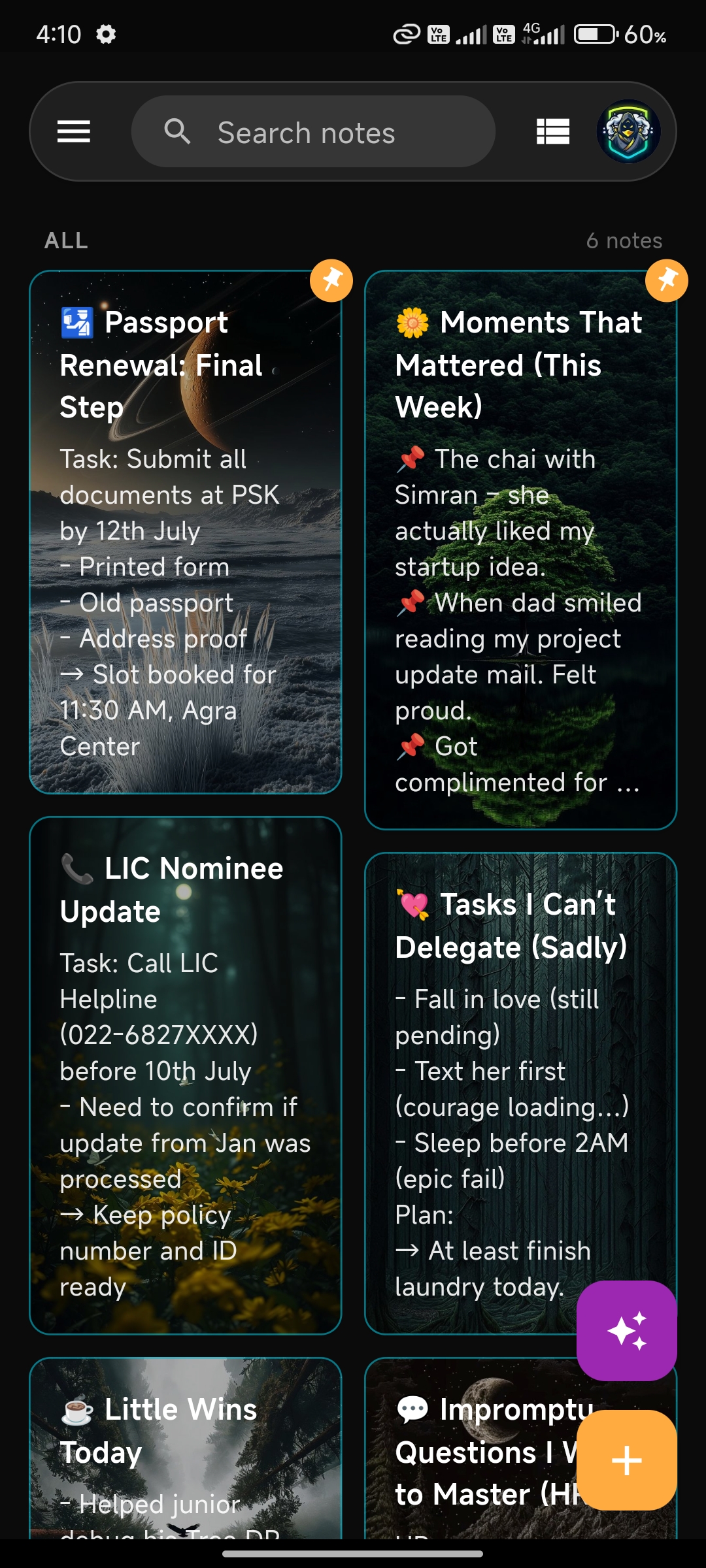
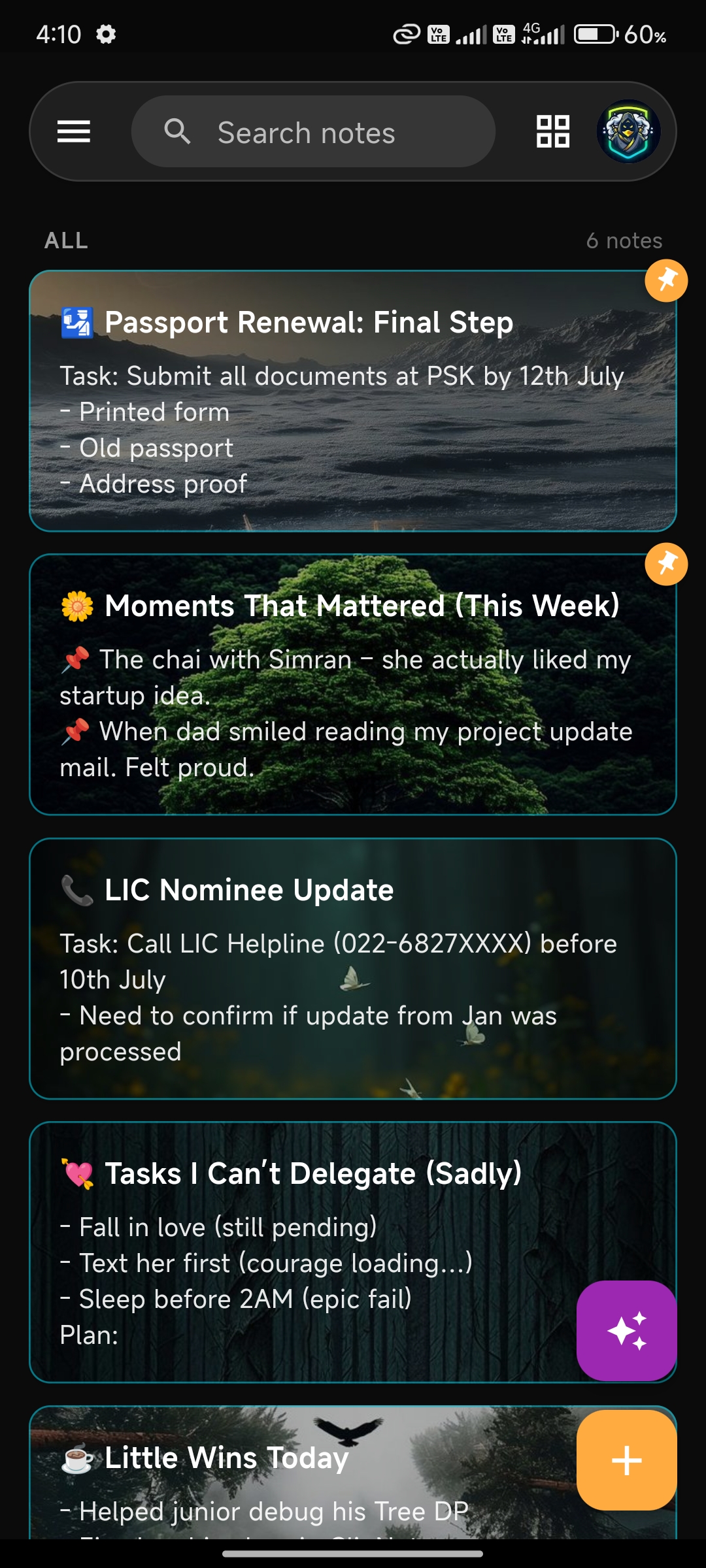
🏡 Home Screen – Staggered and Linear View
Toggle between Pinterest-style staggered and simple vertical layout.
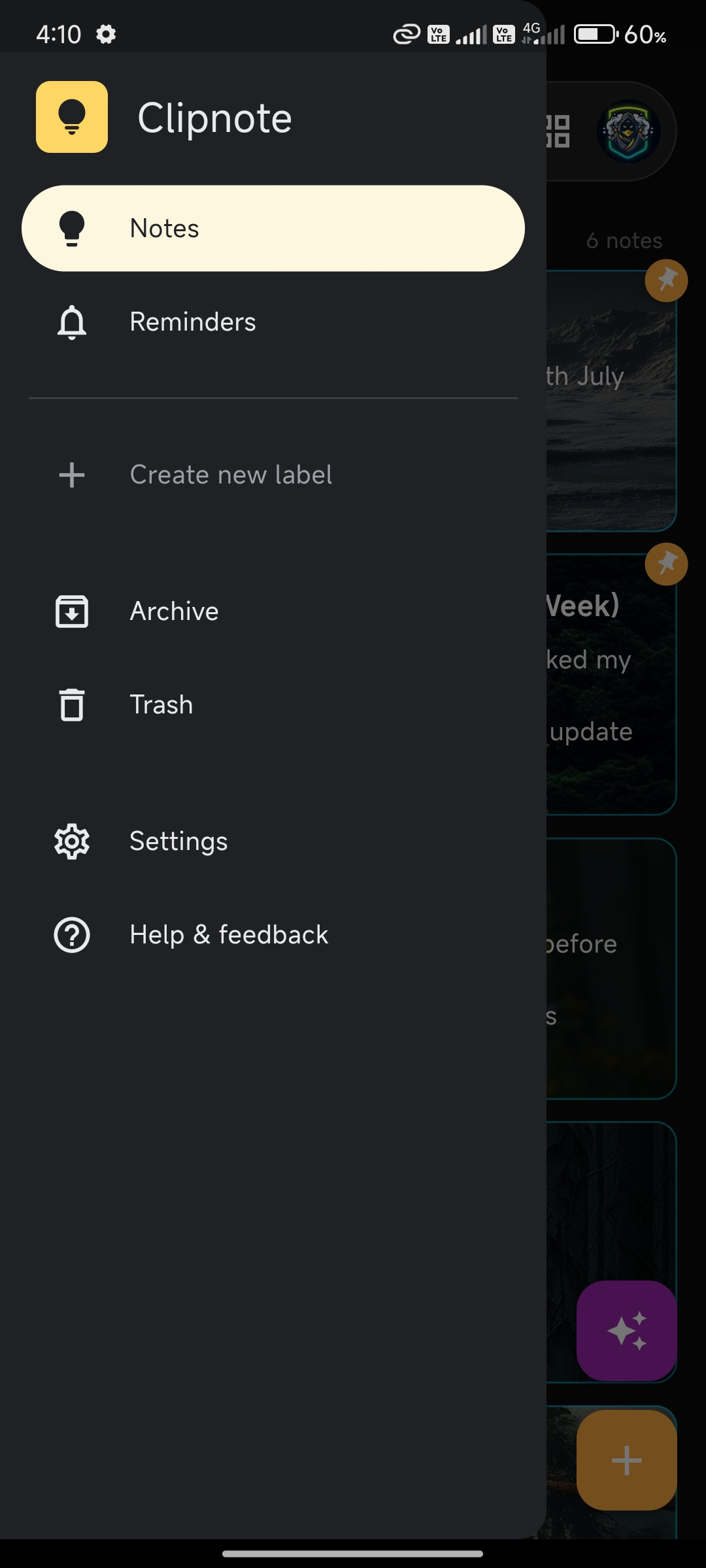
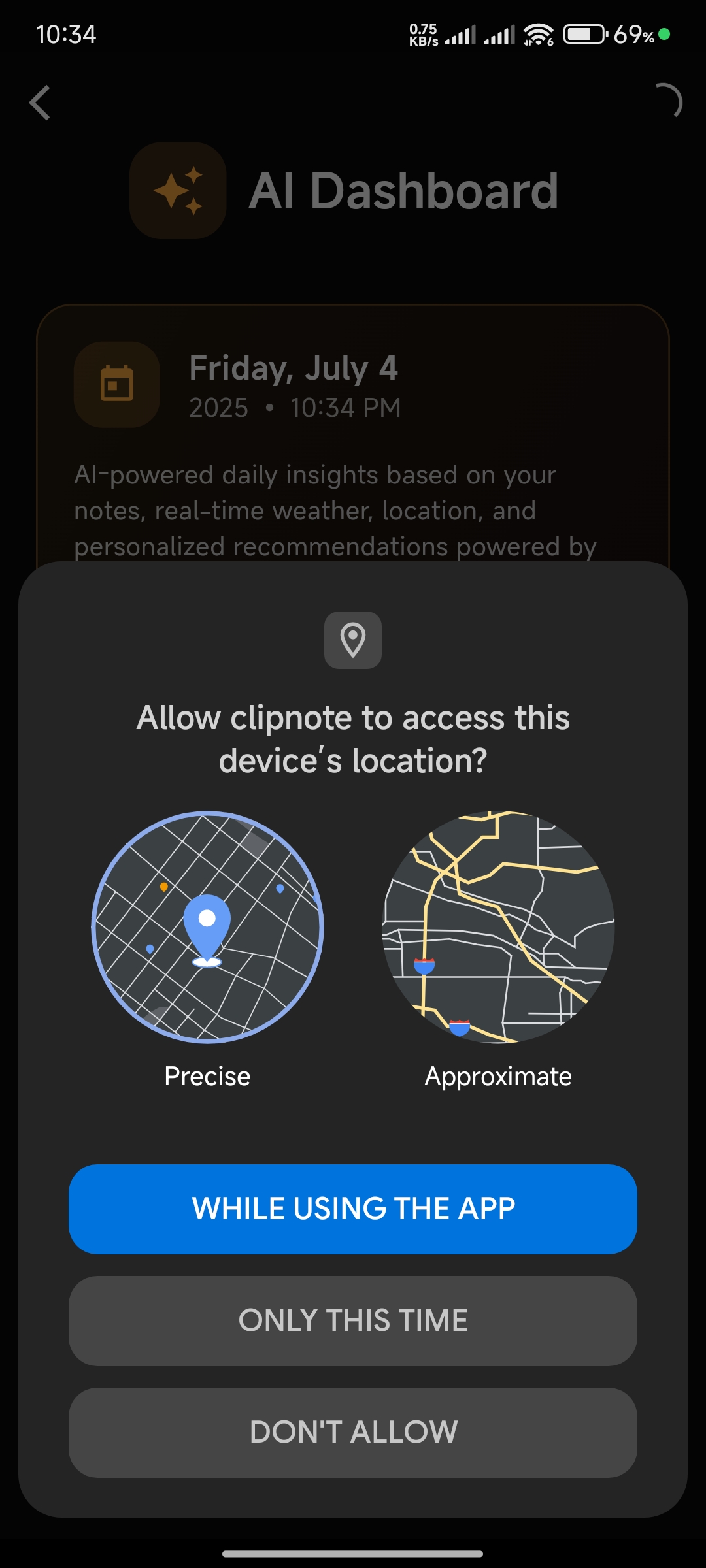
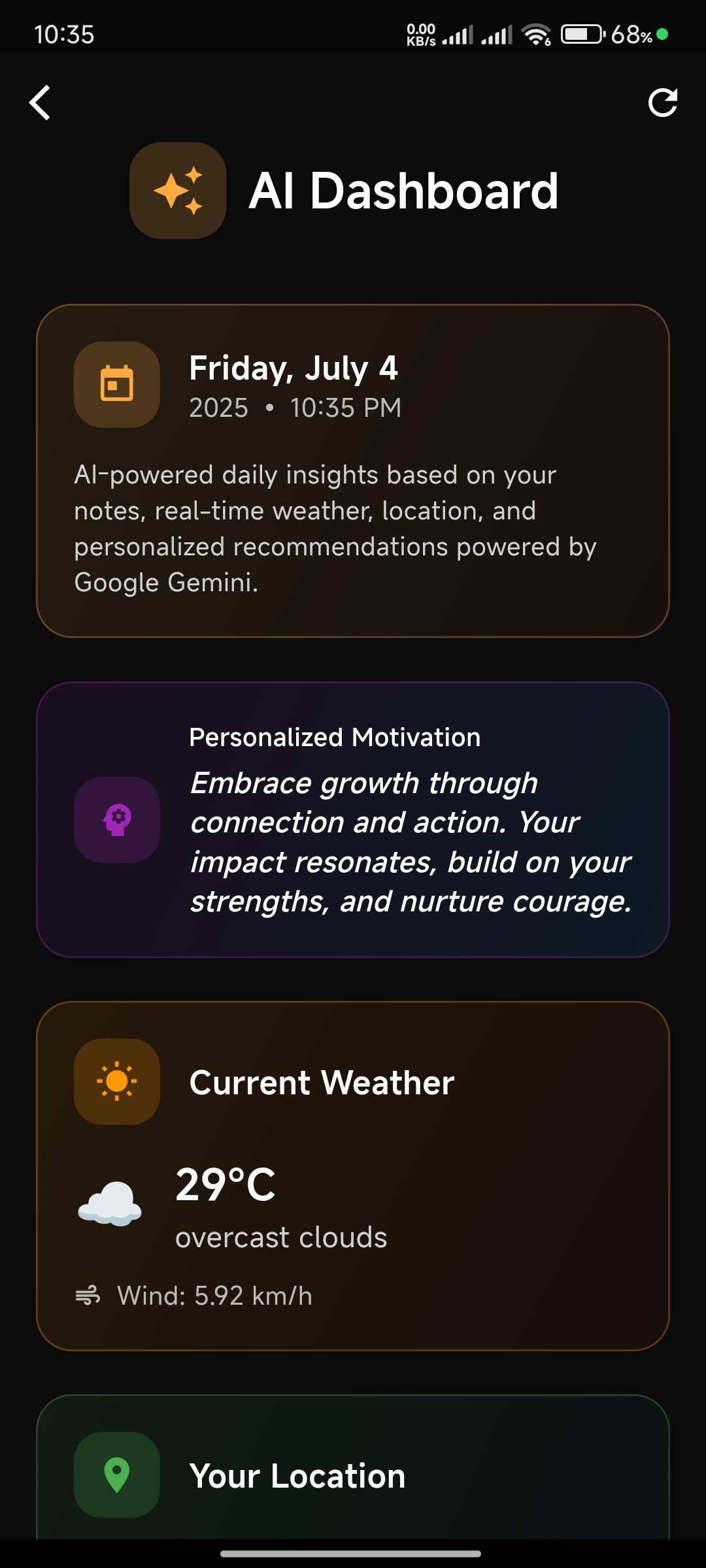
📂 Sidebar Navigation & AI Dashboard
Easily access Archive, Settings and Gemini-powered AI Dashboard.
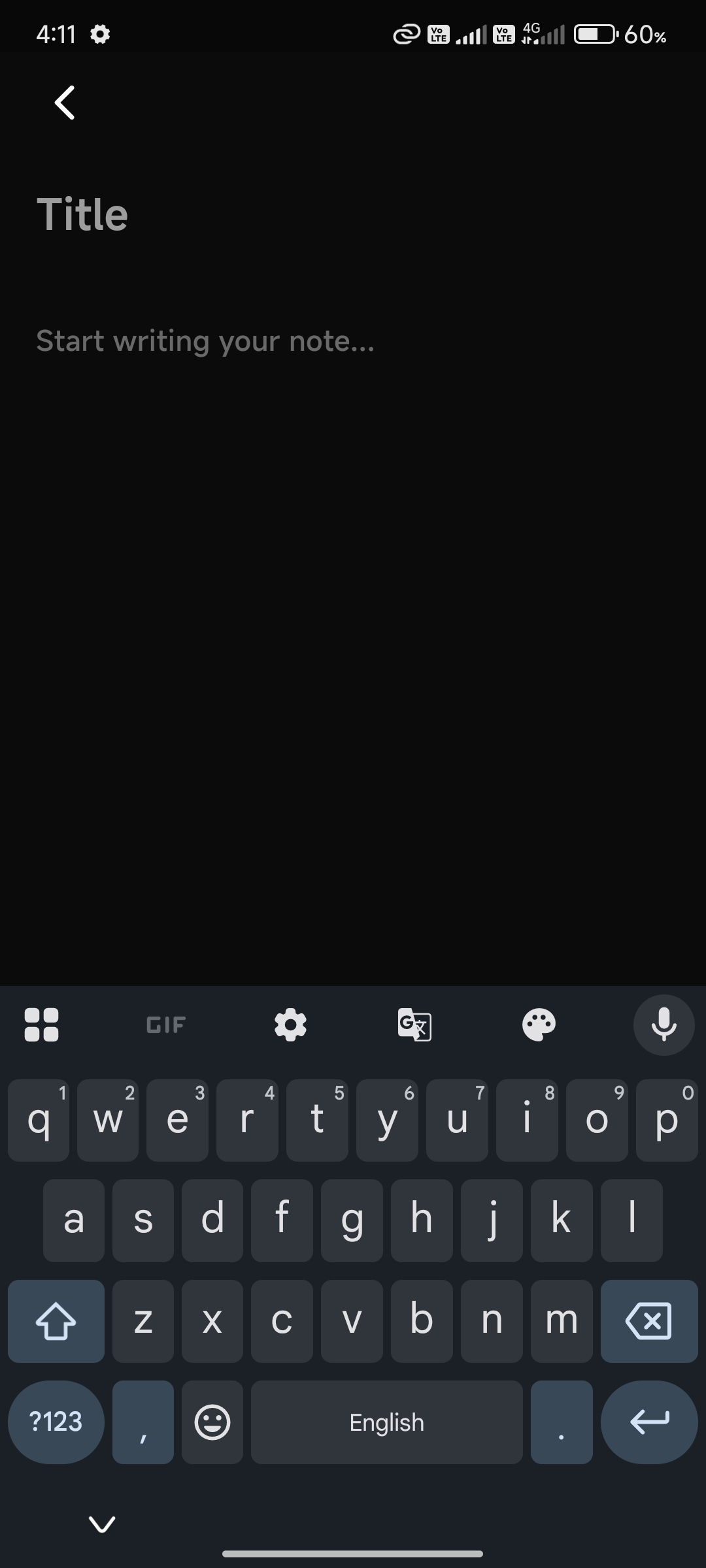
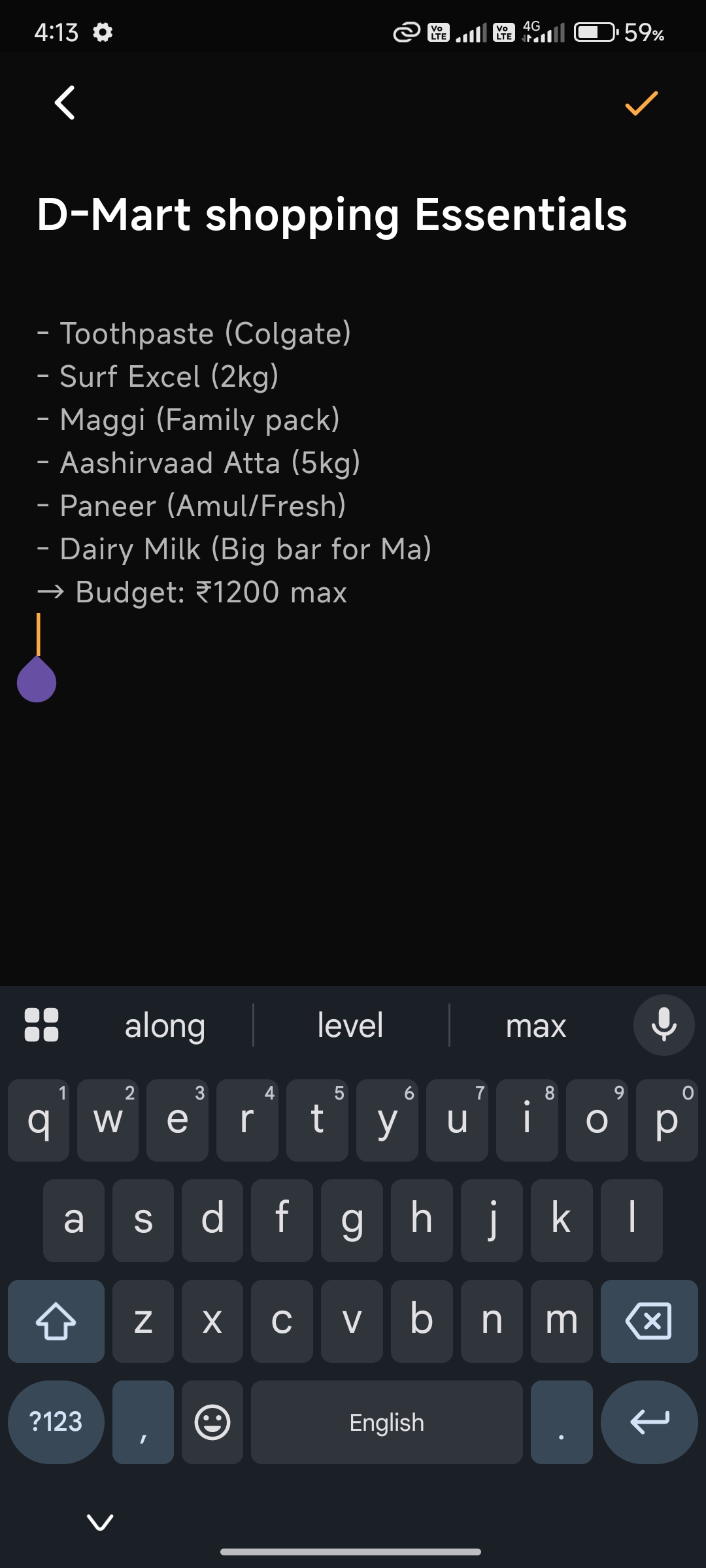
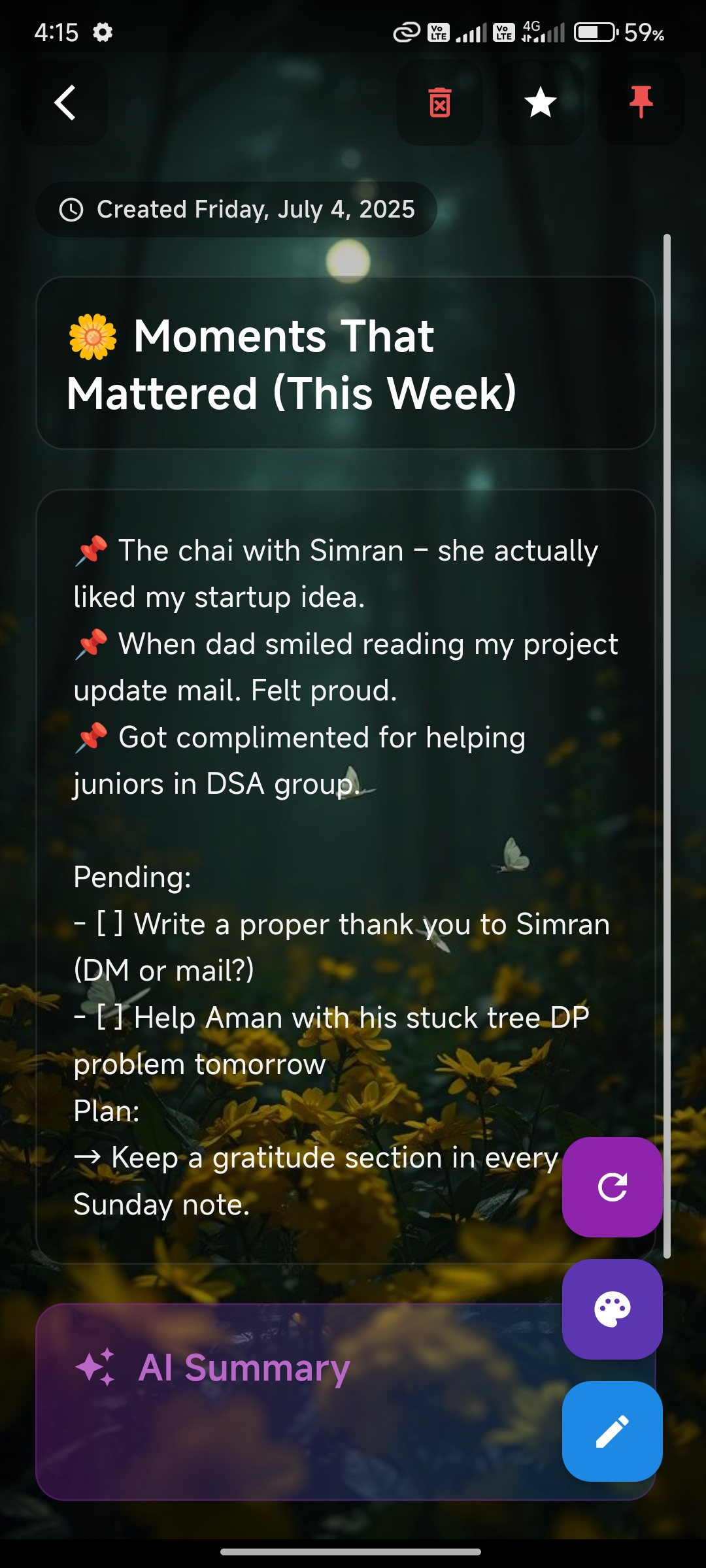
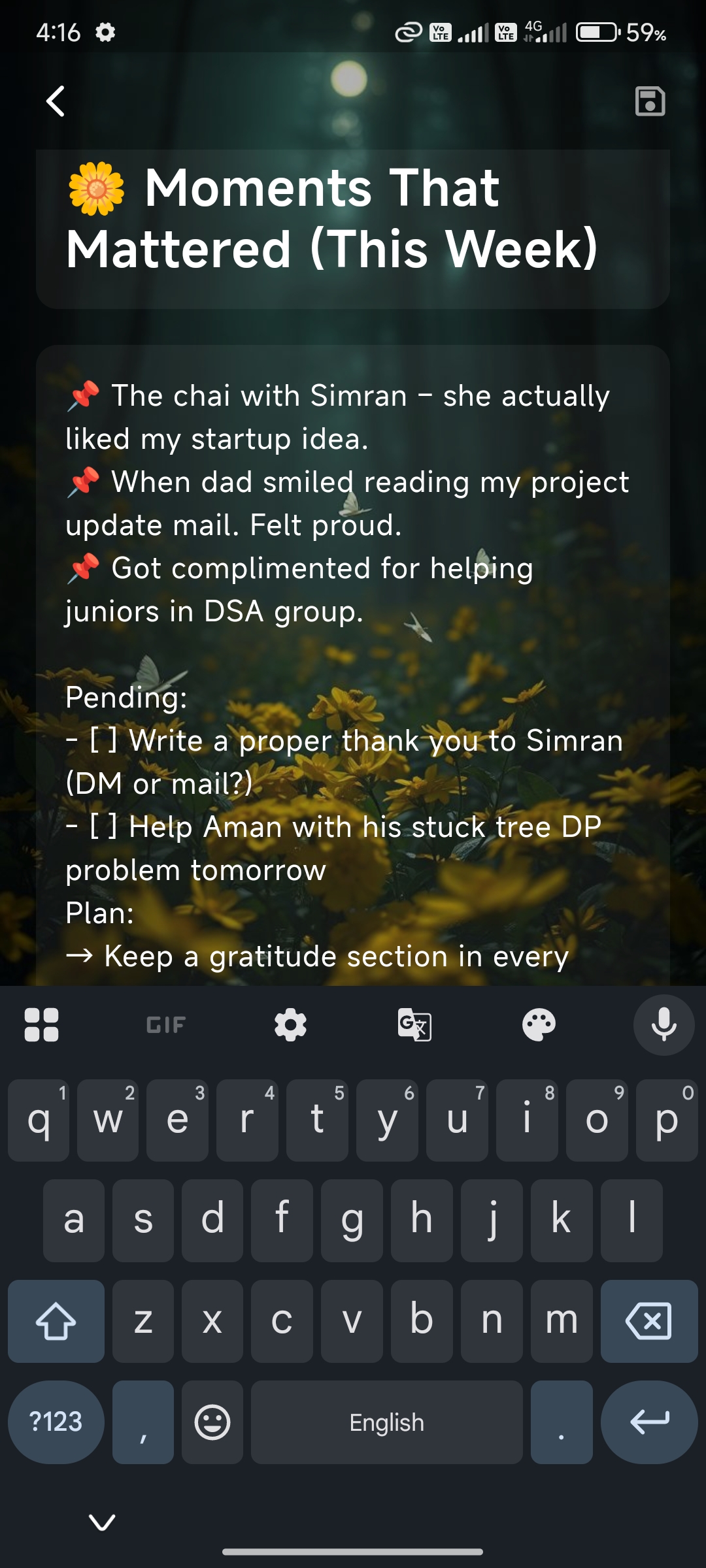
✍️ Creating, Viewing & Editing Notes
Write, edit, view and update notes — all synced in real-time to Firestore.
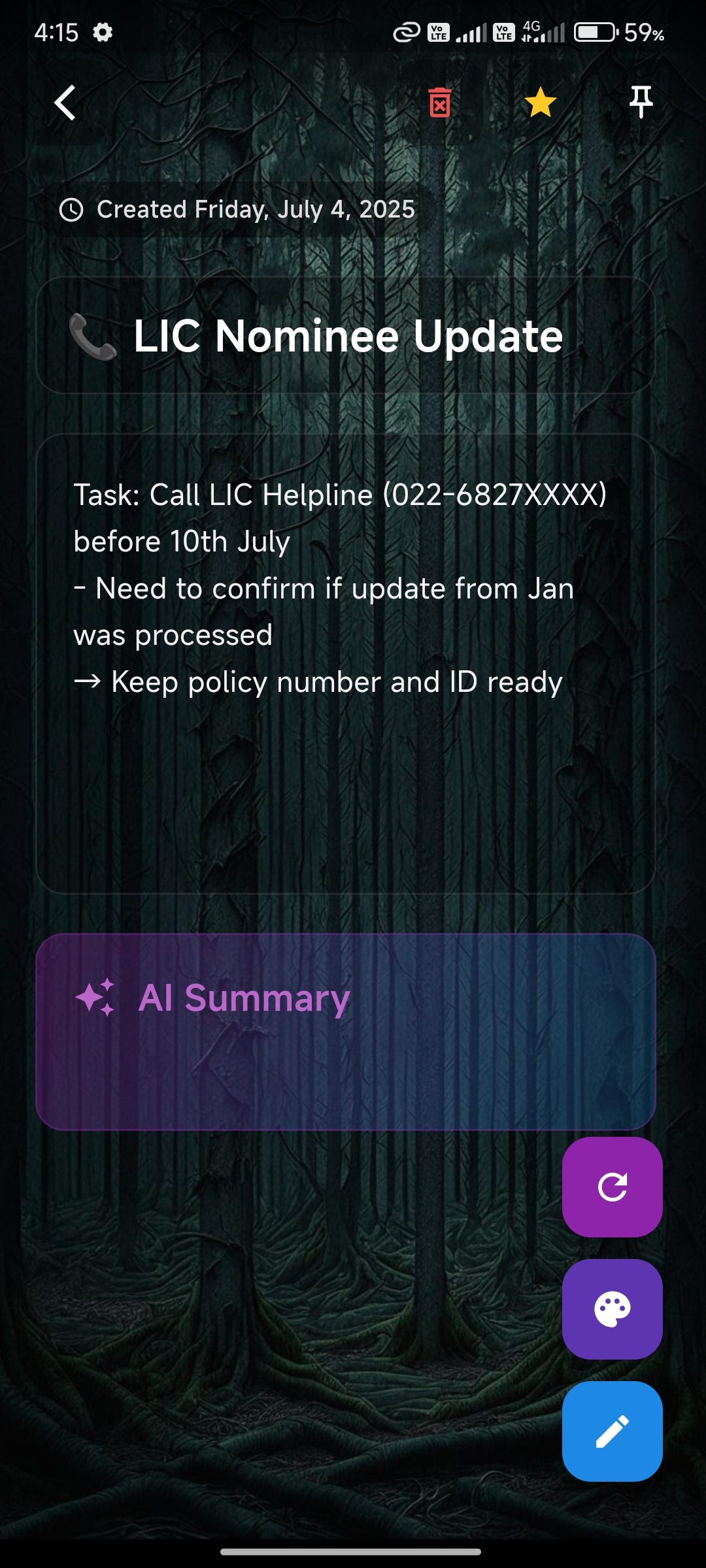
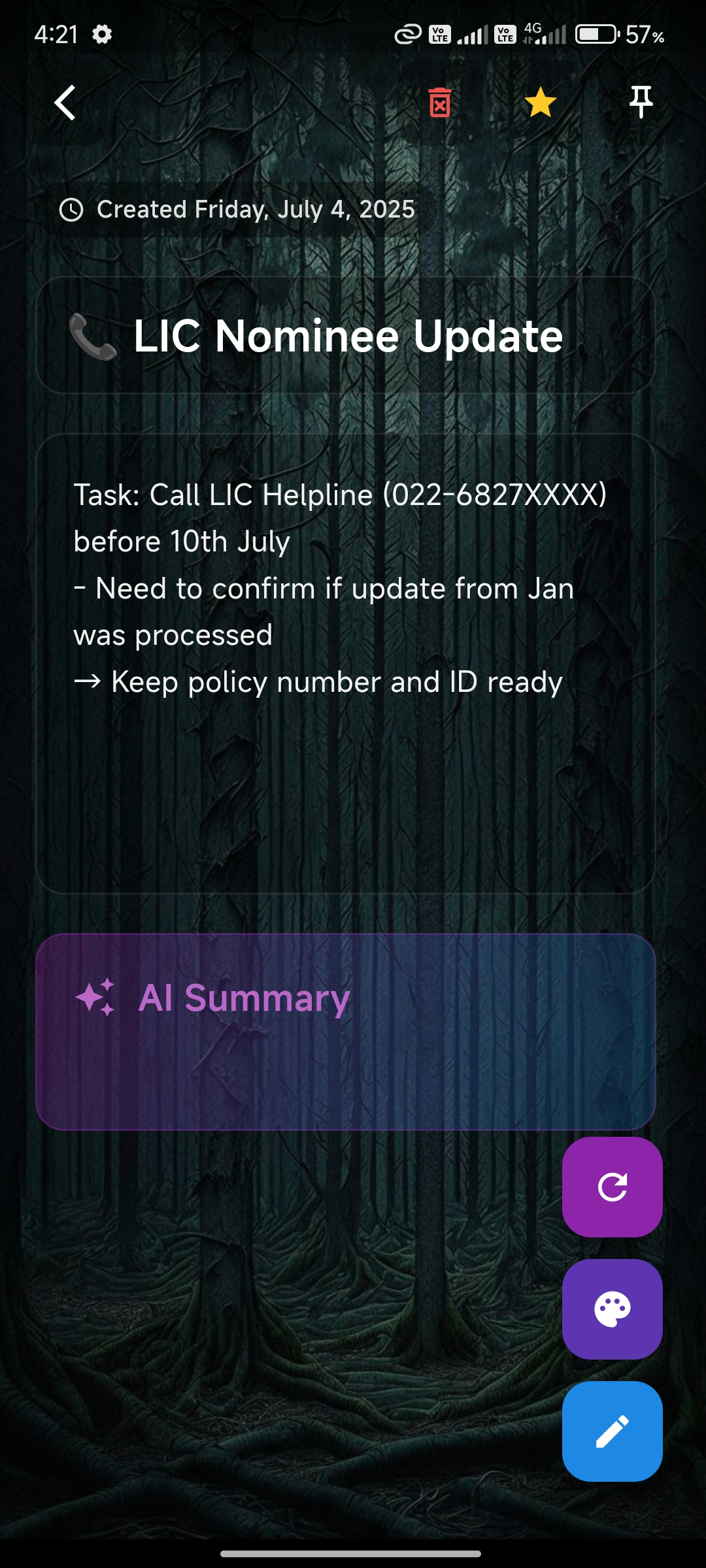
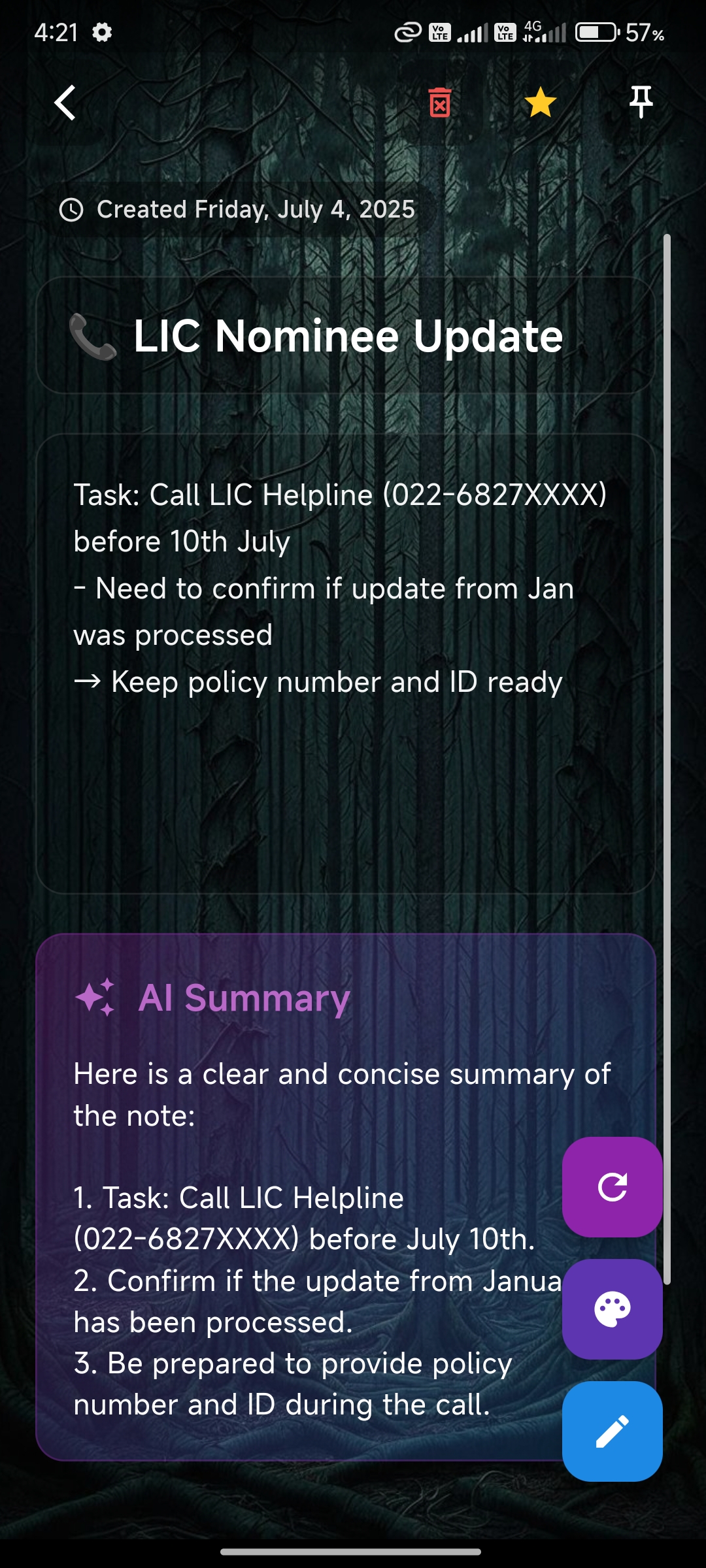
🧠 AI Summary Generation
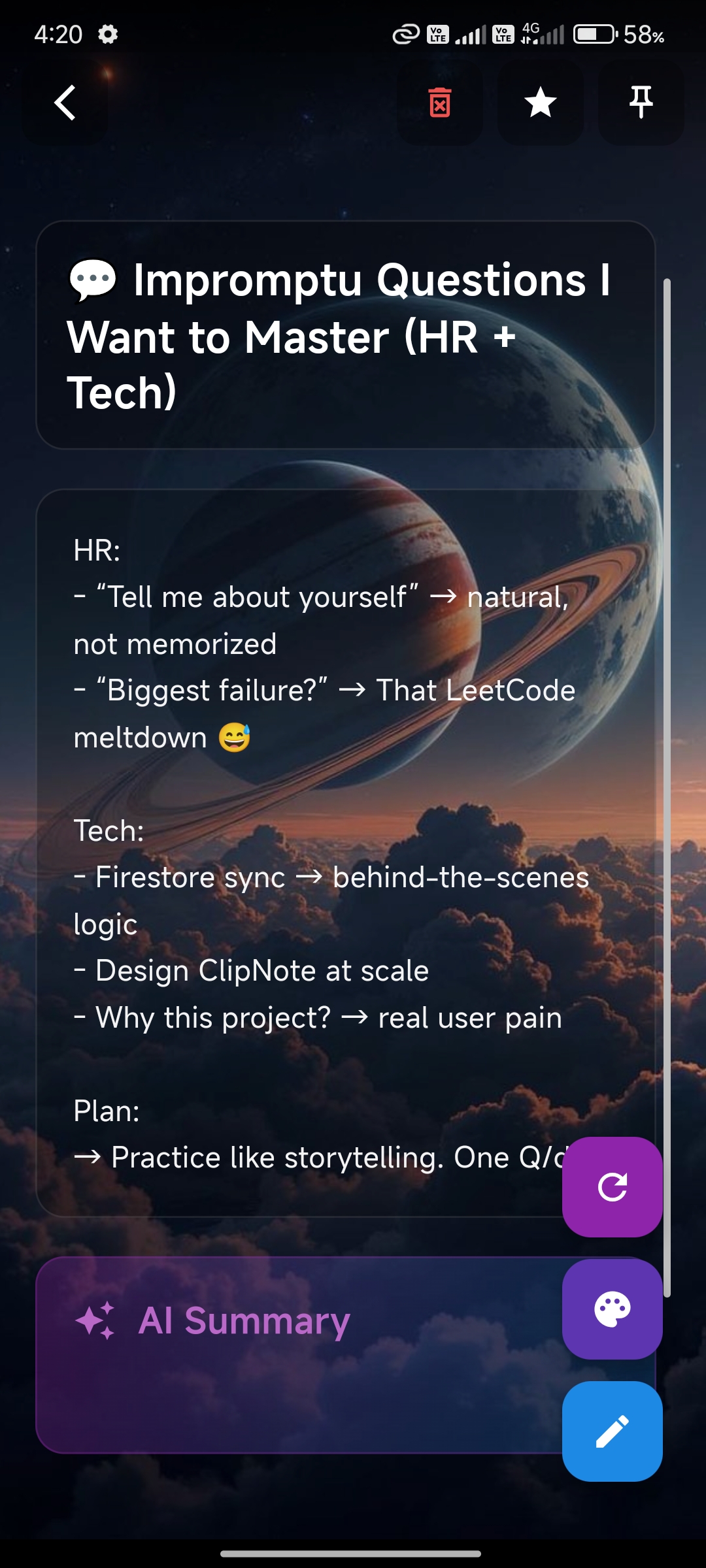
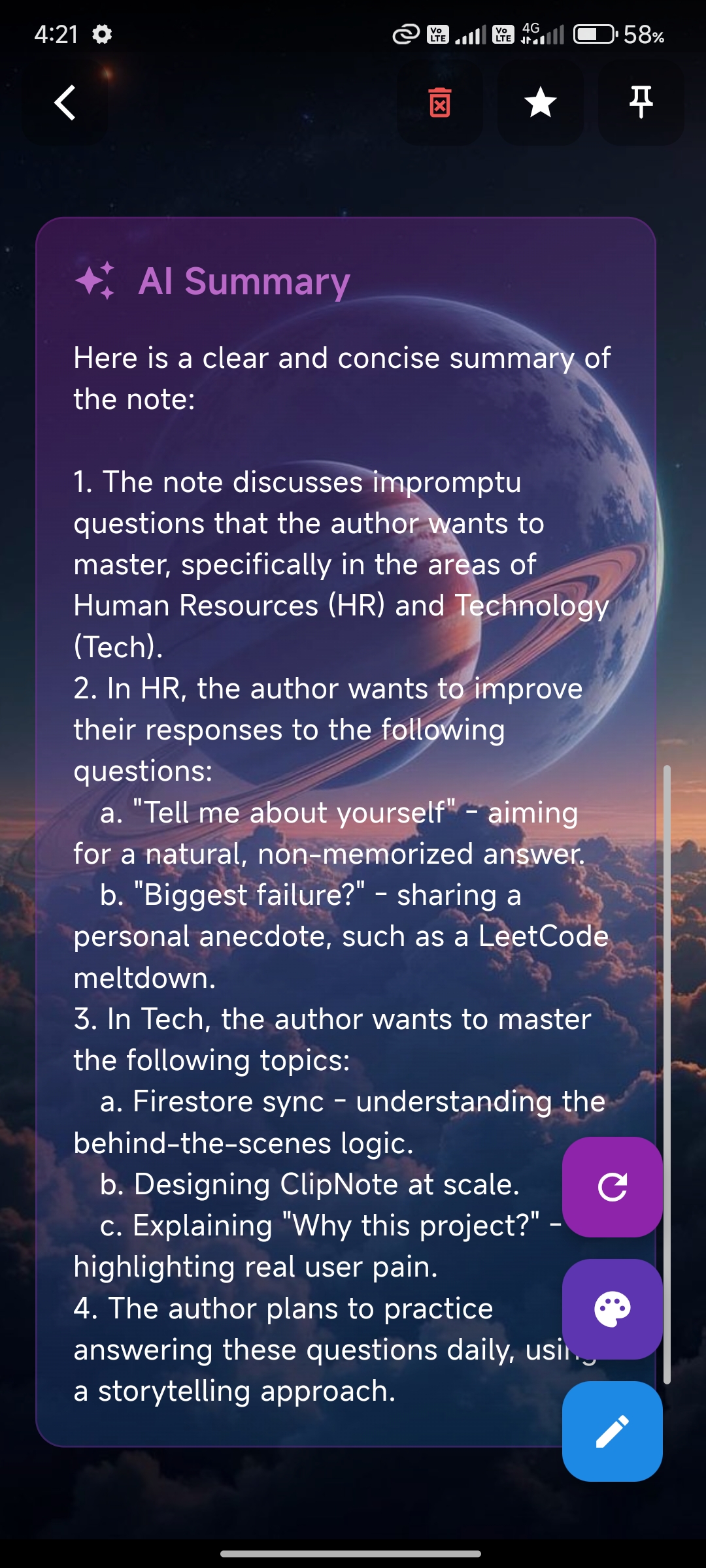
Use Gemini API to instantly summarize any note, stored back in Firestore.
🎨 Background Customization
Choose custom backgrounds for any note (similar to Google Keep).

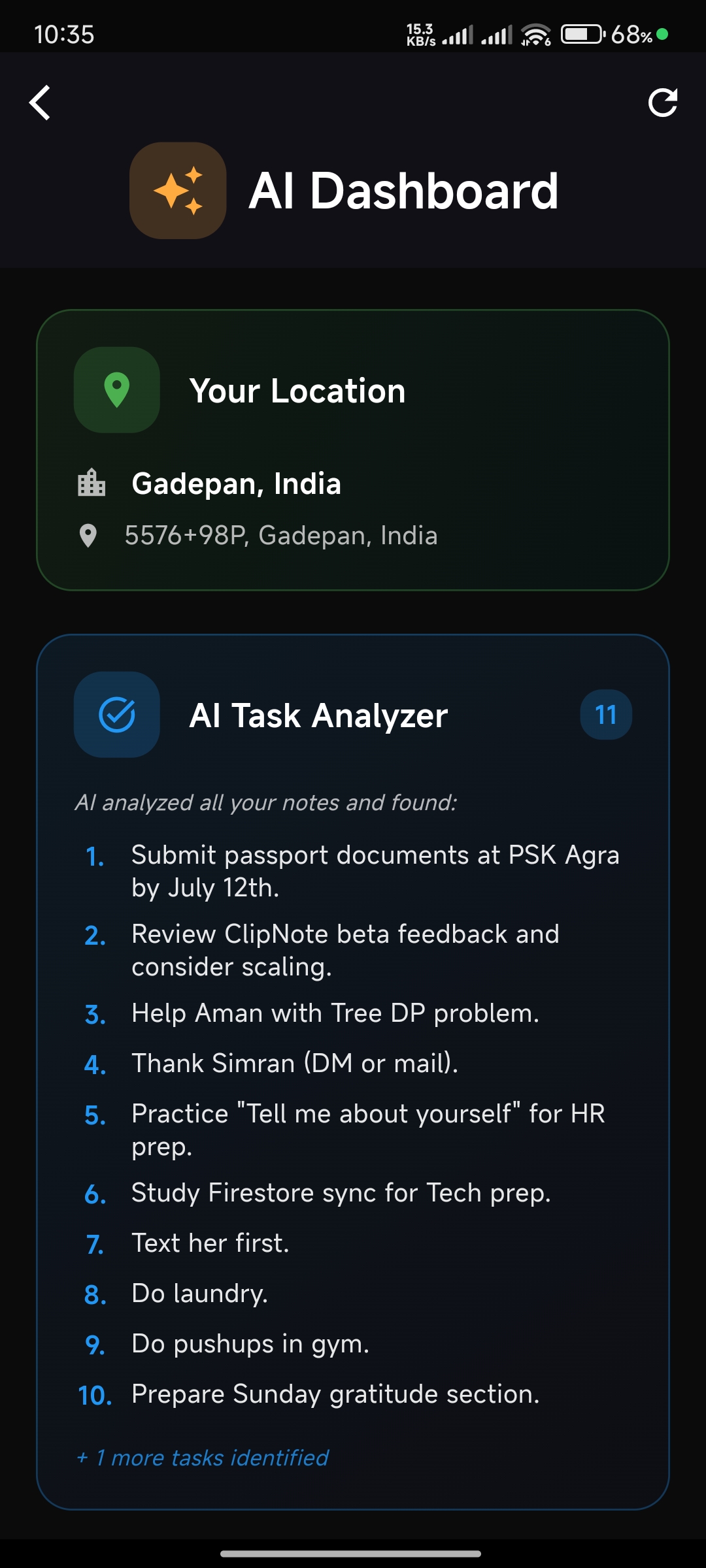
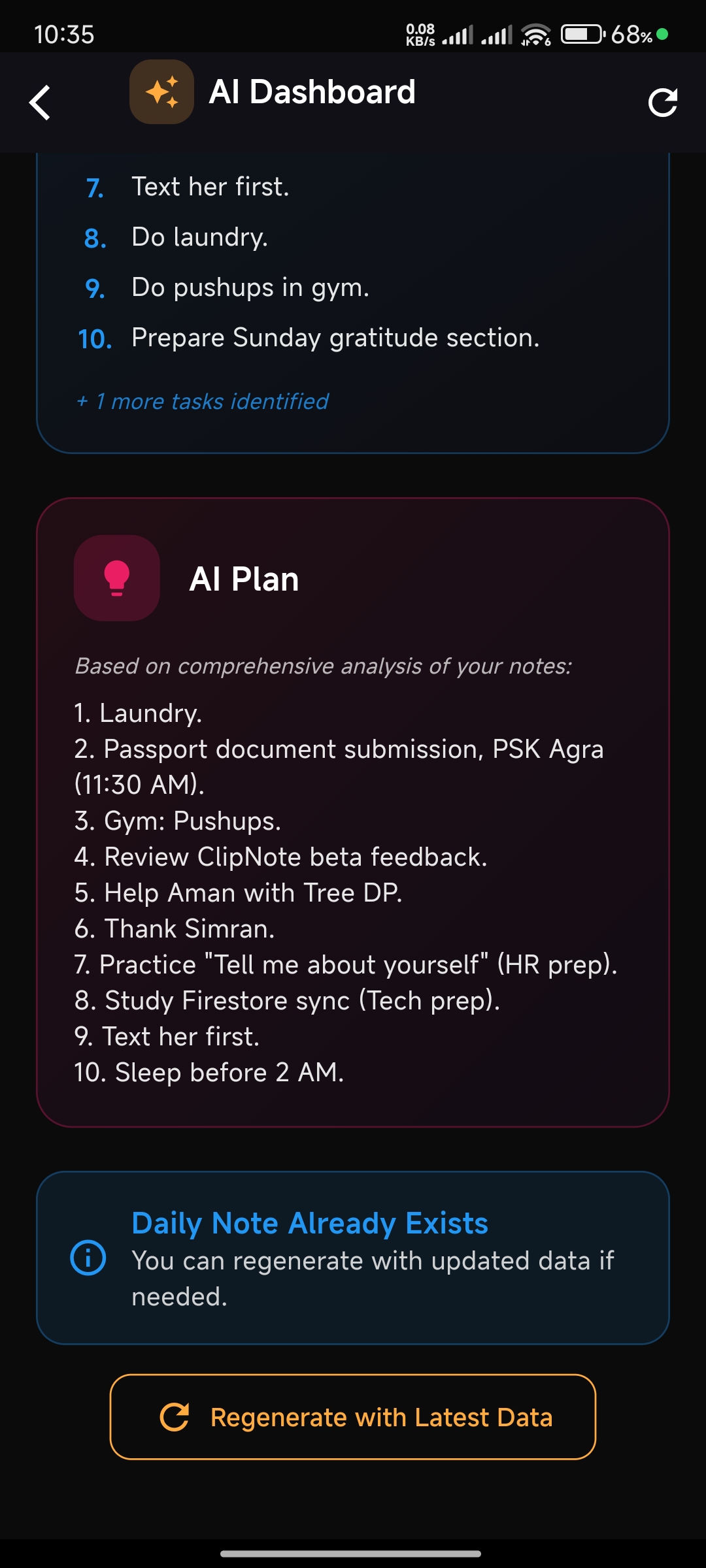
✅ AI Task Analyzer & Smart Plan
Gemini scans all notes to extract to-dos + generate a smart daily action plan.
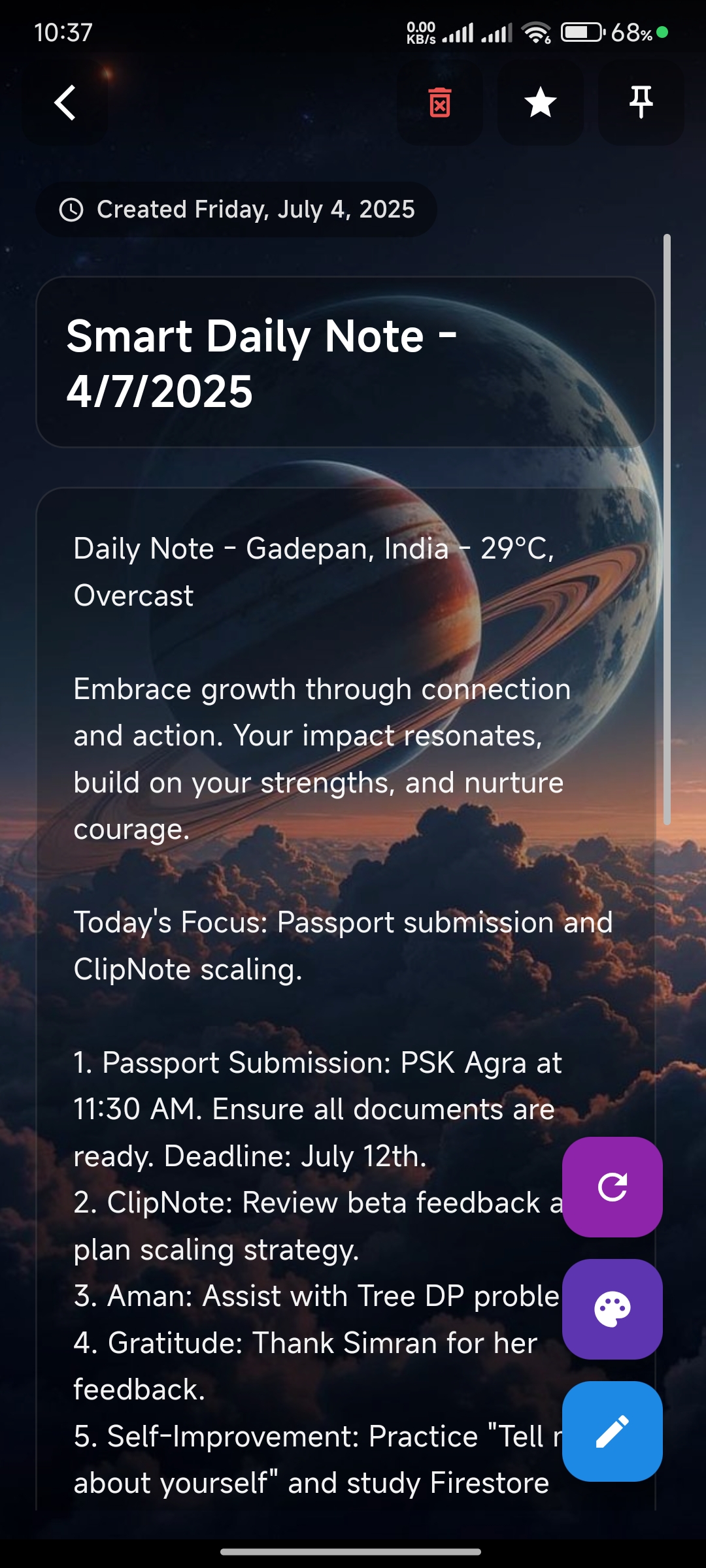
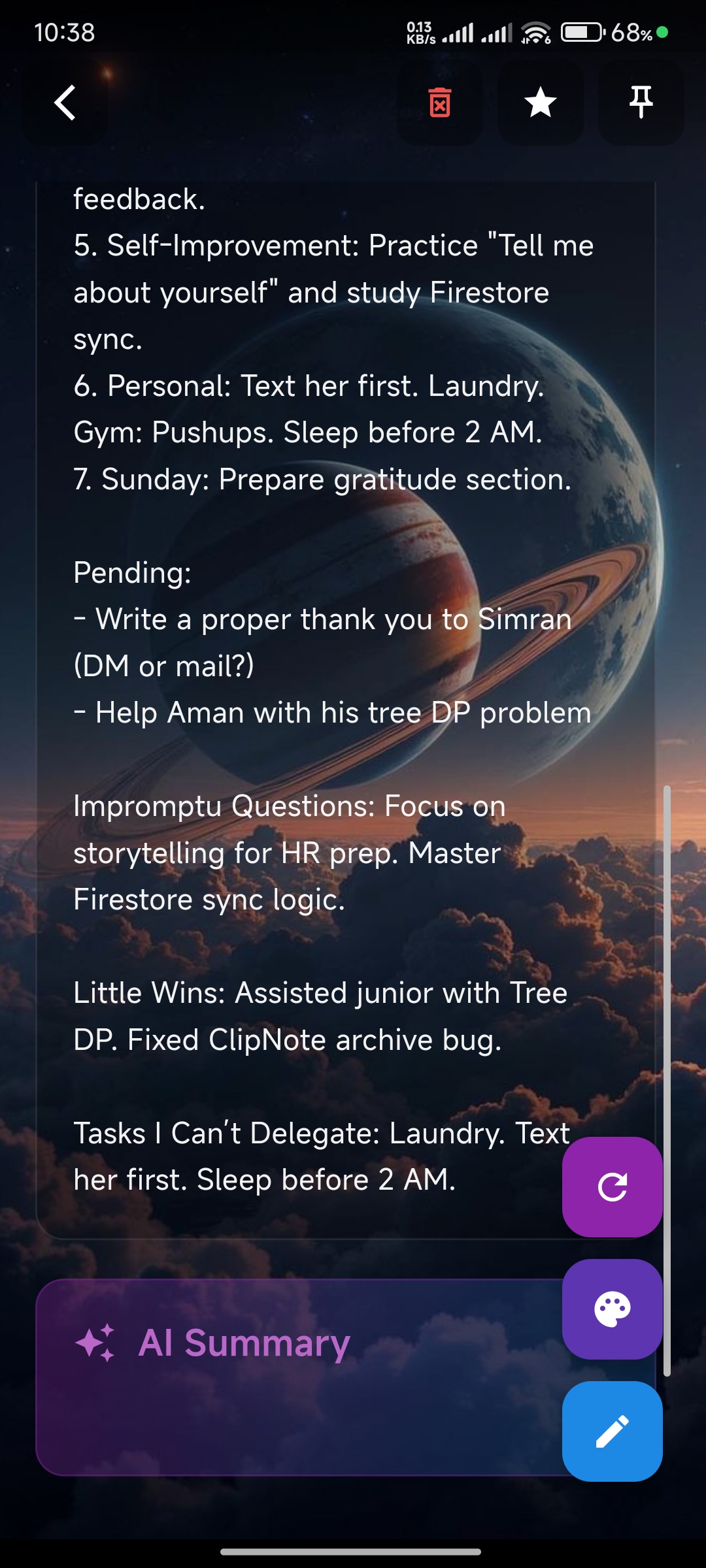
📝 Smart Daily Note Generator
Automatically creates a new note with tasks, motivation, plan, and weather.
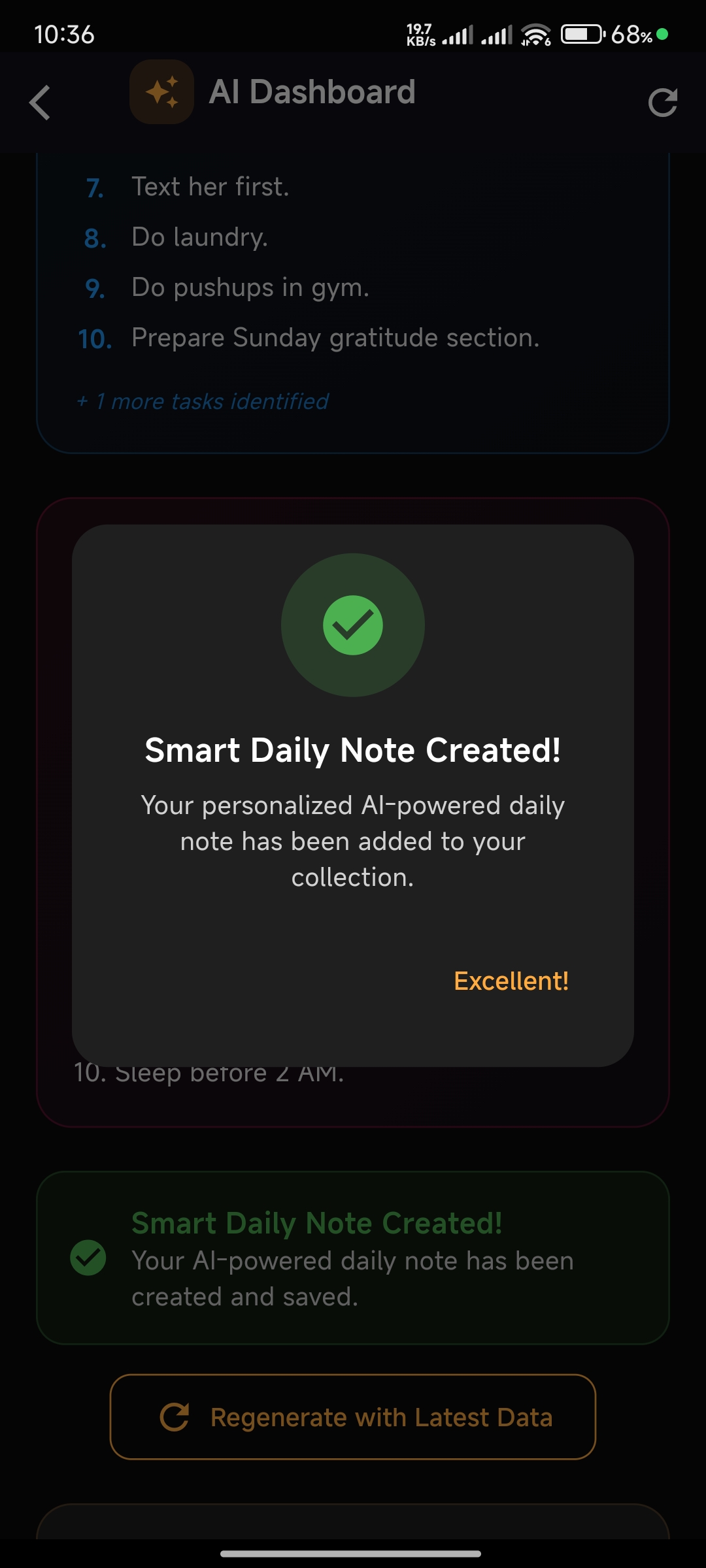
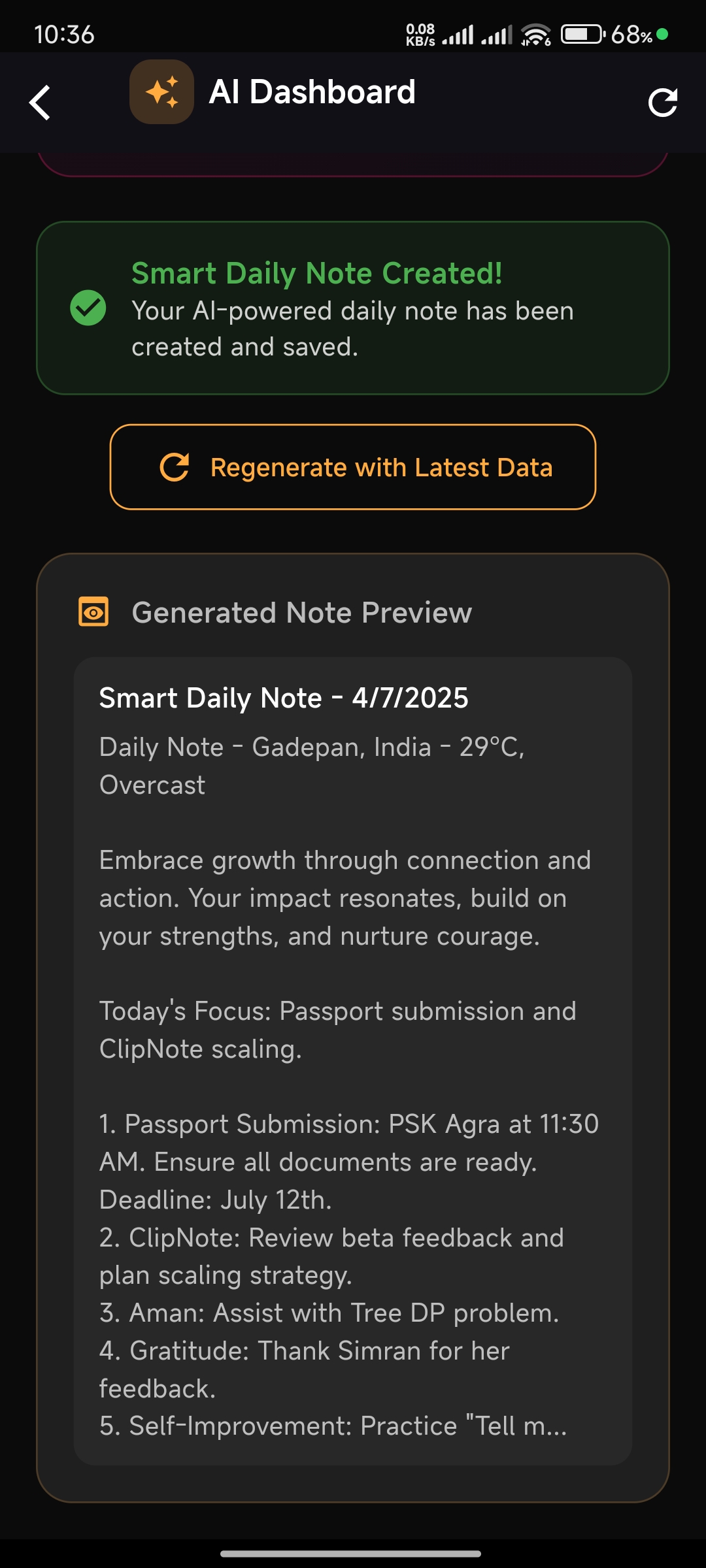
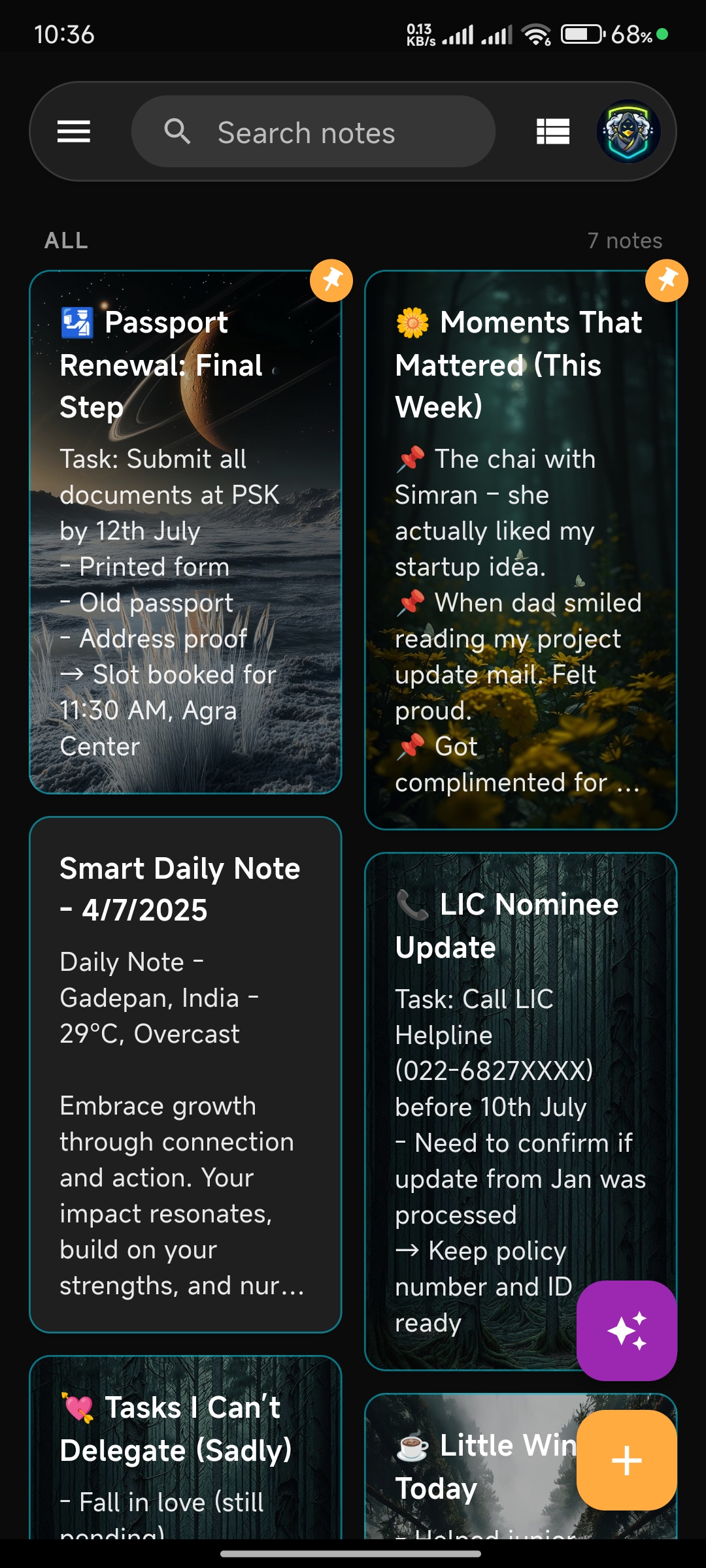
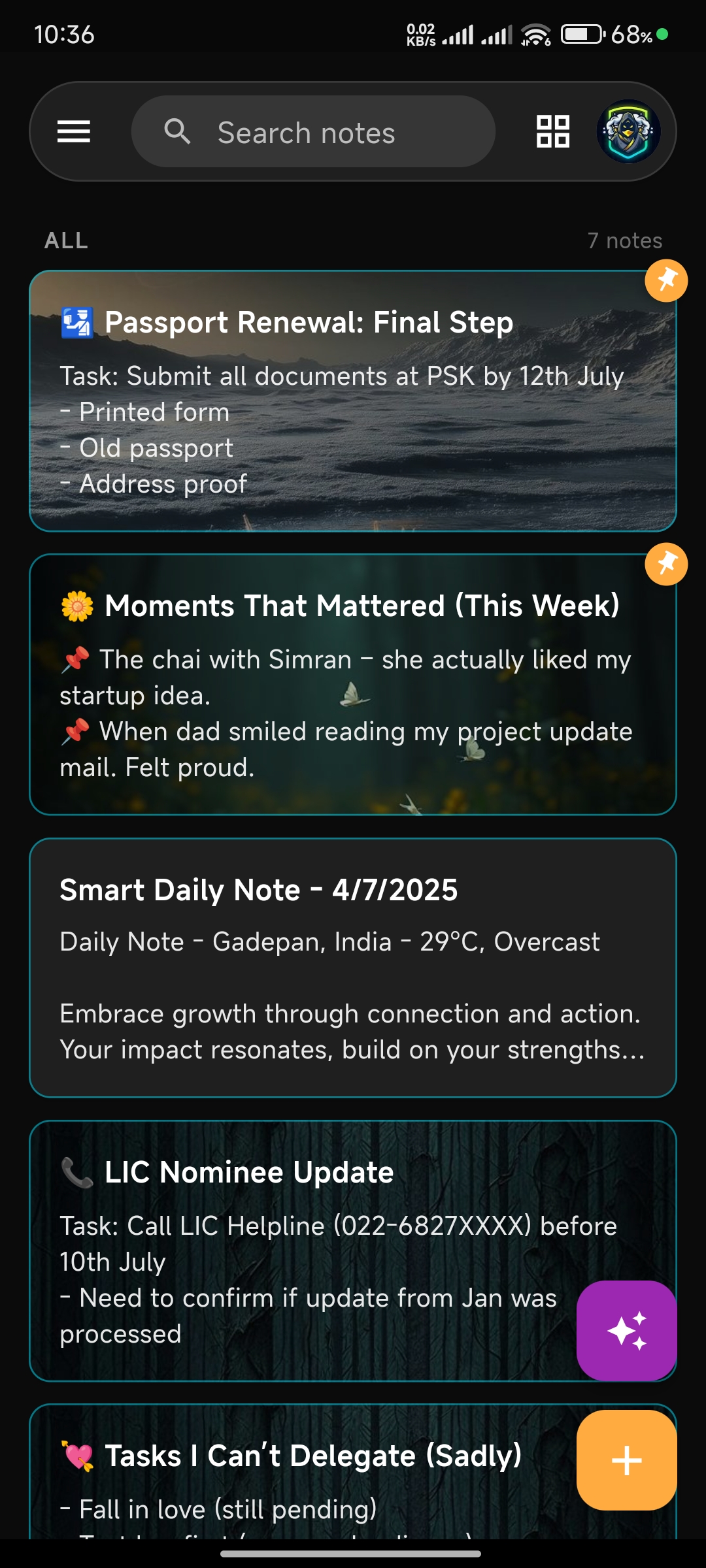
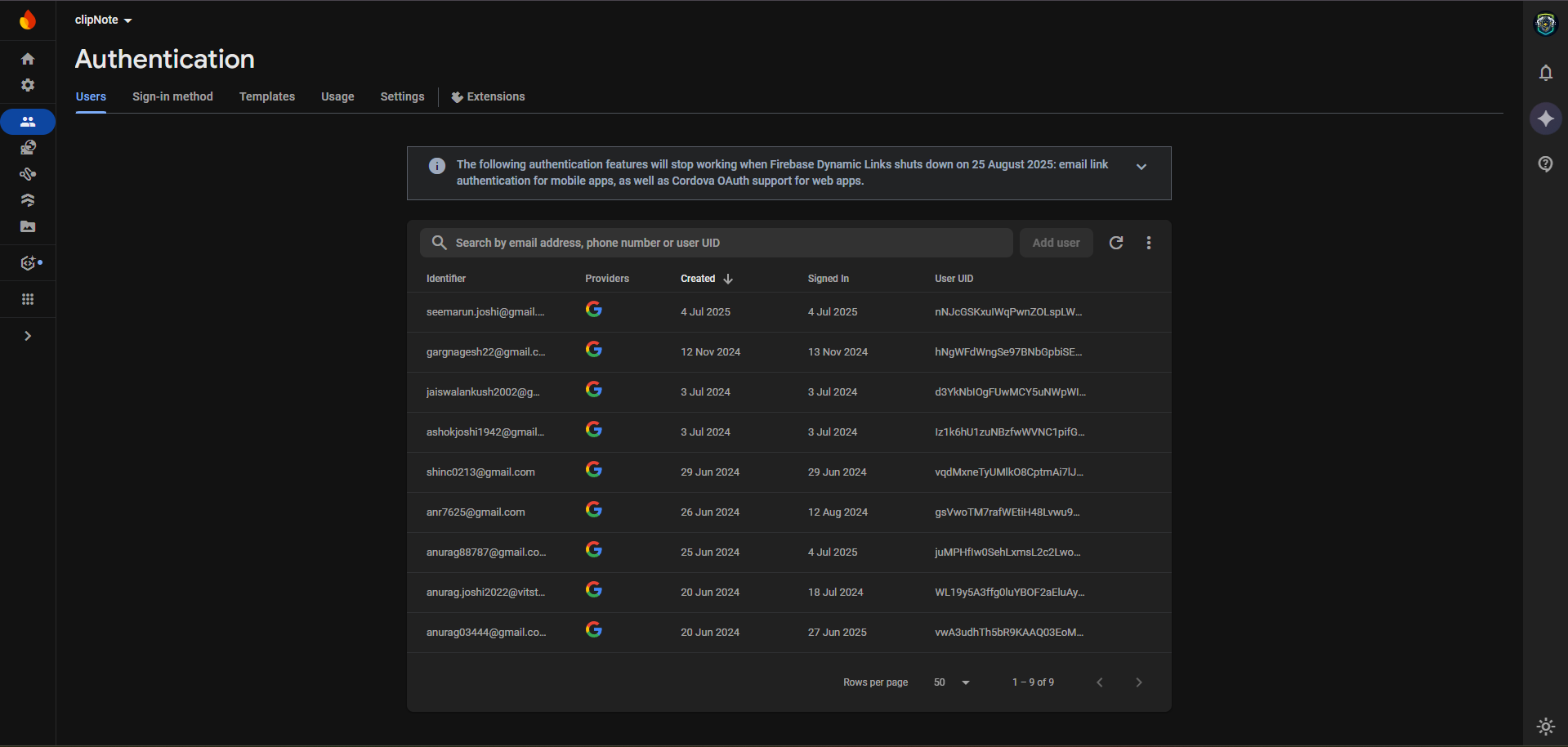
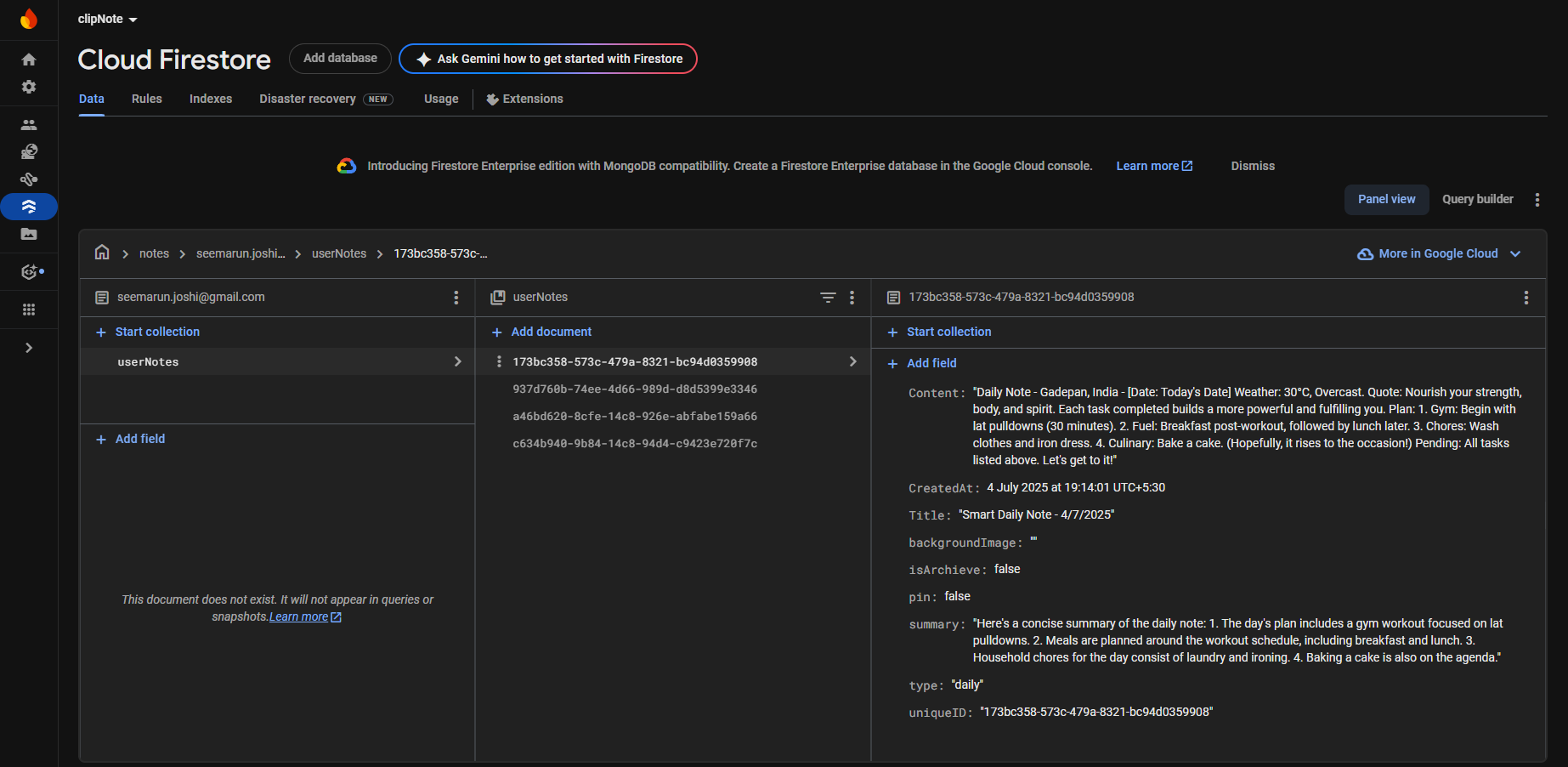
🔐 Firebase Auth & 🔎 Firestore Storage View
How ClipNote handles sign-in and how each note is stored as key:value pairs.
🧰 Tech Stack
| Layer | Tools |
|---|---|
| Language | Dart |
| Framework | Flutter |
| Auth | Firebase Auth (Google Sign-In) |
| Database | Firestore |
| AI Services | Gemini API (Summaries, Plans, Tasks) |
| Weather | OpenWeatherMap API |
| Location | Geolocator |
| UI/UX | Staggered Grid, Floating Buttons, Gestures |
📁 Project Structure
lib/
│
├── model/                        # Data models used across the app
│   └── myNoteModel.dart          # Note model with fields and structure
│
├── services/                     # Backend and utility logic
│   ├── auth.dart                 # Firebase Auth integration
│   ├── db.dart                   # Local DB helpers (e.g., SQLite)
│   ├── firestore_db.dart         # Firestore CRUD and syncing
│   ├── ai_service.dart           # AI summary and Gemini API logic
│   ├── smart_daily_service.dart  # Generates smart daily notes using AI, tasks, weather
│   ├── account_switcher.dart     # Logic for switching accounts and resetting state
│   └── loginInfo.dart            # Stores current login session info
│
├── views/                        # UI Screens
│   ├── home.dart                 # Main notes dashboard (Keep-style)
│   ├── createNoteView.dart       # New note creation screen
│   ├── editNoteView.dart         # Editing existing notes
│   ├── noteView.dart             # Full note view with options
│   ├── archieveView.dart         # Archived notes display
│   ├── backgroundSwitcher.dart   # Choose note background
│   ├── SideMenuBar.dart          # Sidebar with navigation and settings
│   ├── settingsView.dart         # App preferences and options
│   ├── smart_dailynote_page.dart # Smart AI-powered daily planner
│   └── searchPage.dart           # Search functionality across notes
│
└── main.dart                     # Entry point, Firebase setup, routing
💻 Run Locally
git clone https://github.com/yourusername/clipnote.git
cd clipnote
flutter pub get
flutter run
Make sure you’ve:
- Connected Firebase with your app using google-services.json
- Added your Gemini API key (for AI features)
- Added your OpenWeatherMap API key (for weather integration)
🙋♂️ About Me
Hi! I’m Anurag Joshi – passionate about problem solving

📎 LinkedIn: https://www.linkedin.com/in/anuragjoshi05/
📧 Email: anurag88787@email.com

Anurag Joshi ↗
श्रेणियाँ
उपयोग की गई निर्भरताएँ
निर्भरता सूची 28 आइटम
- flutter
{"sdk":"flutter"} - cupertino_icons
^1.0.6 - flutter_staggered_grid_view
^0.7.0 - flutter_lorem
— - google_fonts
^6.2.1 - sqflite
^2.3.3+1 - path
— - google_sign_in
— - firebase_auth
— - sign_in_button
— - shared_preferences
^2.2.3 - firebase_core
— - firebase_analytics
— - firebase_ui_auth
^1.15.0 - cloud_firestore
^5.0.1 - uuid
^4.4.0 - intl
^0.19.0 - url_launcher
^6.3.0 - font_awesome_flutter
^10.7.0 - flutter_colorpicker
^1.1.0 - http
^1.1.0 - flutter_dotenv
^5.1.0 - path_provider
^2.1.2 - geolocator
^10.1.0 - geocoding
— - flutter_animate
^4.5.0 - flutter_testडेवलपमेंट
{"sdk":"flutter"} - flutter_launcher_iconsडेवलपमेंट
^0.13.1
अपने प्रोजेक्ट के लिए रिपॉज़िटरी कैसे चुनें?
उपयोग के अनुसार छाँटें, गतिविधि की तुलना करें और अपनाने से पहले मूल प्रोजेक्ट की आवश्यकताएँ जाँचें।
- नाम, लेखक या विवरण से खोजें और तकनीकी विषय से परिणाम सीमित करें।
- स्टार, फ़ोर्क और हाल के पुश की तुलना करें। स्टार रुचि दर्शाते हैं, गुणवत्ता की गारंटी नहीं।
- उपयोग से पहले GitHub पर README, लाइसेंस और Issues जाँचें।
स्रोत और रखरखाव
“A repository is the most basic element of GitHub.”
GitHub Docs — About repositories ↗