
 v1.0.0
secure_app_switcher
एप्लिकेशन स्विचर या कार्य सूची में एप्लिकेशन स्क्रीन पर सुरक्षा मास्किंग प्रभाव लागू करें।
37लाइक 95830-दिन डाउनलोड150Pub अंक
AndroidiOS
arkwycr/secure_app_switcher open-source repository details.

निर्भरता सूची 4 आइटम
{"sdk":"flutter"}^2.0.2{"sdk":"flutter"}^4.0.0यह अंग्रेज़ी मूल स्नैपशॉट है। नवीनतम सामग्री GitHub पर देखें।
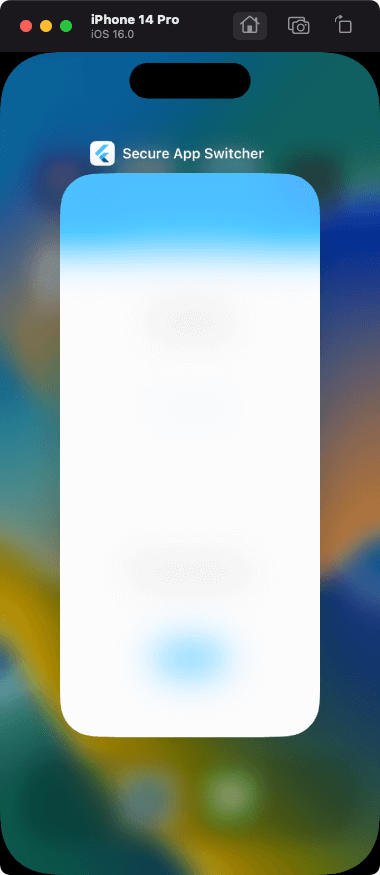
Apply a safe masking effect to the app screen on the app switcher or task list.
Functions can be enabled/disabled within any process. It also provides a mechanism for switching functions on a screen-by-screen basis.
The effect is different for iOS and Android.
import 'package:secure_app_switcher/secure_app_switcher.dart';

// ON
SecureAppSwitcher.on();

// OFF
SecureAppSwitcher.off();
It is necessary to set secureAppSwitcherRouteObserver to switch the function at the time of screen transition.
Wrap the target screen widget with MaterialPageRoute and SecureAppSwitcherPage.
@override
  Widget build(BuildContext context) {
    return MaterialApp(
      title: 'Secure App Switcher',
      onGenerateRoute: generateRoute,
      navigatorObservers: [secureAppSwitcherRouteObserver], // add
      initialRoute: '/',
    );
  }
// Example: Case where the function is enabled on screen A

Route<dynamic> generateRoute(RouteSettings settings) {
  switch (settings.name) {
    case "/":
      return MaterialPageRoute(builder: (context) {
        return const HomeScreen();
      });
    case "/screenA":
      return MaterialPageRoute(builder: (context) {
        return const SecureAppSwitcherPage( // add
          style: SecureMaskStyle.dark,
          child: ScreenA(),
        );
      });
  }
}
For iOS, you can specify the type of mask effect.
SecureAppSwitcher.on(iosStyle: SecureMaskStyle.blurLight);
| Light | Dark | BlurLight | BlurDark |
|---|---|---|---|
| https://user-images.githubusercontent.com/113876527/192409757-3289a563-b0df-43a5-9993-bea528019da6.png | https://user-images.githubusercontent.com/113876527/192409756-0484c91c-e8c2-4289-89ef-a23522a26a5d.png | https://user-images.githubusercontent.com/113876527/192409751-335f586e-89d7-4e13-8099-b15903065227.png | https://user-images.githubusercontent.com/113876527/192409701-57af88e0-35eb-4e25-ae38-f96fe6d0a664.png |
FLAG_SECURE of WindowManager LayoutParams is used.
| switching apps | screenshot disabled |
|---|---|
| https://user-images.githubusercontent.com/113876527/192409761-960d19ea-0b41-40eb-bbab-bd2a3c4cd2f9.png | https://user-images.githubusercontent.com/113876527/192409760-5ae06e9a-7d47-4352-9b59-f0efa81a5064.png |
Please file feature requests and bugs on the issue tracker.