पैकेज, रिपॉज़िटरी और ऐप श्रेणियाँ खोजें

GitHub रिपॉज़िटरीdartoos-dev/flutter_brand_palettes

flutter_brand_palettes

लोकप्रिय ब्रांड और कंपनियों के रंग पैलेट

flutter_brand_palettes प्रोजेक्ट कवर
स्टार
8
फ़ोर्क
2
अंतिम पुश (UTC)
22 अग॰ 2024
प्रोजेक्ट स्थिति
सक्रिय

मूल README

यह अंग्रेज़ी मूल स्नैपशॉट है। नवीनतम सामग्री GitHub पर देखें।

flutter_brand_palettes

EO-Color logo

EO principles respected
here DevOps By
Rultor.com

pub license

build codecov CodeFactor Grade style: lint Hits-of-Code

Contents

Overview

Flutter Brand Palettes is a collection of declarative, object-oriented classes for the color palettes of popular brands and companies.

For example, to retrieve the Instagram colors at once, as a List<Color> object, simply declare InstagramGrad().colors — the 'Grad' suffix is short for Gradient.

For a single color, simply select it from the color palette class it belongs to. For example, the command Instagram.royalBlue() retrieves the royal blue color from the Instagram color palette; likewise, Instagram.yellow() retrieves the yellow color; and so on.

In addition, all classes are well-documented and fully unit-tested, passing through a CI pipeline with rigorous quality ports.

Getting Started

Instead of a constant integer value, a color is represented by a named constructor of its corresponding brand class. In this way, the source code becomes more object-oriented, readable and maintainable.

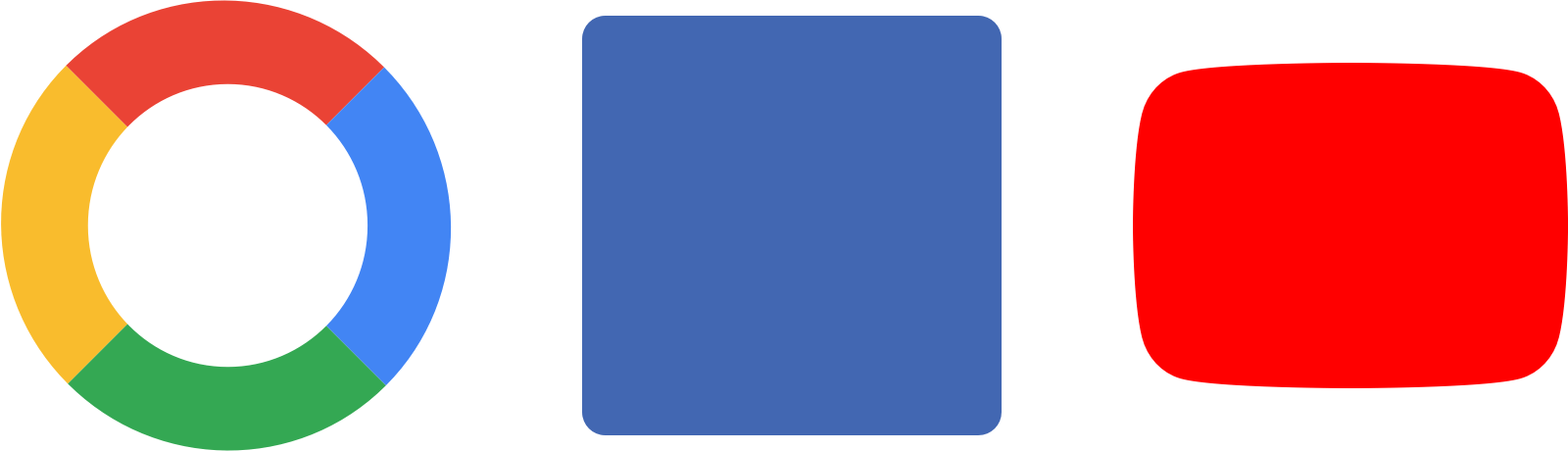
For example, the command Facebook.blue().color returns Facebook's blue color #4267B2. Similarly, the command Instagram.red().color returns Instagram's red color #FD1D1D; Google.red().color, Google's red color #DB4437. Therefore, the command pattern for any brand is: 'Brand.colorName().color'.

Color Palettes in Action

The code bellow builds a container widget whose background color is Facebook blue.

import 'package:brand_colors/flutter_brand_colors.dart';
import 'package:flutter/material.dart';

class FacebookIsh extends StatelessWidget {

  const _blue = Facebook.blue();

  @override
  Widget build(BuildContext context) => Container(color: _blue.color);
}

Color Gradient in Action

The code below builds a rectangle filled with the Google logo gradient.


/// Rectangle filled with Google logo color gradient.
class Googleish extends StatelessWidget {

  static final _googleGrad = const GoogleGrad().colors;

  @override
  Widget build(BuildContext context) {
    return Container(
      decoration: BoxDecoration(
        gradient: LinearGradient(colors: _googleGrad),
      ),
    );
  }
}

The result of the previous code in full screen

google_grad_full_screen

Demo application

The demo application provides a fully working example, focused on demonstrating exactly one brand in action: Instagram. You can take the code in this demo and experiment with it.

To run the demo application:

git clone https://github.com/dartoos-dev/flutter_brand_palettes.git
cd flutter_brand_palettes/example/
flutter run -d chrome

This should launch the demo application on Chrome in debug mode.

Demo-App

I need the 'X' color palette

Do you need a color palette that has not been implemented yet?

It doesn't matter the size and relevance of the company, not even if it's a tech company.

Just open an issue and enter the brand or company name; the color palette will be implemented as soon as possible.

Contribute

Contributors are welcome!

  1. Open an issue regarding an improvement, a bug you noticed, or ask to be assigned to an existing one.
  2. If the issue is confirmed, fork the repository, do the changes on a separate branch and make a Pull Request.
  3. After review and acceptance, the Pull Request is merged and closed.

Make sure the command below passes before making a Pull Request.

  flutter analyze && flutter test

List of Color Palettes (A-Z)

For more in-depth details — hex codes, brand colors, etc. —, check the color-palettes API documentation.

  • Amazon
    • black, orange.
  • American Express
    • bright blue, deep blue, neutral 1 (light grey), neutral 2 (dark grey).
  • Android
    • green.
  • Apple
    • black, silver, white.
  • Bitcoin
    • grey, orange, white.
  • Facebook
    • black, blue, grey, white.
  • FedEx
    • orange, purple.
    • Old Palette
      • black, blue, green, grey, red, yellow, white.
  • Flutter
    • blue, dark blue, dark grey, light blue, light grey, grey, white.
  • Google
    • blue, green, red, yellow.
  • Ibm
    • black, blue, white.
  • Instagram
    • blue, dark orange, dark pink, light yellow, orange, purple, purple-red, red, royal blue, yellow.
  • Iphone11
    • black, light green, light purple, light yellow, red, white.
  • Iphone11Pro
    • midnight green, rose-gold, silver, space grey.
  • Iphone7
    • black, gold, rose-gold, silver.
  • Iphone8
    • gold, silver, space grey.
  • IphoneXR2
    • black, blue, coral, red, white, yellow.
  • IphoneXS
    • black, gold, silver.
  • Kotlin
    • blue, orange, purple, violet.
  • Linkedin
    • blue, white.
  • Mastercard
    • black, orange, red, yellow.
  • Messenger
    • primaries
      • black, blue, cool white, coral, pink, purple.
    • neutrals (cool grey tones)
      • daylight, midnight, twilight.
  • Microsoft
    • blue, green, grey, orange-red, yellow.
  • Netflix
    • black, red, white.
  • Oracle
    • black, grey, red, white.
  • PayPal
    • black, pal blue, pay blue, white.
  • Pinterest
    • red, white.
  • Reddit
    • black, orange, white.
  • Slack
    • aubergine (eggplant), black, blue, green, red, yellow.
  • Spotify
    • black, green, white.
  • Swift
    • black, sunset orange.
  • TikTok
    • black, red, turqoise, white.
  • Tinder
    • grey, pink.
  • Twitter
    • black, blue, dark grey, extra extra light grey, extra light grey, light, grey, white.
  • Uber
    • primary
      • black, white.
    • safety
      • blue.
    • secondary
      • brown, green, orange, purple, red, yellow.
  • Visa
    • blue, gold.
  • Whatsapp
    • blue, light green, teal green, teal green dark, white, white chocolate.
  • Youtube
    • almost black, red, white.

Hex color values references

Dartoos GitHub avatar
GitHub लेखक

Dartoos ↗

Web and mobile software company

भाषाएँDartHTMLSwiftObjective-C

श्रेणियाँ

इस रिपॉज़िटरी के पैकेज

उपयोग की गई निर्भरताएँ

निर्भरता सूची 4 आइटम

  • eo_color^2.2.2
  • flutter{"sdk":"flutter"}
  • flutter_testडेवलपमेंट{"sdk":"flutter"}
  • lintडेवलपमेंट^2.3.0

अपने प्रोजेक्ट के लिए रिपॉज़िटरी कैसे चुनें?

उपयोग के अनुसार छाँटें, गतिविधि की तुलना करें और अपनाने से पहले मूल प्रोजेक्ट की आवश्यकताएँ जाँचें।

  1. नाम, लेखक या विवरण से खोजें और तकनीकी विषय से परिणाम सीमित करें।
  2. स्टार, फ़ोर्क और हाल के पुश की तुलना करें। स्टार रुचि दर्शाते हैं, गुणवत्ता की गारंटी नहीं।
  3. उपयोग से पहले GitHub पर README, लाइसेंस और Issues जाँचें।

स्रोत और रखरखाव

“A repository is the most basic element of GitHub.”

GitHub Docs — About repositories ↗
