

v0.8.0
flutter_android
एंड्रॉइड प्लेटफॉर्म-विशिष्ट एपीआई के लिए एक फ्लटर प्लगइन, एक ही पैकेज में एंड्रॉइड बाइंडिंग को केंद्रीकृत करके पुनरावृत्ति को कम करने के लिए।
40लाइक 21230-दिन डाउनलोड30Pub अंक
प्लेटफ़ॉर्म डेटा नहीं
Flutter के लिए Android बाइंडिंग प्लगइन।

यह अंग्रेज़ी मूल स्नैपशॉट है। नवीनतम सामग्री GitHub पर देखें।


This is a Flutter plugin for using Android's numerous platform-specific APIs in Flutter apps.
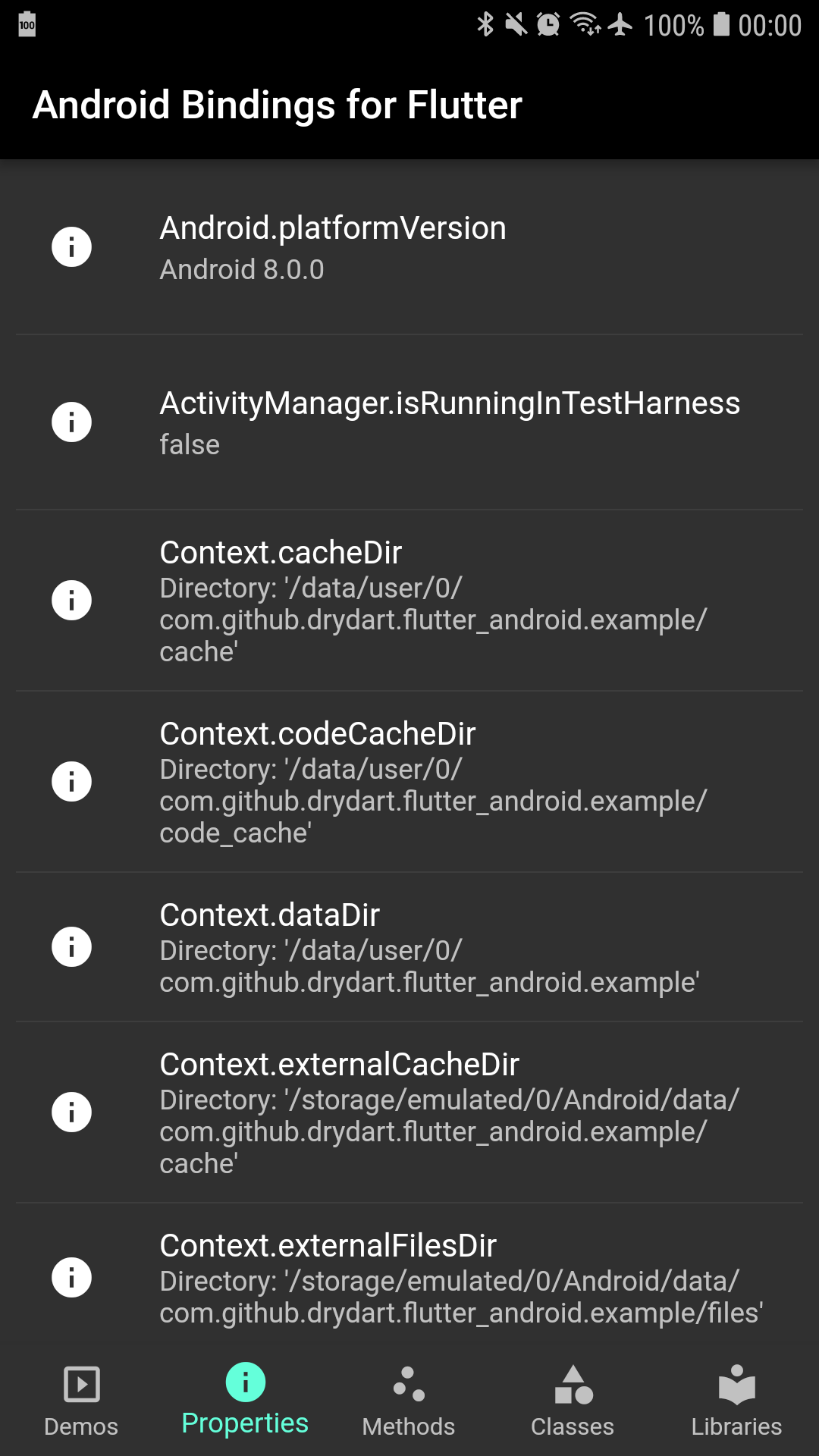
Android only.
dependencies:
  flutter_android: ^0.8.0
Implements bindings to a growing set of Android's platform-specific APIs.
Reduces duplication of effort by centralizing Android bindings in a single package.
| Feature | Flutter API |
|---|---|
| Activity launch | android_content.Intent#startActivity() |
| Bluetooth scanning | android_bluetooth.BluetoothLeScanner |
| Distance calculation | android_location.Location.distanceBetween() |
| Face detection | android_media.FaceDetector |
| Heart-rate monitoring | android_hardware.SensorManager.getDefaultSensor() |
| Parcel serialization | android_os.Parcel |
| Sensor event streams | android_hardware.Sensor#subscribe() |
TODO: dirs
import 'package:flutter_android/android_content.dart' show Intent;

await Intent(
  action: "android.intent.action.VIEW", // Intent.ACTION_VIEW
  data: Uri.parse("https://flutter.dev"),
).startActivity();
import 'package:flutter_android/android_os.dart' show Parcel;

var parcel = Parcel.obtain()
  ..writeBoolean(true)
  ..writeInt(42)
  ..writeDouble(3.1415)
  ..writeString("Hello, world!")
  ..writeList(<Object>[1, 2, 3])
  ..writeMap(<String, Object>{"a": 1, "b": 2, "c": 3});

await _channel.invokeMethod('someJavaMethod', parcel.asUint8List());

// In Java, your MethodCallHandler's call.arguments contains the marshaled Parcel
import 'package:flutter_android/android_graphics.dart' show Bitmap;
import 'package:flutter_android/android_media.dart' show Face, FaceDetector;

var photo = Image.asset("images/einstein.png");

var bitmap = Bitmap.fromAssetImage(photo.image as AssetImage);
var detector = FaceDetector(width: 280, height: 396);

for (var face in await detector.findFaces(bitmap)) {
  if (face.confidence < Face.CONFIDENCE_THRESHOLD) {
    continue; // skip dubious results below the cut-off threshold
  }
  print("Found a face at (${face.midPoint.x}, ${face.midPoint.y}) with confidence ${face.confidence}");
}
import 'package:flutter_android/android_hardware.dart'
    show Sensor, SensorEvent, SensorManager;

var sensor = await SensorManager.getDefaultSensor(Sensor.TYPE_HEART_RATE);

var events = await sensor.subscribe();
events.listen((SensorEvent event) {
  print(event.values[0]);
});
TODO
flutter_android APIs throw an AssertionError if they are invoked
when running on iOS. For cross-platform apps, we recommend that you depend
on the platform package to
conditionalize your use of Android APIs.androidimport 'package:flutter_android/android.dart' as android;
android_appimport 'package:flutter_android/android_app.dart' as android_app;
android_bluetoothimport 'package:flutter_android/android_bluetooth.dart' as android_bluetooth;
android_contentimport 'package:flutter_android/android_content.dart' as android_content;
ComponentNameContentValuesContext.cacheDirContext.codeCacheDirContext.dataDirContext.externalCacheDirContext.externalFilesDirContext.filesDirContext.getSharedPreferences()Context.getSystemService()Context.noBackupFilesDirContext.packageCodePathContext.packageNameContext.packageResourcePathIntentSharedPreferencesandroid_databaseimport 'package:flutter_android/android_database.dart' as android_database;
android_graphicsimport 'package:flutter_android/android_graphics.dart' as android_graphics;
android_hardwareimport 'package:flutter_android/android_hardware.dart' as android_hardware;
android_locationimport 'package:flutter_android/android_location.dart' as android_location;
android_mediaimport 'package:flutter_android/android_media.dart' as android_media;
android_osimport 'package:flutter_android/android_os.dart' as android_os;
BundleEnvironment.dataDirectoryEnvironment.downloadCacheDirectoryEnvironment.externalStorageDirectoryEnvironment.externalStorageStateEnvironment.rootDirectoryEnvironment.isExternalStorageEmulatedEnvironment.isExternalStorageRemovable| Android | Flutter |
|---|---|
android.app |
android_app |
android.app.Activity |
android_app.Activity |
android.app.ActivityManager |
android_app.ActivityManager |
android.app.AlarmManager |
android_app.AlarmManager |
android.app.AuthenticationRequiredException |
android_app.AuthenticationRequiredException |
android.app.DownloadManager |
android_app.DownloadManager |
android.app.KeyguardManager |
android_app.KeyguardManager |
android.app.Notification |
android_app.Notification |
android.app.Notification.Action |
android_app.NotificationAction |
android.app.Notification.Builder |
android_app.NotificationBuilder |
android.app.NotificationManager |
android_app.NotificationManager |
android.app.PendingIntent |
android_app.PendingIntent |
android.app.SearchManager |
android_app.SearchManager |
android.app.WallpaperColors |
android_app.WallpaperColors |
android.app.WallpaperInfo |
android_app.WallpaperInfo |
android.app.WallpaperManager |
android_app.WallpaperManager |
android.bluetooth |
android_bluetooth |
android.bluetooth.BluetoothAdapter |
android_bluetooth.BluetoothAdapter |
android.bluetooth.BluetoothDevice |
android_bluetooth.BluetoothDevice |
android.bluetooth.BluetoothHeadset |
android_bluetooth.BluetoothHeadset |
android.bluetooth.BluetoothManager |
android_bluetooth.BluetoothManager |
android.bluetooth.le.BluetoothLeScanner |
android_bluetooth.BluetoothLeScanner |
android.bluetooth.le |
android_bluetooth |
android.content |
android_content |
android.content.ActivityNotFoundException |
android_content.ActivityNotFoundException |
android.content.ComponentName |
android_content.ComponentName |
android.content.ContentValues |
android_content.ContentValues |
android.content.Context |
android_content.Context |
android.content.Intent |
android_content.Intent |
android.content.IntentFilter |
android_content.IntentFilter |
android.content.SharedPreferences |
android_content.SharedPreferences |
android.database |
android_database |
android.database.Cursor |
android_database.Cursor |
android.database.CursorIndexOutOfBoundsException |
android_database.CursorIndexOutOfBoundsException |
android.database.DatabaseUtils |
android_database.DatabaseUtils |
android.database.MatrixCursor |
android_database.MatrixCursor |
android.database.SQLException |
android_database.SQLException |
android.graphics |
android_graphics |
android.graphics.Bitmap |
android_graphics.Bitmap |
android.graphics.Color |
dart-ui.Color |
android.graphics.Point |
android_graphics.Point |
android.graphics.PointF |
android_graphics.PointF |
android.graphics.drawable.Icon |
flutter.Icon |
android.hardware |
android_hardware |
android.hardware.Sensor |
android_hardware.Sensor |
android.hardware.SensorEvent |
android_hardware.SensorEvent |
android.hardware.SensorEventListener |
android_hardware.SensorEventListener |
android.hardware.SensorManager |
android_hardware.SensorManager |
android.location |
android_location |
android.location.Location |
android_location.Location |
android.media |
android_media |
android.media.FaceDetector |
android_media.FaceDetector |
android.media.FaceDetector.Face |
android_media.Face |
android.net |
android_net |
android.nfc |
android_nfc |
android.os |
android_os |
android.os.BatteryManager |
android_os.BatteryManager |
android.os.Build |
android_os.Build |
android.os.Bundle |
android_os.Bundle |
android.os.Environment |
android_os.Environment |
android.os.HardwarePropertiesManager |
android_os.HardwarePropertiesManager |
android.os.Parcel |
android_os.Parcel |
android.os.Parcelable |
android_os.Parcelable |
android.os.PowerManager |
android_os.PowerManager |
android.os.Process |
android_os.Process |
android.os.StatFs |
android_os.StatFs |
android.os.SystemClock |
android_os.SystemClock |
android.os.UserManager |
android_os.UserManager |
android.os.VibrationEffect |
android_os.VibrationEffect |
android.os.Vibrator |
android_os.Vibrator |
android.provider |
android_provider |
android.security |
android_security |
android.speech |
android_speech |
android.telephony |
android_telephony |
android.view |
android_view |
java.util.Locale |
dart-ui.Locale |
निर्भरता सूची 4 आइटम
{"sdk":"flutter"}^1.2.0{"sdk":"flutter"}^1.9.0उपयोग के अनुसार छाँटें, गतिविधि की तुलना करें और अपनाने से पहले मूल प्रोजेक्ट की आवश्यकताएँ जाँचें।
“A repository is the most basic element of GitHub.”
GitHub Docs — About repositories ↗